TL;DR

Get home appliances delivered free with Prime
- Fast, free delivery on millions of items
- Prime Video, Amazon Music and more included
- Member-only deals all year
Smart home devices like smart plugs, lights, and locks make dorm rooms safer, more comfortable, and energy-efficient. They are easy to install, affordable, and compatible with voice assistants, but privacy and dorm policies matter.
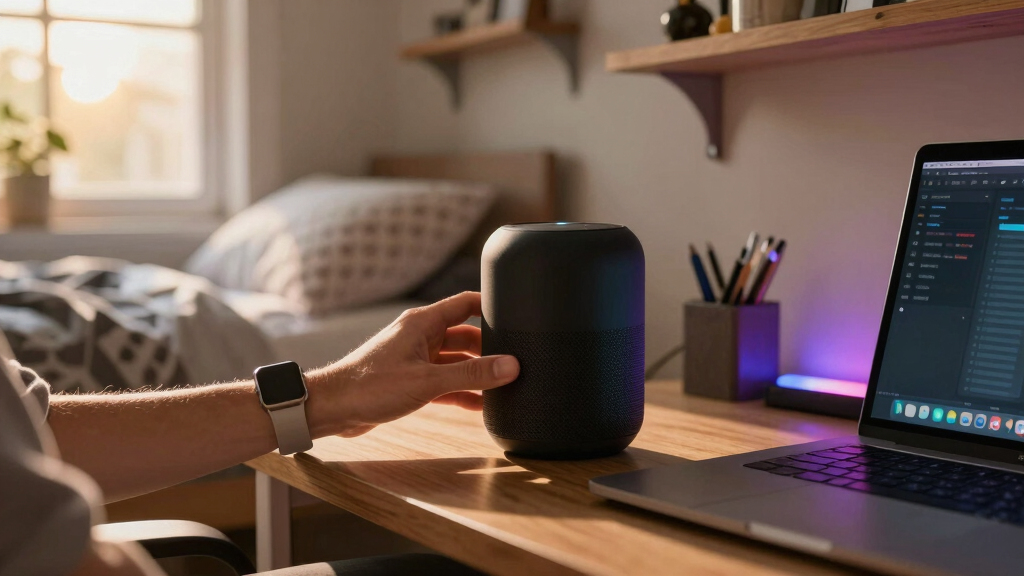
Imagine walking into your dorm room after a long day and turning on the lights with a quick voice command or a tap on your phone. No more fumbling for switches or worrying about leaving lights on all night. That’s the power of smart home devices tailored for student spaces, offering a blend of convenience, security, and energy savings. You’ll learn which gadgets truly transform dorm living, how to pick the right ones, and what pitfalls to avoid—so you can create a smarter, safer space without breaking the rules or the bank.
Whether you want to control your environment with a voice, keep your stuff secure, or cut down on utility bills, smart tech makes it all easier. And with compact, budget-friendly options flooding the market, you don’t need to be an expert to set up a system that works for you. Ready to turn your tiny dorm into a smart sanctuary? Let’s get started.
Choose compact, compatible devices that fit your space and tech ecosystem.
Prioritize security: use strong passwords and update firmware regularly.
Verify dorm policies before installing cameras or locks to avoid violations.
Smart gadgets can cut energy bills by 10-15%, saving you money over time.
Start small: a few key devices can dramatically improve your dorm life without overwhelming your budget.
What smart home devices are must-haves for your dorm?
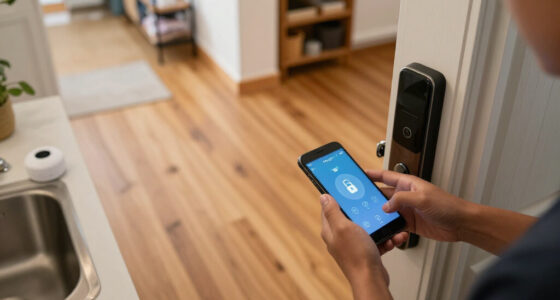
Smart plugs, smart lights, and smart locks top the list for dorm rooms. Imagine plugging your coffee maker into a smart outlet and waking up to a warm brew. Or using a voice command to turn your desk lamp on without leaving your bed. Smart locks let you grant temporary access to friends or roommates, avoiding the hassle of spare keys. These devices are designed to be simple, compact, and compatible with platforms like Alexa and Google Assistant.
For example, a student used a smart plug to automate their study lamp and set schedules for energy savings. It’s like having a personal assistant who keeps your room comfy and bills low. The best part? Most cost under $50 and install in minutes.
As an affiliate, we earn on qualifying purchases.
How to pick the right smart gadgets for your tiny space
- Identify your needs: Do you want better lighting, security, or energy control?
- Check compatibility: Make sure devices work with your voice assistant or smartphone.
- Think about space: Compact devices like mini smart plugs or portable cameras fit best.
- Set a budget: Entry-level smart plugs start around $20, while advanced security kits can go over $100.
- Verify dorm policies: Some buildings restrict cameras or certain locks, so double-check before installing.
Choosing the right gadgets involves understanding what features are most beneficial for your lifestyle and space constraints. For instance, a student might prioritize devices that are easy to hide or remove, to comply with dorm policies or avoid clutter. Additionally, balancing cost with functionality helps ensure you get devices that are reliable and worth the investment. Making thoughtful choices means you’re not just buying gadgets—you’re creating a safer, more efficient living environment that respects your budget and rules.
As an affiliate, we earn on qualifying purchases.
Smart home tech vs. traditional solutions: what’s the difference?
| Feature | Smart Devices | Traditional Solutions |
|---|---|---|
| Ease of control | Remote via app or voice | Manual switches or keys |
| Automation | Scheduled or triggered by sensors | Manual operation only |
| Security | Remote lock/unlock, alerts | Spare keys or physical locks |
| Energy saving | Smart meters and timers | Standard outlets, no data |
While traditional solutions rely on physical presence and manual effort, smart devices add a layer of control and insight that can significantly enhance your living experience. For example, a smart lock can send you notifications if someone enters unexpectedly, providing an extra layer of security that traditional locks cannot. This capability allows you to monitor your space remotely, giving peace of mind and flexibility—especially important in a dorm setting where managing access efficiently can prevent issues like lost keys or unauthorized entries. However, this also means relying on Wi-Fi connectivity and trusting digital security, which can introduce privacy and security tradeoffs. Understanding these differences helps you weigh the convenience and security benefits against potential vulnerabilities, enabling you to make an informed decision about integrating smart tech into your dorm life responsibly.
As an affiliate, we earn on qualifying purchases.
The pros and cons of bringing smart tech into your dorm
- Pros: Increased convenience, better security, energy savings, easy remote control, and automation. These advantages can streamline your daily routines, reduce stress, and help you manage your space more effectively, especially when balancing studies and social life.
- Cons: Privacy concerns, potential Wi-Fi interference, upfront costs, and possible policy restrictions. For example, some dorms may restrict camera use or certain locks, which could limit your options. Additionally, reliance on Wi-Fi means that outages could temporarily disable your smart devices, so having backup plans is wise.
For instance, a student installed a smart camera to monitor their belongings. While it offers peace of mind, neglecting to change default passwords or ignoring privacy settings could expose personal data or allow unauthorized access. Weighing these pros and cons involves understanding that smart devices can significantly improve your living experience but also require responsible management. You should consider whether the convenience outweighs potential privacy risks and how to mitigate them, such as by choosing reputable brands and securing your network. Recognizing these tradeoffs ensures you use smart tech effectively without compromising your privacy or security in the dorm environment.
energy monitoring devices for dorms
As an affiliate, we earn on qualifying purchases.
As an affiliate, we earn on qualifying purchases.
Keeping your smart setup secure and private
Smart home devices are only as safe as your security habits. Use unique, strong passwords for each device, enable two-factor authentication if available, and keep firmware updated. A student who set up a separate Wi-Fi network for their gadgets kept their main account safer and avoided potential breaches. Also, disable features like remote access if not needed, and review privacy settings regularly.
Remember, privacy isn’t just about hiding things; it’s about maintaining control over who can see or manipulate your space. Smart locks with temporary codes or cameras with privacy modes help you stay in charge. For example, disabling camera audio recording when not needed or setting temporary access codes for friends can help prevent misuse. Regularly reviewing your device settings and understanding how your data is stored and shared ensures you maintain control over your digital footprint and physical space, reducing the risk of privacy breaches. This proactive approach is crucial because smart devices, if not properly secured, can be exploited by malicious actors or lead to unintended privacy leaks, especially in communal living spaces like dorms.
The best budget-friendly smart gadgets for students
- Smart plugs: TP-Link Kasa Mini, around $20, control lamps and chargers remotely. These are especially useful for automating common devices without cluttering your space.
- Smart bulbs: Philips Hue White, around $15, customizable lighting for studying or relaxing. They can be dimmed or color-adjusted to suit your mood, enhancing comfort and focus.
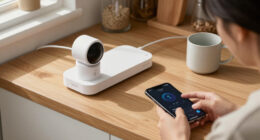
- Portable cameras: Ring Indoor Cam, about $40, monitor your room from anywhere. They provide peace of mind, especially when you’re not in your dorm or traveling home.
- Smart locks: August Smart Lock, starting at $100, add keyless access and peace of mind. They eliminate the worry of losing keys and allow you to grant temporary access to friends or maintenance staff.
These gadgets are not only affordable but also practical and easy to set up, making them ideal for small living spaces. For example, a dorm student used a smart plug to turn their desk lamp on at sunset, saving energy and creating a cozy atmosphere—showing how small investments can have a big impact on your daily comfort and efficiency.
Frequently Asked Questions
Are smart home devices safe and private to use in dorm rooms?
Yes, if you choose reputable brands and follow best practices. Use strong, unique passwords, enable two-factor authentication, and keep firmware updated. Regularly review privacy settings to control who can access your devices. While privacy concerns are valid, understanding how to secure your devices and data can effectively mitigate risks, allowing you to enjoy the convenience without unnecessary worry.
What smart devices are most useful for students living in dorms?
Smart plugs, smart lights, and smart locks are the most practical. They add convenience, security, and energy control in small spaces. Automating your desk lamp or granting temporary access to friends simplifies daily routines and enhances safety, making dorm life more manageable and enjoyable.
Can I install these devices easily without technical skills?
Absolutely. Most devices are designed for quick setup via smartphone apps, often taking less than 10 minutes. Follow the instructions carefully, connect to Wi-Fi, and you’re set—no advanced skills needed. Many brands also provide tutorials and customer support to help you troubleshoot if necessary.
Will these devices interfere with dorm Wi-Fi or other electronics?
Generally, no. Most are Wi-Fi or Bluetooth-enabled and designed to coexist with common electronics. To minimize interference, ensure your devices are compatible with your dorm’s network, and avoid connecting too many devices simultaneously to prevent overloading outlets or the network.
Are smart devices allowed in dorms?
Policies vary. Some dorms restrict cameras or locks, so check with your housing office first. When in doubt, opt for non-intrusive gadgets like smart plugs or lights, which are less likely to violate policies and still offer significant benefits.
Conclusion
Smart home devices can turn your dorm into a cozy, secure, and energy-efficient haven—without the complexity or high cost. The trick is starting with a few reliable gadgets that fit your routine and space, then expanding as you see fit. Your tiny dorm can be a big step toward smarter living, making every moment more convenient and safe.
So, why not add a smart plug, a smart bulb, or a simple lock? The future of dorm life is just a tap away. Make your space smarter—today.
Fall yard work Picks
leaf blowers
As an affiliate, we earn on qualifying purchases.