TL;DR

Get home appliances delivered free with Prime
- Fast, free delivery on millions of items
- Prime Video, Amazon Music and more included
- Member-only deals all year
Smart home devices for dorm rooms boost comfort, security, and energy savings. They are easy to set up, affordable, and compatible with popular platforms, but always check dorm policies and prioritize privacy.
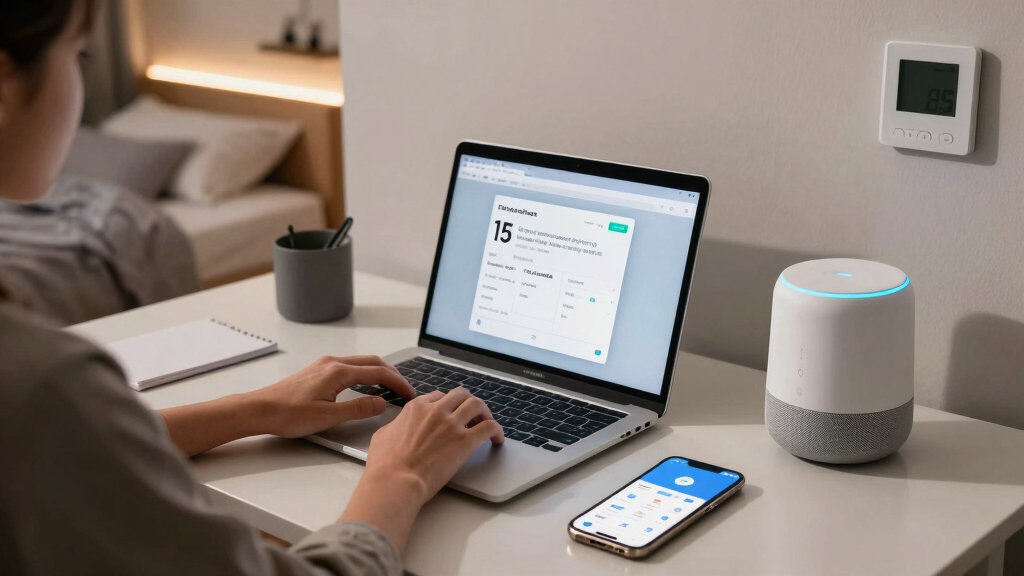
Imagine walking into your dorm and controlling the lights, music, or even locking your door with just a tap on your phone. The right smart home devices can turn a basic dorm room into a smart, personalized space. But with so many options, where do you start? This guide will show you simple, effective gadgets that fit a student’s budget and lifestyle, making your living space more comfortable and secure.
Whether you want to automate your lighting, keep your belongings safe, or just streamline your daily routines, these devices are designed for ease of use and maximum impact. Ready to upgrade your dorm? Let’s get started.
Smart home devices make dorm life more convenient and secure, especially when chosen with ease of use and privacy in mind.
Start with core gadgets: smart bulbs, plugs, speakers, locks, and cameras for a balanced setup.
Always check dorm policies before installing devices — safety and compliance come first.
Secure your devices with strong passwords, regular updates, and trusted brands to protect your privacy.
Prioritize portability and energy efficiency to maximize your budget and flexibility.
Why Smart Devices Make Dorm Life Easier — Fast
Smart home devices for dorm rooms are all about adding convenience and saving time. Imagine turning off your lights from bed or unlocking the door for friends without rushing to the hallway. Devices like smart plugs and voice assistants turn simple tasks into effortless actions. One student shared how a smart speaker helped her manage her schedule while juggling classes and a part-time job.
They also bring a layer of security. With smart locks and cameras, you can monitor your space remotely, which is especially important if you’re often out or sharing the room. This remote access allows you to quickly verify if everything is secure, providing peace of mind without physical checks. Plus, many devices are portable, so you can easily move or store them when you leave for the summer. However, this portability also means you need to consider the security of these devices, as losing control or unauthorized access could pose privacy risks.
As an affiliate, we earn on qualifying purchases.
Top 5 Smart Devices Every Dorm Room Needs
| Device | What It Does | Example |
|---|---|---|
| Smart Bulbs | Adjust brightness, color, and schedule lighting. This allows you to customize your environment for studying, relaxing, or hosting friends, which can influence your mood and productivity. The ability to automate lighting also helps conserve energy, reducing bills and environmental impact. | Philips Hue bulbs change from soft white to vibrant colors, perfect for studying or relaxing |
| Smart Plugs | Control non-smart devices remotely and schedule their operation. This helps you reduce energy waste by turning off devices when not in use, and adds convenience by automating routines like waking up or preparing for bed. The tradeoff is managing multiple apps or schedules, which can become complex if overused. | Turn off your coffee maker at night or turn on your fan before you wake up |
| Smart Speakers | Voice control, music streaming, and info retrieval. They serve as a hands-free assistant for reminders, weather updates, or quick searches, freeing you from multitasking or fumbling with devices. However, always consider privacy implications, as voice recordings are stored and analyzed by companies. | Amazon Echo helps you set alarms, check weather, or answer questions hands-free |
| Smart Locks | Keyless entry and temporary access. These locks allow you to grant access to friends or maintenance without physical keys, reducing the risk of lost keys or unauthorized duplication. The tradeoff involves reliance on digital security; if your account is hacked, your space could be compromised. | August Smart Lock lets you unlock your door via app, no keys needed |
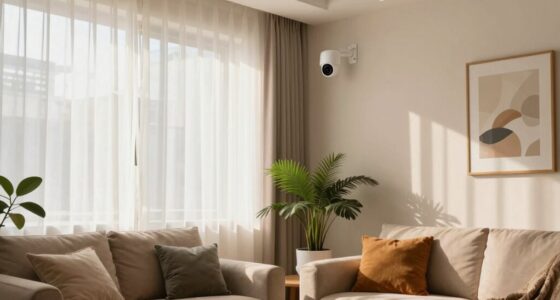
| Security Cameras | Monitor your room remotely and record footage. They provide real-time security, deterring theft or vandalism, and help you keep an eye on your belongings when you’re away. The downside is potential privacy breaches if cameras are hacked or misused, so choosing reputable brands and securing access is vital. | Ring Indoor Cam lets you keep an eye on your belongings from anywhere |
These five gadgets cover essential aspects: lighting, power management, entertainment, security, and access control. While they are easy to set up and compatible with voice assistants, it’s important to weigh their benefits against privacy concerns, especially in shared spaces. Proper configuration and security habits are key to maximizing their advantages without risking your privacy.
As an affiliate, we earn on qualifying purchases.
How To Keep Your Dorm Safe & Smart in 3 Easy Steps
- Choose your must-have devices: Pick smart plugs, a smart speaker, and a lock to cover convenience, security, and control. Prioritize devices that integrate well together and fit your specific needs, like automating your morning routine or securing your valuables.
- Set up securely: Follow manufacturer instructions carefully. Use strong, unique passwords for each device, enable two-factor authentication when available, and keep firmware updated. This reduces vulnerabilities that hackers often exploit, especially in shared networks common in dorms.
- Respect dorm rules: Confirm with your RA or dorm policies. Avoid devices that invade roommate privacy or are prohibited. Being transparent about your smart setup helps maintain harmony and prevents issues that could lead to device confiscation or disciplinary action.
For example, a student in Boston installed smart plugs and a camera to monitor her belongings without disturbing her roommate. She kept her setup simple, secure, and within dorm policies, making her space safer and smarter without any issues. Understanding the implications of each device helps you balance convenience and privacy effectively.
As an affiliate, we earn on qualifying purchases.
Smart Devices vs. Traditional Gadgets — What’s the Real Difference?
| Feature | Smart Devices | Traditional Gadgets |
|---|---|---|
| Control | Remote via app or voice, allowing you to manage devices from anywhere. This means you can troubleshoot or adjust settings on the fly, which is especially useful if your schedule changes or you’re away from your room. The tradeoff is dependency on internet connection and potential hacking risks if security isn’t maintained. | Manual, often physically operated. While simple and reliable, traditional gadgets lack flexibility. For instance, a manual lamp can’t be dimmed or scheduled, limiting automation and energy efficiency. |
| Automation | Scheduled, responsive to sensors, or voice-activated, enabling routines like turning on lights at sunset or adjusting temperatures based on occupancy. This can significantly reduce energy waste, but requires initial setup and understanding of automation logic, which might be complex for some users. | No automation; operation is manual. This might save initial costs but often leads to higher energy consumption and less convenience, as you have to remember to turn devices on or off. |
| Security | Remote monitoring, alerts, and temporary access controls. These features enhance security but depend on proper setup and cybersecurity practices. The risk exists if devices are not secured or if their data is mishandled. | Limited to physical locks or alarms. While straightforward, these lack the remote or automated features of smart devices, potentially leaving your space more vulnerable if not used correctly. |
| Cost | Often higher upfront, but with ongoing energy savings and added convenience. The initial investment can be offset over time through reduced utility bills and better resource management. | Lower upfront costs but may incur higher energy costs and less functionality. Over time, traditional gadgets might be more expensive in energy and maintenance, making smart devices more economical in the long run. |
Think of smart devices as the difference between a car with cruise control and a manual bike. Both get you where you want to go, but one offers a smoother, more automated ride. The initial cost might be higher, but the benefits—like energy savings, remote control, and automation—often outweigh the price, especially for busy students juggling multiple responsibilities.
As an affiliate, we earn on qualifying purchases.
Smart Home Privacy & Security — What You Need to Know
Smart devices gather data — that’s how they work. But with dorm rooms, privacy is key. Choosing reputable brands with strong encryption, like Ring or August, helps protect your data. Always change default passwords and enable two-factor authentication to prevent unauthorized access. Regularly updating your device firmware is crucial because security vulnerabilities are often fixed through updates, reducing the risk of hacking or data breaches.
For example, a student noticed her security camera started acting strangely. She immediately updated her app and changed her password, preventing any unauthorized access. Remember: a smart device is only as secure as your security habits. Being proactive—using strong, unique passwords, and avoiding sharing access credentials—can significantly improve your privacy and security. Consider setting up a separate Wi-Fi network for your smart devices, which isolates them from your main connection and adds an extra layer of protection against potential breaches.
Your Smart Dorm Checklist — What to Remember Before Buying
- Check dorm policies to avoid surprises. Understanding restrictions on device types, recording capabilities, or network usage helps you stay compliant and avoid confiscation or penalties.
- Pick devices that are easy to set up and use. User-friendly interfaces and clear instructions reduce frustration and ensure you get the most benefit from your investment.
- Prioritize security and privacy—use strong passwords, enable two-factor authentication, and keep firmware updated. This not only protects your devices but also your personal data and roommate privacy.
- Set a budget, but don’t skimp on quality. Investing in reputable brands with good reviews often results in more reliable performance and better security features.
- Think about portability — can you move it easily? If you’re in a shared room or might change dorms, portable devices save hassle and additional costs.
Frequently Asked Questions
Are smart home devices allowed in dorm rooms?
Policies vary between schools and dorms. Always check with your RA or housing office before installing any devices to avoid violations or privacy issues.What’s the most affordable smart device for a dorm?
Smart plugs and basic smart bulbs are typically the cheapest options, often costing under $20 each. They provide quick benefits without a big investment.How safe are smart devices from hacking?
They can be secure if you use reputable brands, enable two-factor authentication, and keep firmware updated. Avoid using default passwords and connect devices to a separate, secure Wi-Fi network when possible.Can I control my smart devices remotely?
Yes. Most smart gadgets come with smartphone apps that let you control your devices from anywhere with internet access.Are smart home devices easy to set up for beginners?
Absolutely. Most are designed for quick installation, often with step-by-step instructions or app-guided setup, making them accessible even for non-tech-savvy students.Conclusion
Smart devices turn a dull dorm into a personalized haven of tech and comfort. But remember, security and respecting policies are just as important as convenience. Start small, stay cautious, and enjoy the smarter, safer space you create.
Imagine walking into a room where everything responds to your voice—your lights, music, even the door. That’s the future of dorm living. Why not make it yours today?
Cold & flu season Picks
humidifiers
As an affiliate, we earn on qualifying purchases.