TL;DR

Get home appliances delivered free — and shop member deals
- Fast, free delivery on millions of items
- Access to Prime Big Deal Days deals on October 6–7
- Prime Video, Amazon Music and more included
Smart home security cameras offer high-res video, smarter alerts, and seamless integration. Staying updated on recent tech and understanding security features helps you pick the best system for your home.
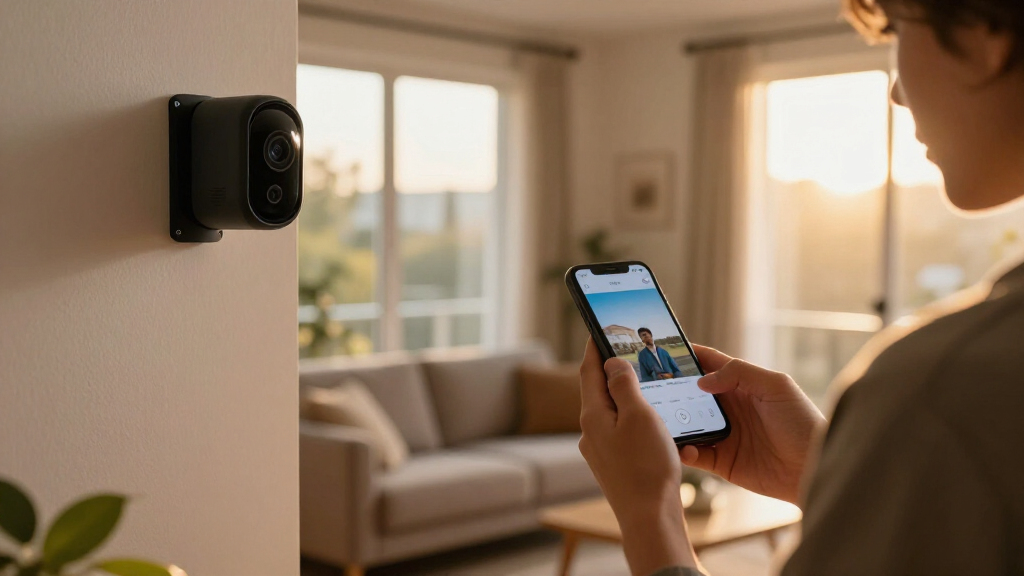
Imagine your home under a watchful eye that never sleeps—quietly capturing every movement, alerting you instantly, and fitting seamlessly into your daily life. That’s the promise of smart home security cameras. But with so many options flooding the market, how do you pick the right one?
Whether you’re protecting your family, your pets, or your property, understanding what makes a good security camera can save you headaches and money. This guide breaks down the essential features, recent advances, and key questions to help you navigate this fast-changing landscape. Ready to make your home smarter and safer?
Prioritize security features like end-to-end encryption and two-factor authentication when choosing a camera.
Modern cameras now support 4K resolution and color night vision, dramatically improving image clarity.
Edge computing reduces lag and enhances privacy by processing video data locally on the device.
Compatibility with existing smart home systems like Alexa, Google, or HomeKit simplifies control and integration.
Local storage options offer privacy but consider cloud plans for remote access and AI features.
What Makes a Smart Home Security Camera Truly Smart?
Smart cameras aren’t just about recording footage; they’re about making that footage meaningful and accessible. The best models combine high-quality video with intuitive controls, smart alerts, and privacy safeguards. Imagine a camera with crystal-clear 1080p video, a wide 130° lens capturing your entire driveway, and the ability to zoom in remotely—without lag.
These features matter because they directly impact your security and peace of mind. For instance, high-resolution video ensures you can identify faces or license plates clearly, which is crucial for evidence or identifying intruders. A wide field of view reduces blind spots, meaning fewer cameras are needed to cover your property, saving money and simplifying management. Remote zooming allows you to focus on specific details without physically adjusting the camera, which is especially useful for outdoor setups.
Furthermore, the integration of smart controls and privacy safeguards transforms a simple recording device into a reliable home assistant. For example, two-way audio lets you communicate with visitors or intruders, potentially deterring unwanted activity. Privacy features like camera shutters or indicators when recording are vital to prevent unwarranted surveillance or data leaks. When choosing a smart security camera, consider how these features balance usability with security — a high-quality camera is only effective if it’s also protected from hacking and misuse.
As an affiliate, we earn on qualifying purchases.
Top Features That Make Smart Cameras Stand Out
- Video Resolution: While 720p or 1080p HD is common, 4K models are increasingly affordable, offering highly detailed footage that can be crucial in identifying suspects or license plates. The tradeoff is that higher resolution videos require more bandwidth and storage, so consider your network capacity and storage plans when choosing.
- Field of View & PTZ: Wide-angle lenses (120° or more) reduce the number of cameras needed to cover large areas, but they can sometimes introduce distortion at the edges. Pan-tilt-zoom (PTZ) cameras offer the ability to remotely control the viewing angle, allowing you to focus on specific areas or track movement—improving coverage but often at a higher cost and complexity. Deciding between fixed wide-angle lenses and PTZ depends on your specific security needs and budget.
- Connectivity & Ecosystem: Compatibility with Wi-Fi, Zigbee, or Z-Wave ensures your camera can integrate seamlessly with existing smart home devices. This ecosystem approach allows for centralized control, automation, and voice commands, enhancing convenience. However, reliance on Wi-Fi means your network’s stability directly affects your camera’s performance—considering a wired or mesh network might be beneficial for critical areas.
- Storage Options: Cloud storage offers the convenience of remote access and AI features, but ongoing subscription costs can add up. Local storage via SD cards or network-attached storage (NAS) provides greater privacy and control, though setup can be more complex. The choice depends on your privacy concerns, budget, and desired level of access.
- Smart Detection & Alerts: Advanced sensors now distinguish between humans, animals, and objects, reducing false alarms that can lead to alert fatigue or missed real threats. Accurate alerts mean you can respond swiftly to genuine issues, but overly sensitive detection can lead to false positives. Calibration and customization are key to balancing sensitivity with reliability.
- Privacy & Security: Encryption, user authentication, and physical shutters protect your footage from unauthorized access. The implications are significant: a breach could expose your home’s interior or personal data. Choosing cameras with robust security features can prevent hacking, while physical shutters add an extra layer of privacy during personal moments.
- Power & Battery Life: Wired cameras are dependable but less flexible, while wireless models depend on batteries that need regular recharging or replacement. The tradeoff involves convenience versus maintenance; longer-lasting batteries reduce hassle but may limit placement options. Consider your access to power sources when planning your setup.
- Extra Features: Two-way audio, night vision, weatherproofing, and customizable alerts turn a basic camera into a comprehensive security tool. These features enhance usability and adaptability, allowing your system to function effectively day and night, indoors and outdoors, and in various weather conditions. Prioritize features that align with your specific security concerns and environment.
wireless home security camera with night vision
As an affiliate, we earn on qualifying purchases.
As an affiliate, we earn on qualifying purchases.
What’s New? Recent Tech Upgrades in Smart Cameras
Smart cameras aren’t standing still. Recent innovations leverage AI and machine learning to make alerts smarter and more accurate. Facial recognition now helps identify family members or known visitors, which can streamline access and improve safety by alerting you only when unfamiliar faces are detected. Behavioral analysis examines movement patterns over time, helping to distinguish normal activity from suspicious behavior, thereby reducing false alarms and enabling quicker responses.
High-resolution video, especially 4K, is becoming standard—even affordable—bringing sharper images and better details, especially in low light. This upgrade allows you to scrutinize footage for key details without needing additional cameras or increased storage. Night vision has also improved, with some cameras now offering color night vision, which provides more context and easier identification in darkness, enhancing overall security during nighttime hours.
Integration has advanced to support seamless connection with multiple devices, such as doorbells, alarms, and smart locks, creating a unified security ecosystem. Edge computing enables data processing directly on the camera, reducing latency and preserving privacy by minimizing cloud dependence. Subscription plans now incorporate AI-powered analytics, which can automatically detect unusual activity, categorize events, and send smarter alerts—saving you time and reducing false alarms.
Design-wise, cameras are becoming sleeker, less conspicuous, and modular, allowing for tailored outdoor, indoor, or hidden installations. These upgrades mean security systems can now be more adaptable, blending seamlessly into your home’s aesthetic while offering robust protection. These technological advances collectively enhance usability, reliability, and security effectiveness, making your system more intuitive and trustworthy.
smart home security camera with two-way audio
As an affiliate, we earn on qualifying purchases.
As an affiliate, we earn on qualifying purchases.
How Secure Are These Cameras? What You Really Need to Know
Security is a big deal. While smart cameras add convenience, they also open potential vulnerabilities. Reputable brands prioritize strong encryption and security protocols, which are essential because weak security can expose your footage or allow unauthorized access. End-to-end encryption ensures that data transmitted between your device and the cloud or local storage remains private, making hacking significantly more difficult. However, security isn’t just about encryption; it also involves user practices and device management.
Hacking is still possible if you don’t take precautions. Changing default passwords, which are often publicly available or easy to guess, is a simple yet effective step. Enabling two-factor authentication adds an extra layer of protection by requiring a second verification step. Keeping firmware updated is critical because manufacturers regularly patch security vulnerabilities. Neglecting these updates leaves your devices exposed to known exploits. For example, a homeowner in Texas experienced her camera footage hacked after she used the default password—highlighting why security habits are vital for safeguarding your data and privacy.
Privacy features matter, too. Look for cameras with physical shutters or indicators when recording, which provide transparency and control over what’s being captured. Understanding where your footage is stored—locally or in the cloud—is crucial. Local storage offers more control and reduces reliance on third-party servers, but it requires proper setup and maintenance. Cloud storage can be more convenient and offer AI features, but it also involves trusting a provider with your data. Selecting a reputable brand with transparent data handling policies ensures your privacy is prioritized, allowing you to enjoy security without unnecessary risks.
home security camera with cloud storage
As an affiliate, we earn on qualifying purchases.
As an affiliate, we earn on qualifying purchases.
Choosing the Right Camera for Your Home: A Step-by-Step Guide
- Assess your needs: Indoor or outdoor? How much coverage do you want? Do you need night vision or two-way audio? Defining these parameters helps you focus your search on devices that truly meet your security goals and avoid overspending on unnecessary features.
- Set a budget: Basic models start around $50, but investing more can get you higher resolution, better night vision, and more advanced detection. Consider the tradeoffs: cheaper models may lack durability or smart features, while premium options offer more comprehensive protection but at a higher cost.
- Check compatibility: Will it work with your existing smart home ecosystem? Support for platforms like Alexa, Google Assistant, or Apple HomeKit simplifies control and automation, making your security system more intuitive and integrated into your daily routines. Compatibility can also affect future upgrades or additions.
- Prioritize security: Choose brands with proven security features and transparent data policies. Reading reviews and researching the manufacturer’s security track record can prevent future headaches caused by vulnerabilities or data misuse.
- Think about storage: Do you prefer local storage, which offers greater privacy but may require more setup, or cloud plans that provide remote access and AI features? Your decision should balance privacy concerns, convenience, and ongoing costs.
For example, a family in Florida opted for a weatherproof outdoor camera with 4K resolution and motion alerts. They valued local storage options to avoid ongoing fees and chose a model compatible with Alexa for voice control. This tailored approach ensured they met their security needs without unnecessary expense or complexity, illustrating the importance of assessing your unique environment and preferences.
Comparison Table: Wired vs. Wireless Security Cameras
| Feature | Wired Cameras | Wireless Cameras |
|---|---|---|
| Power Source | Plug-in, constant power | Battery-powered or rechargeable |
| Installation | More complex, requires wiring | Easy, DIY-friendly setup |
| Reliability | High, no Wi-Fi dependency | |
| Flexibility | Limited, fixed position | High, flexible placement |
| Security | Less vulnerable to Wi-Fi hacking but relies on physical wiring | |
| Cost | Generally higher upfront |
Frequently Asked Questions
How secure are smart home security cameras?
Reputable brands use strong encryption and security protocols. Still, you should change default passwords, enable two-factor authentication, and keep firmware updated to protect your footage from hackers.
Can smart cameras be hacked?
Yes, if security steps aren’t taken. Proper setup, updating firmware, and using strong, unique passwords significantly reduce this risk.
What should I look for in outdoor security cameras?
Choose weatherproof, vandal-resistant models with good night vision and reliable Wi-Fi or wired connectivity. Features like motion alerts and local storage add extra layers of security.
How much do smart security cameras cost?
Basic models start around $50, while advanced features and higher resolutions push prices over $300. Your choice depends on your needs and budget.
Do I need a subscription for cloud storage?
Not always. Some cameras offer local storage for free, but cloud plans often provide remote access, AI analytics, and longer video history—consider what matters most to you.
Conclusion
Smart home security cameras are no longer just surveillance devices—they’re integral to a smarter, safer home. Focus on security, privacy, and compatibility, and you’ll find a device that fits your lifestyle and keeps your home protected. As technology continues to advance, your best move is to stay informed and choose wisely.
Remember, a camera is only as good as the security behind it. Invest in a trusted brand, keep your software updated, and enjoy peace of mind knowing your home is under watchful eyes—day and night.
Cold & flu season Picks
humidifiers
As an affiliate, we earn on qualifying purchases.