
To choose a router for your small apartment, look for one supporting WPA3 encryption, with built-in firewalls and a guest network option for extra security. Place it centrally on a high shelf away from interference sources like microwaves. Make certain it supports the latest Wi-Fi standards for better speed and coverage. Opt for reputable brands known for reliability and support, which helps keep your network secure and stable. Keep exploring to learn more about optimizing your Wi-Fi setup.

Get home appliances delivered free — and shop member deals
- Fast, free delivery on millions of items
- Access to Prime Big Deal Days deals on October 6–7
- Prime Video, Amazon Music and more included
Key Takeaways
- Opt for a router supporting WPA3 encryption and built-in firewalls for enhanced security.
- Place the router centrally on a high shelf, away from interference sources, for optimal coverage.
- Choose a device supporting the latest Wi-Fi standards to ensure fast, reliable connections.
- Verify compatibility with your existing devices and select reputable brands for firmware support.
- Prioritize routers with guest networks and strong security features to safeguard your personal data.

Selecting the right router is essential for guaranteeing a strong and reliable Wi-Fi connection in your small apartment. With so many options available, it can feel overwhelming to choose the best one for your space. To start, consider the importance of Wi-Fi security. You want a router that offers robust security features, such as WPA3 encryption, to protect your personal data and prevent unauthorized access. Many modern routers come with built-in firewalls and guest networks, giving you extra layers of protection. Prioritizing Wi-Fi security assures your online activities remain private and safe from potential threats.
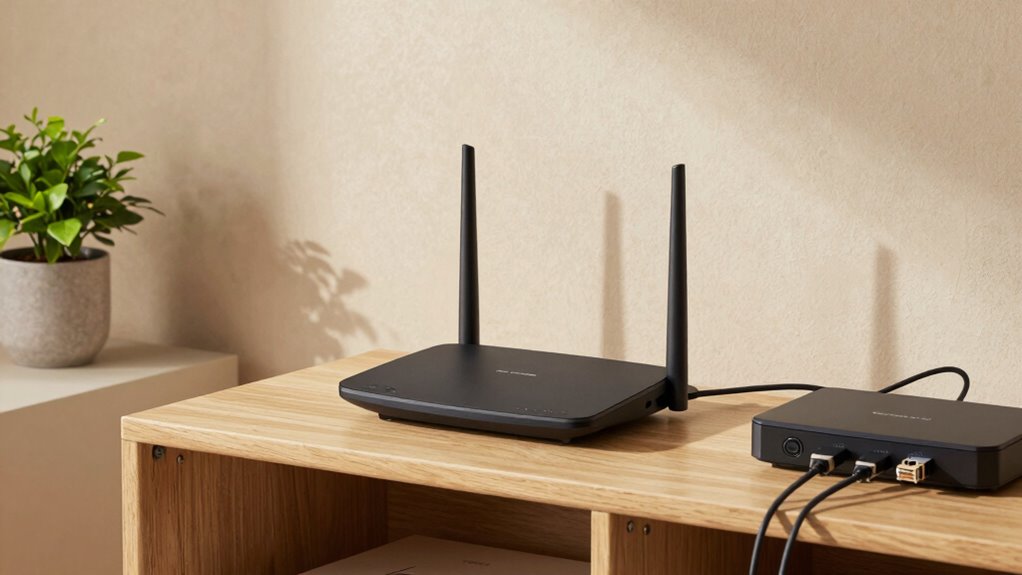
Next, focus on router placement, which plays a critical role in the quality of your Wi-Fi signal. Position your router in a central location, ideally on a high shelf away from walls, metal objects, and electronic devices that can interfere with the signal. Avoid placing it near microwaves, cordless phones, or large metal appliances, as these can disrupt Wi-Fi performance. Proper placement reduces dead zones and helps your entire apartment receive a strong, consistent connection. Remember, even the most advanced router won’t perform well if it’s buried in a closet or tucked in a corner. Additionally, understanding router placement can significantly improve your Wi-Fi coverage and speed. Incorporating signal interference mitigation techniques can further enhance your network stability. Ensuring your router supports the latest Wi-Fi standards can also make a notable difference in performance and security. Paying attention to router compatibility with your devices can help optimize your network experience. Moreover, selecting a router with a reputable brand reputation can ensure better firmware updates and customer support over time.
WPA3 Wi-Fi router for small apartment
As an affiliate, we earn on qualifying purchases.
As an affiliate, we earn on qualifying purchases.
Frequently Asked Questions
Do I Need a Dual-Band or Tri-Band Router?
You should opt for a dual-band router, especially if you have smart home devices and need smooth connectivity. It handles multiple devices better, supporting your smart home integration and allowing for reliable streaming or gaming. A tri-band router is ideal if many devices compete for bandwidth or if you want maximum future-proofing. Additionally, look for features like parental controls to manage device access, making your small apartment more secure and organized.
How Important Is Router Size for Small Apartments?
Router size is less important than its signal range optimization, especially in small apartments. Don’t assume a large router offers better coverage; in fact, compact designs often support smart home integration more seamlessly, reducing clutter and interference. Focus on a router with strong signal strength and good placement options. Small, unobtrusive routers can still deliver reliable Wi-Fi, making them perfect for maximizing coverage without sacrificing style or convenience.
Can a Router Be Hidden or Discreet?
Yes, you can hide or keep your router discreet. Focus on router placement, choosing a spot behind furniture or inside a cabinet to minimize visibility. Look for models with aesthetic design that blend seamlessly with your decor. Using cable management and discreet covers can also help. Just make sure the router still gets good airflow and signal strength. This way, your small apartment stays tidy without sacrificing internet performance.
What Security Features Should I Look For?
You should look for routers with strong security features like robust network encryption, such as WPA3, to protect your data. Additionally, a guest network feature lets you create separate Wi-Fi access for visitors, keeping your main network secure. Make certain the router supports automatic updates to patch vulnerabilities. These features help safeguard your small apartment’s network, giving you peace of mind while browsing, streaming, or working.
How Often Should I Update My Router Firmware?
Think of your router as the captain of your smart home ship; keeping its firmware updated is vital to steer smoothly. You should update it every few months, or as soon as a security patch or bug fix is released. Regular updates ensure your network stays secure, maintains peak Internet speed, and supports your smart devices effectively. Don’t let outdated firmware cause turbulence in your connected life.
dual-band Wi-Fi router with guest network
As an affiliate, we earn on qualifying purchases.
As an affiliate, we earn on qualifying purchases.
Conclusion
As you set up your new router, picture it as the heartbeat of your small apartment, pulsing with seamless connectivity through every corner. With the right choice, signals flow effortlessly, like a gentle stream weaving through cozy rooms. Trust your instincts and specifications to guide you, creating a smooth, uninterrupted digital landscape. Soon, your space transforms into a vibrant hub of activity, where every device dances in harmony under the reliable glow of your perfect router.
best reliable Wi-Fi router for small spaces
As an affiliate, we earn on qualifying purchases.
As an affiliate, we earn on qualifying purchases.
high security Wi-Fi router with firewall
As an affiliate, we earn on qualifying purchases.
As an affiliate, we earn on qualifying purchases.
Fall Picks
fall essentials
As an affiliate, we earn on qualifying purchases.