TL;DR
Smart home security cameras let you check your home remotely, receive activity alerts, and review footage, but the useful details depend on placement, connectivity, detection, and recording options. Match the camera to its location, confirm what happens during internet or power outages, compare subscription costs, and set privacy controls before you install it.
Aim each camera at the approach you need to see; a high resolution cannot compensate for a poor angle or bad lighting.
Check the camera’s weather rating, power needs, and charging demands for its exact location.
Confirm recording mode, retention, storage costs, and behavior during internet or power outages before buying.
Use activity zones and review alerts for several days to reduce nuisance notifications.
Set privacy zones, secure the account with a unique password and multifactor authentication, and check local rules for audio or indoor monitoring.

Get home appliances delivered free with Prime
- Fast, free delivery on millions of items
- Prime Video, Amazon Music and more included
- Member-only deals all year
What smart cameras can do for your home—and where they fall short
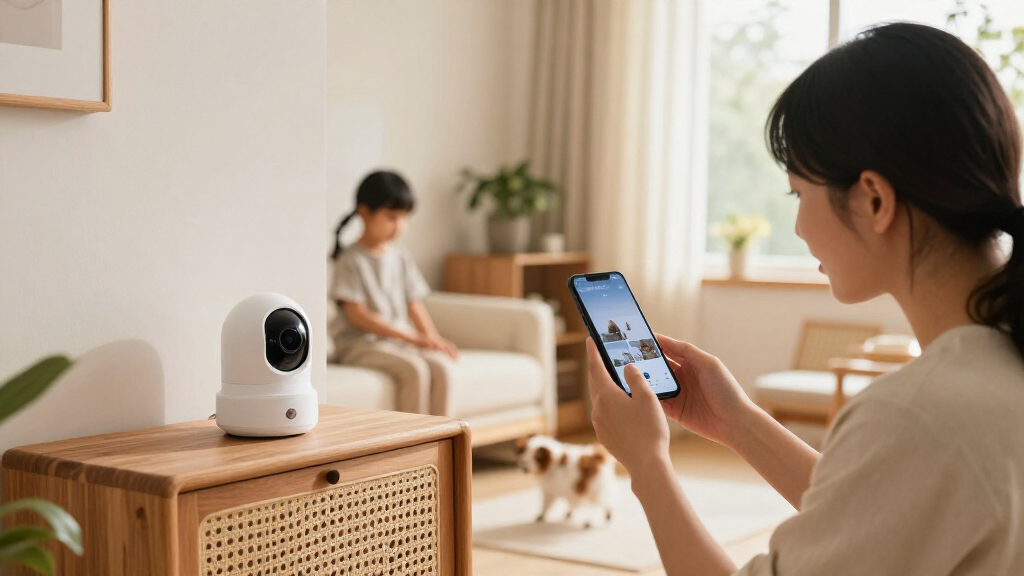
Smart home security cameras let you check a home remotely, receive motion or sound alerts, and review recorded footage. Some work as standalone devices; others link to doorbells, lights, alarms, locks, or voice assistants. Their value comes from fitting those jobs to your home, not from simply buying the highest resolution. Imagine you’re at work when a package arrives. A well-placed camera might show the courier approaching the porch and tell you when the box was left; a camera aimed too high may show only a hat and a slice of sky. Detection software can label activity as a person, pet, vehicle, or package, but performance varies with lighting, weather, placement, and the model’s software. A squirrel in the lower corner may still trigger an alert. Think of a camera as a window with a doorbell attached: it can help you see what’s happening, but it can’t make a decision for you. It may miss events outside its view, lose remote access when the connection fails, or record only short clips. Cameras let people respond to activity sooner, while a broader system might also turn on lights or sound an alarm. Check exactly which actions your model supports before counting on that setup.Products Worth Considering

DREAME D30 Ultra CE Robot Vacuum and Mop, 25,000Pa Suction

Samsung 65-Inch S90H OLED 4K Smart TV Bundle with HW-B630F Soundbar, Subwoofer, and Screen Cleaner (2026)

Dyson V8 Cyclone Cordless Vacuum
As an affiliate, we earn on qualifying purchases.
Choose a camera that fits the spot you need to watch
Choose a camera by matching its power, weather rating, view, and night performance to its location. A camera for a sheltered porch has different demands from one watching a long, exposed driveway. Resolution matters, but lens quality, field of view, lighting, compression, and mounting angle shape what the footage can show. These factors work together: a wide lens can cover more ground, but spreads the same image detail across a larger area. A camera with a narrower view may show a face more clearly near the door, yet fail to capture someone approaching from the side. For example, a wide view may cover the front steps and gate in one frame, but a face at the far edge could look small. A narrower view may capture more detail at the door while missing someone approaching from the side. This affects what you can usefully review after an event: identifying that someone was present is different from seeing enough detail to recognize them. Infrared night vision produces black-and-white footage; a spotlight can produce color night footage and make details easier to see, though the light may draw attention and could disturb neighbors.| Camera choice | Good fit | Tradeoff to check |
|---|---|---|
| Wired outdoor | Frequent recording at a fixed entrance | Requires suitable wiring and weather rating |
| Battery outdoor | A spot without convenient power | Frequent activity or cold weather can shorten time between charges |
| Indoor camera | Checking a room or shared indoor area | May not include the privacy controls you want |
| Spotlight camera | A dark approach where color night footage helps | Light can be conspicuous to neighbors or visitors |
Cut useless alerts without missing the activity you care about
Smart home security cameras send more useful alerts when you aim them at meaningful approaches and tune detection around real activity. Activity zones and sensitivity settings can reduce notifications from a busy street, waving tree branches, or pets crossing the room. They can help, but they don’t make detection perfect. If every passing car triggers an alert, you may start ignoring notifications; if sensitivity is too low, the event you wanted to notice may not register. The goal is a manageable stream of alerts that still includes the activity you care about. Suppose a porch camera sends 40 alerts during a windy afternoon because leaves fill the lower half of the frame. You could narrow its activity zone to the walkway and steps, then lower sensitivity until ordinary leaf movement stops triggering alerts. If it also watches a gate, leave that part in the zone and test whether a person walking through still gets detected. Check the result after dark too: headlights and shadows can change what the camera sees. Adjusting one setting at a time helps you understand the cause of a change. If you alter the zone and sensitivity together, a missed alert may leave you unsure which adjustment caused it. A simple setup routine works better than setting every sensitivity slider to maximum:- Mount and test the view from the app, checking for faces and useful approaches at a normal walking distance.
- Set activity zones around entrances, gates, or parking areas you want to watch.
- Choose alert types, such as people or vehicles, if your model offers them.
- Review a few days of alerts and adjust zones or sensitivity based on actual false alarms and missed events.
Compare storage and outage behavior before paying for a camera
Compare storage by checking where footage goes, how long it stays there, and what records during a connection outage. Cloud plans may offer remote video history, while local storage can avoid some recurring fees. Either way, the recording mode matters: event clips take less space than continuous high-resolution video. These choices affect whether footage is available when you need it. A plan that keeps clips for only a short period may erase an event before you realize it matters, while longer retention usually means paying more or managing more storage. Picture a camera watching a quiet side door. Event recording may preserve short clips around detected movement, which could be enough for occasional visits. A camera covering a busy shared entrance may record constantly and use far more storage. A wired camera might support continuous recording, while many battery models save short, motion-triggered clips to conserve power. Event clips use less power and storage, but they depend on the camera detecting activity; if it misses the motion, there may be no clip to review. Confirm the mode and retention period in the current product details.| Storage approach | What to check | What can go wrong |
|---|---|---|
| Cloud subscription | Monthly cost, clip history, detection features, and retention | Internet loss can affect remote access or uploads |
| Memory card or base station | Capacity, recording mode, and access during outages | Device theft or damage can take the footage with it |
| Hybrid storage | Which features need cloud access and which record locally | Capabilities and plan terms differ by model |