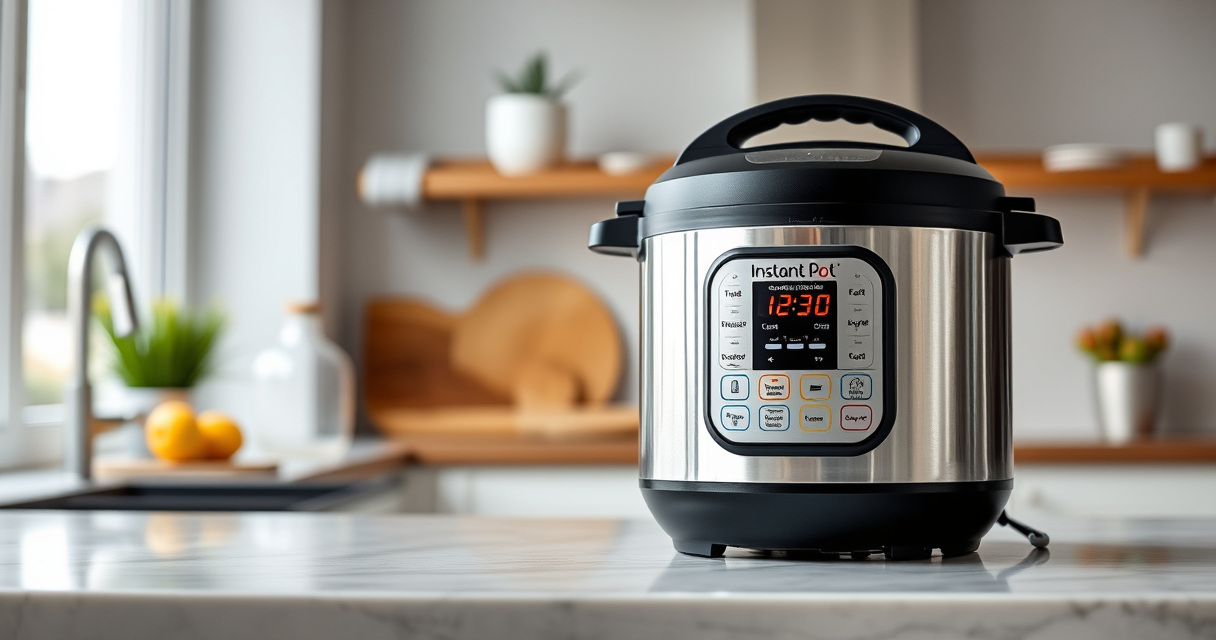

If your Instant Pot 4QT RIO Mini keeps displaying a burn error, it can be frustrating and disrupt your cooking plans. This guide provides clear, safe steps to troubleshoot and resolve the issue, ensuring your cooker operates smoothly again.

Get home appliances delivered free with Prime
- Fast, free delivery on millions of items
- Prime Video, Amazon Music and more included
- Member-only deals all year
Burn errors typically occur due to food sticking to the bottom, insufficient liquid, or a clogged pressure release. Understanding the common causes and following these steps will help you fix the problem efficiently.
Key Takeaways
| Check for food residue | Food sticking to the bottom can trigger burn errors. |
| Add enough liquid | Insufficient liquid prevents proper pressure build-up. |
| Ensure the sealing ring is clean | A dirty or damaged sealing ring can cause pressure issues. |
| Avoid thick sauces at start | Thick or pasty ingredients may stick and burn. |
| Clean the pressure release valve | Clogged or blocked valve can cause errors. |
Step 1: Turn Off and Release Pressure
- Press the ‘Cancel’ button to turn off the Instant Pot.
- Allow the pressure to release naturally for 10-15 minutes, or carefully perform a quick release if safe.
Step 2: Open and Inspect the Inner Pot
Remove the inner pot and check for any stuck food or residue at the bottom. Clean the bottom thoroughly with a soft sponge and warm soapy water. Ensure no food particles are blocking the heating element or the bottom surface.
Step 3: Check the Sealing Ring and Lid
Remove the sealing ring and inspect it for cracks, warping, or debris. Wash it with warm soapy water and replace if damaged. Ensure the lid is properly aligned and sealed tightly.
Step 4: Add Adequate Liquid and Adjust Recipes
Make sure to add at least 1 cup of liquid (water, broth, etc.) for proper pressure build-up. Avoid thick pastes or ingredients that can stick to the bottom during cooking, especially at the beginning.
Step 5: Clean the Pressure Release Valve
Remove and clean the pressure release valve and float valve. Use a small brush or toothpick to clear any blockages. Reassemble everything securely.
The Products in This Guide

Instant Pot 4QT RIO Mini 7-in-1 Multi-Cooker
- ✔ Weight: 7.7 lbs
- ✔ Dimensions: 11.2 x 11.2 x 11.4 inches
- ✔ Power: 1000W

AOZITA Steamer Basket
- ✔ Weight: 1.2 lbs
- ✔ Dimensions: 9 x 9 x 4 inches
- ✔ Color: Silver
Instant Pot 4QT RIO Mini 7-in-1 Multi-Cooker
The Instant Pot 4QT RIO Mini 7-in-1 Multi-Cooker is a versatile and compact device that offers multiple cooking functions in a small size. When it displays a burn error, following proper troubleshooting steps ensures it continues to serve your cooking needs efficiently.
Pros:
- Multiple cooking functions
- Compact size
- Easy to clean
- Reliable pressure control
Cons:
- Small capacity for larger families
- Burn error can occur with certain ingredients
Best for: Small households, quick meals, versatile cooking
Not ideal for: Cooking large quantities or thick sauces without adjustments
Bottom line: A reliable multi-cooker that, with proper care, minimizes burn errors.
AOZITA Steamer Basket
The AOZITA Steamer Basket is a perfect accessory to prevent burn errors by elevating food, allowing steam to circulate freely and reducing contact with the bottom of the pot.
Pros:
- Two-tier design
- Stainless steel construction
- Fits 6 and 8 qt models
- Dishwasher safe
Cons:
- Requires additional space
- May need to adjust cooking times
Best for: Steaming vegetables, seafood, or multiple layers of food
Not ideal for: Cooking foods that require direct contact with the liquid
Bottom line: A practical addition to improve steaming and prevent burn errors.
Frequently Asked Questions
What causes the burn error on the Instant Pot?
The burn error occurs when the Instant Pot detects food sticking to the bottom, insufficient liquid, or a clog in the pressure release valve.
Can I still cook after a burn error?
Yes, but you should troubleshoot and clear the cause to prevent the error from recurring and to ensure safety.
How often should I replace the sealing ring?
Inspect the sealing ring regularly for cracks or warping, and replace it if you notice damage or if the burn error persists after cleaning.
Is it safe to continue using the Instant Pot after fixing the burn error?
Absolutely, as long as you thoroughly clean all components, check for damage, and ensure proper sealing and assembly before cooking again.
Mastering Your Instant Pot for Seamless Cooking
Burn errors can be frustrating, but with these troubleshooting steps, you can quickly resolve the issue and get back to preparing delicious meals. Regular maintenance, proper ingredient placement, and adequate liquid are key to preventing future problems. Your Instant Pot is a reliable kitchen companion when cared for properly.
Affiliate disclosure: As an Amazon Associate we earn from qualifying purchases. Prices and availability are accurate as of the time of publishing.
Fall yard work Picks
leaf blowers
As an affiliate, we earn on qualifying purchases.