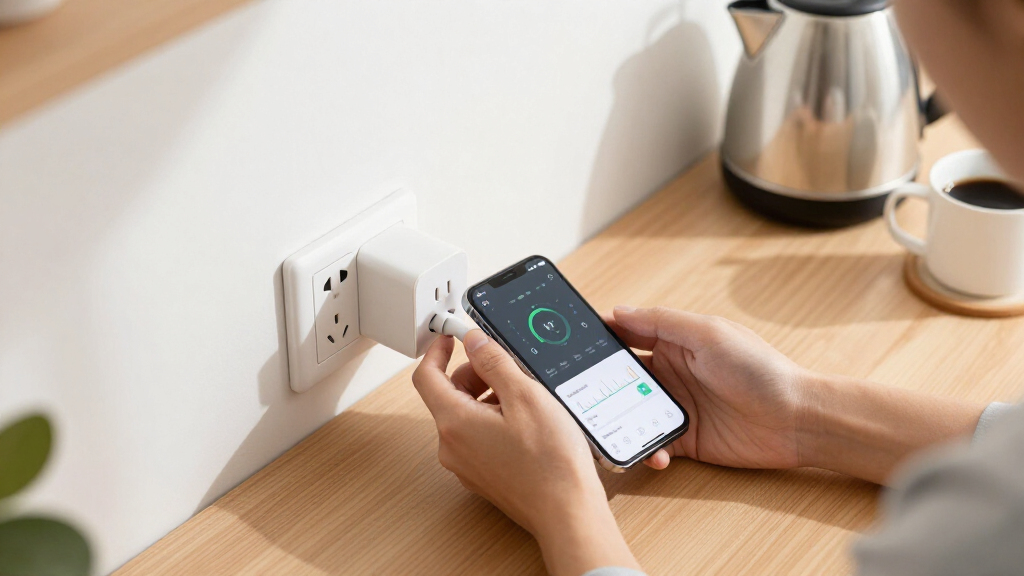

Smart plugs with energy monitoring turn any outlet into a data source, showing exactly how much power your space heater, dehumidifier, or gaming rig actually consumes. After comparing 13 leading models, the Tapo P110M (4-Pack) stands out as the best overall pick for its Matter compatibility, accurate real-time tracking, and polished app. The Emporia Energy Monitoring Smart Plug is the stronger choice if your priority is granular energy data and whole-home analysis, while the Kasa KP125M makes sense for Apple Home users who want Matter support at a lower cost. The main tradeoffs in this category come down to ecosystem compatibility (Wi-Fi vs. Matter vs. Zigbee), reporting granularity, and whether the plug fits snugly in tight outlets. Read on for the full breakdown of all 13 models.

Get home appliances delivered free with Prime
- Fast, free delivery on millions of items
- Prime Video, Amazon Music and more included
- Member-only deals all year
Complete the kit


Key Takeaways
- Matter compatibility (Tapo P110M, Kasa KP125M, Tapo P125M, SONOFF S61s) is the biggest differentiator in 2026 — it future-proofs your setup and enables native Apple Home support without hubs.
- Emporia beats every rival on data depth, with per-second readings and cost projections, but its plugs are bulkier and its app is analytics-first rather than automation-first.
- Zigbee plugs like the THIRDREALITY Gen3 offer the most responsive real-time monitoring and avoid Wi-Fi congestion, but only make sense if you already run a Zigbee hub such as SmartThings or Home Assistant.
- Several budget 4-packs (the generic 15A model and Govee‘s Bluetooth variant) monitor energy but only report in coarse intervals, which is fine for spotting energy hogs and poor for tracking intermittent loads like fridges.
- Almost every plug here is limited to 15A/1800W — if you’re monitoring a space heater or hair dryer, check the sustained-load rating, because cheaper models can overheat near their ceiling.
| Tapo Smart Plug Wi-Fi, Energy Monitoring, P115 (4-Pack), 15A | 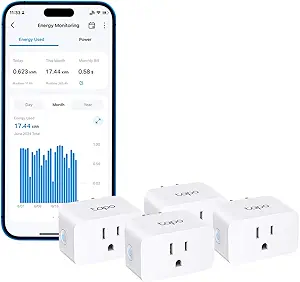 | Best Overall | Max Current: 15A | Connectivity: Wi-Fi | Voice Assistants: Amazon Alexa, Google Assistant | VIEW LATEST PRICE | See Our Full Breakdown |
| Emporia Energy Monitoring Smart Plug (4 Pack) |  | Best Value Multi-Pack | Pack Size: 4 plugs | Operating Voltage: 120V | Max Load: 1200W (10A) | VIEW LATEST PRICE | See Our Full Breakdown |
| Kasa Matter Smart Plug with Energy Monitoring (KP125MP4) |  | Best for Smart Home Power Users | Model: KP125MP4 | Max Current: 15A | Max Power: 1800W | VIEW LATEST PRICE | See Our Full Breakdown |
| Tapo P110M Smart Plug (4-Pack), Matter Compatible, Energy Monitoring, 15A |  | Best Premium Feature Set | Model: P110M | Pack Size: 4 plugs | Max Current: 15A | VIEW LATEST PRICE | See Our Full Breakdown |
| Kasa Smart Plug Mini with Energy Monitoring (KP115) |  | Best for Beginners | Model: KP115 | Connectivity: 2.4GHz Wi-Fi | Voice Assistants: Amazon Alexa, Google Home | VIEW LATEST PRICE | See Our Full Breakdown |
| Govee Smart Plug, WiFi Outlet Compatible with Alexa & Google Assistant (4-Pack) |  | Best Budget Multipack (Skip If Energy Data Is Your Priority) | Quantity: 4-pack | Connectivity: WiFi (2.4GHz) + Bluetooth | Compatibility: Alexa, Google Assistant, Govee Home app | VIEW LATEST PRICE | See Our Full Breakdown |
| Kasa Matter Smart Plug with Energy Monitoring (KP125MP2) |  | Best Overall for Multi-Ecosystem Homes | Model: KP125MP2 | Protocol: Matter over WiFi | Max Load: 15A / 1800W | VIEW LATEST PRICE | See Our Full Breakdown |
| Govee Smart Plug with Energy Monitoring, WiFi + Bluetooth Outlet, 4 Pack |  | Best Value for Energy Tracking | Quantity: 4-pack | Connectivity: WiFi (2.4GHz only) + Bluetooth | Compatibility: Alexa, Google Assistant, Govee Home app | VIEW LATEST PRICE | See Our Full Breakdown |
| TP-Link Tapo P125M Matter Smart Plug Mini (3-Pack) |  | Best Compact Pick for Multi-Platform Basics | Model: Tapo P125M | Pack Size: 3-pack | Protocol: Matter over WiFi (2.4GHz only) | VIEW LATEST PRICE | See Our Full Breakdown |
| THIRDREALITY Smart Plug Gen3 (4 Pack) – Zigbee 15A Outlet with Real-Time Power Monitoring |  | Best for Smart Home Enthusiasts and Precision Tracking | Quantity: 4-pack | Protocol: Zigbee 3.0 | Max Load: 15A | VIEW LATEST PRICE | See Our Full Breakdown |
| TP-Link Tapo P115 Smart Plug Wi-Fi with Energy Monitoring (2-Pack), 15A |  | Best for Device Protection | Model: Tapo P115 | Pack Size: 2-Pack | Max Current: 15A | VIEW LATEST PRICE | See Our Full Breakdown |
| SONOFF S61s Matter Smart Plug 15A Wi-Fi Outlet with Energy Monitoring, 4-Pack |  | Best Multi-Ecosystem Pick | Max Load: 15A / 1875W | Operating Voltage: 120V | Connectivity: Matter over Wi-Fi (2.4GHz) | VIEW LATEST PRICE | See Our Full Breakdown |
| Smart Plug Outlet with Energy Monitoring, 15A 2.4 GHz Wi-Fi, 4-Pack |  | Best Budget Multi-Pack | Pack Size: 4 | Max Current: 15A | Max Power: 1800W | VIEW LATEST PRICE | See Our Full Breakdown |
| smart plugs with energy monitoring | Connectivity | Certification | Energy Monitoring | Pack Size |
|---|---|---|---|---|
| Tapo Smart Plug Wi-Fi | Wi-Fi | — | — | 4 plugs |
| Emporia Energy Monitoring Smar | Wi-Fi (2.4GHz only) | — | Real-time power usage | 4 plugs |
| Kasa Matter Smart Plug with En | Wi-Fi, Matter | UL certified, flame retardant | — | — |
| Tapo P110M Smart Plug | — | Matter certified | — | 4 plugs |
| Kasa Smart Plug Mini with Ener | 2.4GHz Wi-Fi | UL certified | Yes | — |
| Govee Smart Plug | WiFi (2.4GHz) + Bluetooth | ETL, FCC | No | — |
| Kasa Matter Smart Plug with En | — | UL certified, flame-retardant housing | Yes, via Kasa app | — |
| Govee Smart Plug with Energy M | WiFi (2.4GHz only) + Bluetooth | — | Real-time power, current, voltage | — |
| TP-Link Tapo P125M Matter Smar | — | UL certified | No | 3-pack |
| THIRDREALITY Smart Plug Gen3 | — | ETL | — | — |
| TP-Link Tapo P115 Smart Plug W | Wi-Fi (2.4GHz) | — | Usage statistics, charts, cost estimation | 2-Pack |
| SONOFF S61s Matter Smart Plug | Matter over Wi-Fi (2.4GHz) | ETL Listed | Real-time usage and cost tracking | 4 |
| Smart Plug Outlet with Energy | 2.4GHz Wi-Fi | FCC | — | 4 |
More Details on Our Top Picks
Tapo Smart Plug Wi-Fi, Energy Monitoring, P115 (4-Pack), 15A
Tapo’s P115 earns the top spot because it turns energy data into action rather than just charts. Most monitoring plugs show you consumption after the fact; this one estimates your electricity bill in real currency, schedules high-draw appliances to run during off-peak rates, and automatically kills power when a battery hits your low-battery limit — a genuine overcharge safeguard that the Kasa KP115 simply doesn’t offer. The auto-shutoff on overload also gives it a safety edge over the Emporia 4-pack, which caps out at 10A. Compared with the Tapo P110M, you trade Matter certification for a simpler setup that works without a hub, which suits most households better. The tradeoff: no Apple Home support and no local control if your internet drops.
Pros:- Energy monitoring with actual cost estimation and periodic billing views
- Smart charging cuts power at your chosen low-battery limit to prevent overcharging
- Auto-shutoff guards against electrical overload
- 15A capacity handles high-draw appliances the 10A Emporia plugs cannot
Cons:- Lacks Matter certification, so no Apple Home or SmartThings integration
- Requires internet for remote control — no local LAN fallback like the Kasa KP125MP4
Best for: Households that want bill-level cost tracking and off-peak scheduling without needing a smart home hub
Not ideal for: Apple Home users — without Matter, this plug locks you into the Tapo and Google/Alexa ecosystems
- Max Current:15A
- Connectivity:Wi-Fi
- Voice Assistants:Amazon Alexa, Google Assistant
- Energy Features:Consumption tracking, bill estimation, off-peak scheduling
- Charging Protection:Automatic cutoff at user-set low-battery limit
- Safety:Auto-shutoff on overload
- Pack Size:4 plugs
Our verdict“The most complete energy-management package for Alexa and Google households that want cost insights, not just raw wattage.”
Emporia Energy Monitoring Smart Plug (4 Pack)
If your goal is blanketing the whole house with monitoring on a budget, the Emporia four-pack makes the most sense. Where the Tapo P115 concentrates smart features into each plug, Emporia concentrates on the basics done cleanly: real-time wattage readings that expose standby power waste, simple on/off scheduling for things like coffee makers, and an app that consolidates every plug into one dashboard. That whole-home view is where it beats the Kasa KP115, which requires more piecemeal management. The compromises are real, though. A 10A / 1200W ceiling rules out space heaters, air conditioners, and most kitchen appliances, and the 2.4GHz-only Wi-Fi requirement can complicate setup on modern mesh networks.
Pros:- Real-time energy monitoring across all plugs in one consolidated app
- Works with Alexa, Google Assistant, and both Android and iOS
- On/off scheduling automates routine appliances
- Wide operating temperature range from 14°F to 140°F suits garages and outbuildings
Cons:- 10A / 1200W maximum load excludes most high-power appliances
- 2.4GHz-only Wi-Fi with no 5GHz support can frustrate mesh-network owners
Best for: Budget-minded buyers who want to audit standby waste across many low-power devices at once
Not ideal for: Anyone hoping to monitor heaters, AC units, or other high-wattage appliances — the 10A limit is disqualifying
- Pack Size:4 plugs
- Operating Voltage:120V
- Max Load:1200W (10A)
- Connectivity:Wi-Fi (2.4GHz only)
- Compatible With:Amazon Alexa, Google Assistant, Android, iOS
- Operating Temperature:14°F to 140°F
- Energy Monitoring:Real-time power usage
Our verdict“The cheapest way to get whole-home energy visibility, as long as every monitored device stays under 1200 watts.”
Kasa Matter Smart Plug with Energy Monitoring (KP125MP4)
This model stands out for future-proofing. Matter certification means one plug works natively across Apple Home, Alexa, Google Home, and SmartThings — no ecosystem lock-in, unlike the Tapo P115 or Kasa KP115, which leave Apple users stranded. The feature that separates it from the similarly certified Tapo P110M is local LAN control: your automations keep running during internet outages, which matters if your schedules control anything genuinely important. The compact housing also avoids covering the second outlet in a duplex, something chunkier plugs still get wrong. The tradeoff is friction — you need a Matter-compatible hub or controller for full smart home integration, and energy data access within third-party apps can be more limited than Kasa’s own.
Pros:- Matter certification works across Apple Home, Alexa, Google Home, and SmartThings
- Local LAN control keeps devices operational during internet outages
- Compact design leaves adjacent outlets free
- UL-certified flame-retardant build with a 2-year warranty
Cons:- Requires a Matter-compatible hub or controller for full integration
- Energy monitoring data may be less accessible through third-party platforms than via the Kasa app
Best for: Multi-ecosystem smart homes, especially Apple Home users who’ve been shut out of most monitoring plugs
Not ideal for: Buyers without a Matter hub or smart home platform — you’d be paying for capability you can’t use
- Model:KP125MP4
- Max Current:15A
- Max Power:1800W
- Connectivity:Wi-Fi, Matter
- Compatible Platforms:Apple Home, Amazon Alexa, Google Home, Samsung SmartThings
- Offline Control:Local LAN control
- Certification:UL certified, flame retardant
- Warranty:2-year limited
Our verdict“The pick for households invested in a mixed smart home who refuse to be locked into one assistant.”
Tapo P110M Smart Plug (4-Pack), Matter Compatible, Energy Monitoring, 15A
The P110M sits at the intersection of the Tapo P115’s intelligence and the Kasa KP125MP4’s compatibility, which is exactly why it’s the premium pick. You get Matter certification across all four major platforms alongside Tapo’s deeper energy toolset — detailed consumption statistics, electricity cost estimation, and scheduling tuned for off-peak rate windows. The overcharge prevention and power cutoff thresholds add device-protection logic that most Matter plugs, the Kasa included, don’t match at this depth. Where it falls behind the Kasa is resilience: Tapo’s offline behavior is less robust than Kasa’s local LAN control, and your energy data lives inside the Tapo app — don’t expect rich readings to flow into Apple Home or SmartThings dashboards.
Pros:- Matter certified for Apple Home, Alexa, Google Home, and SmartThings
- Detailed energy statistics with electricity cost estimation
- Off-peak scheduling for running high-consumption devices at cheaper rates
- Overcharge prevention and power cutoff thresholds protect devices
Cons:- Requires a smart home hub or platform for full Matter functionality
- Energy bill data is confined to the Tapo app ecosystem
- Lacks the robust local LAN control of the Kasa KP125MP4
Best for: Buyers who want Matter compatibility and sophisticated energy analytics like off-peak scheduling and bill estimation together
Not ideal for: Users who want energy data surfaced in their smart home platform’s native dashboard — Tapo keeps it in its own app
- Model:P110M
- Pack Size:4 plugs
- Max Current:15A
- Certification:Matter certified
- Compatibility:Amazon Alexa, Apple HomeKit, Google Home, Samsung SmartThings
- Energy Features:Consumption statistics, bill estimation, off-peak scheduling
- Safety:Overcharge prevention, power cutoff thresholds
Our verdict“The richest feature set in the lineup for buyers who want both Matter flexibility and Tapo’s cost-tracking depth in one plug.”
Kasa Smart Plug Mini with Energy Monitoring (KP115)
For a first smart plug, simplicity beats feature count, and the KP115 nails that balance. Setup is a five-minute affair through Kasa’s well-regarded app, and the plug covers the essentials: energy monitoring, remote control, and Alexa or Google voice commands. Where the Emporia 4-pack asks you to commit to a whole ecosystem view, this single plug lets you learn the ropes on one lamp or fan before expanding. Its safety package is the strongest here — fireproof shell, overheating protection, and a sliding child-safety cover that parents of toddlers will appreciate more than any chart. The downsides are its age showing: no Matter support (so Apple Home is out, unlike the Kasa KP125MP4), 2.4GHz-only Wi-Fi, and buying one outlet at a time costs more per socket than the multi-packs.
Pros:- Very easy setup through the beginner-friendly Kasa app
- Strong safety kit: fireproof shell, overheating protection, sliding child-safety cover
- UL certified with a 2-year warranty
- Compact size won’t block the adjacent outlet
Cons:- No Matter or Apple Home support, limiting long-term flexibility
- 2.4GHz-only Wi-Fi can complicate setup on newer routers
- Sold per plug, so multi-room coverage costs more than 4-pack options
Best for: First-time smart plug buyers and parents who want child-safe outlets with basic energy tracking
Not ideal for: Apple Home users or anyone outfitting multiple rooms — no HomeKit support and single-plug buying adds up fast
- Model:KP115
- Connectivity:2.4GHz Wi-Fi
- Voice Assistants:Amazon Alexa, Google Home
- Energy Monitoring:Yes
- Safety Features:Overheating protection, fireproof shell, sliding child-safety cover
- Certification:UL certified
- Warranty:2 years
Our verdict“The least intimidating way to start tracking energy use, with the best child-safety credentials in the lineup.”
Govee Smart Plug, WiFi Outlet Compatible with Alexa & Google Assistant (4-Pack)
This 4-pack earns its place as the cheapest way to automate several outlets at once, but I have to be blunt about the tradeoff: unlike its sibling, the Govee Smart Plug with Energy Monitoring, this version has no power tracking whatsoever. If the point of your purchase is watching kilowatt-hours, this is the wrong product — Govee sells that capability in another 4-pack at a modest step up. What you get here is solid basic automation: Bluetooth plus WiFi pairing, Alexa and Google voice control, schedules, and group control. Compared with the Kasa KP125MP2, it also lacks Matter support and local control, so an internet outage leaves you with a dumb outlet. The 10A/1200W rating is the lowest in this lineup, which rules out space heaters and other heavy draw appliances.
Pros:- Very affordable per-plug cost in a 4-pack
- Bluetooth plus WiFi pairing makes setup more reliable
- Group control and scheduling work well for multi-room routines
- Compact housing and ETL/FCC certification
Cons:- No energy monitoring at all — the core feature of this roundup
- 10A/1200W limit is too low for heaters, kettles, or amplifiers
- Cloud-dependent; no local control like the Kasa or Tapo Matter plugs
Best for: Budget-minded buyers who want to automate lamps, fans, and small appliances in several rooms and don’t care about energy data
Not ideal for: Anyone buying specifically for energy monitoring or high-wattage devices — it tracks nothing and caps out at 1200W
- Quantity:4-pack
- Connectivity:WiFi (2.4GHz) + Bluetooth
- Compatibility:Alexa, Google Assistant, Govee Home app
- Max Load:10A / 1200W
- Voltage:120V
- Certification:ETL, FCC
- Energy Monitoring:No
- Hub Required:No
Our verdict“Buy it only if smart control on a tight budget matters more to you than energy data — otherwise step up to the Govee energy-monitoring 4-pack.”
Kasa Matter Smart Plug with Energy Monitoring (KP125MP2)
This model makes the strongest all-around case in this batch because it pairs built-in energy monitoring with genuine cross-platform flexibility. The Matter certification means it slots into Apple Home, Alexa, Google Home, or SmartThings without being locked to any one of them — a real advantage over the Govee plugs, which stop at Alexa and Google. The feature that separates it from most competitors here is local LAN control: when your internet drops, schedules and on/off commands keep working. The UL-certified flame-retardant body and 2-year warranty round out a genuinely polished package. The tradeoffs are real, though. Full Matter functionality demands a compatible hub or controller, and unlike the THIRDREALITY Gen3, the power readings are convenience-grade rather than precision-calibrated.
Pros:- Matter support across all four major ecosystems from one plug
- Energy monitoring with usage history in the Kasa app
- Local LAN control survives internet outages
- Compact design leaves adjacent outlets free; UL-certified build
Cons:- Requires a Matter-compatible hub/controller for full functionality
- Capped at 15A/1800W like most rivals — no heavy-load headroom
Best for: Households already invested in (or mixing) Apple Home, Alexa, Google Home, or SmartThings who want reliable energy tracking
Not ideal for: Buyers without any Matter controller or smart home hub, who would be paying for ecosystem flexibility they can’t use
- Model:KP125MP2
- Protocol:Matter over WiFi
- Max Load:15A / 1800W
- Compatible Platforms:Apple Home, Alexa, Google Home, SmartThings
- Energy Monitoring:Yes, via Kasa app
- Certification:UL certified, flame-retardant housing
- Offline Control:Local LAN control
- Warranty:2-year limited
Our verdict“If you want one plug that works everywhere, tracks energy, and shrugs off internet outages, this is the safest pick in the lineup.”
Govee Smart Plug with Energy Monitoring, WiFi + Bluetooth Outlet, 4 Pack
This is the plug I’d point to when the question is “how do I get real energy monitoring across four outlets without paying premium prices?” Unlike the basic Govee WiFi 4-pack, it tracks real-time power, current, and voltage and keeps a full year of historical data in the Govee Home app — enough history to spot seasonal spikes in a dehumidifier or gaming rig. The 15A/1200W-capable, fire-resistant housing also handles heavier appliances its cheaper sibling can’t. Compared with the Kasa KP125MP2, you give up Matter, Apple Home, and local control, and Govee’s app is more cluttered than Kasa’s. But for Alexa and Google households that just want consumption data at a low per-plug cost, the tradeoff is easy to accept.
Pros:- Real-time power, current, and voltage tracking per plug
- Up to one year of stored energy history for spotting trends
- 15A rating and fire-resistant materials handle high-power appliances
- Bluetooth + WiFi pairing plus scheduling and group control
Cons:- 2.4GHz WiFi only, with no 5GHz support
- Requires a Govee account and app; no Matter or Apple Home support
- No local control — features die with your internet connection
Best for: Alexa or Google households who want year-long energy histories on four devices at the lowest cost per outlet
Not ideal for: Apple Home users or anyone who wants offline local control — this is cloud-dependent and ecosystem-limited
- Quantity:4-pack
- Connectivity:WiFi (2.4GHz only) + Bluetooth
- Compatibility:Alexa, Google Assistant, Govee Home app
- Max Load:15A / 120V
- Energy Monitoring:Real-time power, current, voltage
- Energy History:Daily/weekly/monthly, up to 1 year
- Certifications:ETL, FCC
- Material:Fire-resistant plastic
Our verdict“The best cost-to-data ratio here if you’re loyal to Alexa or Google and want long-term energy history, not just a live readout.”
TP-Link Tapo P125M Matter Smart Plug Mini (3-Pack)
The P125M’s pitch is slim, hub-friendly Matter automation in tight spaces — power strips, duplex outlets behind furniture, that sort of thing. Its low-profile body genuinely doesn’t block the second outlet, and Bluetooth onboarding is the least painful setup of any plug in this batch. Here’s the honest catch: like the Govee basic 4-pack, it has no energy monitoring, which puts it off-topic for this roundup’s core mission. If you want the same Matter flexibility plus power tracking, the Kasa KP125MP2 or the Tapo P110M deliver exactly that for a bit more. Where this model still earns a slot is for buyers whose priority is ecosystem-agnostic control that keeps working offline in the smallest possible housing, backed by UL certification and a 2-year warranty.
Pros:- Matter support across Apple Home, Alexa, Google Home, and SmartThings
- Local LAN control keeps schedules running during outages
- Very compact housing won’t block adjacent outlets
- Quick Bluetooth onboarding; UL-certified flame-retardant build
Cons:- No energy monitoring despite being in an energy-monitoring roundup
- 2.4GHz WiFi only; some Matter platforms need a hub/controller
- Only a 3-pack, so per-plug cost is higher than Govee’s 4-packs
Best for: Buyers who want ultra-compact, Matter-certified on/off automation across any ecosystem and don’t need consumption data
Not ideal for: Energy-focused buyers — there’s no monitoring here, so the roundup’s core feature is missing entirely
- Model:Tapo P125M
- Pack Size:3-pack
- Protocol:Matter over WiFi (2.4GHz only)
- Max Load:15A / 1800W
- Compatible Platforms:Apple Home, Alexa, Google Home, SmartThings
- Energy Monitoring:No
- Certification:UL certified
- Setup:Bluetooth onboarding, Tapo app
- Warranty:2-year limited
Our verdict“A great compact automation plug, but choose the Kasa KP125MP2 instead if power tracking is the reason you’re shopping.”
THIRDREALITY Smart Plug Gen3 (4 Pack) – Zigbee 15A Outlet with Real-Time Power Monitoring
This is the enthusiast’s choice, and it behaves differently from everything else here. Instead of WiFi, it runs on Zigbee 3.0, which means less router congestion, faster response, and — uniquely in this lineup — each plug doubles as a mesh repeater that strengthens your whole network. Its standout spec is ±1% power-monitoring accuracy, far tighter than the convenience-grade readings from the Govee energy-monitoring pack or the Kasa KP125MP2, which matters if you’re auditing specific appliances rather than glancing at trends. The catch is uncompromising: it will not work without a Zigbee hub. Plug it into a wall with no Echo, SmartThings, Hubitat, or Home Assistant setup and it’s inert. Advanced power-on-state settings also depend on a THIRDREALITY Hub Gen2 or Home Assistant.
Pros:- ±1% accuracy power monitoring for genuinely trustworthy energy data
- Each plug repeats the Zigbee mesh, extending whole-home coverage
- Broad hub support: Echo devices, Home Assistant, SmartThings, Hubitat
- Space-saving design keeps adjacent sockets usable
Cons:- Requires a Zigbee hub; zero standalone functionality
- Power-on state restoration only works with THIRDREALITY Hub Gen2 or Home Assistant
Best for: Home Assistant, Hubitat, SmartThings, or Echo-hub owners who want precision energy data and stronger mesh coverage
Not ideal for: Anyone without a Zigbee hub — these plugs are completely non-functional standalone, unlike every WiFi option here
- Quantity:4-pack
- Protocol:Zigbee 3.0
- Max Load:15A
- Operating Voltage:110V
- Power Monitoring Accuracy:±1%
- Certification:ETL
- Hub Compatibility:Echo devices, Home Assistant, SmartThings, Hubitat
- Hub Required:Yes
- Mesh Feature:Built-in Zigbee repeater
Our verdict“The most accurate and network-friendly option here, but only for buyers already running a Zigbee hub — everyone else should stick with the Kasa KP125MP2.”
TP-Link Tapo P115 Smart Plug Wi-Fi with Energy Monitoring (2-Pack), 15A
Most energy-monitoring plugs stop at showing you numbers, but the Tapo P115 actually acts on them. Its smart charging cutoff stops power once a battery is full, which protects everything from e-bike chargers to power tools from trickle-overcharging — a feature none of the other plugs in this lineup, including the SONOFF S61s or the SmartLife 4-pack, match. The auto-shutoff on overload adds a second safety layer beyond the basic circuit protection most competitors offer. Energy data arrives as detailed charts with cost estimation, making it easier to translate kilowatt-hours into actual dollars. The tradeoff is scale: this is a 2-pack, so outfitting a whole house costs more per outlet than the 4-pack options, and setup lives entirely inside the Tapo app on 2.4GHz Wi-Fi.
Pros:- Smart charging cutoff actively prevents battery overcharging, not just tracking
- Auto-shutoff protection against electrical overload goes beyond standard safety specs
- Detailed energy charts with cost estimation turn raw data into actionable savings
- Scheduling for off-peak hours helps shift high-power appliance use to cheaper rates
Cons:- Only two plugs per pack, so cost per outlet is higher than 4-pack competitors
- Requires the Tapo app and 2.4GHz Wi-Fi — no way around the ecosystem commitment
Best for: Owners of battery-powered devices like e-bikes, mowers, and power tools who want automatic overcharge protection alongside detailed energy charts
Not ideal for: Buyers outfitting many outlets at once — the 2-pack makes whole-home coverage pricier than the 4-pack alternatives
- Model:Tapo P115
- Pack Size:2-Pack
- Max Current:15A
- Connectivity:Wi-Fi (2.4GHz)
- Energy Monitoring:Usage statistics, charts, cost estimation
- Safety Features:Auto-shutoff, smart charging cutoff
- Voice Assistants:Alexa, Google Assistant
- App:Tapo
Our verdict“This pick makes the most sense for anyone whose priority is protecting expensive rechargeable gear while still getting polished energy reporting.”
SONOFF S61s Matter Smart Plug 15A Wi-Fi Outlet with Energy Monitoring, 4-Pack
If your household mixes an iPhone with an Echo speaker and a Google Nest display, the SONOFF S61s solves the compatibility headache that trips up cheaper plugs. Its Matter certification means native support for Apple Home, Alexa, Google Home, and SmartThings without juggling separate integrations — a step up from the SmartLife-based 4-pack, which relies on a third-party app and skips direct Alexa connection. Compared with the Tapo P115, you get twice the outlets at the cost of the charging-cutoff feature, so the choice comes down to ecosystem breadth versus device protection. Real-time energy monitoring with electricity cost tracking is on par with pricier options, and the fire-resistant housing plus ETL listing add peace of mind. Just note the 2.4GHz-only Wi-Fi and a 40°C operating ceiling that rules out enclosed hot spaces like attics.
Pros:- Matter certification delivers true cross-ecosystem support without bridges or workarounds
- Real-time energy monitoring includes electricity cost tracking, not just raw wattage
- Four ETL-listed plugs with fire-resistant housing and overload protection
- Hub-free setup straight over 2.4GHz Wi-Fi
Cons:- 2.4GHz-only Wi-Fi can complicate setup on mesh networks that split bands
- Maximum operating temperature of 40°C restricts placement in hot environments
Best for: Mixed-smart-home households spread across Apple Home, Alexa, Google Home, and SmartThings who want one plug that works everywhere
Not ideal for: Anyone planning to install plugs in hot, poorly ventilated spaces — the 40°C max operating temperature is a real limit
- Max Load:15A / 1875W
- Operating Voltage:120V
- Connectivity:Matter over Wi-Fi (2.4GHz)
- Compatible Platforms:Apple Home, Alexa, Google Home, SmartThings, eWeLink
- Energy Monitoring:Real-time usage and cost tracking
- Safety Features:Overload protection, fire-resistant housing
- Certification:ETL Listed
- Pack Size:4
Our verdict“This model is better suited than any other 4-pack here for multi-platform households that refuse to pick a single voice assistant.”
Smart Plug Outlet with Energy Monitoring, 15A 2.4 GHz Wi-Fi, 4-Pack
Sometimes you just need to instrument four outlets without paying for certifications and protocols you’ll never use. This SmartLife-based 4-pack covers the fundamentals: real-time energy monitoring, 15A/1800W handling, scheduling, and group control for switching clusters of devices together. The compact housing avoids blocking adjacent outlets — an advantage over bulkier designs like the Tapo P115. What you give up compared with the SONOFF S61s is Matter support and platform breadth; direct Alexa connection isn’t supported, so voice control routes entirely through the SmartLife app, and there’s no Apple Home option at all. The FCC certification is also a lighter safety credential than the ETL listing SONOFF carries. For renters, students, or first-timers spreading monitoring across lamps, fans, and entertainment centers, those tradeoffs are reasonable ones.
Pros:- Four monitored outlets at a lower cost per plug than 2-pack alternatives
- Compact design leaves adjacent outlets free on standard power strips
- Group control lets you toggle multiple monitored devices at once
- Overload and short-circuit protection on every plug
Cons:- No direct Alexa connection — everything runs through the SmartLife app
- FCC certification only, without the ETL listing some competitors carry
- 2.4GHz-only Wi-Fi may frustrate owners of modern dual-band routers
Best for: Budget-conscious buyers and smart-home beginners who want basic energy tracking across several outlets without a big upfront investment
Not ideal for: Apple Home users or anyone wanting deep native platform integration — SmartLife app routing is the only path to voice control
- Pack Size:4
- Max Current:15A
- Max Power:1800W
- Connectivity:2.4GHz Wi-Fi
- Hub Required:No
- App:SmartLife
- Voice Control:Alexa, Google Assistant (via SmartLife)
- Safety Features:Overload and short-circuit protection
- Certification:FCC
Our verdict“This pick makes the most sense for cost-focused buyers who value outlet count over ecosystem polish.”
How We Picked
My ranking logic starts with monitoring quality: how frequently the plug samples power draw, whether it reports both real-time watts and cumulative kilowatt-hours, and whether the app converts usage into estimated costs. A plug that only shows daily totals was ranked lower than one with hourly breakdowns and historical graphs, because the entire point of buying an energy-monitoring model is actionable data. The second filter was ecosystem compatibility — Matter support earned priority since it works across Apple Home, Alexa, and Google Home, while Wi-Fi-only and Zigbee plugs were judged on their narrower but legitimate use cases.
From there, I weighed app usability (scheduling, grouping, and how clearly energy data is presented), physical design (whether the plug blocks a second outlet or fits recessed sockets), and pack value — a great single plug at a poor per-unit price lost ground to solid 4-packs. Build quality and sustained-load handling mattered too, since energy-monitoring plugs are often placed on demanding appliances like heaters and AC units. Products were then ordered by how well they balance all five factors for typical buyers, with specialist picks (Zigbee, budget, analytics-focused) ranked by how well they serve their specific audience rather than by raw score.
Factors to Consider When Choosing Smart Plugs With Energy Monitoring
Energy monitoring sounds like one feature, but plugs implement it very differently. Before picking a model, understand these six factors — they explain most of the price and performance gaps across this lineup.Reporting Granularity: Not All Monitoring Is Equal
The single biggest quality gap between plugs is how often they sample and report power. Some models update readings every second or two, while budget options poll every few minutes or only log daily totals. This matters more than you’d expect: a fridge that cycles on and off for twenty minutes at a time will look like a mystery on a plug that samples sparsely, whereas fine-grained reporting captures every compressor cycle. Frequent reporting also lets you set meaningful automation — like alerting you when the dryer finishes because its draw drops to zero. Before buying, check whether the plug shows real-time watts, cumulative kWh, and estimated cost, or just one of the three. If your goal is finding energy hogs, coarse data is fine; if you want to verify that a smart thermostat actually saved you money, you need hourly history.
Connectivity Protocol: Wi-Fi, Matter, or Zigbee
Wi-Fi-only plugs are the easiest to set up but tie you to one vendor’s app and cloud, and each plug adds load to your router — a real issue if you’re deploying ten or more around the house. Matter-compatible plugs (like the Tapo P110M and Kasa KP125M) work natively across Apple Home, Alexa, and Google Home, and their energy data is increasingly accessible to any platform, which protects your investment if you switch voice assistants later. Zigbee plugs like the THIRDREALITY require a hub but create a responsive mesh network that never touches your Wi-Fi, and they’re a favorite of Home Assistant users. A common mistake is buying Wi-Fi plugs for a smart home already built on Zigbee, or vice versa — match the plug to the ecosystem you already have, not the one the box advertises most loudly.
Load Rating and What You Should Actually Plug In
Nearly every plug here is rated 15A/1800W, which is the maximum for a standard US outlet — but that rating can be misleading. Continuous loads should stay closer to 80% of the maximum (around 1440W), so a 1500W space heater running for hours is pushing the plug at its ceiling. Some manufacturers are more conservative than others internally, with better thermal protection and relays rated for more cycles. Also note that energy-monitoring plugs are ideal for appliances with measurable standby draw — TVs, gaming consoles, coffee makers, chargers — and less useful for devices that draw almost nothing. One frequent buyer error: expecting a smart plug to meaningfully ‘save’ energy. The plug only measures; the savings come from the habits the data reveals, like scheduling or cutting phantom loads.
Physical Fit and Outlet Real Estate
Plug dimensions vary more than photos suggest, and this is where reviews consistently diverge. Some monitors sit flush against the wall with a side-facing plug, leaving the second outlet free; others protrude an inch or more and block adjacent sockets — a real problem when you’re installing a 4-pack on a power strip or duplex outlet. If you’re monitoring behind furniture, check the depth and antenna placement, since a thick plug can push a couch or fridge further from the wall. Recessed outdoor sockets and older home wiring can also make bulky plugs unstable. Before committing to a multi-pack, picture exactly where each unit will live; the best data in the world doesn’t help if the plug physically doesn’t fit where you need it.
App Quality and Where Your Data Lives
Energy data is only as useful as the software presenting it. The Tapo and Kasa apps (both from TP-Link) are widely regarded for clean charts, reliable scheduling, and responsive controls, while Emporia’s app leans analytics-heavy with utility-rate integration and whole-home comparison if you add their other products. Generic-brand plugs often have functional but clunky apps with slower cloud servers, which means laggy controls and occasional gaps in energy history. Also consider whether the vendor stores your data in the cloud or locally — cloud-dependent apps can lose history if the company changes policies, and some privacy-conscious buyers prefer local control through Home Assistant or Apple Home. If long-term trend tracking is your goal, pick an established brand with a track record of app maintenance, not a no-name listing that may never receive updates.
Multi-Pack Value and Per-Plug Economics
Almost every option in this roundup ships as a multi-pack, and the per-plug cost difference between packs can be substantial. The mistake to avoid is buying the biggest pack upfront before you know where you’ll actually use monitoring — most households find genuine value in three to five monitored devices (the usual suspects: entertainment center, laundry, kitchen counters, and home office). Better to buy a smaller pack of a superior plug than a large pack of a mediocre one, since you’ll live with the app experience every day. Also check whether multi-packs of the same model can be grouped and controlled together in the app, which streamlines things like shutting down an entire entertainment center at once. And confirm each plug in the pack monitors energy independently — a few budget bundles mix monitoring and non-monitoring units in the same box.
Frequently Asked Questions
Are energy-monitoring smart plugs accurate enough to trust?
For most household purposes, yes. Reputable models from TP-Link (Tapo and Kasa), Emporia, and Govee are typically within a few percentage points of utility-grade metering when measuring steady loads. Accuracy drops somewhat on very low draws (under 5 watts, like a phone charger) and on devices with variable-speed motors, where sampling frequency matters. Emporia has the strongest reputation for precision in this lineup, which is why it’s often chosen by people cross-checking consumption against their electric bill. If exact billing accuracy is your goal, no single plug will match your meter perfectly — but for identifying waste and comparing devices, these are more than reliable enough.
Do I need Matter compatibility, or is Wi-Fi fine?
If you only use Alexa or Google Home and are happy with the manufacturer’s app, Wi-Fi works perfectly well and often costs less. Matter becomes valuable in three situations: you use Apple Home (which historically had limited smart plug options), you plan to change voice assistants and don’t want to rebuy hardware, or you want your energy data exposed across platforms instead of locked in one app. The Tapo P110M and Kasa KP125M both deliver Matter without a price premium, which is why they rank highly here. One caveat: Matter setup requires a 2.4GHz network and a compatible hub device, so confirm your router and smart speaker support it before choosing a Matter model.
Can I use these plugs on a refrigerator or washing machine?
Yes, and appliances with compressors and motors are actually where energy monitoring pays off fastest, since their consumption varies wildly with usage and age. A 15A-rated plug handles a standard fridge easily — refrigerators typically draw 100–200 watts while running, far below the limit. The catch is reporting granularity: a fridge cycles on and off in short bursts, so a plug that samples every few minutes will miss or blur those cycles. Models with frequent sampling, like the Emporia or the Tapo/Kasa units, handle this much better than coarse budget plugs. Avoid using any indoor smart plug on a dryer or EV charger, though — those circuits are 240V and completely out of scope for these products.
Why is the THIRDREALITY Zigbee plug cheaper than Wi-Fi models — what’s the catch?
The catch is that a Zigbee plug is useless without a Zigbee hub. If you already own a SmartThings hub, an Amazon Echo with a built-in Zigbee radio, or run Home Assistant with a Zigbee dongle, the plug connects directly and rewards you with fast response times and zero Wi-Fi congestion. Without a hub, though, you’d need to buy one, which erases the savings entirely. Zigbee also keeps your energy data more localized, since it doesn’t depend on the manufacturer’s cloud the way Wi-Fi plugs typically do. So the price reflects its narrower audience, not lower quality — it’s a specialist pick that ranks well for hub owners and poorly for everyone else.
How many energy-monitoring plugs do I actually need?
Most households get the most value from three to six monitored devices rather than blanketing every outlet. Prioritize devices with variable or hidden consumption: the entertainment center (standby draw), refrigerator, washing machine or dryer (to get finish alerts), dehumidifier, space heater, aquarium equipment, and a home office setup. Once you’ve identified the energy hogs and established baseline habits, the marginal value of each additional plug drops quickly. A smart approach is starting with one 4-pack of a well-rounded model like the Tapo P110M, living with it for a month, and only expanding if you find yourself wishing you had more coverage. Some buyers eventually graduate to a whole-home energy monitor instead of adding more plugs.
Conclusion
The right pick depends less on specs and more on how you plan to use the data. For most buyers, the Tapo P110M (4-Pack) is the best overall choice — it combines Matter compatibility, dependable energy tracking, and one of the best apps in the category, with few compromises. If data depth is the mission, the Emporia Energy Monitoring Smart Plug is the specialist pick: unmatched reporting granularity and utility-bill integration for buyers who want to analyze, not just observe. The Kasa KP125MP2 (2-pack) takes the value crown for smaller setups, delivering the same Matter support and app experience as its 4-pack sibling at a friendlier entry point.
For Apple Home users and Matter-first households, the Tapo P125M and Kasa KP125M are the natural fits, while the THIRDREALITY Zigbee Gen3 is the clear choice for SmartThings and Home Assistant enthusiasts who want responsive local control. Beginners should start with the Tapo P115 2-pack or Kasa KP115 — simple Wi-Fi setup, forgiving apps, and enough monitoring capability to learn what the data means before committing to more. And if budget is the deciding factor, the Govee energy-monitoring 4-pack covers more outlets per dollar, as long as you accept coarser data. Whatever you choose, start with the devices you suspect are costing you the most — the data will tell you where to go next.
Halloween Picks
halloween
As an affiliate, we earn on qualifying purchases.