
The best smart home voice assistant for most buyers is the Amazon Echo Show 11 (2025 Model), which pairs the upgraded Alexa+ experience with a vibrant Full-HD display, spatial audio, and a built-in smart home hub in one device. If you want a cheaper entry point, the Amazon Echo Dot Max delivers room-filling sound without a screen, while the Home Assistant Green is the standout choice for anyone who prioritizes local control and privacy over convenience. The main tradeoff in this category comes down to ecosystem lock-in versus openness, and screen-equipped hubs versus audio-only speakers. Alexa and Google devices are easier to set up but depend on cloud services, while platforms like Home Assistant demand more setup effort in exchange for full ownership of your data. Keep reading for the full breakdown of all 13 options and which one fits your home.

Get home appliances delivered free — and shop member deals
- Fast, free delivery on millions of items
- Access to Prime Big Deal Days deals on October 6–7
- Prime Video, Amazon Music and more included
Complete the kit



Key Takeaways
- Screen-equipped models like the Echo Show 11 and Show 8 pulled ahead because a display doubles as a smart amazon.com/dp/B0D6SX8VLQ?tag=flatmad-20&ascsubtag=dc-728943″ target=”_blank” rel=”nofollow sponsored noopener”>amazon.com/dp/B0BLS8J6ZZ?tag=flatmad-20&ascsubtag=dc-728943″ target=”_blank” rel=”nofollow sponsored noopener”>amazon.com/dp/B09B93ZDG4?tag=flatmad-20&ascsubtag=dc-728943″ target=”_blank” rel=”nofollow sponsored noopener”>amazon.com/dp/B0CXVKSG19?tag=flatmad-20&ascsubtag=dc-728943″ target=”_blank” rel=”nofollow sponsored noopener”>home control panel, camera, and video call device — not just a voice interface.
- The Echo Dot Max quietly became the best audio-only value, with nearly 3x the bass of the standard Dot at a price far below any smart display in the lineup.
- Local-control options (Home Assistant Green and the amazon.com/dp/B0DC91H3JK?tag=flatmad-20&ascsubtag=dc-728943″ target=”_blank” rel=”nofollow sponsored noopener”>amazon.com/dp/B09B2SRGXH?tag=flatmad-20&ascsubtag=dc-728943″ target=”_blank” rel=”nofollow sponsored noopener”>amazon.com/dp/B0GQYW153Z?tag=flatmad-20&ascsubtag=dc-728943″ target=”_blank” rel=”nofollow sponsored noopener”>Third Reality Dev Edition) ranked well for privacy-conscious buyers, but they demand noticeably more technical effort than any Alexa or Google device.
- Older hardware like the Google Nest Hub (1st Gen) and Echo Dot (4th Gen) still functions well but lacks the spatial audio, processing power, and newer assistant features of the 2025 models.
- Refurbished and regional variants (the Like-New Echo Show 5 and the South Korea-model Google Home Speaker) carry real compatibility and warranty risks that often erase their price advantage.


| smart home voice assistant | Display | Camera |
|---|---|---|
| Amazon Echo Show 15 | 15.6" Full HD (1920 x 1080) | 13 MP with shutter |
| Google Home Smart Speaker | — | — |
| Like-New Amazon Echo Show 5 | 5.5-inch touchscreen | 2 MP with built-in shutter |
| Third Reality Voice/Music Assi | — | — |
| Amazon Echo Show 5 | 5.5 inches | 2 MP with built-in shutter |
| Amazon Echo Show 11 | 11-inch Full-HD touchscreen, 1920 x 1200 | 13 MP with auto framing |
| Amazon Echo Show 5 | 5.5-inch touchscreen | 2 MP with built-in shutter |
| Google Nest Hub | 7-inch touchscreen, 1024×600 | — |
| Home Assistant Green | — | — |
| Amazon Echo Dot | — | — |
| Amazon Echo Show 8 | 8.0" HD touchscreen | 13 MP with built-in shutter |
| Amazon Echo Dot Max | — | — |
| Amazon Echo Spot | 2.83" touchscreen (240x320px) | None |
More Details on Our Top Picks
Amazon Echo Show 15 (Newest Model) – 15.6″ Full HD Smart Display with Alexa and Fire TV
When one device needs to run an entire household, the Echo Show 15 is the only option in this lineup that scales up to the job. Its 15.6-inch Full HD display works like a wall-mounted control panel: calendars, camera feeds, to-do lists, and smart home dashboards are all visible at a glance, where the smaller Echo Show 8 forces you to swipe through cards one at a time. The built-in Zigbee, Matter, and Thread hub means it can replace a separate bridge for many devices, something no Echo Dot or Echo Spot can do. Fire TV built in also doubles it as a kitchen television. The tradeoff is commitment — it dominates a wall, it needs constant internet, and some features sit behind subscriptions. Compared with the Show 8, it’s overkill for a nightstand but unmatched as a family hub.
Pros:- Largest display in the lineup, readable across a room in portrait or landscape
- Built-in Zigbee, Matter, and Thread hub replaces standalone smart home bridges
- Fire TV built in turns it into a legitimate kitchen streaming TV
- 13 MP camera with auto-framing makes video calls feel natural rather than awkward
Cons:- Bulky size demands dedicated wall or counter real estate
- Core functions break down without an internet connection
- Some features and content require paid subscriptions
Best for: Busy households that want a single wall-mounted hub for schedules, camera feeds, and whole-home device control
Not ideal for: Renters or anyone with limited wall or counter space — at 16 inches wide and nearly 5 pounds, it’s a permanent fixture, not a casual gadget
- Display:15.6″ Full HD (1920 x 1080)
- Size:16.1″ W x 10.1″ H x 1.4″ D
- Weight:4.96 lbs
- Camera:13 MP with shutter
- Audio:Two 2″ woofers, two 0.6″ tweeters
- Smart Home Hub:Zigbee, Matter, Thread
- WiFi:WiFi 6E, tri-band, dual-antenna
Our verdict“Buy it if you want one screen to run the whole house; skip it if you just need bedside weather and timers.”
Google Home Smart Speaker (South Korea Model) – Voice-Controlled Wi-Fi Speaker Assistant, White/Slate
This South Korea model of the Google Home earns its spot on sound alone: a 50mm dynamic driver pushing 10 watts delivers richer, more balanced audio than any Echo Dot or Echo Spot in this roundup, which prioritize voice clarity over music. Google Assistant also handles natural-language questions more gracefully than Alexa in many cases, and integration with Nest cameras and Chromecast is seamless for anyone already in Google’s ecosystem. But the asterisks are big ones. There’s no US plug included, so you’ll need an adapter, and regional variants can behave unpredictably with US services and smart home devices. If you want Google’s ecosystem without the import hassle, the Google Nest Hub (1st Gen) elsewhere in this guide is the safer route — this one is for listeners who accept the friction for better audio.
Pros:- 50mm driver and 10W output produce fuller sound than compact Echo rivals
- Deep integration with Nest, Chromecast, and Google services
- Stylish metal-and-plastic build that suits most decor
- Hands-free Google Assistant handles conversational queries well
Cons:- No US plug included; requires a separate adapter or converter
- Korean regional model may have compatibility gaps with US smart home devices and services
Best for: Google-ecosystem households who primarily want a music-first speaker and don’t mind sourcing a power adapter
Not ideal for: US buyers who want plug-and-play setup — the missing US plug and regional limitations make it a project, not a purchase
- Speaker Type:Smart speaker, dynamic driver
- Driver Size:50 mm
- Max Output Power:10 watts
- Audio Channels:2 (stereo)
- Connectivity:Wi-Fi, Bluetooth
- Enclosure:Metal / high-quality plastic
- Control Method:Voice
Our verdict“A sound-quality upgrade for committed Google fans willing to work around the import quirks — everyone else should buy a domestic model.”
Like-New Amazon Echo Show 5 (3rd Gen), Smart Display with Alexa, 5.5″ Screen, Improved Bass, Glacier White
Refurbished doesn’t mean compromised here — this like-new Echo Show 5 (3rd Gen) delivers the same 3rd-generation hardware as the new Echo Show 5 in Cloud Blue elsewhere in this roundup, typically at a noticeably lower price, and it ships with a warranty. That makes it the smartest entry point for anyone curious about smart displays without committing real money. The 5.5-inch touchscreen covers the essentials — weather, timers, camera feeds, video calls — and the improved bass over earlier generations gives it surprisingly decent audio for its size. The tradeoffs mirror the new unit: the screen is genuinely small for watching anything but glanceable info, and it won’t join ad-hoc WiFi networks. If your budget stretches further, the Google Nest Hub’s 7-inch screen is roomier; if it doesn’t, this is the best value on the board.
Pros:- Refurbished pricing on current-gen hardware with warranty coverage
- Improved bass and vocal clarity over earlier Echo Show 5 versions
- Full feature set: video calls, camera viewing, smart home control, photo display
- Physical camera shutter and mic-off button for real privacy control
Cons:- 5.5-inch display limits it to glanceable information
- No support for ad-hoc WiFi networks, which complicates some setups
- Refurbished stock can be inconsistent in availability and finish
Best for: First-time smart display buyers and budget-conscious shoppers who want a screen plus Alexa for the lowest possible cost
Not ideal for: Anyone wanting to actually watch video content or read recipes from across the kitchen — the 5.5-inch screen is built for glances, not viewing
- Display:5.5-inch touchscreen
- Size:5.8″ W x 3.6″ D x 3.2″ H
- Weight:16.1 oz
- Camera:2 MP with built-in shutter
- Speaker:1.75-inch full-range
- WiFi:Dual-band 802.11a/b/g/n/ac
- Materials:Recycled polyester fabric, recycled aluminum
Our verdict“The cheapest legitimate way into Alexa with a screen — buy it for the price, accept the small display.”
Third Reality Voice/Music Assistant Dev Edition – Preloaded with Home Assistant Voice and Music Assistants, Dual Microphones, 3W Speaker, WiFi
This is the anti-Echo. The Third Reality Dev Edition ships preloaded with Home Assistant’s voice and music assistants, which means your voice commands can be processed locally on your own network — no recordings shipped to Amazon’s or Google’s cloud, no account required. For privacy-focused builders already running Home Assistant Green elsewhere in this guide, these little cubes are cheap satellite units: scatter a few around the house and every room gets a voice access point. The compromises are real, though. The 3W speaker is functional, not enjoyable; the 256MB of RAM rules out anything ambitious; and it’s WiFi-only with no external speaker support. This is a development tool wearing a consumer product’s shape. Compared with an Echo Dot, it feels primitive — until you remember the Echo Dot can’t promise your voice never leaves the building.
Pros:- Local voice processing keeps commands entirely off the cloud
- Preloaded Home Assistant software removes most setup friction for existing HA users
- Tiny 2.56-inch cube form factor fits anywhere as a satellite access point
- Open Linux platform supports custom firmware and experimentation
Cons:- 256MB RAM and 512MB storage limit it to basic tasks
- 3W speaker is adequate for responses, weak for music
- WiFi-only connectivity with no wired or external speaker options
Best for: Home Assistant users and privacy-minded tinkerers who want local, cloud-free voice control distributed through their home
Not ideal for: Mainstream buyers who want polished voice recognition and music playback out of the box — this demands setup work and delivers rough edges
- Compatibility:Home Assistant
- Operating System:Linux
- Memory:256 MB RAM
- Storage:512 MB
- Microphones:Dual mic array
- Speaker:3W built-in
- Connectivity:Wi-Fi
- Dimensions:2.56″ D x 2.56″ W x 2.56″ H
Our verdict“A purpose-built tool for the self-hosted smart home crowd — everyone else will be happier with an Echo Dot.”
Amazon Echo Show 5 (Newest Model), Smart Display, Alexa-Enabled, 2x Bass, Clearer Sound, Cloud Blue
Of the two Echo Show 5 units in this roundup, this new Cloud Blue model is the pick for buyers who want retail-fresh hardware and don’t want to hunt refurbished stock. The pitch is simple: a 5.5-inch screen sized exactly right for a nightstand, with 2x the bass and clearer sound than the previous generation — enough that morning alarms and bedroom music actually sound good rather than tinny. Privacy is handled properly for a device that lives beside your pillow: a physical camera shutter, a mic-off button, and encrypted Ring video feeds. It shares the same limits as its refurbished sibling — small screen, no ad-hoc WiFi — and hands-free voice control doesn’t work with macOS devices. If you want a bedside alarm with a face, the Echo Spot is quirkier; the Show 5 is the more capable all-rounder of the two.
Pros:- 2x bass and clearer vocals make it genuinely good for bedroom music and alarms
- Compact footprint fits nightstands and cramped desks
- Physical camera shutter plus mic-off button suit a bedroom placement
- Doubles as a security camera monitor and digital photo frame
Cons:- 5.5-inch screen limits video calling and content viewing
- No ad-hoc WiFi network support
- Hands-free voice control unavailable for Mac OS devices
Best for: Anyone who wants a nightstand or desk assistant with a screen, camera, and noticeably better audio than a basic smart speaker
Not ideal for: Kitchen-table recipe followers and video callers — the 5.5-inch display is too small to be useful beyond arm’s length
- Display:5.5 inches
- Size:5.8″ W x 3.6″ D x 3.2″ H (147 x 91 x 82 mm)
- Weight:16.1 oz (456 g)
- Camera:2 MP with built-in shutter
- Speaker:1.75-inch full-range
- WiFi:Dual-band 802.11a/b/g/n/ac
- Privacy:Mic/camera off button, camera shutter, encrypted Ring video
- Materials:Recycled polyester fabric, recycled aluminum
Our verdict“The best small Alexa display for beside the bed — buy it for the size and sound, not for watching anything.”
Amazon Echo Show 11 (2025 Model) – Vibrant 11″ Full-HD Display with Spatial Audio and Alexa+ – Graphite
This option stands out as the most complete command center in the lineup. The 11-inch Full-HD screen gives it real presence compared with the Echo Show 8, while the built-in Zigbee, Matter, and Thread hub means it can replace a separate dongle or bridge entirely. The AZ3 Pro processor with AI acceleration keeps Alexa+ responses snappy, and the 13 MP auto-framing camera makes video calls feel far more natural than what you get on the Echo Show 5. Tradeoffs are real, though: the footprint is substantial, and Wi-Fi 6E support only pays off if your router has it. Still, for a kitchen or living room anchor, this model makes the most sense.
Pros:- 11-inch Full-HD display with 60% more viewing area than previous models
- Built-in hub covering Zigbee, Matter, Thread, and Border Router
- 13 MP camera with auto framing for video calls
- Physical mic and camera disable buttons for privacy
Cons:- Large footprint that dominates nightstands and small shelves
- Wi-Fi 6E requirement limits compatibility with older networks
Best for: Homeowners who want a single screen-and-hub device to run a multi-protocol smart home from a central room
Not ideal for: Anyone with a small apartment or older Wi-Fi 5 router — the size is overkill and the connectivity advantage is wasted
- Display:11-inch Full-HD touchscreen, 1920 x 1200
- Camera:13 MP with auto framing
- Audio:2.8″ woofer and 2 full-range drivers
- Smart Home Hub:Zigbee, Matter, Thread, Border Router
- Wi-Fi:Wi-Fi 6E (802.11ax)
- Processor:AZ3 Pro with AI Accelerator
- Dimensions:10″ x 5″ x 7.2″ (255mm x 127mm x 182mm)
Our verdict“Buy this if you want the biggest, most capable Alexa screen that doubles as your smart home hub; skip it if space or router age is a constraint.”
Amazon Echo Show 5 (3rd Gen) – Charcoal
Where the Echo Show 11 demands counter space, this model earns its place on a nightstand. The 5.5-inch screen is big enough for timers, weather, and a glanceable camera feed, and the physical camera shutter gives it a privacy edge over screenless speakers. Sound has improved over earlier generations with noticeably deeper bass, though it can’t compete with the Echo Show 8’s fuller drivers. Compared with the Google Nest Hub, the Show 5 adds a camera for video calls, but its 2 MP sensor produces soft, dated-looking footage. For a bedside alarm-and-control combo at a low price, this pick makes the most sense.
Pros:- Genuinely compact footprint fits nightstands and desks
- Physical camera shutter plus mic-off button
- Deeper bass and clearer vocals than earlier Show 5 generations
- Recycled fabric and aluminum construction
Cons:- 2 MP camera produces low-quality video calls
- Single 1.75-inch speaker limits music playback
Best for: Bedroom users who want a small display for alarms, morning routines, and video calls without spending much
Not ideal for: Buyers wanting crisp video calls or room-filling music — the 2 MP camera and single small speaker fall short
- Display:5.5-inch touchscreen
- Camera:2 MP with built-in shutter
- Speaker:1.75-inch full-range driver
- Wi-Fi:Dual-band 802.11a/b/g/n/ac
- Dimensions:5.8″W x 3.6″D x 3.2″H (147mm x 91mm x 82mm)
- Materials:100% post-consumer recycled polyester fabric, recycled aluminum
Our verdict“The right choice for a bedroom smart display on a budget, as long as video call quality and big sound aren’t priorities.”
Google Nest Hub (1st Gen) 7″ Smart Display with Google Assistant, Charcoal
This is the pick for anyone already living in Google’s world. Compared with the Echo Show 5, the larger 7-inch screen is better for recipes and YouTube, and Voice Match personalizes calendars and commutes per person — something Alexa handles less elegantly at this price. Compatibility with 200+ devices from 50+ brands keeps smart home control broad. The deliberate omission of a camera makes it the most privacy-comfortable display here, but it also means no video calls, a real limitation next to Amazon’s lineup. The aging 1024×600 panel and first-generation hardware also mean slower responses than newer devices.
Pros:- Deep integration with Google Photos, Calendar, and YouTube
- Voice Match gives each household member personalized results
- No camera, making it a strong privacy choice for bedrooms
- Works with 200+ smart home devices from 50+ brands
Cons:- No camera means no video calls
- First-generation hardware with a low-resolution 1024×600 screen
Best for: Google Calendar, Photos, and YouTube users who want a hands-free household dashboard with zero camera concerns
Not ideal for: Families who rely on video calling or want cutting-edge responsiveness — there’s no camera and the hardware is dated
- Display:7-inch touchscreen, 1024×600
- Voice Assistant:Google Assistant with Voice Match
- Connectivity:Wi-Fi, Bluetooth
- Supported Services:Google Photos, Spotify, YouTube
- Smart Home Compatibility:200+ devices from 50+ brands
- Dimensions:7″ L x 2.65″ W x 4.65″ H
Our verdict“A sensible pick for Google-centric households that value screen-based assistance over video calls — just don’t expect modern speed.”
Home Assistant Green – Official Smart Home Hub with Advanced Automation
This option plays a different game entirely from the Echo and Nest devices. There’s no voice assistant out of the box and no speaker — instead, it’s a local-first automation engine that keeps every bit of your smart home data on your own hardware. Compared with the Echo Show 11’s built-in hub, Green supports far deeper customization through Home Assistant OS, with Z-Wave, Zigbee, and Thread support via USB add-ons. The tradeoff is steep: setup demands more technical patience than any plug-in speaker, there’s no built-in Wi-Fi, and 32GB of storage can run tight with logging-heavy setups. For tinkerers, that friction is the point.
Pros:- All data stored locally for maximum privacy
- Official hardware backed by Nabu Casa support
- Expandable with Z-Wave, Zigbee, and Thread USB radios
- Fanless, silent, energy-efficient design
Cons:- No built-in Wi-Fi and no voice assistant included
- Requires Ethernet and technical know-how to get full value
Best for: DIY smart home enthusiasts who want local control, deep automation logic, and no cloud dependency
Not ideal for: Casual users who just want to say ‘turn off the lights’ — this requires technical setup and offers no voice assistant by default
- RAM:4 GB
- Storage:32 GB
- Operating System:Home Assistant OS (pre-installed)
- Connectivity:Ethernet, 2 USB ports, Bluetooth
- Protocol Support:Z-Wave, Zigbee, Thread (via USB)
- Dimensions:4.41″L x 4.41″W x 1.26″H
Our verdict“The clear choice for hobbyists who see automation as a project rather than a product; everyone else should stick with an Echo or Nest.”
Amazon Echo Dot (4th Gen) – Smart speaker with Alexa, Deep Sea Blue
If the question is ‘what’s the cheapest way to put Alexa in a room,’ this is the answer. The sphere-shaped Dot delivers surprisingly full sound for its size, and unlike the newer Echo Spot, it hides genuinely useful extras: motion and temperature sensors that trigger routines, and built-in eero Wi-Fi extending that can fill a dead zone in your network. Compared with the Echo Show 5, you lose the screen and camera, but you pay far less and gain the extender feature. The limitations are what you’d expect at this price — small-speaker dynamics and full lock-in to Alexa’s ecosystem.
Pros:- Very low cost of entry into the Alexa ecosystem
- Doubles as an eero mesh Wi-Fi extender
- Motion and temperature sensors enable automation
- Compact design fits nearly anywhere
Cons:- Locked to the Alexa ecosystem with no screen for visual feedback
- Small driver limits music quality in larger rooms
Best for: First-time Alexa buyers and anyone wanting inexpensive voice control plus a free Wi-Fi coverage boost in another room
Not ideal for: Music listeners who care about sound quality — a single small driver can’t fill a large room
- Color:Deep Sea Blue
- Voice Assistant:Alexa
- Smart Home Compatibility:Yes, Alexa-enabled devices
- Wi-Fi Extender:Built-in eero support
- Sensors:Motion and temperature
- Device Pairing:Supported with compatible Echo devices
Our verdict“The smartest cheap way into voice-controlled living, especially if a Wi-Fi dead zone makes the eero feature a bonus rather than a gimmick.”
Amazon Echo Show 8 (Charcoal) – Smart Display with Spatial Audio, Smart Home Hub, 8″ HD Touchscreen, 13 MP Camera, Alexa
This option stands out for buyers who want a screen that actually earns its place. The 13 MP camera with auto-framing makes video calls feel natural in a way the smaller Echo Show 5 can’t match, and the 8-inch HD touchscreen hits a sweet spot — big enough for recipes and camera feeds, small enough for a nightstand or kitchen counter. Compared with the Echo Spot, the added display real estate and full camera change what the device is useful for. The built-in hub covering Zigbee, Matter, and Thread means most buyers can ditch a separate bridge. The tradeoff: this is a refurbished unit, so expect possible cosmetic wear, and no ad-hoc WiFi support limits some travel or hotspot use.
Pros:- 13 MP camera with auto-framing and privacy shutter is the best video-calling setup in this price range
- Built-in Zigbee, Matter, and Thread hub eliminates the need for separate bridges
- Spatial audio and dual 2-inch drivers make it genuinely good for music and streaming
- 8-inch screen is the practical middle ground between the Show 5 and the larger Show 11
Cons:- Refurbished condition means possible cosmetic imperfections and shorter cosmetic appeal
- Some streaming features require paid subscriptions
- No support for ad-hoc WiFi networks, which rules out hotspot-based setups
Best for: Households that want a mid-size smart display mainly for video calling, recipe browsing, and consolidating smart home devices without extra hubs
Not ideal for: Buyers who want a pristine, brand-new device or anyone relying on phone hotspots and ad-hoc WiFi networks
- Display:8.0″ HD touchscreen
- Camera:13 MP with built-in shutter
- Smart Home Hub:Zigbee, Matter, Thread
- Audio:2 x 2″ drivers with passive bass radiator
- Connectivity:Dual-band WiFi, Bluetooth
- Processor:Octa-core with AZ2 Neural Engine
- Materials:29% recycled materials
Our verdict“The best mid-size pick if video calls and a real touchscreen matter more than having a factory-sealed box.”
Amazon Echo Dot Max (newest model), Alexa speaker with room-filling sound and nearly 3x bass, Graphite
If sound quality is the deciding factor, this is the strongest speaker-only pick in the lineup. The dedicated tweeter plus 2.5-inch woofer delivers bass the Echo Dot (4th Gen) simply can’t reproduce, and the 53 Hz low-end range means music sounds full rather than thin. Unlike the Echo Show 8, there’s no screen — but that budget went into audio and connectivity instead, including Wi-Fi 6E and a full smart home hub with Zigbee, Matter, and Thread border router support. The eero Built-in mesh extender is a genuine bonus, though only if you already run an eero network. Setup is heavier than a basic Dot because of the layered features, and the price sits well above entry-level Alexa speakers.
Pros:- Separate tweeter and woofer produce room-filling sound with nearly 3x the bass of a standard Dot
- Full smart home hub with Zigbee, Matter, and Thread border router
- Wi-Fi 6E and eero Built-in double it as a mesh network extender
- Omnisense technology builds personalized routines automatically
Cons:- Setup is more involved than a basic Echo speaker due to stacked features
- WiFi extension only works with a compatible eero router
- Premium price is steep compared with simpler Alexa speakers
Best for: Music-first buyers outfitting a medium-sized living room who also want hub duties and mesh WiFi extension handled by one device
Not ideal for: Budget shoppers or anyone without an eero router, who’d be paying for extender hardware they can’t use
- Drivers:1 x 0.8″ tweeter, 1 x 2.5″ woofer
- Audio Bandwidth:53 Hz – 16 kHz
- Smart Home Hub:Zigbee + Matter + Thread Border Router
- Connectivity:Wi-Fi 6E, Bluetooth LE 5.3
- Processor:AZ3 with AI Accelerator
- Size:4.27″ x 4.27″ x 3.9″
- Weight:17.82 oz
Our verdict“The pick when audio quality comes first and you want a hub and WiFi extender folded into the same speaker.”
Amazon Echo Spot (Newest Model), Smart Alarm Clock with Alexa, Black
This model makes the most sense for the nightstand, where a big display would be overkill. The 2.83-inch touchscreen with customizable clock faces gives the Echo Spot personality the plain Echo Dot (4th Gen) lacks, while staying dim enough not to light up the whole room. Compared with the Echo Show 5, you give up the camera and most of the screen size — but you also get a tighter footprint and a device that’s 36% recycled materials. The eero Built-in extender covering up to 1,000 sq ft is a nice trick for fixing dead WiFi in a bedroom or upstairs office. The single 1.73-inch speaker is fine for alarms and podcasts, less so for filling a room with music.
Pros:- Customizable clock faces and colors make it the most personal bedside option here
- Compact footprint fits nightstands and tight counters where an Echo Show 5 feels bulky
- eero Built-in extends mesh WiFi up to 1,000 sq ft
- Full Alexa voice control for music, routines, and smart home devices
Cons:- No camera means no video calls or use as a security monitor
- 2.83-inch display is too small for recipes, camera feeds, or rich visual content
- WiFi extender feature requires a compatible eero router
Best for: Anyone wanting a stylish bedside or kitchen-counter assistant for alarms, weather, and voice control of other devices
Not ideal for: Buyers who want video calls or a screen large enough for recipes and camera feeds — there’s no camera and the display is tiny
- Display:2.83″ touchscreen (240x320px)
- Camera:None
- Speaker:1.73″ full-range driver
- WiFi:Dual-band 802.11a/b/g/n/ac
- Bluetooth:A2DP and AVRCP
- eero Built-in:Up to 1,000 sq ft coverage
- Materials:36% recycled materials
- Size:4.5″W x 4.1″D x 4.4″H
Our verdict“The best alarm-clock-first assistant for a nightstand, as long as you don’t expect a screen worth watching.”
How We Picked
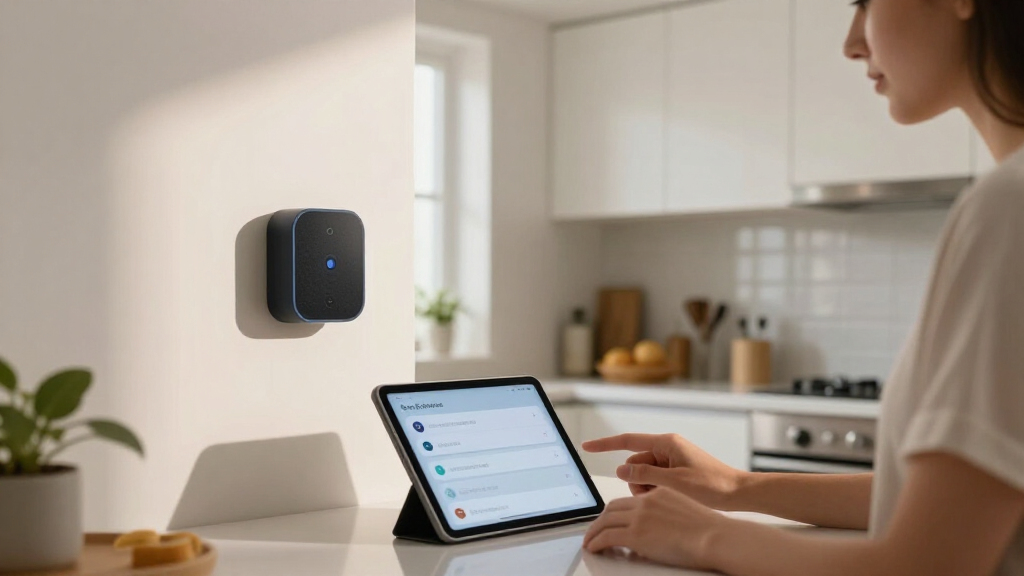
I ranked these smart home voice assistants on four factors that actually shape daily use: voice assistant capability (how well the device understands commands, controls third-party devices, and handles multi-step routines), hardware versatility (whether a screen, camera, speaker quality, or built-in hub adds genuine function), ecosystem fit (compatibility with Matter, Thread, Zigbee, and the breadth of supported accessories), and value over time (software update longevity and price relative to what you get). Privacy and local-control capability factored in separately, since a minority of buyers will trade convenience for data ownership.
The ranking order reflects a practical reality: most households want a device that works out of the box, controls a growing accessory library, and stays useful for years. That pushed the 2025 Alexa+ hardware to the top, kept audio-only picks competitive on value, and positioned enthusiast platforms like Home Assistant Green as a deliberate specialist choice rather than a default recommendation. Older-generation and refurbished units ranked lower not because they perform poorly, but because their support horizons and feature ceilings are shorter.
Factors to Consider When Choosing Smart Home Voice Assistants
Choosing a smart home voice assistant is less about picking the loudest speaker and more about picking an ecosystem you can live with for five years. These are the factors that separate a satisfying purchase from a frustrating one.Screen or No Screen?
A display changes what your assistant can actually do. Screens let you see camera feeds, confirm smart home controls visually, follow recipes, make video calls, and act as a wall-mounted control panel — which is why display models dominated the top of this ranking. But a screen also raises the price by $50 to $150 and forces placement decisions: a countertop or nightstand works fine, while a hallway may have no natural spot for it. Audio-only speakers are cheaper, less visually intrusive, and often sound better per dollar since you are not paying for a panel. A common mistake is buying a screen “just in case” and then never using it beyond the clock face — if you cannot name two things you would use the display for, buy the better speaker instead.
Ecosystem Lock-In Is the Real Decision
The assistant you choose today determines which thermostats, bulbs, locks, and cameras work smoothly tomorrow. Alexa currently supports the widest range of third-party devices, Google Assistant handles search and calendar queries more naturally, and Home Assistant supports nearly everything but requires you to build the integrations yourself. Switching ecosystems later means re-buying hardware and rebuilding every routine, so this choice deserves more thought than any spec sheet. A practical approach: list the five smart devices you already own or plan to buy, and pick the assistant that supports all five natively. Also check whether your household uses services — Spotify, Apple Music, Google Calendar, Ring — that one platform handles better than the others.
Cloud Dependency Versus Local Control
Every Alexa and Google device routes your voice commands through company servers, which means an internet outage can leave routines dead and a policy change can alter what your assistant will do. Platforms like Home Assistant Green and the Third Reality Dev Edition run automations locally, so lights and sensors keep responding even offline, and your voice data stays inside your house. The honest tradeoff: local control costs you hours of configuration, community-forum troubleshooting, and occasional manual updates. Most buyers are better served by cloud platforms and the convenience they provide, but if you are automating locks, garage doors, or security cameras, the reliability of local processing earns its complexity. Hybrid setups — a Home Assistant hub controlling devices, paired with an Echo for voice — are increasingly common among serious hobbyists.
Speaker Quality and Room Placement
Buyers routinely overestimate how much speaker they need and then place it badly. A bedroom or office is well served by a compact unit like the Echo Spot or Echo Show 5, where the improved bass is a bonus rather than the point. Living rooms and kitchens justify the spend on the Echo Dot Max or Echo Show 11, where spatial audio and stronger low-end actually fill the space. Placement matters as much as wattage: a speaker wedged behind a TV or inside a cabinet loses half its clarity, and any unit near a wall will get bass reinforcement you may or may not want. Match the speaker to the room, not to the demo you heard in a store.
Matter, Thread, and Future-Proofing
The Matter standard is slowly making smart home devices interoperable across assistants, which reduces — but does not eliminate — the lock-in problem. Devices with a built-in Thread border router or Zigbee hub, like the Echo Show 8 and Echo Show 11, can act as the connectivity backbone for your whole home, meaning you may not need a separate hub at all. Older hardware like the first-generation Nest Hub and the Echo Dot (4th Gen) lacks these radios or received them late and in limited form, which shortens their useful life as your device count grows. If you are starting a smart home from scratch, paying $30 to $50 more for hub-capable hardware is one of the highest-leverage decisions in this entire category. Check the radio list before you buy, not after a device fails to pair.
Buying Refurbished and Regional Models Safely
Discounted and imported units appear throughout this category, and some are genuinely good deals — a like-new Echo Show 5 can save real money on identical hardware. The risks are specific: regional variants like the South Korea-model Google Home Speaker may not support English-language services, local voice matching, or warranty claims in your country. Refurbished stock varies by seller, so buy only from programs with an actual return window and a stated battery and cosmetic grade. Ask whether the device still receives software updates, because a bargain that loses assistant features in a year is not a bargain. As a rule, refurbished mainstream models are worth considering; imported regional variants rarely are.
Frequently Asked Questions
Is Alexa+ on the 2025 Echo devices worth upgrading from an older Echo?
Alexa+ adds more natural conversation, better contextual memory, and improved smart home control, but it only runs on newer hardware with the processing power to support it — which is why the Echo Show 11 (2025) ranks above older models here. If your current Echo still handles your routines and timers, there is no urgent reason to replace it today. The upgrade makes the most sense if you are adding a display anyway, since the new assistant’s visual responses are where the improvement is most obvious. Buyers who use Alexa primarily for music and simple commands will notice the least difference and can safely stay on older hardware until it stops receiving updates.
Can Home Assistant Green replace an Echo or Nest speaker entirely?
Not on its own — the Green box is a hub with no microphone or speaker, so you still need something to talk to. Most Home Assistant users pair it with a voice unit like the Third Reality Dev Edition or even keep an Echo around for casual queries. What the Green does replace is the cloud brain: it runs your automations, device integrations, and dashboards locally. If your goal is voice control with full privacy, expect a two-device setup and a real learning curve, not a single-box solution.
Do I need a smart display, or is a speaker enough for controlling my home?
For pure voice control — lights, plugs, thermostats, music — a speaker is completely sufficient, and the Echo Dot Max covers that job well. A display earns its cost when you want camera feeds on demand, visual confirmation that the right light turned off, video calling, or a persistent control panel for a busy household. Families with kids or smart doorbells tend to get more out of screens, since seeing who is at the door beats hearing a description. My rule of thumb: if you cannot name two screen-specific uses you would exercise weekly, spend the difference on a better speaker or an extra device in another room.
Are refurbished Echo Show devices reliable, and what should I check before buying?
Refurbished Echo hardware is generally low-risk because these are solid-state devices with no batteries to degrade, and a like-new Echo Show 5 is often functionally identical to a new one. The three things to verify are the seller’s return policy, whether the device is still on the software update list, and that it is a model built for your region so wake-word and service support work locally. Amazon-certified refurbished units carry a warranty; third-party marketplace listings often do not. Avoid anything listed below roughly half of retail from an unknown seller, as that price usually signals older stock with a shorter remaining support life.
Which assistant works best if my household mixes Android phones and iPhones?
Alexa is the safest neutral ground, because the Alexa app is equally functional on both platforms and neither phone ecosystem gets preferential treatment. Google Assistant integrates beautifully with Android and Google Calendar but is weaker for iPhone users who live in Apple’s app world. If your household runs on Apple Music, iCloud calendars, and HomeKit accessories, none of these picks is perfect — Alexa handles Apple Music streaming fine but ignores HomeKit entirely. In mixed households, pick the assistant based on your smart home devices first and your phones second, since device compatibility is harder to work around than app preferences.
Conclusion
For most buyers, the Amazon Echo Show 11 (2025) is the best overall pick — it combines Alexa+, a built-in smart home hub, and a display large enough to serve as a genuine control panel, with the Amazon Echo Show 8 as the smaller-budget alternative for bedrooms and offices. The Amazon Echo Dot Max takes best value, delivering flagship-class sound at a fraction of display pricing, while the Echo Spot is the easy recommendation for nightstands and anyone wanting a smart alarm clock. Beginners should start with an Echo Show 5 or the standard Echo Dot: cheap, forgiving, and simple to expand later. Privacy-focused and technical buyers belong with the Home Assistant Green paired with the Third Reality Dev Edition, accepting more setup in exchange for local control. Whatever you choose, commit to one ecosystem before your device collection grows — that decision matters more than any single speaker on this list.
Fall yard work Picks
leaf blowers
As an affiliate, we earn on qualifying purchases.