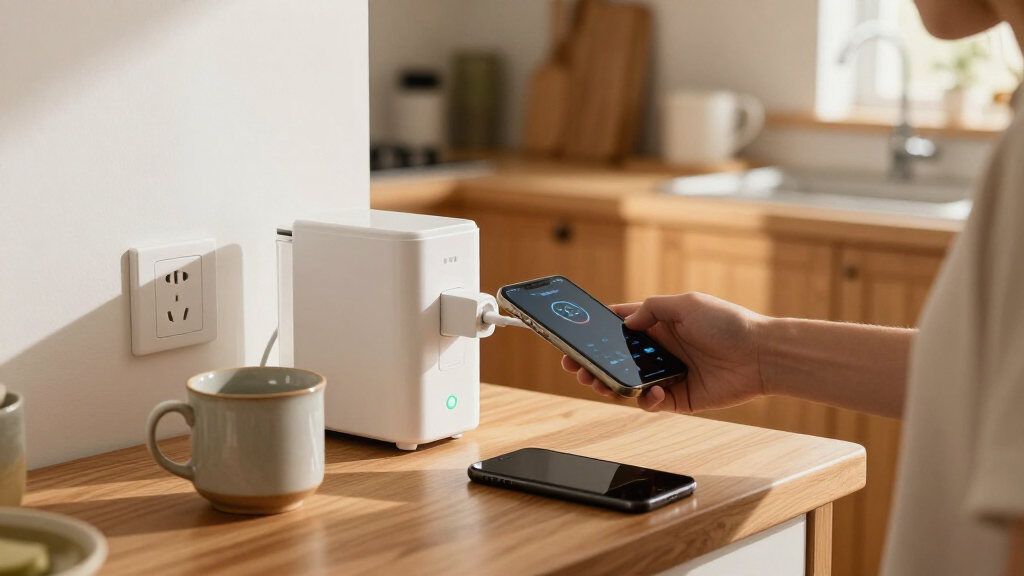

Smart plugs with energy monitoring do more than turn devices on and off remotely — they show you exactly how much power each appliance draws, which makes them the cheapest way to find energy hogs in your home. After comparing the field, the Tapo P110M (4-Pack) stands out as the best overall pick thanks to Matter compatibility, reliable monitoring data, and a polished app in a multi-pack value. If you want a tighter budget option, the Govee Smart Plug 4-Pack keeps costs down while still tracking consumption, and the THIRDREALITY Gen3 is the pick for anyone building on a Zigbee hub. The main tradeoffs in this category come down to protocol choice (Wi-Fi vs. Zigbee vs. Matter), whether you need a hub, and how accurate the reporting actually is. Keep reading for the full breakdown.

Get home appliances delivered free with Prime
- Fast, free delivery on millions of items
- Prime Video, Amazon Music and more included
- Member-only deals all year
Complete the kit


Key Takeaways
- Matter-compatible plugs (Tapo P110M, SONOFF S61s, Kasa KP125MP) dominate the top of the ranking because they future-proof your setup and work across Apple Home, Google Home, and Alexa without brand lock-in.
- Multi-packs dominated this lineup — 10 of the 11 options come in 4-packs, so per-plug value, not just features, became a major ranking factor.
- Energy monitoring accuracy and app usability separated the leaders from the generic ‘Smart Plug Outlet’ option: a plug is only as useful as the app that graphs its data.
- Zigbee options like the THIRDREALITY Gen3 trade hub dependence for better mesh reliability and lower Wi-Fi congestion — a worthwhile trade only if you already run a hub.
- The Emporia plug is the outlier here: it’s built for whole-home energy auditing rather than casual smart control, so it suits a different buyer than every other pick.




| smart plugs with energy monitoring | Connectivity | Pack Size | Max Current | Certification |
|---|---|---|---|---|
| Tapo P110M Smart Plug | — | 4 plugs | 15A | Matter certified |
| SONOFF S61s Matter Smart Plug | Matter over Wi-Fi (2.4GHz) | — | — | ETL Listed |
| TP-Link Tapo P115 Wi-Fi Smart | Wi-Fi | 4 plugs | 15A | — |
| Kasa Matter Smart Plug with En | — | — | 15A | UL certified flame retardant |
| Kasa Smart Plug Mini with Ener | 2.4GHz Wi-Fi | — | — | UL certified |
| THIRDREALITY Smart Plug Gen3 | Zigbee 3.0 (hub required) | 4 plugs | 15A | ETL Certified |
| Smart Plug Outlet with Energy | 2.4GHz Wi-Fi (no hub required) | 4 plugs | 15A | FCC |
| Govee Smart Plug with Energy M | Wi-Fi 2.4GHz + Bluetooth | 4 plugs | — | — |
| TP-Link Tapo P115 Smart Plug W | Wi-Fi (2.4GHz) | 2 plugs | 15A | — |
| Emporia Energy Monitoring Smar | Wi-Fi 2.4GHz only | 4 plugs | — | — |
| Kasa Matter Smart Plug with En | Wi-Fi, Matter | — | 15A | UL certified flame retardant |
More Details on Our Top Picks
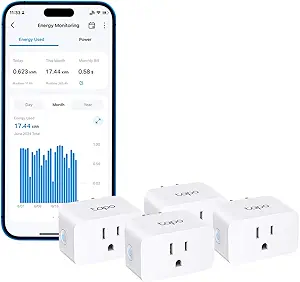
Tapo P110M Smart Plug (4-Pack), Matter Compatible, Energy Monitoring, 15A
This option stands out as the most complete package in the lineup because it pairs Matter certification with unusually deep energy tooling. Beyond basic consumption charts, it estimates electricity costs and lets you schedule heavy appliances to run during off-peak hours, which translates directly into lower bills. Compared with the Kasa KP125MP2, it adds power cutoff thresholds and overcharge protection, making it better suited to guarding expensive devices like laptops or e-bike chargers. The tradeoff is ecosystem lock-in: the richest energy data lives inside the Tapo app, and full Matter functionality assumes you already run a hub or platform. Compared with the simpler Tapo P115, the P110M is the clear upgrade if cost tracking matters more than a rock-bottom price.
Pros:- Matter certified for cross-platform use across Alexa, Apple HomeKit, Google Home and SmartThings
- Energy monitoring goes beyond charts to estimate electricity costs
- Off-peak scheduling and power cutoff thresholds help lower bills and protect devices
- Overcharge and overcurrent protection adds a safety layer most rivals lack
Cons:- Requires a smart home hub or platform for full Matter functionality
- Energy bill data is confined to the Tapo app ecosystem with no export path
Best for: Smart home owners already running a Matter hub who want cost estimation and off-peak scheduling, not just raw wattage charts
Not ideal for: Buyers with no smart home hub or those who want energy data exportable outside the Tapo app ecosystem
- Model:Tapo P110M
- Pack Size:4 plugs
- Max Current:15A
- Certification:Matter certified
- Compatibility:Amazon Alexa, Apple HomeKit, Google Home, Samsung SmartThings
- Features:Energy monitoring, cost estimation, off-peak scheduling, overcharge protection
Our verdict“If you want the most capable all-around energy-monitoring plug and already live in a Matter household, this 4-pack earns the top spot.”
SONOFF S61s Matter Smart Plug 15A Wi-Fi Outlet with Energy Monitoring, 4-Pack
This model makes the most sense for buyers who want Matter compatibility without hub hassle at a tighter budget. Unlike the Tapo P110M, the S61s connects directly over 2.4GHz Wi-Fi, so setup takes minutes with no controller needed, yet it still works with Apple Home, Alexa, Google Home and SmartThings. Real-time energy monitoring and electricity cost tracking come through the eWeLink app, and the fire-resistant housing with overload protection matches pricier rivals on safety. The compromises are real: no 5GHz network support means owners of mesh routers may need to split their bands, and a 40°C operating ceiling rules out enclosed spaces like hot garages or attics. For straightforward indoor use, though, the value equation is hard to beat.
Pros:- Matter certified across Apple Home, Alexa, Google Home and SmartThings
- No hub required — direct 2.4GHz Wi-Fi setup
- Real-time energy monitoring with electricity cost tracking in the eWeLink app
- ETL listed with overload protection and fire-resistant housing
Cons:- 2.4GHz-only Wi-Fi support can complicate setup on mesh networks
- 40°C maximum operating temperature limits use in hot environments
Best for: Budget-conscious buyers who want hub-free Matter setup and reliable cost tracking for lamps, fans and heaters
Not ideal for: Households on 5GHz-only networks, or anyone planning to run plugs in hot, poorly ventilated spaces
- Max Wattage:1875W
- Operating Voltage:120V
- Connectivity:Matter over Wi-Fi (2.4GHz)
- Control:App, physical and remote control
- Compatible Platforms:Apple Home, Alexa, Google Home, SmartThings, eWeLink
- Certification:ETL Listed
- Quantity:4-pack
Our verdict“This is the value play of the roundup: hub-free Matter plus real cost tracking, provided your network and climate cooperate.”
TP-Link Tapo P115 Wi-Fi Smart Plug with Energy Monitoring, 4-Pack, 15A
For someone setting up their first smart plugs, this option keeps things simple without giving up the core feature this roundup exists for. The Tapo app presents energy statistics as visual charts, which makes spotting a power-hungry appliance far easier than parsing raw numbers. Scheduling and automatic overload shutoff cover the two things most beginners actually want: savings and safety. Compared with its sibling, the P110M, this model skips Matter certification and cost estimation, so it is better suited to Alexa and Google households that don’t need cross-platform flexibility. Against the Kasa KP115, it trades the child-safety cover for a more polished data dashboard. The drawback is dependence on Wi-Fi and the Tapo app for any remote control.
Pros:- Clear visual energy statistics and charts in the Tapo app
- Scheduling and remote control straight from a phone
- Works with Alexa and Google Assistant voice commands
- Automatic shutoff protects against overload
Cons:- Requires Wi-Fi and the Tapo app for any remote functionality
- No Matter support or cross-platform flexibility unlike the P110M or Kasa KP125MP2
Best for: First-time smart plug buyers in Alexa or Google households who want easy-to-read energy charts and set-it-and-forget-it schedules
Not ideal for: Apple Home or SmartThings users, or anyone wanting Matter future-proofing and estimated bills
- Model:Tapo P115
- Pack Size:4 plugs
- Max Current:15A
- Connectivity:Wi-Fi
- Energy Monitoring:Yes
- Voice Assistants:Amazon Alexa, Google Assistant
- Automatic Shutoff:Yes
Our verdict“A straightforward entry point into energy monitoring that trades advanced ecosystem support for simplicity and readable data.”
Kasa Matter Smart Plug with Energy Monitoring (KP125MP2)
What separates this pick from nearly everything else here is local LAN control: when your internet drops, these plugs keep responding instead of becoming dumb outlets. That resilience, combined with a UL-certified flame-retardant body and a 2-year warranty, makes it the choice when dependability outranks flashy features. Compared with the Tapo P115, the KP125MP2 adds full Matter support across Apple Home and SmartThings, though it matches the SONOFF S61s in requiring a Matter controller for the full experience. Energy monitoring covers usage basics, but it lacks the off-peak scheduling intelligence of the Tapo P110M, so bill-cutters may find it less proactive. The compact housing avoids blocking adjacent outlets, a small design win the bulkier plugs in this roundup can’t claim.
Pros:- Local LAN control keeps plugs working during internet outages
- Full Matter support across Apple Home, Alexa, Google Home and SmartThings
- Compact design leaves adjacent outlets free
- UL-certified flame-retardant build backed by a 2-year limited warranty
Cons:- Requires a Matter-compatible hub or controller for full functionality
- Capped at 15A/1800W, ruling out heavier appliances
Best for: Buyers who prioritize uptime and safety — offline local control, UL certification and a warranty matter more than app extras
Not ideal for: Users without a Matter-compatible hub, or those wanting cost estimation and off-peak automation from their energy data
- Model:KP125MP2
- Max Current:15A
- Max Power:1800W
- Protocol:Matter
- Compatible Platforms:Apple Home, Amazon Alexa, Google Home, Samsung SmartThings
- Certification:UL certified flame retardant
- Warranty:2-year limited
Our verdict“The most resilient pick of the bunch for households where a failed connection is not an acceptable failure mode.”
Kasa Smart Plug Mini with Energy Monitoring (KP115)
This model is the one to pick when child safety is part of the buying decision. A sliding safety cover over the unused outlet — unique in this lineup — plus a fireproof shell and overheating protection make it the safest choice for nurseries, playrooms, or anywhere curious fingers operate. Energy monitoring handles the basics of tracking consumption, and Alexa and Google voice control keep day-to-day use frictionless. Compared with the Kasa KP125MP2, it forgoes Matter and local LAN control, so it is less future-proof and more internet-dependent — but for households that don’t need Apple Home or SmartThings, that is a fair trade for the physical safety features. The 2.4GHz-only limitation matches the SONOFF S61s and is the main setup annoyance.
Pros:- Sliding child-safety cover unique among plugs in this roundup
- Overheating protection and fireproof shell in a UL-certified build
- Built-in energy monitoring with Alexa and Google voice control
- 2-year warranty backing the hardware
Cons:- 2.4GHz-only Wi-Fi support complicates modern mesh networks
- No Matter support or offline local control unlike the KP125MP2
- One plug per outlet means larger rooms need multiple units
Best for: Parents and caregivers who want energy tracking plus physical child-safety features in living spaces and kids’ rooms
Not ideal for: Smart home enthusiasts who need Matter, Apple Home support, or offline local control
- Model:KP115
- Connectivity:2.4GHz Wi-Fi
- Voice Assistants:Alexa, Google Home
- Energy Monitoring:Yes
- Safety Features:Overheating protection, fireproof shell, sliding child-safety cover
- Certification:UL certified
- Warranty:2 years
Our verdict“The family-focused pick: slightly older connectivity, but safety features no other plug here matches.”
THIRDREALITY Smart Plug Gen3 (4 Pack) – Zigbee 15A Outlet with Real-Time Power Monitoring, ETL Certified
Zigbee changes the math on this one. Where Wi-Fi plugs like the TP-Link Tapo P115 each compete for router bandwidth, the THIRDREALITY Gen3 forms a self-healing mesh — and each plug doubles as a repeater, so coverage actually improves as you add more. The ±1% monitoring accuracy is tighter than anything else in this roundup, which matters if you’re auditing appliance draw rather than just eyeballing trends. It pairs happily with Echo devices, Home Assistant, SmartThings, and Hubitat. The catch: it will not work without a Zigbee hub, and power-on state restoration only unlocks on THIRDREALITY’s own Hub Gen2 or Home Assistant. Compared with the plug-and-play Govee 4-pack, the entry barrier is real.
Pros:- ±1% monitoring accuracy — the most precise in this lineup
- Each plug acts as a Zigbee repeater, extending mesh range
- Slim housing leaves adjacent outlets free
- Broad hub compatibility including Echo, Home Assistant, and SmartThings
Cons:- Requires a Zigbee hub — no standalone operation
- Power-on state restoration only works with THIRDREALITY Hub Gen2 or Home Assistant
Best for: Smart home hobbyists running Home Assistant, SmartThings, or Hubitat who want a reliable mesh and lab-grade accuracy
Not ideal for: Renters or casual users with no Zigbee hub — this plug is a paperweight without one
- Connectivity:Zigbee 3.0 (hub required)
- Max Current:15A
- Operating Voltage:110V
- Monitoring Accuracy:±1% real-time
- Mesh Feature:Built-in Zigbee repeater
- Certification:ETL Certified
- Pack Size:4 plugs
Our verdict“If you already run a Zigbee ecosystem, this is the most accurate and most expandable monitoring pick here — everyone else should stick with Wi-Fi.”
Smart Plug Outlet with Energy Monitoring, 15A 2.4 GHz Wi-Fi, 4-Pack
This is the budget fleet play. You get four hub-free plugs with real-time energy monitoring, overload protection, and group control for less than what the Tapo P115 2-pack typically costs — so if your goal is blanketing every outlet in a rental with monitoring, the per-plug math favors this set. Setup runs through the SmartLife app on 2.4GHz Wi-Fi, no bridge needed, unlike the hub-dependent THIRDREALITY Gen3. The tradeoffs are the usual budget-tier ones: the app experience is clunkier than Tapo’s polished charts, there’s no direct Alexa connection (everything routes through SmartLife), and 5GHz networks are off the table. For whole-apartment coverage on a tight budget, though, those are compromises I’d accept.
Pros:- Lowest cost per plug among monitored 4-packs in this lineup
- Hub-free setup via 2.4GHz Wi-Fi
- Group control for coordinating multiple plugs
- Overload and short-circuit protection included
Cons:- No direct Alexa integration — SmartLife app is mandatory middleware
- 2.4GHz Wi-Fi only
- App is less refined than Tapo or Govee alternatives
Best for: Budget-conscious renters who want to monitor many outlets at once without buying a hub
Not ideal for: Apple Home users or anyone who wants a polished app with detailed cost analytics
- Pack Size:4 plugs
- Max Current:15A
- Max Power:1800W
- Connectivity:2.4GHz Wi-Fi (no hub required)
- App:SmartLife
- Voice Control:Alexa, Google Assistant
- Certification:FCC
Our verdict“The cheapest way to put energy monitoring on a stack of outlets, provided you tolerate a middling app.”
Govee Smart Plug with Energy Monitoring, WiFi + Bluetooth Outlet, 4 Pack
Where the budget 4-pack gives you a live number and not much else, Govee stores a full year of daily, weekly, and monthly energy data — the longest history retention in this batch. That turns monitoring from a novelty into an actual tool: you can compare summer and winter appliance costs instead of guessing. The Bluetooth + Wi-Fi combo also makes initial pairing less painful than Wi-Fi-only rivals like the Tapo P115, and the fire-resistant housing plus ETL/FCC certification means high-wattage devices are fair game. The downsides are the walled garden — everything lives in the Govee Home App — and the familiar 2.4GHz-only limitation. Govee’s app ecosystem also tends toward feature bloat if you just want a simple on/off toggle.
Pros:- Up to 1 year of stored energy history — best in this batch
- Bluetooth pairing simplifies setup versus Wi-Fi-only plugs
- Handles full 15A/1800W loads with fire-resistant materials
- Scheduling and group control for multi-device routines
Cons:- Locked into Govee Home app for setup and full features
- No 5GHz Wi-Fi support
- App interface is busier than Tapo’s
Best for: Data-driven users who want long-term energy trends, not just a real-time wattage readout
Not ideal for: Minimalists who want a clean, simple app — Govee Home packs in a lot of extras
- Pack Size:4 plugs
- Connectivity:Wi-Fi 2.4GHz + Bluetooth
- Max Load:15A, 120V
- Energy History:Daily/weekly/monthly, up to 1 year
- Compatibility:Alexa, Google Assistant, Govee Home App
- Certifications:FCC, ETL
- Material:Fire-resistant housing
Our verdict“The pick for anyone who wants to actually analyze a year of consumption data rather than glance at today’s usage.”
TP-Link Tapo P115 Smart Plug Wi-Fi with Energy Monitoring (2-Pack), 15A
Tapo’s software is what separates the P115 from the crowd. The app renders usage charts with cost estimation, so you see dollars, not just watts — something neither the SmartLife 4-pack nor the Emporia plugs match in polish. Two features stand out for real-world outcomes: smart charging cutoff stops battery devices from overcharging overnight, and auto-shutoff kills power on electrical overload before it becomes a hazard. That safety logic makes it my pick for space heaters and other devices you don’t fully trust. The tradeoff is quantity: this is a 2-pack, so outfitting a whole apartment costs more per outlet than the budget and Govee bundles, and you’ll need 2.4GHz Wi-Fi plus the Tapo app to get started.
Pros:- Energy charts with cost estimation in dollars
- Smart charging cutoff prevents overnight overcharging
- Auto-shutoff guards against electrical overload
- Mature, well-designed Tapo app with remote control
Cons:- Only 2 plugs per pack — higher cost per outlet than 4-pack rivals
- Requires 2.4GHz Wi-Fi and Tapo app for setup
- No Matter support unlike the Tapo P110M
Best for: Buyers who prioritize polished software, cost estimates, and safety cutoffs over plug count
Not ideal for: Anyone covering many outlets on a budget — a 2-pack spreads thin fast
- Model:Tapo P115
- Pack Size:2 plugs
- Max Current:15A
- Connectivity:Wi-Fi (2.4GHz)
- Energy Features:Usage stats, charts, cost estimation
- Safety Features:Auto-shutoff, smart charging cutoff
- Voice Assistants:Alexa, Google Assistant
- App:Tapo
Our verdict“The best software and safety features in this batch — buy it if you value the app experience more than plug count.”
Emporia Energy Monitoring Smart Plug (4 Pack)
Emporia’s angle is hunting phantom loads — the standby draw from idle TVs, chargers, and appliances that quietly adds up on your bill. The app surfaces real-time usage per plug so you can spot the vampires and cut them off with scheduling, which pairs naturally with Emporia’s broader whole-home energy ecosystem if you ever expand. Compared with the Govee 4-pack, you give up the year of stored history and gain a cleaner, energy-focused interface. The headline limitation is capacity: at 1200W continuous (10A), it can’t run space heaters, microwaves, or hair dryers the way the Tapo P115 or THIRDREALITY plugs can at 15A. It’s also 2.4GHz-only. For low-draw device audits, though, that ceiling rarely bites.
Pros:- Real-time per-plug monitoring tuned for spotting standby waste
- Clean, energy-focused app with on/off scheduling
- Works with Alexa and Google Assistant
- Integrates with Emporia’s broader home-energy ecosystem
Cons:- Limited to 10A/1200W — unsuitable for high-power appliances
- 2.4GHz Wi-Fi only, no 5GHz support
- Shorter useful data history than Govee’s year of records
Best for: Homeowners auditing standby power waste across TVs, chargers, and small electronics
Not ideal for: Anyone monitoring high-wattage appliances — the 1200W ceiling rules out heaters and kitchen gear
- Pack Size:4 plugs
- Operating Voltage:120V
- Max Wattage:1200W (10A continuous)
- Connectivity:Wi-Fi 2.4GHz only
- Compatibility:Alexa, Google Assistant, Android, iOS
- Operating Temperature:14°F to 140°F
- App:Emporia
Our verdict“A focused tool for killing phantom loads across small electronics — just don’t plug your space heater into it.”
Kasa Matter Smart Plug with Energy Monitoring (KP125MP4)
If your smart home mixes Apple Home with Alexa or Google, this pick stands out for its true Matter certification, which means it pairs natively with all four major platforms without favoring any one of them. Compared with the Govee Smart Plug, which locks you into a single app ecosystem, the KP125MP4 lets you switch controllers later without replacing your plugs — a real long-term advantage. The energy monitoring data is solid, and local LAN control means lights and appliances keep responding during internet outages, something Wi-Fi-only options like the Emporia Energy Monitoring Smart Plug can’t match. The tradeoff: you’ll need a Matter-compatible hub for full integration, and the 15A/1800W ceiling rules out heavy draw like space heaters on high settings.
Pros:- Native Matter support across Apple Home, Alexa, Google Home, and SmartThings
- Built-in energy monitoring for tracking consumption and costs
- Local LAN control keeps automations running during internet outages
- Compact UL-certified flame-retardant housing avoids blocking adjacent outlets
Cons:- Requires a Matter-compatible hub or controller for full smart home integration
- Capped at 15A/1800W, limiting use with high-wattage appliances
Best for: Smart home enthusiasts who run Apple Home alongside Alexa, Google, or SmartThings and want future-proof plugs that survive ecosystem changes and internet outages
Not ideal for: Buyers without a Matter hub or controller, who would pay for cross-platform features they can’t access and would be better served by a standard Wi-Fi plug like the Tapo P115
- Model:KP125MP4
- Max Current:15A
- Max Power:1800W
- Connectivity:Wi-Fi, Matter
- Compatible Platforms:Apple Home, Amazon Alexa, Google Home, Samsung SmartThings
- Certification:UL certified flame retardant
- Warranty:2-year limited
Our verdict“This plug makes the most sense for households invested in multiple smart home platforms who want energy tracking plus the resilience of offline local control.”
How We Picked
I ranked these plugs against four buyer-relevant criteria. Monitoring quality came first — how granular the data is (real-time watts vs. daily totals), whether the app presents it clearly, and whether historical logs are retained. Smart-home compatibility came second: Matter-compatible plugs ranked higher because they free you from a single ecosystem, followed by Alexa/Google support and finally app-only control. Protocol and connectivity mattered too — Wi-Fi plugs are easier for beginners, while Zigbee options scored better for congested networks and large homes, provided you own a hub.
Finally, I weighed per-plug value and capacity. Since nearly every option here ships as a 4-pack at 15A, the real differentiators became app polish, reporting depth, and brand track record on firmware updates. Plugs that pair strong hardware with a mature app ecosystem (Tapo, Kasa) outranked generic alternatives with similar specs but weaker software, and I penalized any option whose monitoring felt like an afterthought rather than a core feature.
| smart plugs with energy monitoring | Model | Certification |
|---|---|---|
| Tapo P110M Smart Plug | Tapo P110M | Matter certified |
| SONOFF S61s Matter Smart Plug | — | ETL Listed |
| TP-Link Tapo P115 Wi-Fi Smart | Tapo P115 | — |
| Kasa Matter Smart Plug with En | KP125MP2 | UL certified flame retardant |
| Kasa Smart Plug Mini with Ener | KP115 | UL certified |
| THIRDREALITY Smart Plug Gen3 | — | ETL Certified |
| Smart Plug Outlet with Energy | — | FCC |
| Govee Smart Plug with Energy M | — | — |
| TP-Link Tapo P115 Smart Plug W | Tapo P115 | — |
| Emporia Energy Monitoring Smar | — | — |
| Kasa Matter Smart Plug with En | KP125MP4 | UL certified flame retardant |
Factors to Consider When Choosing Smart Plugs With Energy Monitoring
Energy-monitoring smart plugs look nearly identical on a product page, but the differences that matter show up months after purchase — in your app, on your network, and on your utility bill. Here’s what to weigh before choosing.Protocol: Wi-Fi, Zigbee, or Matter?
This is the single biggest fork in the road, and most buyers get it wrong by defaulting to Wi-Fi without thinking it through. Wi-Fi plugs need no hub and are the fastest path from box to working app, but every plug becomes another device competing for router bandwidth — a real problem once you pass eight or ten of them. Zigbee plugs like the THIRDREALITY Gen3 route through a hub and form a mesh, which scales better and survives Wi-Fi outages, but the upfront hub cost only makes sense if you’ll add sensors or bulbs later. Matter is the middle path: it runs over your existing network but gives you cross-ecosystem control, so you’re never trapped if you switch from Alexa to Apple Home tomorrow. A common mistake is buying a bargain plug that only works with a niche app — when that company abandons the product, your energy data goes with it.
What the Energy Data Actually Tells You
Not all monitoring is equal, and the gap between plugs is bigger than the spec sheets admit. Some plugs report only cumulative kilowatt-hours, which tells you what a device used last month but nothing about standby drain or power spikes. Better plugs show real-time wattage plus hourly, daily, and monthly history, letting you spot a failing appliance or quantify phantom load from an idle TV. Think about what question you’re trying to answer: if it’s ‘what’s raising my bill,’ you need historical graphs; if it’s ‘is my space heater drawing too much,’ real-time readings matter more. Also check how far back the data is stored — a plug that only keeps seven days of history is far less useful for comparing winter vs. summer usage patterns.
Accuracy Expectations and Calibration
Treat consumer-grade energy readings as good estimates, not billing-grade measurements — most plugs are accurate to within a few percent, which is plenty for spotting waste but not for auditing your utility statement. Where plugs differ is consistency at low draw: cheap units often report garbage numbers below roughly one watt, which is exactly the range where standby-power hunting happens. If vampire load detection is your goal, favor plugs with a proven track record of low-watt resolution rather than whatever 4-pack is cheapest that week. And remember the plug itself consumes a small amount of power constantly — negligible per unit, but worth knowing if you install a dozen of them.
Capacity, Safety Certifications, and High-Draw Devices
Every plug in this roundup is rated 15A, which covers lamps, fans, routers, and most electronics — but the fine print still matters. High-wattage appliances like space heaters, hair dryers, and some AC units push close to that limit, and sustained load near the ceiling generates heat that degrades relays over time. Look for ETL or UL listing (the THIRDREALITY’s certification is a point in its favor) and avoid plugging anything resistive and high-draw through an unbranded plug. Ironically, energy-monitoring plugs are great for verifying a heater’s actual draw, but run the appliance directly and use the plug only for measurement if you’re at all unsure. Also consider physical size: chunky plugs block the second outlet in a duplex, which is why compact designs earn their premium in tight wall plates and power strips.
Automation and Ecosystem Features Beyond Monitoring
The monitoring data becomes genuinely powerful when paired with automation, and this is where mature platforms pull ahead. Schedules and timers are table stakes, but the real wins come from threshold alerts — say, a notification when the sump pump draws power for longer than normal, hinting at a problem. Conditional routines (‘turn off the dehumidifier if daily usage exceeds 2 kWh’) are easier to build in mature apps like Tapo and Kasa than in generic white-label apps. Voice assistant integration matters for household members who won’t open an app, and Away mode adds security by randomizing lamp schedules. Before buying, check whether monitoring data is exposed to your chosen platform or locked inside the manufacturer’s app — Matter plugs still vary here, and it affects how much you can automate on the readings themselves.
When to Pay More (and When Not To)
Spending more per plug buys three things: better software support, longer firmware/security updates, and more dependable connectivity — and little else. The hardware in a bargain 4-pack and a name-brand 4-pack is often functionally similar, so the premium is really an investment in the app not dying in two years. Pay up when the plugs will live in high-visibility spots, feed automation you depend on, or track appliances whose data you’ll act on repeatedly. Save your money for temporary setups, rental properties, holiday lighting, or anywhere a plug failing silently costs you nothing. One pattern worth repeating: buy one quality 4-pack rather than mixing brands, because consolidating in a single app makes month-over-month comparisons across devices dramatically easier.
Frequently Asked Questions
Are energy-monitoring smart plugs accurate enough to trust?
For identifying waste, yes — most name-brand plugs land within a few percent of a dedicated power meter, which is more than accurate enough to find energy hogs and compare appliances. Where cheap plugs struggle is low-watt readings: below about one watt, budget units often report zeros or erratic numbers, which undermines standby-power hunting. Name-brand options from TP-Link, Kasa, and Emporia tend to handle low draws more reliably. What no consumer plug can do is replace your utility meter for billing purposes, so treat the numbers as directional data for decisions, not accounting. If you’re deciding whether to replace an old fridge, a plug’s reading will absolutely tell you if it’s the culprit.
Do I need Matter compatibility, or is it just marketing?
Matter matters most if you use — or might ever use — Apple Home, since Apple historically had few plug options, and if you dislike being locked into one brand’s app. A Matter plug like the Tapo P110M or SONOFF S61s works across Alexa, Google, and Apple simultaneously, and a future platform switch won’t orphan your hardware. The honest caveat: Matter energy data isn’t always exposed fully to every platform, so you may still open the manufacturer’s app for detailed graphs. If you’re an Alexa-only household and perfectly happy there, a cheaper non-Matter plug like the Kasa KP115 delivers the same monitoring for less. Buy Matter for the insurance, not for features you’ll never touch.
Can I use these plugs with space heaters and other high-wattage devices?
Technically most 15A plugs can handle a typical 1,500W space heater, but I’d be cautious about making it routine. Sustained loads near a plug’s maximum rating generate heat inside the housing, which stresses the relay over months and creates a genuine fire risk with poorly built units. If you want to measure a heater’s consumption, plug it in briefly to capture the reading, then run the heater on a wall outlet for daily use. A better use for monitoring plugs with heating devices is tracking things like reptile terrarium heaters or heat mats, where draws are modest and you want an alert if usage drifts. Always confirm the plug carries ETL or UL certification before putting any resistive load on it.
Wi-Fi or Zigbee for a whole home of smart plugs — which scales better?
Under about ten devices, Wi-Fi is the pragmatic choice: no hub, dead-simple setup, and routers handle the traffic without complaint. Past that point, Zigbee pulls ahead — plugs like the THIRDREALITY Gen3 form a mesh through a single hub, so each device doesn’t monopolize router capacity, and response times stay consistent as you add more. Zigbee also keeps working if your Wi-Fi network changes names or your internet drops, which matters for schedules and local control. The catch is upfront cost and complexity: you need a compatible hub, and setup takes a few extra minutes per device. My rule of thumb: dabbling or a small apartment, go Wi-Fi; outfitting a house with plugs, bulbs, and sensors, invest in Zigbee once.
Can energy-monitoring smart plugs actually lower my electricity bill?
Yes, but indirectly — the plug saves you money by giving you information, not by using less power itself. The typical win is discovering phantom load: idle electronics that collectively draw 5–10% of household electricity, which you can then cut with schedules or physical unplugging. Plugs also reveal unpleasant surprises, like an aging dehumidifier drawing double what a modern one would, making the replacement math obvious. Where people go wrong is automating everything off blindly and then disrupting things like DVR recordings, routers, or devices that hate hard power cuts. Expect modest savings from behavior changes and bigger savings from one or two appliance-replacement decisions the data triggers.
Conclusion
The right pick here depends less on specs and more on how you plan to live with these plugs. For best overall, the Tapo P110M 4-Pack combines Matter support, solid monitoring, and excellent app polish — the safest all-around bet. For best value, the Govee 4-Pack or the SONOFF S61s deliver dependable energy tracking at a lower per-plug cost. For best for beginners, the Kasa KP115 is the gentlest on-ramp: dead-simple app, reliable Wi-Fi, and no hub or protocol homework required. For best premium/ecosystem pick, the Kasa KP125MP Matter plugs reward buyers planning a long-term multi-assistant home. And for a specific need, choose the THIRDREALITY Gen3 if you’re on Zigbee, or the Emporia if your goal is serious energy auditing rather than smart control. Whatever you choose, stick to one brand per deployment — your future self, comparing month-over-month data in a single app, will thank you.
Cold & flu season Picks
humidifiers
As an affiliate, we earn on qualifying purchases.