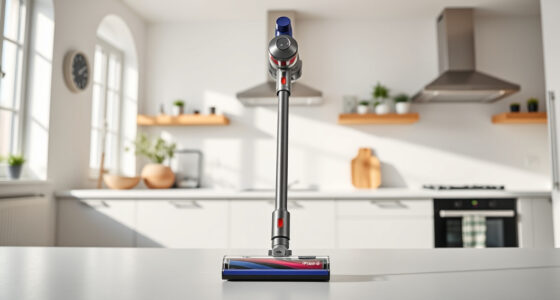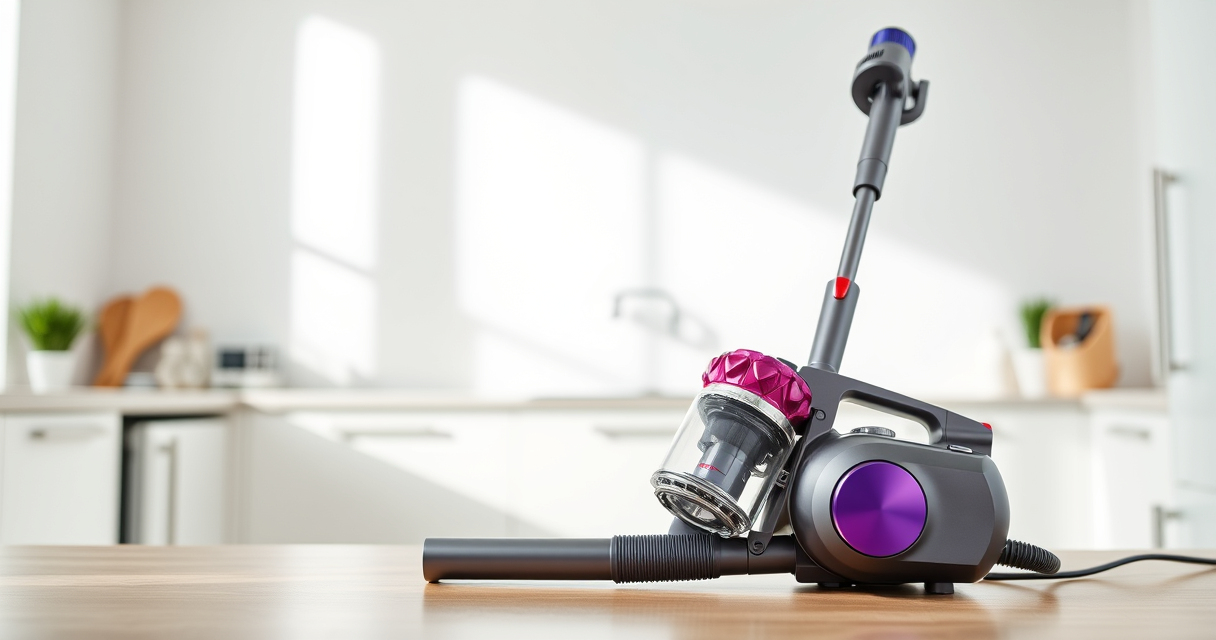
Proper maintenance of your Dyson V15 Detect™ Origin Cordless Vacuum is crucial to ensure it performs at its best over its lifespan. Regular upkeep not only extends the vacuum’s efficiency but also helps prevent common issues like loss of suction or battery problems. In this comprehensive guide, we’ll walk you through practical, safe, and effective maintenance steps, including cleaning filters, checking parts, and troubleshooting common concerns.

Get home appliances delivered free with Prime
- Fast, free delivery on millions of items
- Prime Video, Amazon Music and more included
- Member-only deals all year
Whether you’re a new owner or looking to optimize your cleaning routine, following these step-by-step instructions will keep your Dyson performing like new. Remember, safety is key—always power off and disconnect your vacuum before performing any maintenance.
Key Takeaways
| Filter Maintenance | Regularly clean or replace filters to maintain suction and air quality. |
| Battery & Power Checks | Ensure battery connections are secure and clean for consistent power. |
| Brush & Cleaner Head Care | Remove tangled hair and debris to prevent motor strain. |
| Troubleshooting Common Issues | Identify and resolve suction loss, battery, or motor problems promptly. |
| Use Recommended Attachments | Opt for compatible tools to enhance cleaning and reduce wear. |
Preparing for Maintenance
Before starting any maintenance, ensure your Dyson V15 Detect™ Origin is turned off and disconnected from the charging dock or power source. Remove the wand and attachments, and locate the filters, brush bars, and other accessible parts. Gather necessary tools such as a soft brush, damp cloth, and replacement filters if needed. Always follow safety guidelines to prevent injury or damage to the vacuum.
Cleaning and Replacing Filters
- Remove the main pre-filters from the vacuum. For Dyson V15, these are typically accessible by opening the bin or filter compartment.
- Rinse the filters under cold water without using soap or detergents. Gently squeeze out excess water and let them air dry completely, ideally 24 hours, before reinstalling.
- If using replacement filters, like the 3Pack Pre Filters or V10 filters, swap out the old ones following the manufacturer’s instructions. Replace filters every 2-3 months for optimal performance.
- Ensure filters are fully dry before reinserting to prevent mold or damage.
Proper filter maintenance keeps airflow high and motor strain low, extending the life of your vacuum.
Maintaining the Brush Bar and Cleaner Heads
- Remove the cleaner head from the wand. Check the Digital Motorbar or Fluffy Optic cleaner head for hair, string, or debris entanglement.
- Use scissors or a small brush to cut away tangled hair, especially long pet hair, to prevent motor strain.
- Wipe the brush bar with a damp cloth to remove dust and dirt buildup.
- Inspect the brush bearings and remove any debris to ensure smooth rotation.
- Reassemble the cleaner head and test it on a small area to confirm proper operation.
Regular brush maintenance ensures deep cleaning efficiency and prolongs the motor’s lifespan.
Checking and Troubleshooting Power & Suction Issues
If your Dyson is losing suction or not powering on, start by checking the battery connections. Detach the battery (if removable) and wipe contacts with a dry cloth to remove dust or debris. Reattach securely.
Inspect the filter and cleaning head for blockages. Clear any obstructions in the wand, hose, or nozzle. Use a flashlight to look inside hard-to-see areas.
If the LCD screen shows maintenance alerts or error codes, consult the user manual for specific troubleshooting steps. Resetting the vacuum by turning it off and on again can sometimes resolve minor glitches.
For persistent issues, consider replacing filters or contacting Dyson support for professional repair options.
Replacing Wearable Parts and When to Seek Help
Over time, parts like filters, brushes, and seals may wear out and need replacement. Use compatible products such as the 3Pack Pre Filters or V10 Filters to restore performance.
If your vacuum continues to underperform despite regular maintenance, it may indicate a motor issue or internal damage. In such cases, contact Dyson customer service or authorized technicians for expert assistance.
Always use genuine replacement parts to avoid voiding warranty or causing damage.
The Products in This Guide

Dyson V15 Detect™ Origin Cordless Vacuum
- ✔ Weight: 6.8 lbs
- ✔ Battery Type: Removable lithium-ion
- ✔ Filter Type: HEPA and washable

LANMU Crevice Tool Vacuum Attachments Compatible
- ✔ Length: 12 inches
- ✔ Material: ABS plastic
- ✔ Weight: 0.3 lbs
Dyson V15 Detect™ Origin Cordless Vacuum
<p>The Dyson V15 Detect™ Origin Cordless Vacuum combines powerful suction, intelligent features, and versatile cleaning heads to tackle all floor types. Its LCD screen provides real-time updates on performance and maintenance needs, making upkeep straightforward. Designed for convenience, it converts easily into a handheld for detailed cleaning tasks.</p> <p>Regular maintenance, including filter cleaning and brush care, will keep this vacuum performing at its best for years to come.</p>
Pros:
- Powerful and intelligent cleaning features
- Long 60-minute run time
- Effective on multiple floor types
- Easy to convert to handheld
- LCD screen for real-time info
Cons:
- Filters require regular cleaning or replacement
- Some parts may be tricky to access
- High-end price point
Best for: Whole-home deep cleaning, pet owners, hard floors
Not ideal for: Light-duty or occasional cleaning, budget-conscious buyers
Bottom line: A top-tier cordless vacuum that combines power, intelligence, and versatility.
LANMU Crevice Tool Vacuum Attachments Compatible
<p>The LANMU Crevice Tool Vacuum Attachments are a versatile addition to your Dyson, especially for reaching tight corners, edges, and hard-to-access spaces. Its slim and flexible design ensures you can clean sofa cushions, car interiors, and baseboards effectively.</p> <p>In my experience, this attachment significantly improves cleaning precision, especially in tricky spots that standard heads might miss.</p>
Pros:
- Narrow and flexible nozzle
- Compatible with multiple Dyson models
- Easy to attach and use
- Effective for detailed cleaning
Cons:
- Requires additional storage space
- Not suitable for large debris
Best for: Detail cleaning in tight spaces, cars, upholstery
Not ideal for: Heavy debris removal or large-area cleaning
Bottom line: A must-have for precision cleaning in tight spots.
Frequently Asked Questions
How often should I clean or replace the filters?
Filters should be rinsed under cold water every 1-2 months and replaced every 2-3 months, depending on usage and air quality.
What should I do if my vacuum loses suction?
Check and clean the filters, ensure no blockages in the wand or cleaner head, and inspect the brush bar for tangles. Reinstall filters properly.
Can I use any filters with my Dyson?
Only use filters recommended for your specific Dyson model, such as the 3Pack Pre Filters for V6-V8 or V10 filters for the Dyson V10 series.
How do I reset maintenance alerts on the LCD screen?
Follow the user manual instructions to reset alerts. Usually, turning the vacuum off and on after maintenance resets the system.
Is it safe to rinse filters with water?
Yes, but ensure filters are completely dry before reinstalling to avoid mold and damage. Do not use soap or detergents.
Keep Your Dyson Performing at Its Best
Regular maintenance of your Dyson V15 Detect™ Origin Cordless Vacuum is key to maintaining its powerful suction, efficient operation, and long lifespan. From cleaning filters and brush heads to troubleshooting common issues, staying proactive will ensure your vacuum continues to deliver excellent cleaning results. Remember to use compatible replacement parts and follow safety guidelines for the best experience.
With consistent care, your Dyson will be a reliable cleaning partner for years to come, making your home cleaner, healthier, and more comfortable.
Affiliate disclosure: As an Amazon Associate we earn from qualifying purchases. Prices and availability are accurate as of the time of publishing.
Halloween Picks
halloween
As an affiliate, we earn on qualifying purchases.