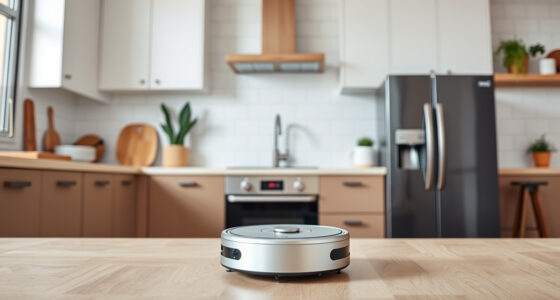
If your Roborock Q10 S5+ isn’t mopping as expected, it can be frustrating. This guide helps you identify common causes and walk through practical, safe solutions to get your robot back to spotless floors.

Get home appliances delivered free with Prime
- Fast, free delivery on millions of items
- Prime Video, Amazon Music and more included
- Member-only deals all year
From checking settings to inspecting parts, follow these detailed steps to ensure your robot’s mopping system works effectively every time.
Key Takeaways
| Common Issue | Mopping not activating or performing poorly. |
| Initial Check | Ensure mop system is enabled in settings. |
| Inspect Components | Check mop pads, water tank, and connections. |
| Regular Maintenance | Clean and replace mop pads and filters as needed. |
| Advanced Troubleshooting | Reset or update firmware if problems persist. |
Verify Mopping Settings
- Open the Roborock app and ensure the mopping mode is activated for your cleaning routine.
- Check that the water level is set to an appropriate amount in the app’s settings.
- Confirm that the robot is not set to only vacuum mode without mopping.
Inspect the Mop Pad and Water Tank
- Remove the mop pad and check for any dirt, hair, or debris that could block the contact or absorption.
- Wash the microfiber mop pad with water and mild detergent; replace if excessively worn or stained.
- Ensure the water tank is filled properly and seated securely in the robot.
Check the Mopping System Connection
- Ensure the mop lift mechanism is functioning by observing if it lifts when switching to vacuum-only mode.
- Inspect the water delivery tube for clogs or leaks.
- Clean the water outlet and connection points with a soft cloth or brush.
Perform a Reset or Firmware Update
- If issues persist, restart the robot via the app or power cycle it manually.
- Check for available firmware updates in the app and install if any are found.
Test and Confirm Fixes
Run a test cleaning cycle with mopping enabled. Observe if the robot properly dispenses water and mops the floor. Repeat these steps if necessary until mopping functions correctly.
The Products in This Guide

roborock Q10 S5+ Robot Vacuum and Mop
- ✔ Model: Q10 S5+
- ✔ Connectivity: App-controlled
- ✔ Cleaning Modes: Vacuum & Mopping

4 Pack Washable Filter
- ✔ Type: Washable HEPA
- ✔ Fitment: Multiple Roborock models
- ✔ Cleaning: Rewash in water
roborock Q10 S5+ Robot Vacuum and Mop
The Roborock Q10 S5+ combines powerful 10,000 Pa suction with sonic mopping and obstacle avoidance, making it a top-tier choice for comprehensive cleaning. Its self-emptying station offers up to 70 days of maintenance-free operation, ideal for larger homes.
Pros:
- Powerful 10,000 Pa suction
- Self-emptying station
- Obstacle avoidance
- Sonic mopping system
Cons:
- Higher price point
- Requires regular filter maintenance
- Complex setup for new users
Best for: Pet owners and households seeking hands-free cleaning
Not ideal for: Light-duty cleaning or very small spaces
Bottom line: A high-performance robot that combines strong suction with effective mopping features.
4 Pack Washable Filter
This 4-pack washable filter ensures your Roborock maintains optimal air filtration and suction performance, saving you money on replacements and supporting eco-friendly cleaning.
Pros:
- Cost-effective
- Easy to clean
- Compatible with multiple models
- Effective filtration
Cons:
- Needs regular washing
- Not OEM, but performs well
- Replacement frequency varies
Best for: Maintaining peak vacuum performance
Not ideal for: If you prefer OEM parts or have very specific filtration needs
Bottom line: Affordable, effective, and eco-friendly filter for ongoing maintenance.
Frequently Asked Questions
Why isn’t my Roborock Q10 S5+ mopping?
Common causes include blocked water outlets, worn mop pads, or incorrect settings. Follow the troubleshooting steps to resolve the issue.
How often should I clean the mop pads?
It’s recommended to wash microfiber mop pads every 1-3 uses, or when visibly dirty, to ensure optimal mopping performance.
Can I use any mop pad with my Roborock?
Use compatible microfiber mop pads designed for your model, such as the VIEWALL 6 Pack or 8 Pack Mop Pads, to ensure proper fit and function.
How do I update the firmware?
Open the Roborock app, go to device settings, and check for firmware updates. Follow prompts to install the latest version.
Keep Your Roborock Running Smoothly
Regular maintenance and correct settings are key to ensuring your Roborock Q10 S5+ performs both vacuuming and mopping effectively. By following the troubleshooting steps outlined here, you can resolve most common issues and enjoy a spotless home with minimal effort.
Remember to check components regularly, update firmware, and use compatible accessories for best results. Happy cleaning!
Affiliate disclosure: As an Amazon Associate we earn from qualifying purchases. Prices and availability are accurate as of the time of publishing.
NFL season / tailgating Picks
team gear
As an affiliate, we earn on qualifying purchases.