To get a strong Wi-Fi signal in your small apartment, place your router centrally on an elevated surface away from large objects, furniture, and walls. Keep it clear of electronic devices like microwaves or cordless phones that cause interference. Use open spaces to maximize coverage and avoid stacking or hiding the router behind thick furniture. Upgrading to a dual-band router or adding extenders can further boost performance. Keep cables tidy and update your firmware regularly for best results. Learn more tips to optimize your setup effectively.

Get home appliances delivered free with Prime
- Fast, free delivery on millions of items
- Prime Video, Amazon Music and more included
- Member-only deals all year
Key Takeaways
- Position your router centrally on an elevated surface, away from walls and large objects.
- Minimize interference by keeping electronics like microwaves and cordless phones away from your router.
- Use dual-band or tri-band routers and select less congested Wi-Fi channels for better performance.
- Add Wi-Fi extenders or mesh networks to improve coverage throughout your small apartment.
- Keep cables tidy and avoid stacking equipment behind furniture to reduce signal obstacles.
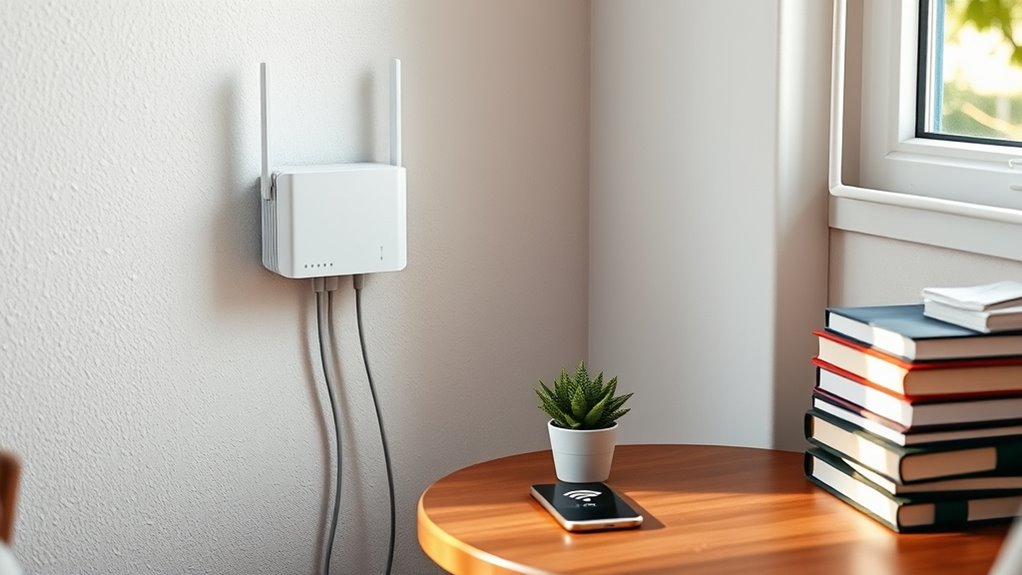
Living in a small apartment can make it challenging to get a strong Wi-Fi signal everywhere you need it. The key to improving your connection starts with router placement. Position your router in a central location, ideally elevated on a shelf or high on a wall, to maximize coverage. Avoid placing it on the floor or inside cabinets, as obstacles like furniture, appliances, and walls can weaken the signal. Keep it away from thick concrete or brick walls, which are notorious interference sources that can diminish Wi-Fi strength. By strategically placing your router, you guarantee the signal radiates evenly throughout your space, reducing dead zones and buffering issues. Additionally, integrating local automation features can help optimize your network performance by adjusting settings based on usage patterns and interference sources. Interference sources are another major factor that can disrupt your Wi-Fi performance. Electronic devices such as cordless phones, microwave ovens, Bluetooth speakers, and even baby monitors operate on similar frequencies as your Wi-Fi, creating interference that hampers signal quality. To minimize this, keep your router away from these devices, especially those that are frequently used. If possible, switch your router to a less congested channel—most modern routers have automatic channel selection, but manually changing channels can also help. This reduces the chances of overlapping frequencies with neighboring Wi-Fi networks or household electronics, leading to a more stable and faster connection. Additionally, consider the layout of your apartment and how walls and furniture impact your Wi-Fi signal. Use open spaces when possible, and avoid stacking your router behind large objects or inside closets. Keep cables tidy and away from sources of electrical noise, which can also cause interference. If you live in a building with many Wi-Fi networks nearby, such as an apartment complex, interference from other networks can become a problem. In such cases, upgrading to a dual-band or tri-band router can help, as these operate on different frequencies (2.4 GHz and 5 GHz), allowing your devices to connect on the less congested band. Finally, regularly updating your router’s firmware guarantees it operates at ideal performance, and consider adding Wi-Fi extenders or mesh networks if your apartment is particularly large or has a complex layout. These devices help distribute the signal more evenly, especially in far corners or behind obstacles. By paying attention to router placement and managing interference sources, you can greatly improve your Wi-Fi signal strength, making your small apartment a more connected and comfortable space.
As an affiliate, we earn on qualifying purchases.
Frequently Asked Questions
How Can I Prevent Wi-Fi Interference From Household Appliances?
To prevent Wi-Fi interference from household appliances, keep your router away from devices like microwaves and cordless phones, which can cause disruptions. Use a different Wi-Fi channel to avoid overlap with common appliances. Additionally, upgrade to dual-band routers that can switch between 2.4 GHz and 5 GHz frequencies, reducing interference. Regularly check for firmware updates to optimize performance and guarantee your signal stays strong despite household interference.
What Are the Best Placement Tips for Wi-Fi Routers in Small Spaces?
Smart placement promotes powerful performance. Position your router centrally, avoiding corners and obstructions, to optimize signals. Keep it elevated—on a shelf or high table—to maximize coverage. Stay clear of appliances and metal objects that cause interference. By balancing router placement and signal optimization, you guarantee consistent connectivity. Remember, a strategic spot makes all the difference in strengthening your Wi-Fi, especially in a small space where every inch counts.
How Do I Identify the Weakest Wi-Fi Signal Areas in My Apartment?
To identify the weakest Wi-Fi signal areas in your apartment, start with Wi-Fi signal mapping using your smartphone or laptop. Move around your space while signal strength testing with an app or device that shows signal bars or dBm readings. Focus on spots with lower readings, often near thick walls or appliances. This helps you pinpoint poor coverage zones, so you can improve your router placement or add extenders accordingly.
Are There Specific Router Features That Improve Coverage in Small Apartments?
Yes, you should look for routers with mesh network capabilities and beamforming technology. Mesh networks expand coverage seamlessly, eliminating dead zones, while beamforming directs the Wi-Fi signal toward your devices for stronger, more reliable connections. These features work together to improve coverage in small apartments, ensuring you get a consistent signal in every corner. Upgrading to such a router can markedly boost your Wi-Fi experience.
How Can I Secure My Wi-Fi Network Against Unauthorized Access?
Sure, because everyone loves a little mystery in their Wi-Fi, right? To keep your network safe, enable password encryption and use a strong, unique password. Don’t forget network segmentation—divide your devices into separate networks to limit access. This way, even if someone tries to sneak in, your data stays private, and you get to enjoy the thrill of secure browsing without the paranoia. Who said security can’t be fun?
As an affiliate, we earn on qualifying purchases.
Conclusion
To boost your Wi-Fi signal in a small apartment, try placing your router in a central location and minimizing obstructions. Notably, some studies suggest that placing your router higher off the ground can improve coverage, as Wi-Fi signals tend to spread downward and outward. By applying these tactics, you’ll likely experience fewer dropouts and faster speeds. Remember, a little experimenting can go a long way in ensuring a strong, reliable connection in your cozy space.
mesh Wi-Fi system for small apartments
As an affiliate, we earn on qualifying purchases.
As an affiliate, we earn on qualifying purchases.
As an affiliate, we earn on qualifying purchases.
Halloween Picks
halloween
As an affiliate, we earn on qualifying purchases.