
TL;DR

Get home appliances delivered free with Prime
- Fast, free delivery on millions of items
- Prime Video, Amazon Music and more included
- Member-only deals all year
Ubiquiti’s UniFi Network 11 adds monitoring for compatible Matter-over-Thread devices, placing them in the network topology alongside Wi-Fi and Ethernet equipment. Users must add individual Matter devices with pairing codes, and the feature requires a compatible UniFi OS gateway, IPv6 and mDNS; UniFi says the tools are for monitoring, not smart-home control.
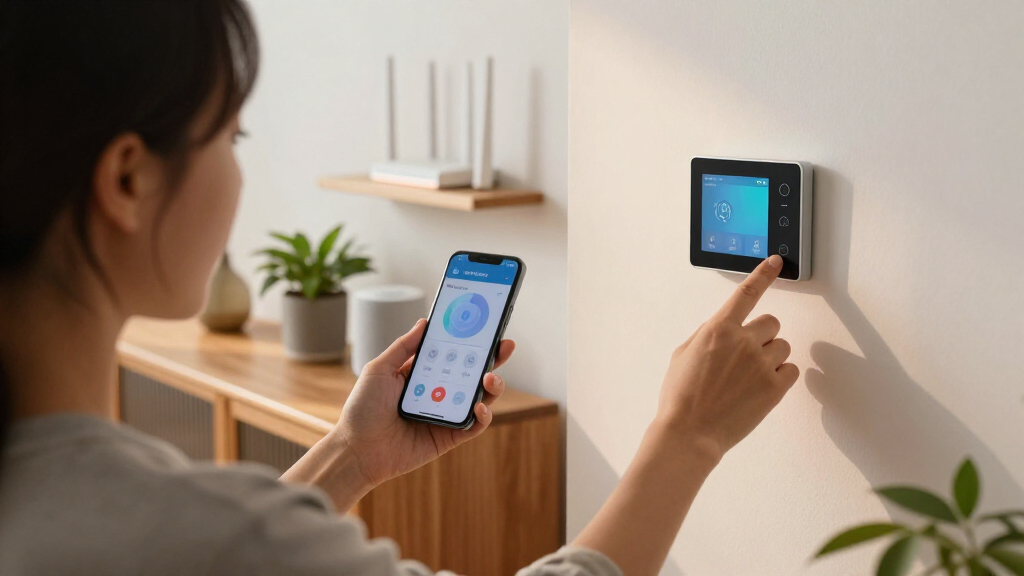
Ubiquiti’s UniFi Network 11 adds monitoring for compatible Matter-over-Thread devices, bringing them into the network topology view alongside Wi-Fi and Ethernet equipment. The update can show device details such as manufacturer, model, firmware, battery status and signal strength where supported, giving UniFi users more information for diagnosing smart-home network problems.
Users can add a compatible Matter device to UniFi by entering its Matter pairing code. The report says UniFi can then associate Matter information about the product with Thread connectivity data. Thread border routers are discovered automatically, but individual Matter devices must be added one at a time. There is no bulk import option described in the report.
Once added, Thread devices appear in UniFi’s existing network topology view, which also includes conventional Wi-Fi and Ethernet devices. The report says the update includes a Time Machine feature for viewing historical network topology, allowing users to inspect network changes that occurred before a device went offline.
The feature has prerequisites: a compatible UniFi OS gateway running version 6.0.10 or later, with IPv6 and mDNS enabled on the relevant network. These are network monitoring and diagnostic capabilities, not smart-home controls. UniFi Network 11 is not described as a replacement for Apple Home or other platforms used to control devices and create automations.
More Clues When Thread Devices Fail
Thread is designed to connect low-power smart-home devices through a mesh, but knowing that a device has stopped responding does not necessarily explain why. A device might have lost power, fallen out of range or lost a route through another Thread node. The report says many smart-home platforms can indicate whether a device responds, while offering less detail about the cause.
By combining Matter device identification with Thread connectivity information and a topology history, UniFi could give network owners more evidence to investigate those failures. That is particularly relevant for households already using UniFi equipment, because it places Thread devices in a view of the broader home network rather than treating them as an entirely separate group. The report does not establish that this will resolve connection problems automatically or improve device reliability; its described benefit is visibility for troubleshooting.
The historical view may also help users relate an outage to a change in the network, such as a device or connection disappearing. How much detail the history records, how long it retains that information and whether it helps identify a specific cause are not specified.
Matter-over-Thread smart home devices
As an affiliate, we earn on qualifying purchases.
As an affiliate, we earn on qualifying purchases.
How UniFi Connects Matter and Thread
Thread is a low-power wireless networking protocol that uses IPv6 and tracks network information such as addresses, neighboring nodes, routes and signal quality. That network layer does not necessarily identify a connected device as a particular product. Matter provides a common smart-home language above the network layer and can provide product details, but accessing those details generally requires an authorised Matter controller.
The report says the need for a pairing code suggests UniFi is not simply identifying products through passive Thread-network scanning. Instead, it appears to use Matter’s support for multiple administrators, which can let one device participate in more than one smart-home ecosystem, to establish its own authorised connection. The report presents this as an explanation of how UniFi may work, not a confirmed technical account from Ubiquiti.
Other diagnostic options exist. The report describes the Thread Group’s Thread Tools app as offering limited insight into device identity and activity, while Home Assistant’s Matter.js server can provide more diagnostic information when devices are added. UniFi’s reported distinction is the integration of Thread devices into its network topology history.
Ubiquiti UniFi Network monitoring tools
As an affiliate, we earn on qualifying purchases.
As an affiliate, we earn on qualifying purchases.
Setup Limits and Open Questions
The report does not provide a statement from Ubiquiti confirming the technical method used to link Matter identity with Thread network data. That explanation is inferred from the pairing-code requirement and the capabilities of Matter. The source also does not specify the feature’s exact availability, supported device list, gateway compatibility beyond the stated software requirement, or the range of device fields available across products.
Manual setup could be burdensome for homes with many Matter devices, and the source reports no bulk import option. Devices with separated networks or VLANs may also need additional configuration because the feature requires IPv6 and mDNS on the relevant network. The report does not explain how those settings should be configured for every network layout.
Ubiquiti’s SuperLink Gateway HA was previously reported as combining the company’s long-range wireless technology with a Thread border router. The source says Ubiquiti has not confirmed how that product will work with UniFi Network 11. It also remains unknown whether Ubiquiti plans to add Matter controls or automation features; the update described here is focused on monitoring.
As an affiliate, we earn on qualifying purchases.
Watch for Compatibility Details
UniFi users interested in the feature will need to check whether their gateway meets the reported requirements, then enable IPv6 and mDNS on the relevant network and add compatible Matter devices using pairing codes. For larger installations, the absence of a bulk import option may make setup a device-by-device task.
Further details from Ubiquiti would clarify supported hardware and devices, availability, the information shown for each product and how long historical topology data is retained. More information is also needed on whether the feature will integrate with the SuperLink Gateway HA. Until those points are confirmed, UniFi Network 11 is best understood as a monitoring update, not a new smart-home control platform.
Network topology monitoring device
As an affiliate, we earn on qualifying purchases.
As an affiliate, we earn on qualifying purchases.
Key Questions
What does UniFi Network 11 add for Matter and Thread devices?
It adds monitoring for compatible Matter-over-Thread devices and places them in UniFi’s network topology view alongside Wi-Fi and Ethernet devices. Available details may include manufacturer, model, firmware, battery status and signal strength, depending on device support.
Does UniFi Network 11 control Matter devices?
No. The source describes the feature as focused on network monitoring and diagnostics. It does not replace a smart-home platform used to control lights, create automations or manage other device functions.
How do users add a Matter-over-Thread device?
Users must enter the device’s Matter pairing code. Thread border routers are reported to be discovered automatically, but individual Matter devices require manual addition. The source says there is currently no bulk import option.
What equipment and settings are required?
The report specifies a compatible UniFi OS gateway running version 6.0.10 or later, with IPv6 and mDNS enabled on the relevant network. It does not list every compatible gateway model or Matter device.
Does UniFi explain exactly why a Thread device went offline?
The topology and history views may give users more information about network changes before an outage, but the source does not say UniFi identifies the cause automatically. How much the history can establish about a specific failure remains unclear.
Source: rss
Halloween Picks
halloween
As an affiliate, we earn on qualifying purchases.