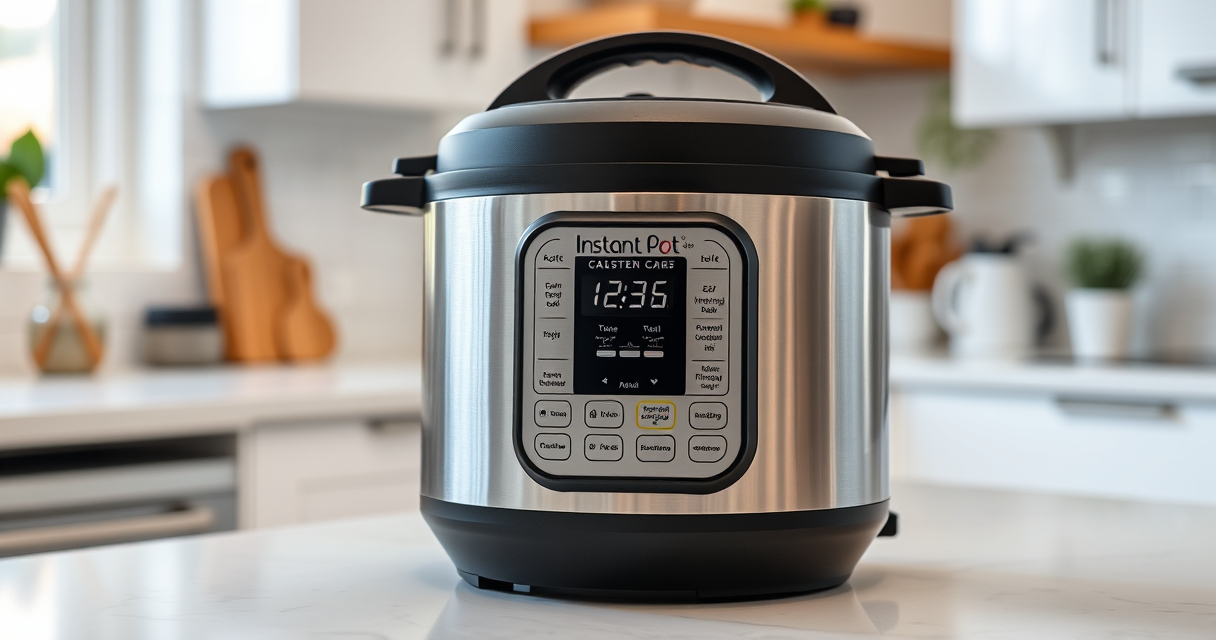

If your Instant Pot displays a Burn Error message, it can be frustrating and confusing. This error typically occurs when food or liquid burns at the bottom of the pot, or if there’s an issue with sealing or overheating. Understanding the common causes and following safe, practical steps can help you resolve the problem quickly and prevent it from happening again.

Get home appliances delivered free with Prime
- Fast, free delivery on millions of items
- Prime Video, Amazon Music and more included
- Member-only deals all year
In this guide, you’ll find clear, step-by-step instructions to fix the Burn Error, along with useful tips and safety warnings to ensure your cooking remains safe and efficient.
Key Takeaways
| Common Causes | Food sticking, insufficient liquid, or sealing issues trigger Burn Errors. |
| Quick Fix Steps | Release pressure, clean the bottom, and check seals. |
| Prevention Tips | Use enough liquid, avoid thick sauces, and ensure proper sealing. |
| Safety First | Always disconnect and allow the cooker to cool before troubleshooting. |
Understanding the Burn Error
The Burn Error on your Instant Pot pops up when the device detects food or liquids burning at the bottom of the inner pot. It can also occur if the lid isn’t sealed properly or if the pressure cooker overheats. Recognizing these causes helps in troubleshooting effectively.
Step-by-Step Fixes for the Burn Error
- Turn Off and Disconnect: Immediately turn off the Instant Pot and unplug it to prevent further heating.
- Release Pressure Safely: Use the quick release method by turning the steam release handle to vent, or allow natural pressure release if safe to do so.
- Open the Lid and Inspect: Carefully open the lid once pressure is fully released. Check for burnt food or residue at the bottom.
- Clean the Bottom: Gently scrape off any burnt bits from the inner pot’s bottom. Use a non-abrasive scrubber and warm soapy water.
- Check Seals and Valves: Ensure the sealing ring is properly seated and the steam valve is clean and unobstructed.
- Add Enough Liquid: Before restarting, add sufficient liquid (at least 1 cup for most recipes) to prevent burning.
- Restart with Caution: Close the lid securely, set the cooker to pressure mode, and monitor carefully.
Tips to Prevent Burn Errors
- Always add enough liquid to create steam and prevent burning.
- Avoid cooking thick or chunky sauces that can stick and scorch.
- Ensure the sealing ring is properly installed and in good condition.
- Do not overfill the inner pot beyond the maximum fill line.
- Stir ingredients well before sealing to distribute heat evenly.
Safety Tips & Warnings
Never attempt to open the lid while the cooker is still pressurized. Always release pressure completely before opening. Use oven mitts to handle hot components, and clean your device regularly to prevent residue buildup that could cause errors.
The Products in This Guide

Instant Pot 4QT RIO Mini 7-in-1 Multi-Cooker
- ✔ Capacity: 4 Quarts
- ✔ Functions: 7 modes
- ✔ Finish: Rosewater

AOZITA Steamer Basket
- ✔ Material: Stainless Steel
- ✔ Design: Stackable
- ✔ Compatibility: 6 & 8 Quart
Instant Pot 4QT RIO Mini 7-in-1 Multi-Cooker
The Instant Pot 4QT RIO Mini is a versatile and space-saving device that combines pressure cooking, slow cooking, sautéing, and more. Its compact size makes it ideal for small families or individuals, and it’s designed for easy use and cleaning.
Pros:
- 7-in-1 functionality
- Space-saving design
- Easy to monitor cooking progress
- Multiple cooking modes
Cons:
- Limited capacity for larger families
- Learning curve for new users
- Potential for Burn Errors if not used properly
Best for: Small households, quick meals, space-conscious kitchens
Not ideal for: Cooking for large groups or families needing bigger capacity
Bottom line: A reliable, versatile mini cooker perfect for small kitchens and quick meals.
AOZITA Steamer Basket
Enhance your Instant Pot experience with this 2-tier stackable steamer basket. It allows you to cook vegetables, eggs, and pasta simultaneously, saving time and space.
Pros:
- Two-tier design for multi-level cooking
- Stainless steel mesh for durability
- Compatible with 6 and 8-quart models
- Easy to clean
Cons:
- Requires extra space in the pot
- May need to adjust cooking times for different foods
Best for: Steaming vegetables, eggs, or multi-item meals
Not ideal for: For use without additional accessories or for very small quantities
Bottom line: A versatile accessory that maximizes your Instant Pot’s utility with multi-tier steaming.
Frequently Asked Questions
Why does my Instant Pot say Burn?
The Burn message typically appears when food sticks to the bottom, the liquid is insufficient, or the sealing isn’t proper. Follow the troubleshooting steps to resolve it.
How can I prevent the Burn Error?
Ensure enough liquid is added, avoid thick sauces, keep the sealing ring in good condition, and stir ingredients well before sealing.
Is it safe to open the lid after a Burn Error?
No, always release pressure completely and ensure the device is depressurized before opening to avoid burns or injury.
Can cleaning the bottom of the inner pot help?
Yes, cleaning any burnt residue from the bottom can help prevent the error from recurring and improve cooking performance.
Mastering Your Instant Pot for Safe & Delicious Cooking
Understanding the causes of the Burn Error and following proper troubleshooting steps can save you time and ensure safe, successful cooking. Regular maintenance, correct liquid levels, and proper sealing are key to avoiding this common issue. With a bit of care, your Instant Pot will continue to be a reliable kitchen companion for quick and tasty meals.
Affiliate disclosure: As an Amazon Associate we earn from qualifying purchases. Prices and availability are accurate as of the time of publishing.
Cold & flu season Picks
humidifiers
As an affiliate, we earn on qualifying purchases.