Roborock robot vacuums are powerful and efficient cleaning devices, but like any technology, they may sometimes need troubleshooting or maintenance to perform at their best. This guide provides clear, step-by-step instructions on how to troubleshoot common issues and care for your Roborock Q7 M5+ to ensure it stays in top condition for years to come.

Get home appliances delivered free with Prime
- Fast, free delivery on millions of items
- Prime Video, Amazon Music and more included
- Member-only deals all year
Whether your robot is not charging properly, cleaning ineffectively, or experiencing navigation hiccups, you’ll find practical solutions here. Regular maintenance, such as cleaning filters and brushes, is essential for optimal performance. Let’s get started with what you need to know to keep your Roborock operating smoothly.
Key Takeaways
| Self-Emptying Convenience | The 2.7L sealed dust bag allows long intervals between emptying, reducing maintenance frequency. |
| Powerful Cleaning | Up to 10,000Pa suction power ensures pet hair, dirt, and debris are thoroughly removed. |
| Navigation & Tangle Resistance | PreciSense LiDAR navigation combined with dual anti-tangle system improves navigation and reduces hair tangles. |
| Regular Filter & Mop Maintenance | Replacing filters and cleaning mop pads regularly maintains cleaning efficiency. |
Troubleshooting Common Roborock Issues
- Robot Not Starting or Turning On: Ensure the device is properly charged. Check that the power switch is on and the charging dock is connected to power. If the robot still does not start, try resetting by holding the power button for 3 seconds.
- Navigation Errors or Obstacle Detection Problems: Clean the LiDAR sensor on the top of the device with a soft, dry cloth. Make sure the sensors aren’t obstructed by dust or debris. Recalibrate the navigation through the app if necessary.
- Poor Cleaning Performance: Check the dust bag and filters. If the dust bag is full, replace or empty it. Clean the brushes and remove any hair or debris tangled in the main brush and side brushes. Replace worn mop pads or filters as needed.
- Wi-Fi Connectivity Issues: Ensure your Wi-Fi network is stable. Restart your router and reconnect the robot through the app. Keep the robot within range of your Wi-Fi signal during setup.
- Battery Not Charging or Draining Quickly: Inspect the charging contacts for dirt or damage. Clean with a dry cloth. If the battery no longer holds a charge, consider replacing it or contact support for service options.
Routine Maintenance for Peak Performance
- Emptying the Dust Bag: The RockDock Plus with a 2.7L sealed dust bag allows up to 7-9 weeks of hands-free cleaning. Check regularly and replace when full or according to the schedule.
- Cleaning the Filters: Remove and wash the washable HEPA filters every 1-3 months using water. Allow filters to dry completely before reinserting.
- Cleaning Mop Pads: Wash microfiber mop pads regularly to remove dirt and pet hair. Replace every 1-3 months for optimal cleaning, especially if they show signs of wear or stains.
- Checking Brushes and Sensors: Inspect the main brush and side brushes for tangled hair or debris. Clean or replace brushes when necessary. Wipe sensors and LiDAR regularly to prevent dust buildup that could impair navigation.
- Battery Care: Keep the robot charged regularly and avoid completely depleting the battery. If performance declines, consider replacing the battery after consulting support.
Replacing Filters and Mop Pads
- Filters: Use the recommended 4 Pack Washable HEPA Filters compatible with your model. Remove the old filter from the dustbin, rinse with water, and let dry thoroughly before installing the new one.
- Mop Pads: For Q10 and similar models, opt for high-quality microfiber mop pads, such as the VIEWALL 6 Pack Reusable Mop Pads. Wash and reuse them, replacing every 1-3 months or when worn.
Safety Tips & Warnings
- Power Off Before Maintenance: Always turn off or unplug your robot before cleaning brushes, filters, or sensors to avoid accidental activation or damage.
- Use Compatible Accessories: Only use recommended filters and mop pads to ensure compatibility and avoid damaging your device.
- Avoid Water Damage: Never immerse the robot or its electronic components in water. Clean with dry or slightly damp cloths only.
- Handle with Care: Be gentle when cleaning sensors and LiDAR to prevent scratches or damage that can impair navigation.
The Products in This Guide

roborock Q7 M5+ Robot Vacuum and Mop
- ✔ Model: Q7 M5+
- ✔ Battery: Long-lasting, approx. 120 mins
- ✔ Dust Capacity: 2.7L sealed bag

4 Pack Washable Filter
- ✔ Pack Size: 4 filters
- ✔ Material: HEPA washable
- ✔ Compatibility: Multiple Roborock models
roborock Q7 M5+ Robot Vacuum and Mop
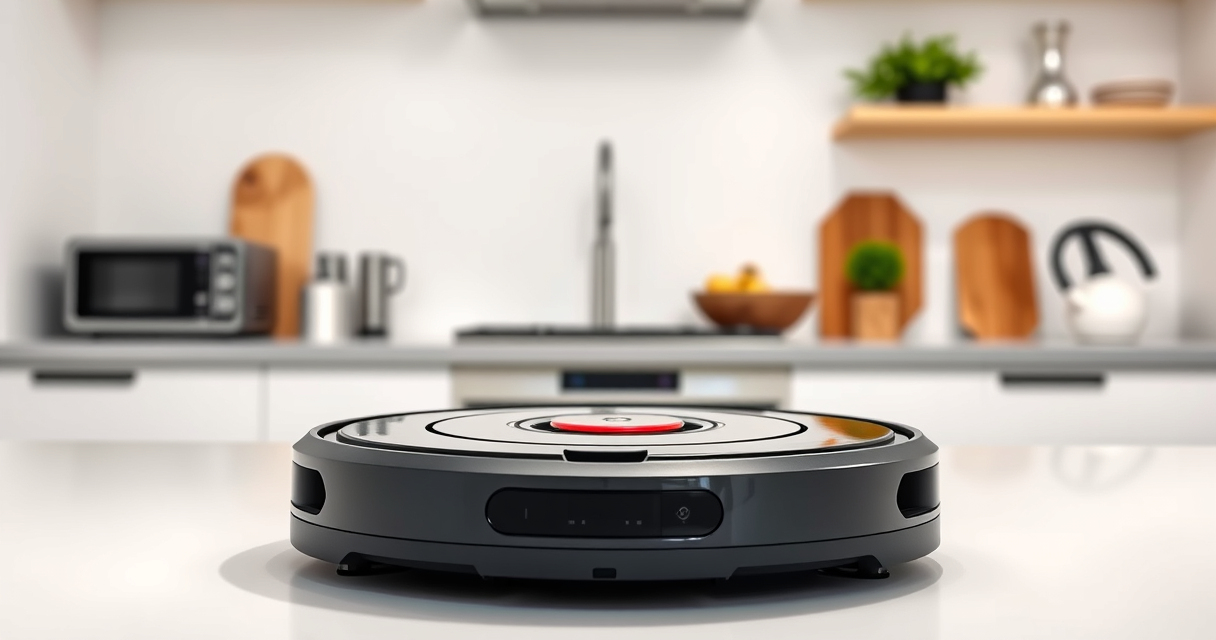
The Roborock Q7 M5+ offers up to 7-9 weeks of hands-free cleaning thanks to its 2.7L sealed dust bag. Its 10,000Pa hyperforce suction power and dual anti-tangle system make it ideal for pet owners and deep cleans. Regular maintenance keeps it performing at its best.
Pros:
- Long-lasting dust bag
- Powerful suction
- Pet hair management
- Advanced navigation
Cons:
- May require frequent filter cleaning
- Can be heavy to lift for filter replacement
- Mop pads need regular washing
Best for: Pet owners and large homes needing frequent, long-duration cleaning
Not ideal for: Users seeking a lightweight or budget-friendly option
Bottom line: A top-tier robot vacuum with impressive self-emptying and suction features for demanding cleaning needs.
4 Pack Washable Filter
This 4 Pack of washable HEPA filters ensures your Roborock maintains optimal filtering performance. Easy to replace and clean, these filters support healthy air quality and sustained suction power.
Pros:
- Cost-effective
- Easy to wash
- Maintains suction
- Compatible with multiple models
Cons:
- Requires regular washing
- Not OEM, but similar quality
- Filters can wear over time
Best for: Users wanting to maintain filter performance without frequent replacements
Not ideal for: Those preferring OEM parts or with very sensitive allergies
Bottom line: A reliable, washable filter set that helps keep your Roborock running at peak performance.
Frequently Asked Questions
How often should I empty the dust bag in the RockDock Plus?
You can expect to empty the 2.7L sealed dust bag every 7-9 weeks, depending on usage and household debris levels. Check regularly for optimal performance.
Can I wash the filters and mop pads?
Yes, the filters are washable and can be cleaned with water. Mop pads are microfiber and also washable. Make sure everything is completely dry before reinstalling.
What should I do if my robot isn’t charging?
Inspect the charging contacts for dirt or dust and clean them gently. Ensure the charging dock is plugged in and functioning. If problems persist, contact support for possible battery replacement.
How do I reset navigation errors?
Clean the LiDAR sensor and check for obstructions. You can also reset the navigation via the app, or restart the robot to recalibrate its sensors.
Is it safe to use the robot on all floor types?
Yes, the Roborock Q7 M5+ is designed for sealed floors like tiles, hardwood, and stone. Avoid using it on loose rugs or uneven surfaces without proper clearance.
Keep Your Roborock in Prime Condition
Regular troubleshooting and maintenance ensure your Roborock Q7 M5+ continues to deliver powerful, hassle-free cleaning. Follow these simple steps to troubleshoot common issues and perform routine care, extending the lifespan and performance of your device. With proper upkeep, your robotic vacuum will remain an indispensable part of your home cleaning arsenal for years to come.
Affiliate disclosure: As an Amazon Associate we earn from qualifying purchases. Prices and availability are accurate as of the time of publishing.
Fall yard work Picks
leaf blowers
As an affiliate, we earn on qualifying purchases.