
Keeping your Dyson V15 Detect™ Origin cordless vacuum in top shape ensures powerful, efficient cleaning every time. This guide provides you with straightforward troubleshooting steps, maintenance tips, and safety precautions to help you resolve common issues and prolong your vacuum’s lifespan.

Get home appliances delivered free with Prime
- Fast, free delivery on millions of items
- Prime Video, Amazon Music and more included
- Member-only deals all year
Whether you’re experiencing reduced suction, battery problems, or filter concerns, follow these step-by-step instructions to restore your vacuum’s peak performance safely and effectively.
Key Takeaways
| Regular filter cleaning extends vacuum life | Clean filters every 2-3 months for optimal suction. |
| Battery performance impacts run time | Ensure battery contacts are clean and avoid overcharging. |
| Check for blockages regularly | Clear clogs in cleaner heads and hoses to prevent suction loss. |
| Proper maintenance prevents costly repairs | Routine checks and filter replacements keep the vacuum running smoothly. |
Understanding Your Dyson V15 Detect™ Origin
The Dyson V15 Detect™ Origin Cordless Vacuum is a high-powered, intelligent cleaning device designed for whole-home deep cleaning. It features a digital motor, advanced cleaner heads, and an LCD screen that displays real-time data on debris picked up, remaining run time, and maintenance alerts. Proper understanding of its components and functions is essential for effective troubleshooting and maintenance.
Knowing how each part works allows you to identify issues early, perform basic fixes, and maintain peak performance over its lifespan.
Basic Troubleshooting Steps
- Check the Power and Battery: Ensure the vacuum is fully charged. If it doesn’t turn on, verify the battery connection and charge station. Try charging for at least 3.5 hours and see if the LCD screen indicates charging progress.
- Inspect for Blockages: Remove the cleaner head, wand, and hose sections. Check for debris or obstructions blocking airflow. Clear any visible clogs with a long, thin tool or cloth.
- Examine the Filters: Remove the pre-filters and clean them with water. Allow them to air dry completely before reinstallation. Dirty filters reduce suction and can trigger error alerts.
- Verify Cleaner Head and Attachments: Make sure the cleaner head is properly attached and free of tangled hair or debris. Detangle if necessary to restore deep-cleaning capabilities.
- Reset the Vacuum: Turn off the vacuum, remove the battery if possible, wait 30 seconds, then reassemble and resume use.
Routine Maintenance to Keep Your Dyson in Top Shape
- Filter Cleaning: Wash the pre-filters every 2-3 months with water, wring out excess moisture, and air dry completely before reinstalling. This maintains strong suction.
- Battery Care: Avoid overcharging by unplugging when fully charged. Store the vacuum in a cool, dry place, and periodically charge if unused for long periods.
- Clearing Clogs: Regularly inspect hoses and cleaner heads for debris. Clear blockages promptly to prevent suction loss and motor strain.
- Brush and Nozzle Checks: Remove tangled hair or fibers from brushes and nozzles. Use a comb or scissors carefully to prevent damage.
- Software Updates: Keep the LCD screen updated via Dyson app or firmware updates to ensure optimal functionality.
Safety Tips and Warnings
Always disconnect the vacuum from the charging station before performing any maintenance or troubleshooting. Avoid immersing the entire vacuum or motor unit in water, as this can damage internal components. Use only Dyson-approved filters and attachments to prevent voiding warranties or causing damage.
When cleaning filters or removing blockages, handle parts gently to prevent breakage. Keep the vacuum away from children and pets during maintenance. If the vacuum exhibits persistent issues after troubleshooting, contact Dyson customer support for professional assistance.
When to Seek Professional Service
If your Dyson V15 Detect™ Origin exhibits persistent power issues, abnormal noises, or fails to operate after following troubleshooting steps, it may require professional servicing. Do not attempt to repair internal electronics or the motor yourself, as this can pose safety risks and void warranties. Contact Dyson authorized service centers for repairs or part replacements.
The Products in This Guide

Dyson V15 Detect™ Origin Cordless Vacuum
- ✔ Weight: approximately 6.8 lbs
- ✔ Battery Life: up to 60 minutes
- ✔ Filter Type: Pre-filter with washable design

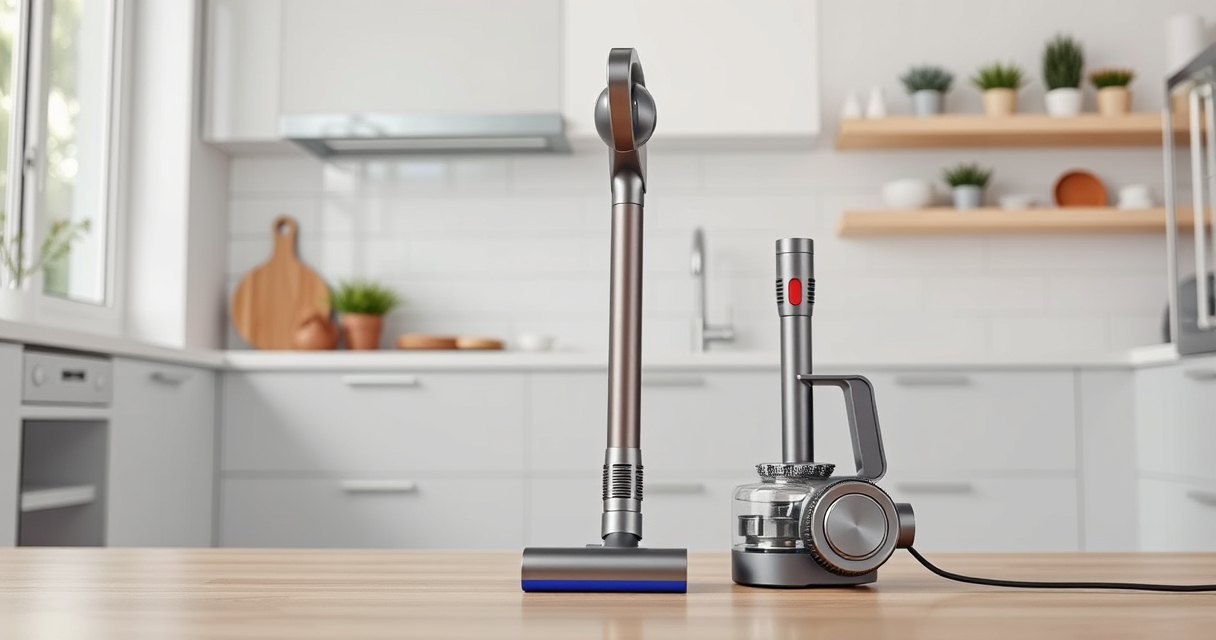
LANMU Crevice Tool Vacuum Attachments Compatible
- ✔ Material: Plastic
- ✔ Length: 12 inches
- ✔ Compatibility: Dyson V15 and others
Dyson V15 Detect™ Origin Cordless Vacuum
<p>The Dyson V15 Detect™ Origin offers powerful suction, intelligent features, and a user-friendly LCD display. Regular maintenance and troubleshooting keep it performing at its best, making it a reliable cleaning companion for your home.</p> <p>Following proper care routines ensures longevity and optimal cleaning results, saving you time and effort in the long run.</p>
Pros:
- Powerful suction with intelligent debris detection
- Long battery life of 60 minutes
- LCD screen displays real-time data
- Versatile cleaner heads for various surfaces
Cons:
- Requires regular filter cleaning
- Battery performance may decline over time
- Filters and parts need periodic replacement
Best for: Homeowners seeking a high-performance, low-maintenance cordless vacuum
Not ideal for: Users looking for a budget-friendly or corded vacuum option
Bottom line: The Dyson V15 Detect™ Origin is a powerful, intelligent cleaning tool that benefits greatly from regular maintenance and troubleshooting.
LANMU Crevice Tool Vacuum Attachments Compatible
<p>The LANMU Crevice Tool Vacuum Attachments are compatible with Dyson V15 and other models, helping you access narrow and tricky spots. Its slim, flexible design makes it ideal for detailed cleaning in cars, corners, and between furniture.</p> <p>Using this attachment enhances your cleaning versatility and ensures no debris is missed, especially in tight spaces.</p>
Pros:
- Narrow, flexible nozzle for tight spots
- Compatible with many Dyson models
- Easy to attach and use
- Effective for car and home cleaning
Cons:
- Only suitable for specific models
- Requires manual attachment
- May not fit all Dyson models perfectly
Best for: Cleaning hard-to-reach areas in homes and vehicles
Not ideal for: General cleaning tasks or broad surface cleaning
Bottom line: A specialized tool that makes reaching into narrow spaces easier and more effective.
Frequently Asked Questions
How often should I clean the filters on my Dyson V15 Detect?
It is recommended to wash the pre-filters every 2-3 months with water, ensuring they are fully dry before reinstalling for optimal suction and performance.
What should I do if my vacuum loses power during use?
Check the battery charge level, clean any blockages in the cleaner head or hose, and inspect filters. Recharging or replacing filters may also help restore power.
Can I use other attachments with my Dyson V15?
Yes, Dyson offers compatible attachments like crevice tools and brush heads. Ensure they are compatible with your model before use.
Why is my Dyson V15 LCD screen showing a maintenance alert?
This typically indicates that filters need cleaning or other routine maintenance is required. Follow the on-screen instructions or consult this guide.
How do I reset my Dyson V15 after troubleshooting?
Turn off the vacuum, remove the battery if possible, wait 30 seconds, then reassemble and turn it back on. This resets internal settings and clears minor errors.
Maintaining Your Dyson V15 Detect™ for Peak Performance
Regular troubleshooting and maintenance are key to keeping your Dyson V15 Detect™ Origin operating at its best. Simple steps like cleaning filters, inspecting for blockages, and safely handling attachments can prevent many common issues. When problems persist, professional service options are available to ensure your vacuum continues to deliver powerful, efficient cleaning for years to come.
By following this comprehensive guide, you’ll extend your vacuum’s lifespan and enjoy consistently excellent cleaning results, making your home healthier and cleaner with less effort.
Affiliate disclosure: As an Amazon Associate we earn from qualifying purchases. Prices and availability are accurate as of the time of publishing.
Halloween Picks
halloween
As an affiliate, we earn on qualifying purchases.