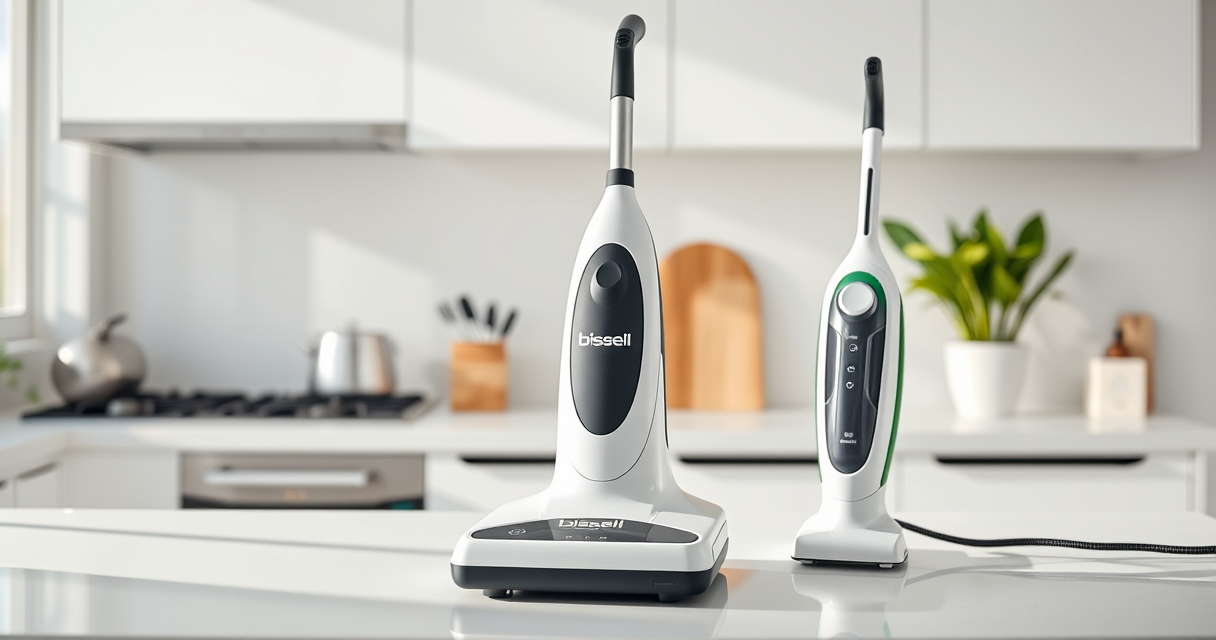

Maintaining your Bissell ProHeat 2X Revolution Pet Turbo Upright Carpet Cleaner (35799) ensures it performs at its best and lasts for years. Over time, you might encounter issues like reduced suction, clogging, or inconsistent cleaning results. This comprehensive guide walks you through practical troubleshooting steps and essential care routines to keep your machine running smoothly, safely, and effectively.

Get home appliances delivered free with Prime
- Fast, free delivery on millions of items
- Prime Video, Amazon Music and more included
- Member-only deals all year
Whether you’re a new user or an experienced cleaner, following these detailed, step-by-step instructions will help you resolve common problems and extend the lifespan of your device.
Key Takeaways
| Regular Maintenance | Keep filters and brushes clean to maintain suction and cleaning power. |
| Troubleshooting Common Issues | Address clogs, leaks, and motor problems with step-by-step checks. |
| Proper Use & Storage | Use recommended cleaning solutions and store the unit properly to prevent damage. |
| Safety First | Always unplug before maintenance and avoid handling hot or damaged parts. |
Preparing Your Bissell for Troubleshooting
- Unplug the machine from the power outlet to ensure safety before performing any maintenance or troubleshooting.
- Remove the water tank and empty any remaining water. Check for mineral buildup or debris that might clog the system.
- Inspect the brushes and filters. Remove and clean them thoroughly with warm water and mild detergent, ensuring no hair or debris remains.
- Examine the hoses and nozzles for blockages. Clear any obstructions with a long, flexible brush or pipe cleaner.
- Ensure all parts are dry and correctly reassembled before testing the machine again.
Addressing Poor Suction and Cleaning Performance
- Check the water tank to confirm it’s filled correctly and seated securely; a loose tank can reduce suction.
- Clean or replace filters if they appear dirty or clogged, as this can impede airflow.
- Inspect the brush roll for tangled hair or debris. Clean thoroughly to restore agitation.
- Ensure the filter housing is free of dust and debris. Replace if worn or damaged.
- Test the machine on a small area. If suction is still weak, proceed to check for internal clogs or leaks in the hose or seals.
Solving Water Leakage and Clogging Issues
- Identify the source of leaks—check all seals, gaskets, and connections for damage or misalignment.
- If water leaks from the water tank or hose, replace damaged seals or tighten connections securely.
- Remove and rinse the spray nozzles to prevent clogging from mineral deposits or debris.
- Use a vinegar solution (1 part vinegar to 3 parts water) to soak and loosen mineral buildup in the system.
- After cleaning, reassemble and run a test cycle with plain water to verify the fix.
Maintaining the Heatwave Technology and Motor
The Heatwave Technology helps maintain water temperature during cleaning, but it can malfunction if the unit overheats or if the motor is dirty or blocked.
Ensure the vents are free of dust and lint. Avoid operating the machine for extended periods without breaks to prevent overheating. If the motor seems weak or noisy, check for obstructions in the motor vents and clean as needed. If problems persist, professional servicing may be necessary.
Safety Tips & Best Practices for Longevity
- Always unplug your Bissell before cleaning or replacing parts.
- Use only recommended cleaning solutions to prevent damage to internal components.
- Store the machine in a dry, cool place away from direct sunlight and freezing temperatures.
- Perform regular inspections of hoses, filters, and brushes to catch issues early.
- Follow manufacturer guidelines for replacing parts like brushes and filters.
The Products in This Guide

BISSELL ProHeat 2X Revolution Pet Turbo Upright Carpet C
- ✔ Power: 120V
- ✔ Dimensions: 12 x 15 x 43 inches
- ✔ Weight: 18.6 pounds

JORAIR Brush Replacement Compatible
- ✔ Price: Affordable
- ✔ Installation: Tool-free
- ✔ Durability: Long-lasting
BISSELL ProHeat 2X Revolution Pet Turbo Upright Carpet C
The BISSELL ProHeat 2X Revolution Pet Turbo offers powerful suction, advanced cleaning modes, and Heatwave Technology, making it ideal for maintaining clean carpets and pet messes. Proper care and troubleshooting extend its lifespan and ensure professional results at home.
Pros:
- High suction power with TurboStrength Motor
- Multiple cleaning modes including MAX and Express
- Heatwave Technology maintains water temperature
- Dual DirtLifter PowerBrushes for embedded dirt
Cons:
- Can be heavy for some users
- Requires regular filter cleaning
- Complex parts may need professional servicing over time
Best for: Pet owners, heavily soiled carpets, allergy sufferers
Not ideal for: Light cleaning needs, small spaces, users preferring cordless models
Bottom line: A powerful, pet-friendly carpet cleaner with advanced features for professional results.
JORAIR Brush Replacement Compatible
Replacing worn brushes and filters can significantly improve your Bissell’s performance. The JORAIR compatible set offers multi-surface brushes and filters, ensuring your machine remains effective and clean.
Pros:
- Affordable 3-pack brushes and filters
- Compatible with various CrossWave models
- Easy to install and replace
- Includes cleaning brush
Cons:
- Not original Bissell parts
- Limited to CrossWave models listed
- May require careful checking for fit
Best for: Maintaining optimal cleaning performance
Not ideal for: Using for non-compatible models or as a primary repair kit
Bottom line: A cost-effective way to keep your CrossWave operating like new.
Frequently Asked Questions
How often should I clean the filters and brushes?
It’s best to clean filters and brushes after every few uses to prevent buildup and maintain suction power. Deep cleaning once a month is recommended for optimal performance.
What should I do if my machine is leaking water?
First, unplug the machine and inspect all seals, gaskets, and connections for damage or misalignment. Replace any damaged parts and ensure all fittings are tight before testing again.
Can I use any cleaning solution with my Bissell?
Use only BISSELL-approved cleaning solutions, such as the Multi-Surface Solution or Deep Clean Pro 4X, to avoid damaging internal components and ensure safe operation.
Why is my Bissell not sucking water properly?
Check if the water tank is full and properly seated, clean or replace filters, and inspect for clogs in hoses and nozzles. Regular maintenance helps prevent suction loss.
How do I prevent overheating of my machine?
Avoid prolonged continuous use, ensure vents are clear of dust and lint, and let the machine cool down between sessions. If overheating persists, professional servicing may be needed.
Keep Your Bissell Running Like New
Proper maintenance and troubleshooting are essential for keeping your Bissell ProHeat 2X Revolution Pet Turbo performing at its best. Regular cleaning of filters, brushes, and hoses, alongside attentive use, can prevent most common issues. When problems do occur, following the step-by-step guidance outlined in this guide will help you resolve them safely and effectively, ensuring your carpets stay clean and fresh for years to come.
Remember, always unplug the device before maintenance, use recommended solutions, and consider professional servicing for complex issues. With consistent care, your Bissell will continue to deliver professional-grade results every time.
Affiliate disclosure: As an Amazon Associate we earn from qualifying purchases. Prices and availability are accurate as of the time of publishing.
NFL season / tailgating Picks
team gear
As an affiliate, we earn on qualifying purchases.