TL;DR

Get home appliances delivered free — and shop member deals
- Fast, free delivery on millions of items
- Access to Prime Big Deal Days deals on October 6–7
- Prime Video, Amazon Music and more included
Smart home security cameras let you monitor a home remotely, receive alerts about activity, and review footage, but their usefulness depends on more than resolution. Compare placement, detection, recording, connectivity, privacy, and several years of costs before choosing a camera; a well-placed, reliable view beats an impressive specification that misses the front door.
A camera can show you a crisp picture of your driveway and still miss the detail you actually need: the face at the gate, the package on the step, or the person standing just outside its view. Smart home security cameras can help you monitor a home, receive alerts about activity, and review recorded footage, but the right setup starts with what you need to see—not the biggest resolution number on the box.
This guide walks you through video and placement, power and storage, privacy, compatibility, and the costs that can follow the purchase. You’ll also get a practical setup checklist and a way to think about reliability, so you can choose a camera that fits your home instead of adding one more device that sends noisy alerts and needs charging every week.
Choose the scene and event you want to monitor before comparing resolution or brand names.
Pair a wide overview with a closer entry view when you need both broad coverage and recognizable detail.
Check power, outage behavior, recording retention, and subscription limits before mounting a camera.
Use unique passwords, two-factor authentication, updates, and careful camera angles to protect privacy.
Test alerts at the real mounting location by day and night, then adjust zones after a week of use.
What smart cameras can—and can’t—do for your home
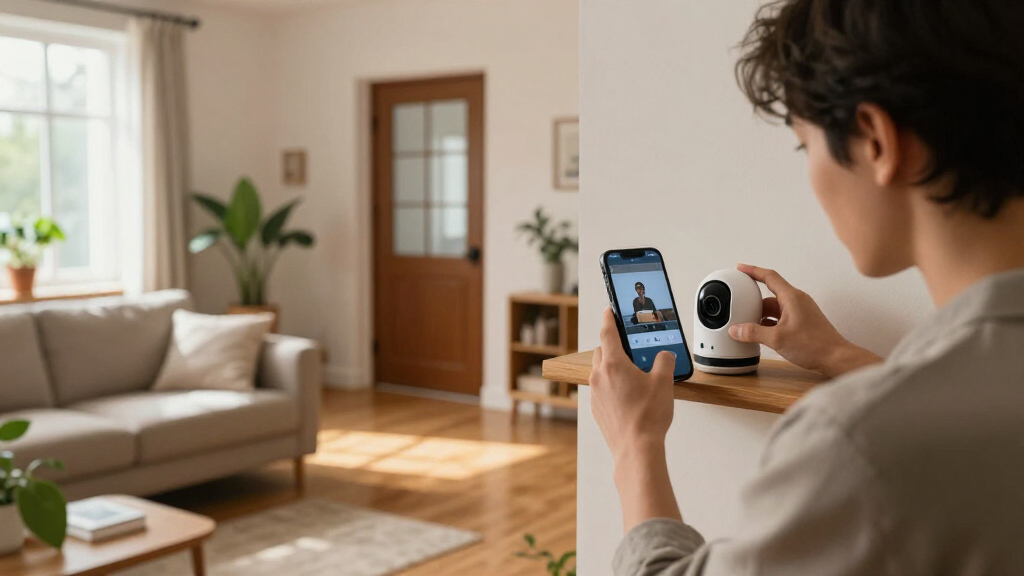
Smart home security cameras connect video monitoring with features such as remote viewing, motion alerts, and recorded clips. You can check an entryway from your phone while you’re at work, then review a clip if a delivery arrives while you’re away. Models range from indoor cameras to weather-rated outdoor units, doorbell cameras, and systems that record through a local hub.
Think of a camera as a window with a memory and a doorbell that can notify you. It can help you see what happened; it cannot guarantee that an incident will be prevented or that a person will be identified. A camera aimed at the front path, for example, may show a visitor arriving but not capture a readable face if the visitor stays far from the lens.
That difference matters when you decide what you want from the system. If you mainly want to know whether your dog is on the couch, a simple indoor camera and live view may be enough. If you want useful footage of a driveway at night, you’ll need to think about light, distance, recording access, and whether your connection stays up.
Before buying, write down the one event you most want the camera to catch. A family worried about missed deliveries needs a clear view of the porch and package alerts; someone checking a side gate may need weather protection and a reliable night view. Start with the job, then match features to it.
outdoor smart home security camera with wide-angle lens
As an affiliate, we earn on qualifying purchases.
As an affiliate, we earn on qualifying purchases.
Choose a camera view that shows the details you need
Smart home security cameras work best when their image quality, field of view, and night performance match the scene. Resolution helps, but it cannot make a face clear if the person is tiny in the frame, moving quickly, or standing in poor light. A wide lens is like looking through a panoramic window: you see more of the room, but small details can feel farther away.
Consider a driveway camera mounted high under an eave. It may capture the whole car and walkway, yet leave a delivery label unreadable. A second, narrower view near the porch can show the entry more clearly. These cameras do different jobs; neither specification alone tells you which is better.
| Feature | What it helps with | What to check |
|---|---|---|
| Resolution and lens | Seeing scene detail | Whether a face or label is visible at the intended distance |
| Field of view | Covering a broad area | Blind spots and loss of distant detail |
| Night vision | Monitoring after dark | Infrared range, ambient light, or spotlight glare |
| Motion detection | Getting activity alerts | False alerts from trees, traffic, pets, or shadows |
Night vision varies too. Infrared usually turns footage black and white, while a low-light sensor or spotlight may provide color. But a bright porch light can wash out a face, just as headlights can flare in a rainy driveway. Check the camera’s view at the actual mounting spot, both by day and after dark, before you commit to the final angle.
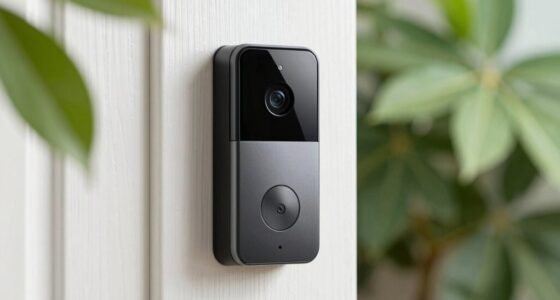
wireless doorbell camera with night vision
As an affiliate, we earn on qualifying purchases.
As an affiliate, we earn on qualifying purchases.
Pick power and recording that won’t leave gaps
Smart home security cameras need dependable power, a suitable connection, and a recording method that fits how often you’ll check footage. Battery models make it easier to mount a camera far from an outlet, but frequent motion can drain the battery faster, and cold weather can affect performance. Wired power avoids routine charging, while Power over Ethernet can combine power and network access in one cable, though installation may require more planning.
Recording choices create another tradeoff. Cloud storage makes remote playback convenient, but video history and advanced features may require a subscription. A memory card or local hub can reduce dependence on a paid plan, but local equipment can be damaged or stolen. Neither option is automatically safer; the answer depends on account security, physical access, and the provider’s policies.
| Setup | Good fit | Possible drawback |
|---|---|---|
| Battery and Wi-Fi | Flexible mounting without a nearby outlet | Recharging and variable recording behavior |
| Wired power and Wi-Fi | Regular monitoring near an outlet | Wi-Fi and household power still matter |
| Power over Ethernet | More stable network connection | Cable routing may need professional help |
| Cloud recording | Convenient access away from home | Plans, retention limits, and provider dependence |
| Local recording | More direct control over saved clips | Device damage or theft can take footage with it |
Before choosing, check whether the camera records continuously or only after motion, how long clips remain available, and what happens if the internet goes down. For instance, a camera may continue saving to a memory card during an outage while remote viewing stops. Ask the same about a power failure: a battery camera may stay on, but without backup power for your router, remote access can still disappear.
indoor security camera with motion alerts
As an affiliate, we earn on qualifying purchases.
As an affiliate, we earn on qualifying purchases.
Cut useless alerts without missing the activity you care about
Smart home security cameras can reduce alert fatigue when you tune detection to the scene, but automated classifications are not perfect. Basic motion detection responds to changes in the image; more advanced systems may label people, vehicles, pets, or packages. Those features can be useful, yet some depend on a subscription, and moving branches or passing headlights can still trigger notifications.
Imagine a camera watching a front garden beside a busy footpath. If every passing jogger sends a phone alert, you may start ignoring all of them—including the alert that matters. Aim for alerts that tell you something actionable, such as a person entering a porch zone or a package appearing near the door. On-device AI can process some events at the camera, but check which features still rely on cloud services.
Use this setup sequence after mounting the camera:
- Frame the useful area. Keep the entry, gate, or vehicle in view, and remove as much empty street or moving foliage as practical.
- Set activity zones. If the app allows it, draw a zone around the porch rather than the entire sidewalk.
- Choose alert categories. Start with the events you actually care about, such as people or packages, then add others only if needed.
- Test by day and night. Walk through the scene at different distances and check whether the alert and recording capture useful detail.
- Review after a week. If a tree creates repeated alerts, adjust the view or sensitivity instead of training yourself to dismiss every notification.
A camera’s software is only as useful as the view it analyzes. A well-placed camera with a modest feature set can send better alerts than a sophisticated camera pointed at traffic, reflections, or a swaying hedge.
battery-powered security camera with local storage
As an affiliate, we earn on qualifying purchases.
As an affiliate, we earn on qualifying purchases.
Protect privacy while keeping footage useful
Smart home security cameras protect your privacy through a combination of secure accounts, thoughtful placement, and clear control over recorded footage. A camera is not just a lens on a wall; it is a networked device that may store video locally, send it to a company’s servers, or use both methods. Check how the maker handles access, updates, retention, and deletion before you depend on it.
Start with the account: use a unique password, enable two-factor authentication, install software updates, and review who can see shared feeds. If you give a family member access, remove it when they no longer need it. An indoor camera deserves extra care because it may capture private routines, conversations, or rooms where people expect not to be recorded.
Placement also affects neighbors and visitors. A camera pointed at your own doorway is different from one aimed through a neighbor’s window or across a shared private space. Avoid recording other people’s private areas, and check local rules and expectations before recording audio. For a practical example, a porch camera can often be angled down toward your own steps rather than across the street into someone else’s home.
Privacy is a setup choice, not just a product feature. The camera’s angle, who has account access, and how long footage stays available all shape the risk.
Local storage can give you more direct control, but a stolen camera or hub can take its recordings too. Cloud storage can make clips easier to retrieve remotely, but you rely on the provider’s account protections and data practices. Compare the tradeoffs for your situation instead of assuming either approach is automatically safer.
Check compatibility and the true cost before you buy
Smart home security cameras vary in platform support, subscription terms, and access to advanced features, so check the exact model rather than trusting a broad brand promise. A camera may show a live feed on one smart display but not support the same motion alerts or automation on your preferred platform. Matter support and related interoperability options have developed unevenly for cameras, so verify the feature you want works with your devices.
Then calculate the cost across several years, not just the price on the shelf. A camera that costs less upfront may need a monthly plan for longer video history, person detection, or storage for multiple devices. For example, if you add three cameras over time, a per-camera plan can change the total more than you expect. Compare the purchase price, any plan fees, storage equipment, and the time you’ll spend recharging batteries.
Ask these questions while comparing options:
- What works without a subscription? Check live view, alerts, recording, and playback separately.
- What happens during an outage? Confirm whether local recording continues without internet and whether a router backup would help.
- Which devices and routines work? Verify live viewing, notifications, and automations on your exact smart-home platform.
- How often will it need attention? Estimate charging, cleaning, storage checks, and software updates.
A renter who cannot route cables may favor a battery camera, while a homeowner with a stable cable route may prefer wired power and a local recorder. Neither choice is universally better. The useful question is whether the everyday tradeoff—convenience, maintenance, storage, or fees—matches how you plan to use the system.
Make a realistic plan for outages and blind spots
Smart home security cameras are one part of home awareness, not a complete alarm or emergency response system. Wi-Fi can drop, a battery can die, storage can fill, or a service can become unavailable. A camera that depends on cloud access may lose remote viewing during an internet outage even if it keeps a local recording; another model may stop recording altogether. The behavior varies by device, so check it rather than guessing.
Consider a family that installs one battery camera above the garage. It sends helpful alerts most days, but after a storm the router loses power and the camera cannot send a message to anyone away from home. The camera may still have battery, yet the system’s remote connection is gone. A backup battery for networking equipment can help in some setups, but it adds another device to maintain.
For better coverage, separate the jobs: one camera can give a broad view of the driveway, while another captures the front door at closer range. Test for blind spots by walking through the areas you care about and checking the resulting footage. Also check that outdoor equipment is rated for the weather and temperature where you live; an indoor camera generally lacks the protection needed for a wet, cold porch.
Think of the system like a smoke alarm with a camera’s memory: useful, but not a guarantee that someone will respond. If you need emergency monitoring, consider a suitable alarm or response service rather than treating video notifications as a substitute. Reliability comes from matching the device to its limits and making a plan for the parts that can fail.
Frequently Asked Questions
Do you need a subscription to use a smart home security camera?
Not always. Some cameras offer live viewing and basic alerts without a paid plan, while cloud video history, advanced detection, or expanded storage may require one. Check each feature and retention limit for the exact model before buying.
Can a security camera record without Wi-Fi?
Some can, if they support local recording. A camera with a memory card or local hub may keep saving footage during an internet outage, but remote viewing and alerts may stop. Other models rely on a cloud connection, so verify what continues working offline.
Is local camera storage safer than cloud storage?
Neither option is automatically safer. Local storage gives you more direct control, but the device can be stolen or damaged. Cloud storage offers convenient remote access but depends on the provider’s security, your account protections, and its data policies.
Are security cameras always recording?
No. Some cameras record continuously, while others save short clips after motion or sound detection. Power, settings, available storage, and subscription terms can all affect recording behavior, so check what happens when storage fills or the internet drops.
Where should you place a home security camera?
Start with entrances, driveways, and other areas you need to monitor. Check for blind spots, distance, lighting, and weather exposure, then test the view at night as well as in daylight. Aim cameras toward your own property and avoid neighbors’ private spaces.
Will a camera identify someone clearly at night or from far away?
Not necessarily. Distance, lighting, lens angle, motion, and night-vision performance affect whether footage shows useful identifying detail. A broad camera view can show where someone went, while a closer entry camera may capture more detail.
Do smart cameras work with Alexa, Google Home, Apple Home, or Matter?
Compatibility depends on the exact camera and feature. Live viewing, alerts, and automations may have different platform support, and camera support for Matter has developed unevenly. Confirm that the precise model supports the feature you want on your platform.
Conclusion
Choose a camera for the scene you need to understand, not the biggest number printed on its box. Check the view, recording, power, privacy controls, and full cost together; then test the camera at the spot where it will actually live.
The best setup is the one that quietly shows you what matters—and still works when the porch light flickers, the wind moves the trees, or the Wi-Fi stumbles.
NFL season / tailgating Picks
team gear
As an affiliate, we earn on qualifying purchases.