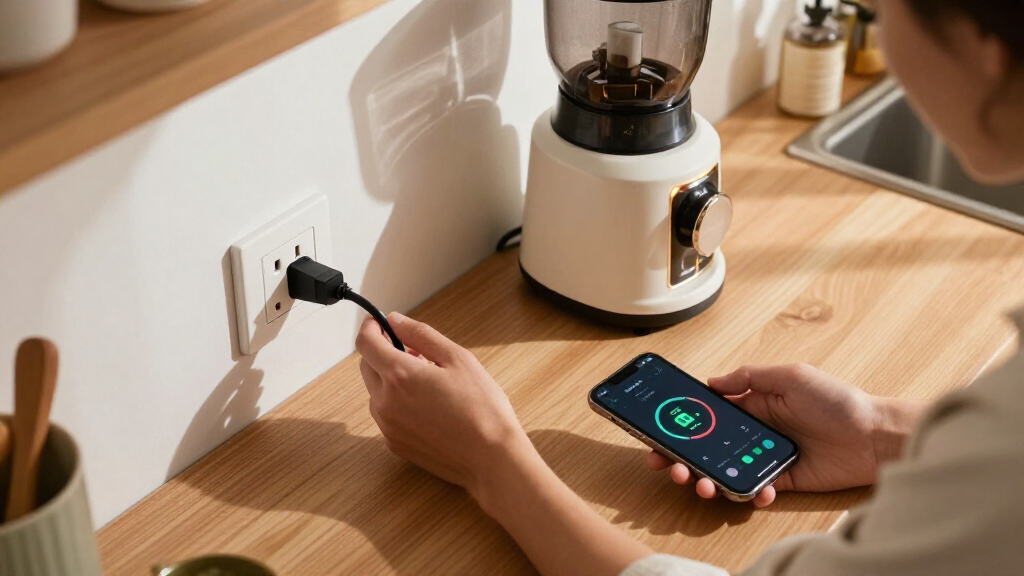
Smart plugs with energy monitoring let you track an appliance’s electricity use and control it remotely, but connectivity and app features vary. I rank the Kasa Matter Smart Plug KP125MP4 as the best overall for combining energy tracking with Matter support and a 15A rating. The Tapo P110M stands out for buyers who want a four-pack and Matter compatibility, while the ThirdReality Gen3 adds a Zigbee repeater for households already using Zigbee. The main tradeoffs are ecosystem compatibility, how much monitoring detail you need, and whether a multipack or a more flexible connection matters most. Read on for the full breakdown and guidance on choosing the right plug for your devices.
Complete the kit



Key Takeaways
- Matter support separates several of the strongest picks: Kasa KP125MP4, Tapo P110M, and SONOFF S61s suit buyers who want broader smart-home platform options, though compatibility still depends on the hub, app, and setup.
- Pack size changes the value proposition: Tapo P115 is listed as both a two-pack and four-pack, while the four-packs from Govee, Emporia, and ThirdReality suit buyers monitoring several appliances at once.
- ThirdReality is the specialist option: its built-in Zigbee repeater adds a network benefit that Wi-Fi-only plugs do not provide, but it makes the most sense in a Zigbee-based home.
- Energy monitoring is not one-size-fits-all: app reporting and historical data can matter more than a 15A rating if the goal is identifying usage patterns rather than simply switching devices remotely.
- Basic 2.4 GHz Wi-Fi models trade ecosystem breadth for a familiar setup: the Pro Energy Monitoring and Smart Plug Outlet four-packs may fit straightforward use, but buyers should verify app support and platform compatibility before choosing them.


| smart plugs with energy monitoring | Connectivity | Operating voltage | Pack size | Maximum wattage |
|---|---|---|---|---|
| ThirdReality Smart Plug Gen3 4 | Zigbee | 110 volts | 4 plugs | — |
| Govee Smart Plug with Energy M | Wi-Fi and Bluetooth | 120 V | 4 plugs | 1,800 watts |
| Kasa Matter Smart Plug with En | Matter, SmartThings, Wi-Fi | 120 volts | — | — |
| Tapo Smart Plug Wi-Fi | Wi-Fi | 125 volts | 2 plugs | 1,800 watts |
| SONOFF S61s Matter Smart Plug | Matter over Wi-Fi | 120 volts | 1 plug | 1,875 watts |
| Tapo Smart Plug | Matter and Wi-Fi | — | 4 plugs | 1800W |
| Pro Energy Monitoring Smart Pl | Wi-Fi and Bluetooth | 120V | 4 plugs | 1800W |
| Emporia Energy Monitoring Smar | Wi-Fi, 2.4GHz | 120V | 4 plugs | 1200W |
| Tapo Smart Plug Wi-Fi | Wi-Fi | 110V | 4 plugs | 1800W |
| Smart Plug Outlet with Energy | 2.4GHz Wi-Fi and Bluetooth | 120V | 4 plugs | 1800W |
More Details on Our Top Picks
ThirdReality Smart Plug Gen3 4 Pack with Power Meter and Zigbee Repeater
I’d pick the ThirdReality Gen3 four-pack when energy readings are only part of the goal and Zigbee coverage also needs help. Each plug measures power use, while its repeater function can extend the network to devices farther from a hub. That gives it a different advantage from the Govee four-pack, which uses Wi-Fi and Bluetooth and does not serve as a Zigbee repeater. The tradeoff is that ThirdReality requires a compatible Zigbee hub, so it is a poor fit for someone who wants a plug that connects directly to Wi-Fi. Compatibility also varies by platform, meaning buyers should check their hub’s support for the desired monitoring and safety features before choosing this multipack.
Pros:- Real-time power monitoring across four plugs
- Zigbee repeater function can improve network reach
- Works with compatible Alexa, SmartThings, and Home Assistant setups
- Remote and voice control are supported
Cons:- Requires a Zigbee hub to operate
- 110V limitation rules it out for some regions
- Some features depend on the selected hub and platform
Best for: Smart-home owners with a Zigbee hub who want to monitor several appliances and improve coverage for nearby Zigbee devices.
Not ideal for: People without a Zigbee hub, or buyers who need plugs for regions that do not use 110V outlets.
- Connectivity:Zigbee
- Operating voltage:110 volts
- Outlet count:1 per plug
- Pack size:4 plugs
- Operation mode:ON-OFF
- Control methods:Remote, voice
- Additional network function:Zigbee repeater
Our verdict“Choose ThirdReality if you already use Zigbee and want energy readings plus added network reach; choose a Wi-Fi model if you do not have a hub.”
Govee Smart Plug with Energy Monitoring, WiFi & Bluetooth, 4 Pack
The Govee four-pack suits buyers who want to monitor several appliances without building around a hub. Its Wi-Fi and Bluetooth connectivity, scheduling, and group control make it easier to manage a set of household devices than the hub-dependent ThirdReality Zigbee pack. It also supports Alexa and Google Assistant voice control, giving it broad everyday appeal. The main limit is its 120V rating and 1,800-watt capacity, so it is not meant for higher-voltage setups or loads beyond that ceiling. Govee also needs app setup and Wi-Fi for its connected features, and it does not support 5 GHz Wi-Fi networks. Compared with the compact, ecosystem-focused Kasa Matter KP125M, Govee emphasizes a four-plug Wi-Fi setup rather than Matter-based platform flexibility.
Pros:- Four plugs provide monitoring for multiple appliances
- Wi-Fi and Bluetooth connectivity with app control
- Scheduling and group control support routine automation
- Works with Alexa and Google Assistant
Cons:- Does not support 5 GHz Wi-Fi networks
- Limited to 120V and 1,800 watts
- Full connected operation depends on app setup and Wi-Fi
Best for: Households with several 120V appliances that want app-based energy monitoring, schedules, and voice control without a separate smart-home hub.
Not ideal for: Buyers using only 5 GHz Wi-Fi, needing higher-voltage control, or seeking a Matter-first setup.
- Connectivity:Wi-Fi and Bluetooth
- Operating voltage:120 V
- Maximum wattage:1,800 watts
- Pack size:4 plugs
- Voice assistants:Amazon Alexa, Google Assistant
- Control methods:App, touch, voice
- Dimensions:2.68 x 2.4 x 1.5 inches
- Certifications:CA65, ETL, FCC, SDOC
Our verdict“Choose Govee for a multi-appliance Wi-Fi setup with scheduling and energy tracking, but skip it if your network or devices exceed its stated limits.”
Kasa Matter Smart Plug with Energy Monitoring, KP125MP4, 15A/1800W Max
I’d put the Kasa KP125M near the top for buyers who want energy monitoring to work across a flexible smart-home setup. Its Matter compatibility covers major ecosystems including Apple Home, Alexa, Google Home, and SmartThings, while local LAN control can keep operation available when internet access drops. That makes it a more platform-oriented pick than the Wi-Fi-and-Bluetooth Govee four-pack, which focuses on app, group, and schedule control. Kasa’s stated 1,800-watt maximum gives a clear boundary for appliance choice, but it is not suitable for loads above that limit. Buyers unfamiliar with Matter or smart-home setup may face a steeper start, and full ecosystem features depend on having compatible devices and a platform. Its appeal is breadth, not the simplest setup.
Pros:- Matter support connects with several major smart-home platforms
- Energy monitoring helps track appliance consumption
- Local LAN control can preserve operation during internet outages
- UL certification and a compact design are listed
Cons:- Requires a compatible ecosystem for full platform features
- Maximum load is 1,800 watts
- Matter setup may be less straightforward for beginners
Best for: People building or maintaining a Matter-compatible home who want energy monitoring and local control across major platforms.
Not ideal for: First-time smart-plug buyers seeking the simplest setup, or anyone needing to control appliances above 1,800 watts.
- Connectivity:Matter, SmartThings, Wi-Fi
- Matter compatible:Yes
- Operating voltage:120 volts
- Maximum power:1,800 watts
- Control method:Voice
- Compatible devices:Android, Pixel, Samsung, iPhone
- Operation:On/off state
Our verdict“Pick Kasa if cross-platform Matter support and local control matter more than the simplest possible setup.”
Tapo Smart Plug Wi-Fi, Energy Monitoring, P115 (2-Pack), 15A
The Tapo P115 two-pack is a practical choice for buyers who want energy tracking, schedules, and auto-shutoff without making Matter support the deciding factor. Its compact form is intended to fit standard outlets without blocking neighboring sockets, a useful distinction when compared with larger smart plugs. The Govee four-pack makes more sense when monitoring several devices at once; Tapo’s smaller pack better suits a focused pair of appliances. Voice control is listed for Alexa and Google Assistant, though the product data also emphasizes app control, so check the setup details for the features you plan to use. It needs 2.4 GHz Wi-Fi and is rated for 125V and 1,800 watts, which rules out higher-voltage applications and some network setups.
Pros:- Energy monitoring can help identify appliance consumption
- Scheduling and auto-shutoff add routine control
- Compact design is intended not to block neighboring sockets
- Alexa and Google Assistant voice control are supported
Cons:- Requires a 2.4 GHz Wi-Fi network
- Limited to 125V and 1,800 watts
- Two-plug pack covers fewer appliances than the Govee four-pack
Best for: People who want to track and automate one or two household appliances on a 2.4 GHz Wi-Fi network.
Not ideal for: Buyers who need a larger multi-plug pack, 5 GHz-only connectivity, or support for higher-voltage devices.
- Connectivity:Wi-Fi
- Operating voltage:125 volts
- Maximum wattage:1,800 watts
- Pack size:2 plugs
- Control app:Tapo app
- Voice assistants:Alexa, Google Assistant
- Material:Polycarbonate
Our verdict“Choose the Tapo P115 for a compact, two-device Wi-Fi setup with monitoring and automation, not for broad multi-room coverage.”
SONOFF S61s Matter Smart Plug, 15A Wi-Fi Outlet with Energy Monitoring
The SONOFF S61s targets buyers who want Matter-based control without adding a dedicated hub. It combines Wi-Fi setup with energy monitoring, overload protection, and a listed 1,875-watt capacity, giving it a slightly higher stated maximum than the Kasa KP125M’s 1,800 watts. Matter support is its main draw for homes using Apple Home, Alexa, Google Home, or SmartThings, while its single-plug format suits a specific appliance rather than a whole-home monitoring plan. The tradeoff is that this product is rated for indoor use only: its IP20 protection rating is not suited to outdoor exposure. The supplied data also notes possible connectivity complaints, so buyers who prioritize a stable connection may prefer to compare setup requirements before choosing it over Kasa.
Pros:- Matter over Wi-Fi works with several major smart-home platforms
- Energy monitoring includes electricity cost tracking
- Listed 1,875-watt capacity is higher than the Kasa KP125M’s stated 1,800 watts
- Designed for setup without a dedicated hub
Cons:- IP20 protection is not suitable for outdoor use
- Limited to 120V operation
- Product data notes that some users report connectivity issues
Best for: Matter users who want a single indoor plug for monitoring and controlling a household appliance without a separate hub.
Not ideal for: People needing outdoor-rated equipment, a multi-plug pack, or a choice with fewer reported connectivity concerns.
- Connectivity:Matter over Wi-Fi
- Operating voltage:120 volts
- Maximum wattage:1,875 watts
- Pack size:1 plug
- Dimensions:2.36 x 1.5 x 2.13 inches
- Warranty:2 years
Our verdict“Choose SONOFF for a single hub-free Matter plug with energy tracking, provided it will stay indoors and within its electrical limits.”
Tapo Smart Plug, Matter Compatible, Energy Monitoring, P110M (4-Pack), 15A
The Tapo P110M is the clearest fit here if energy monitoring needs to work across a mixed smart-home setup. Matter compatibility sets it apart from the Wi-Fi-only Tapo P115 and Emporia plug: it can join supported Matter ecosystems, while still offering consumption insights, bill estimates, voice control, and schedules. Its 15A, 1800W capacity also matches the higher load limit listed for the P115 and the SmartLife 4-pack, rather than Emporia’s 1200W ceiling. The tradeoff is reliance on 2.4GHz Wi-Fi for full functionality, and the supplied details do not specify a local energy dashboard or advanced automation beyond scheduling. Choose it for platform flexibility; skip it if your network lacks 2.4GHz or Matter adds no value to your setup.
Pros:- Matter support broadens compatibility with major smart-home platforms.
- Energy insights include consumption details and bill estimates.
- 15A and 1800W capacity match the higher limits among these options.
- Compact form is designed to leave neighboring socket space accessible.
Cons:- Full functionality depends on a 2.4GHz Wi-Fi connection.
- Matter support may offer little advantage in a home built around a single platform.
- The supplied specifications do not state additional load-safety features such as overload protection.
Best for: Households using Matter-compatible smart-home platforms that want energy tracking across several everyday appliances.
Not ideal for: Buyers whose Wi-Fi network only offers 5GHz, or shoppers who need documented high-load support beyond 1800W.
- Pack size:4 plugs
- Connectivity:Matter and Wi-Fi
- Maximum wattage:1800W
- Control:App, voice, and scheduling
- Energy monitoring:Consumption insights and bill estimates
- Operation mode:Automatic
- Color:White
Our verdict“Pick the Tapo P110M if Matter flexibility and a 15A rating matter more than avoiding Wi-Fi dependence.”
Pro Energy Monitoring Smart Plug Outlet, 15A 2.4 GHz Wi-Fi, 4-Pack
This four-pack suits buyers who want real-time energy readings and basic control without needing a named smart-home ecosystem or a hub. App and voice control, timers, and scheduling cover the routines most people use to manage lamps, fans, or other compatible appliances. Against the Tapo P110M, it lacks stated Matter support and detailed bill-estimate features; its draw is a straightforward Wi-Fi-and-Bluetooth control spec rather than cross-platform Matter integration. The listed 15A, 1800W limit matches the Tapo options, but the 120V rating rules out regions with different household voltage, and it is not a substitute for a dedicated high-power appliance circuit. Setup is described as easy, yet full operation still depends on Wi-Fi. I’d choose it for basic monitoring, not ecosystem flexibility.
Pros:- Real-time monitoring can help identify which connected devices draw power.
- App, voice, and push-button control provide several ways to operate plugs.
- Scheduling and timers support routine automation.
- Wi-Fi and Bluetooth connectivity are listed, with no hub required.
Cons:- 120V operation limits suitability in regions using other household voltages.
- The 1800W maximum is not intended for appliances above its 15A rating.
- Full functionality requires Wi-Fi, unlike a plug designed around a non-Wi-Fi hub connection.
Best for: US households wanting a four-plug set for checking everyday appliances’ consumption and setting schedules.
Not ideal for: Buyers outside 120V regions, or Matter users who want a clearly specified smart-home platform integration.
- Pack size:4 plugs
- Operating voltage:120V
- Maximum wattage:1800W
- Connectivity:Wi-Fi and Bluetooth
- Control:App, push button, and voice
- Dimensions:2.76 x 2.07 x 5.71 inches
- Material:Plastic
Our verdict“Choose this set for straightforward real-time monitoring of standard 120V household devices, but look elsewhere for Matter support.”
Emporia Energy Monitoring Smart Plug, WiFi Smart Outlet with Alexa and Google Home Compatibility – 4 Pack
The Emporia four-pack is best matched to lower-power devices such as lights, fans, and humidifiers, where its energy monitoring and schedules can help reveal avoidable run time. Its 1200W maximum and 10A continuous-load limit are the key distinction: this is a more restricted choice than the 1800W Tapo P115 or the 15A SmartLife set. That lower ceiling makes appliance selection especially important, even though the pack offers remote app control, Alexa and Google Assistant support, and a physical push button. It uses 2.4GHz Wi-Fi and does not list Matter, so it is less flexible for a mixed-platform home than the Tapo P110M. The one-year warranty is specified, but setup may take more effort than the simple-use pitch suggests.
Pros:- Energy monitoring, remote control, and scheduling cover common energy-management needs.
- Four plugs allow monitoring of several separate devices.
- Alexa and Google Assistant support provide voice operation.
- A one-year warranty is specified.
Cons:- The 10A continuous-load and 1200W limits are lower than the 15A, 1800W alternatives.
- Requires 2.4GHz Wi-Fi and does not list Matter support.
- Setup may be less straightforward than options described as easy to configure.
Best for: People monitoring several lamps, fans, or other modest-load devices who want four plugs and a stated one-year warranty.
Not ideal for: Buyers who plan to connect appliances drawing more than 10A or 1200W, or who want Matter compatibility.
- Pack size:4 plugs
- Operating voltage:120V
- Maximum wattage:1200W
- Maximum continuous current:10A
- Connectivity:Wi-Fi, 2.4GHz
- Voice assistants:Amazon Alexa and Google Assistant
- Dimensions:1.97 x 3.31 x 1.5 inches
- Warranty:1 year
Our verdict“Choose Emporia for energy tracking on modest-load devices, but select a 15A option for appliances that draw more power.”
Tapo Smart Plug Wi-Fi, Energy Monitoring, P115 (4-Pack), 15A
The Tapo P115 is the stronger Tapo pick for buyers who want energy-use charts and device-level statistics without needing Matter. It combines monitoring with scheduling and auto-shutoff, which can help limit unnecessary run time; the listed 1800W capacity also gives it more headroom than the 1200W Emporia plugs. Compared with the Tapo P110M, however, the P115 is Wi-Fi-only and does not list Matter compatibility, so it is less compelling for a home built around cross-platform control. Alexa, Google Assistant, and SmartThings are listed as controllers, while the product details specify a 110V operating voltage and 2.4GHz Wi-Fi. That voltage and network restriction deserve attention before buying. Its compact design may suit crowded outlets, but occasional app connectivity issues are a possible drawback.
Pros:- Detailed statistics and charts help compare consumption over time.
- Scheduling and auto-shutoff support hands-off energy management.
- The 1800W rating offers more capacity than the Emporia 1200W model.
- Alexa, Google Assistant, and SmartThings are listed as compatible controllers.
Cons:- Wi-Fi connectivity is limited to 2.4GHz, with no Matter support listed.
- The specified 110V operating voltage may not suit other electrical systems.
- App connectivity issues are reported as a possible inconvenience.
Best for: Smart-home users who want detailed consumption statistics and auto-shutoff for multiple 110V household devices.
Not ideal for: Matter-focused buyers, households without 2.4GHz Wi-Fi, or users whose local voltage is not 110V.
- Pack size:4 plugs
- Operating voltage:110V
- Maximum wattage:1800W
- Connectivity:Wi-Fi
- Compatible controllers:Amazon Alexa, Google Assistant, and SmartThings
- Certifications:ETL, FCC, and RoHS
- Included components:4 Tapo P115 plugs and quick-start guide
- Material:Polycarbonate
Our verdict“Pick the P115 if detailed energy statistics and auto-shutoff matter more than Matter compatibility.”
Smart Plug Outlet with Energy Monitoring, 15A 2.4 GHz Wi-Fi, 4-Pack
This four-pack makes the most sense for buyers already using SmartLife or Tuya and looking for energy monitoring alongside familiar app control. It lists real-time monitoring, schedules, voice control, and overload protection, with a 15A, 1800W maximum that matches the Tapo P115 and exceeds the Emporia plug’s 1200W ceiling. Compared with the Tapo P110M, it does not list Matter support, so it is less suited to a multi-platform setup built around that standard. The compact dimensions may be useful when outlet space is tight, and Bluetooth is listed alongside 2.4GHz Wi-Fi for connectivity. Still, buyers should check the plug’s 120V limit and expect Wi-Fi dependence; reported app connectivity problems could also undercut the convenience of remote monitoring.
Pros:- SmartLife and Tuya app compatibility suits households already using those platforms.
- Real-time energy monitoring pairs with schedules and remote control.
- The 15A, 1800W rating matches the higher-capacity options in this group.
- Overload protection is listed, along with Alexa and Google Assistant compatibility.
Cons:- The 120V rating limits use in regions with different household voltage.
- Requires 2.4GHz Wi-Fi and does not list Matter support.
- Reported app connectivity issues may interfere with remote monitoring.
Best for: SmartLife or Tuya users who want four energy-monitoring plugs for standard 120V devices and voice control.
Not ideal for: Matter-first households, users outside 120V regions, or anyone who needs a plug not dependent on 2.4GHz Wi-Fi.
- Pack size:4 plugs
- Operating voltage:120V
- Maximum wattage:1800W
- Connectivity:2.4GHz Wi-Fi and Bluetooth
- Compatible platforms:SmartLife, Tuya, Amazon Alexa, and Google Assistant
- Control:App, push button, and voice
- Dimensions:1.4 x 2.8 x 2 inches
- Protection:Overload protection listed
Our verdict“Choose this set if SmartLife or Tuya is already your preferred control app and your devices fit the 120V, 15A limit.”

How We Picked
I compared these 10 smart plugs with energy monitoring by the factors that affect day-to-day usefulness: stated electrical capacity, connection type, smart-home compatibility, monitoring and control features, and pack size. I also considered whether a product offers a distinct advantage, such as Matter support or a Zigbee repeater, and whether its setup appears suited to a particular kind of home. Product details supplied for this roundup do not establish the accuracy or depth of energy reports, so I avoid treating monitoring claims as interchangeable proof of detailed analytics.
The ranking favors useful monitoring paired with flexible, dependable fit, not the largest pack alone. Kasa leads for its combination of Matter and a stated 15A/1800W maximum; Tapo P110M follows for bringing Matter to a four-pack, while ThirdReality earns a specialist place for Zigbee households. The remaining options rank according to their connectivity and stated differentiators, with Wi-Fi-only plugs positioned for buyers who value straightforward control over broader ecosystem flexibility. Before purchase, I would confirm the exact model’s app functions, platform support, and electrical limits for the intended appliance.
Factors to Consider When Choosing Smart Plugs With Energy Monitoring
Choosing a plug is not only a question of whether it reports energy use. I would match the plug’s connection and reporting style to the home’s smart-home setup, the appliance being monitored, and the decision I want the data to support.
Decide What You Want the Energy Data to Tell You
Energy monitoring can serve different goals: checking whether a device is drawing power, comparing usage over time, or identifying when an appliance runs. Those goals call for different app features, so I would check whether the app provides only current readings or also historical usage and useful summaries. A live wattage figure may be enough to confirm that a device is on, but it will not answer questions about weekly patterns by itself. Avoid choosing on the words “energy monitoring” alone; check the reporting functions tied to the exact model and app. If several people will use the data, also consider whether reports and controls are easy to find without digging through settings.
Match the Plug to Your Smart-Home Connection
Matter, Zigbee, and Wi-Fi solve different compatibility needs, and a plug that fits one setup may add little to another. Matter can help a device work across supported smart-home platforms, but platform support and setup requirements still need checking. Zigbee models generally belong in a compatible Zigbee network, so a plug such as the ThirdReality Gen3 is a stronger match for an existing Zigbee household than for someone seeking a simple Wi-Fi-only setup. Wi-Fi plugs can avoid the need for a separate Zigbee hub, though app and network requirements may be narrower. Check the 2.4 GHz requirement, hub needs, and the specific voice assistant or platform support before buying a multi-unit pack.
Check Electrical Limits and Appliance Suitability
A stated 15A or 1800W maximum is a ceiling, not a guarantee that every appliance is a suitable match. Compare the appliance’s voltage and current requirements with the plug’s specifications, and follow any restrictions stated by the manufacturer. Devices with motors, heating elements, or high startup loads may call for extra care, even when their ordinary running draw appears within the limit. Do not use a smart plug to bypass an appliance’s own safety controls or instructions. If the intended device is essential or draws substantial power, verify suitability with the plug maker before relying on remote switching or energy reports.
Choose Pack Size Around Your Monitoring Plan
Multipacks can make it practical to monitor several appliances, but only if the plug design fits the outlets and devices you plan to use. Before buying four units, list the appliances that would benefit from separate readings; otherwise, unused plugs can erase the value of a larger bundle. Consider outlet spacing, neighboring sockets, and whether a bulky adapter or appliance plug could block another outlet. A two-pack may be a better starting point if you are still learning which measurements are useful. You can then expand with the same model if its app and reporting meet your needs.
Treat Energy Readings as Guidance, Not a Utility Bill
Smart-plug readings can help compare appliances and spot changes, but the plug’s report may not match a utility meter or a bill’s full calculation. Measurement accuracy, update timing, and the app’s treatment of historical data can affect what you see. For a rough comparison between two similar devices, consistency within one product line may be more helpful than comparing readings from unrelated plugs. If precise measurement is important, check for documented accuracy and reporting details rather than assuming every monitoring plug is equivalent. Use the data to guide investigation, then confirm major cost or safety questions with an appropriate meter or qualified professional.
Balance Ecosystem Flexibility Against Setup Simplicity
Broader platform compatibility can be useful if a household changes assistants or combines devices from different brands, while a single-app setup may feel simpler for a small number of plugs. Matter support is not a reason to skip checking the required controller and platform features. Likewise, a Wi-Fi plug advertised for voice-assistant use may still rely on a particular app for energy history and schedules. Decide whether you value cross-platform control, centralized energy reports, or fewer setup steps most. That priority can matter more than pack size or a feature list that will go unused.
Frequently Asked Questions
Does Matter support mean I can see energy use in every smart-home app?
No. Matter can help compatible devices work across supported smart-home platforms, but it does not guarantee that every platform displays every energy-monitoring feature. Energy reports may remain inside the manufacturer’s app, depending on the plug and software support. I would check both the control features and the energy-data features for the exact model in the platform you plan to use. Also confirm that your controller or hub supports the functions you want before buying several plugs.
Should I choose a Zigbee plug or a Wi-Fi plug for monitoring appliances?
I would choose based on the network already in the home rather than assuming one connection is better for energy readings. A Zigbee plug is a natural fit when you already have a compatible Zigbee hub or want a plug that can help extend that network, as with the ThirdReality Gen3. Wi-Fi models avoid a Zigbee hub but may rely more heavily on the maker’s app and network requirements. In either case, check how the app presents energy history, since connection type alone does not tell you how useful the reports will be.
Can I use a 15A smart plug with any appliance rated below 15A?
Not automatically. The 15A label describes a stated limit, but the appliance’s type, startup draw, voltage, and manufacturer instructions also matter. Motors and heating devices can have operating characteristics that make a simple comparison of the printed current rating insufficient. Check both manufacturers’ guidance, and do not use the plug with equipment the plug maker excludes. If the appliance is high-draw or safety-critical, seek confirmation before using remote switching.
Is a four-pack a better choice than starting with two plugs?
A four-pack makes sense when you already know which appliances you want to track and want readings from them at the same time. It can be a poor fit if you have not confirmed that the app’s monitoring reports answer your questions or that the plugs fit your outlets. Starting with a smaller pack lets you check setup, reporting, and outlet clearance before committing to more units. For this roundup, Tapo P115 is offered in both two- and four-pack listings, while several other options are four-packs, so check the exact listing and model before ordering.
Can I rely on a smart plug’s energy report to calculate my exact electricity bill?
I would treat the report as an estimate for tracking and comparison, not as a guaranteed match for a utility bill. Differences in measurement accuracy, reporting intervals, app calculations, and the utility’s billing rules can all affect the final figure. A plug can still help identify which devices use more energy or whether usage changes over time. If exact cost measurement matters, check for documented accuracy and compare the plug’s readings with an appropriate meter or other trusted data source.
Conclusion
For a broad mix of energy monitoring and platform flexibility, I would choose the Kasa Matter Smart Plug KP125MP4 as the best overall pick. The Tapo P110M four-pack is my best value fit for buyers who want multiple Matter-compatible plugs, while the ThirdReality Gen3 is the best choice for a Zigbee home that can use its repeater function. For beginners, I would start with the Tapo P115 two-pack if its app and Wi-Fi setup suit your household, then add more only after checking the reports and outlet fit. Buyers seeking a premium, ecosystem-oriented option should favor Matter support and confirm the controller and app features they need; those who prioritize a four-pack of Wi-Fi outlets can compare Govee or Emporia with the two generic 2.4 GHz listings after verifying their platform and reporting details. Match the plug to your network and appliance first, then let pack size and extra features decide between the remaining options.