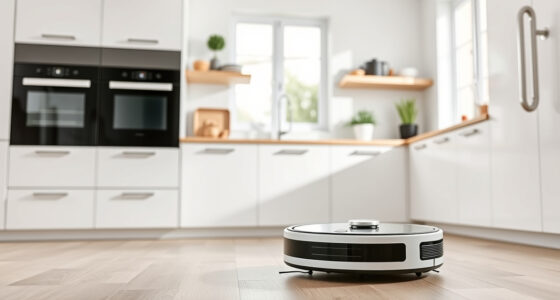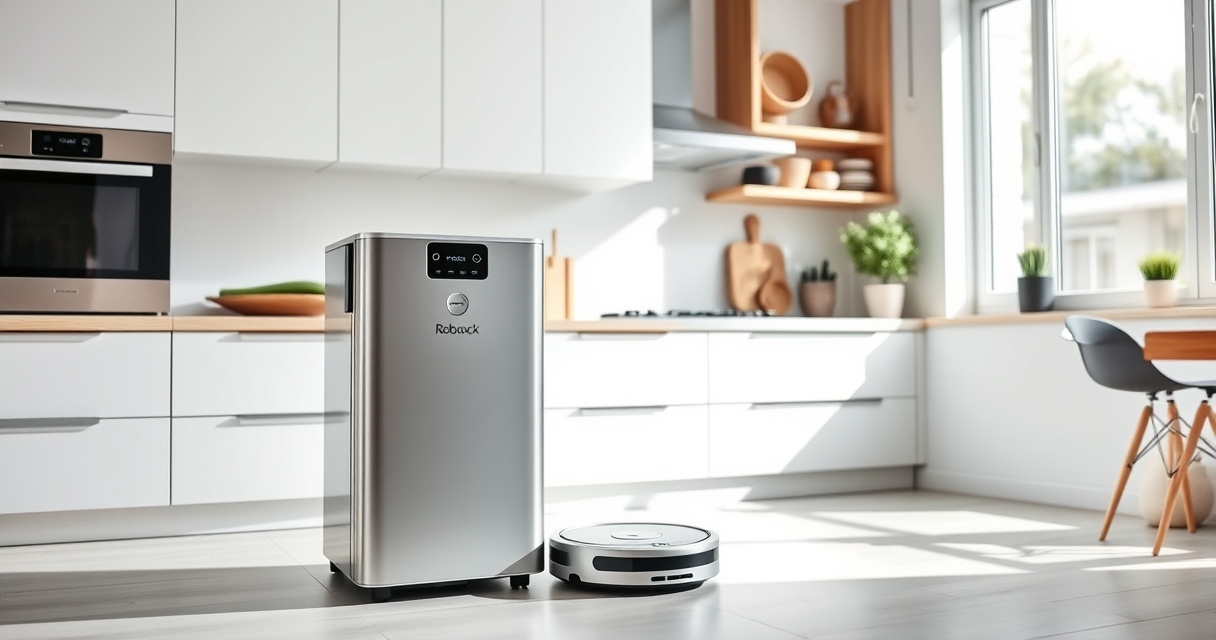
If your Roborock Q10 S5+ isn’t mopping as expected, it can be frustrating, especially after investing in a device that combines vacuuming and mopping. Many issues stem from simple setup errors or maintenance needs. This guide provides clear, practical steps to identify and fix common causes of mopping failures, ensuring your floors are spotless and streak-free.

Get home appliances delivered free — and shop member deals
- Fast, free delivery on millions of items
- Access to Prime Big Deal Days deals on October 6–7
- Prime Video, Amazon Music and more included
By understanding the root causes and following the outlined troubleshooting steps, you can restore your robot’s mopping function efficiently and safely. Keep in mind that regular maintenance, such as cleaning the mop pads and checking water levels, plays a crucial role in optimal performance.
Key Takeaways
| Check water reservoir | Ensure the water tank is filled and properly seated. |
| Inspect mop pads | Worn or dirty mop pads can reduce mopping effectiveness. |
| Verify mopping settings | Ensure mopping mode is enabled in the app. |
| Clean sensors and brushes | Dust and debris can interfere with mopping and navigation. |
| Update firmware | Keep your Roborock software current for optimal functionality. |
1. Confirm Mopping Mode is Enabled
The first step is to verify that your Roborock Q10 S5+ is set to mop mode. Sometimes, users accidentally select only vacuuming, which disables mopping functions.
- Open the Roborock app and select your device.
- Navigate to cleaning settings and ensure the mopping option is activated.
- Check that the water level is set appropriately for your cleaning session.
If mopping isn’t enabled, the robot will only vacuum, leaving floors dry.
2. Check the Water Reservoir and Connection
A common cause of mopping failure is an empty or improperly seated water tank. The Roborock Q10 S5+ has a dedicated water reservoir that supplies water to the VibraRise 2.0 mopping system.
- Remove the water tank from the robot.
- Fill it with clean, lukewarm water up to the indicated level.
- Ensure the tank is securely reinserted, hearing a click if applicable.
If the water tank isn’t properly seated, the robot won’t dispense water during mopping.
3. Inspect and Clean Mop Pads
Worn, dirty, or improperly attached mop pads can significantly reduce mopping effectiveness. Regular maintenance ensures optimal dirt pickup and water distribution.
- Remove the mop pads from the robot.
- Wash them with mild detergent and warm water, then air dry thoroughly.
- Check for damage or excessive wear, replacing if necessary.
- Reattach the clean mop pads, ensuring they are fitted correctly.
Using worn or dusty pads can cause streaks, uneven cleaning, or no mopping at all.
4. Clean Sensors, Brushes, and Water Pathways
Dust, hair, and debris can clog sensors, brushes, and water pathways, hindering mopping performance. Regular cleaning prevents blockages and ensures accurate navigation.
- Turn off the robot and remove the main brush and side brushes for cleaning.
- Use a soft brush or cloth to remove hair and dust from sensors and wheels.
- Check the water outlet for any clogs, cleaning with a soft brush or cloth if needed.
Keeping these components clean helps maintain consistent water flow and navigation accuracy during mopping.
5. Update Firmware and Reset if Necessary
Firmware updates can fix bugs or improve mopping performance. Check for updates via the Roborock app.
- Open the app and connect to your device.
- Navigate to device settings and look for firmware updates.
- If an update is available, follow prompts to install.
If problems persist, resetting the robot to factory settings can resolve software glitches. Refer to your user manual for reset instructions to avoid data loss or configuration issues.
The Products in This Guide

roborock Q10 S5+ Robot Vacuum and Mop
- ✔ Water Tank: 0.18L
- ✔ Coverage: Large areas for extended cleaning
- ✔ Noise Level: Moderate

4 Pack Washable Filter
- ✔ Filter Type: HEPA
- ✔ Replacement Frequency: Every 3-6 months
- ✔ Reusable: Yes
roborock Q10 S5+ Robot Vacuum and Mop
<p>The Roborock Q10 S5+ Robot Vacuum and Mop combines powerful 10,000 Pa suction with advanced mopping technology, including VibraRise 2.0. Its obstacle avoidance and dual anti-tangle systems make it a reliable choice for busy households, especially pet owners. Regular maintenance, such as checking water levels and cleaning mop pads, will ensure it performs at its best.</p>
Pros:
- Powerful suction
- Self-emptying station
- Effective obstacle avoidance
- Washable mop pads
Cons:
- Initial setup can be complex
- Requires regular cleaning of brushes
- Water reservoir needs refilling
Best for: Pet owners and busy households needing thorough cleaning
Not ideal for: Users seeking a budget-friendly or purely vacuum-only robot
Bottom line: A versatile robot that excels in both vacuuming and mopping, with smart features for busy homes.
4 Pack Washable Filter
<p>This washable HEPA filter pack ensures your Roborock maintains optimal filtration, capturing fine dust, pet dander, and allergens. Easy to install and reuse, it enhances your robot’s cleaning efficiency and prolongs its lifespan.</p>
Pros:
- Effective filtration
- Reusable and washable
- Compatible with multiple models
- Easy to install
Cons:
- Requires regular washing
- Not OEM, but performs similarly
- Replacement every few months recommended
Best for: Pet owners and allergy sufferers
Not ideal for: Users seeking OEM parts exclusively
Bottom line: An economical way to keep your robot’s filtration system working effectively.
Frequently Asked Questions
Why isn’t my Roborock Q10 S5+ mopping properly?
Common causes include an empty or improperly seated water tank, worn mop pads, dirty sensors or brushes, or incorrect mopping settings. Follow the troubleshooting steps outlined in this guide to identify and fix the issue.
How often should I clean the mop pads?
It’s recommended to wash the mop pads every 1-3 uses or when visibly dirty. Regular cleaning ensures effective dirt pickup and prevents streaks.
Can I use any mop pads with my Roborock?
Use only compatible microfiber mop pads designed for your model, such as the VIEWALL 6 Pack Reusable Mop Pads for Q10 S5+. Ensure they are properly attached for optimal performance.
What should I do if water isn’t dispensing during mopping?
Check the water tank fill level, ensure it’s properly installed, and inspect the water outlet for clogs. Cleaning the water pathway can resolve dispensing issues.
Is firmware update necessary for fixing mopping issues?
Yes, keeping your robot’s firmware up to date can fix bugs and improve mopping performance. Check for updates via the Roborock app regularly.
Getting Your Roborock Mopping Again
Regular maintenance and proper setup are key to ensuring your Roborock Q10 S5+ performs its best. By checking the water reservoir, cleaning mop pads, and updating firmware, you can resolve most mopping issues quickly and safely.
Following these practical steps will help you enjoy a cleaner, streak-free floor every time. Remember, a well-maintained robot vacuum and mop extend its lifespan and keep your home spotless effortlessly.
Affiliate disclosure: As an Amazon Associate we earn from qualifying purchases. Prices and availability are accurate as of the time of publishing.
NFL season / tailgating Picks
team gear
As an affiliate, we earn on qualifying purchases.