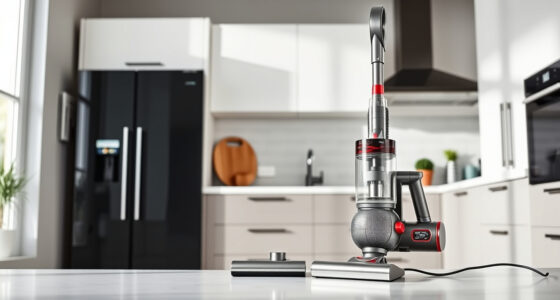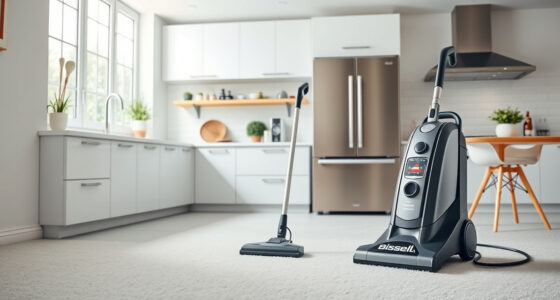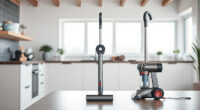
Unboxing and setting up your new Dyson V15 Detect™ Origin cordless vacuum can seem daunting, but with a few simple steps, you’ll be ready to enjoy deep, efficient cleaning around your home. This guide walks you through the entire setup process, from initial unpacking to attaching accessories and performing maintenance checks, ensuring you get the best performance from your vacuum.

Get home appliances delivered free with Prime
- Fast, free delivery on millions of items
- Prime Video, Amazon Music and more included
- Member-only deals all year
Proper setup not only maximizes cleaning power but also extends the lifespan of your device. Follow these clear, safe steps to get your Dyson V15 Detect™ Origin ready for action, with tips on troubleshooting common issues along the way.
Key Takeaways
| Powerful and intelligent cleaning | Reveals invisible dust with 100% more power and adapts based on debris. |
| Long-lasting battery | Provides up to 60 minutes of run time with efficient power use. |
| Smart display | LCD shows particles, power mode, alerts, and remaining run time. |
| Multiple cleaning heads | Includes Fluffy Optic and Digital Motorbar heads for various surfaces. |
| Versatile attachments | Comes with crevice tools for hard-to-reach spots and detailed cleaning. |
Unboxing and Inspecting Your Dyson V15 Detect™ Origin
- Carefully open the packaging and remove the vacuum and all included accessories.
- Verify that all parts listed in the manual are present: main body, cleaner heads, crevice tool, charger, and any additional attachments.
- Inspect each component for any visible damage or missing pieces before proceeding.
Charging Your Dyson V15 Detect™
Connect the charger to a power outlet and attach it to the vacuum’s charging port located on the main body. The LCD screen will display the charging status and remaining time.
Allow the vacuum to fully charge before first use, which typically takes about 3.5 hours. A fully charged battery provides up to 60 minutes of cleaning, depending on the power mode selected.
Tip: During charging, avoid unplugging or moving the vacuum excessively to ensure proper battery health.
Attaching the Cleaner Heads and Accessories
- Remove the vacuum from the charger once fully charged.
- Align the cleaner head with the connection port on the main body and push until it clicks securely into place.
- If needed, attach the crevice tool or other accessories to the handheld or wand section for targeted cleaning.
- For hard-to-reach spots, the LANMU Crevice Tool Vacuum Attachments (asin=B099RHWXJK) is a versatile addition compatible with your Dyson model.
Powering On and Customizing Settings
Press the power trigger to turn on the vacuum. The LCD screen will show real-time data including debris picked up, power mode, and remaining run time.
Use the power mode button to switch between different settings (e.g., Boost, Eco). The vacuum intelligently adapts power based on debris detection and floor type, optimizing efficiency.
Tip: Check the LCD display regularly for maintenance alerts or battery status to ensure optimal performance.
Performing Routine Maintenance
- Regularly check and replace the pre-filters (asin=B091D4YRYG) every 2-3 months to maintain suction power. Rinse with water and let dry completely before reinstalling.
- Replace the main filters (asin=B085G3CDS2) as needed to sustain high efficiency.
- Clean the cleaner heads and attachments after each use to remove hair and debris that can cause clogs.
- Keep the dustbin empty for consistent suction and cleaning performance.
Always follow the manufacturer’s instructions for cleaning and replacing parts to avoid damage.
Troubleshooting Common Setup Issues
If your vacuum won’t turn on, check that it is fully charged and that the power trigger is engaged. For poor suction, inspect and clean filters and dustbin. If the LCD shows error alerts, consult the user manual for specific guidance.
For persistent issues, contact Dyson customer support or refer to troubleshooting guides available online.
The Products in This Guide

Dyson V15 Detect™ Origin Cordless Vacuum
- ✔ Battery Life: Up to 60 minutes
- ✔ Weight: Approx. 6.8 lbs
- ✔ Filter Type: HEPA-level

LANMU Crevice Tool Vacuum Attachments Compatible
- ✔ Compatibility: Multiple Dyson models
- ✔ Size: Narrow and flexible
- ✔ Material: Plastic
Dyson V15 Detect™ Origin Cordless Vacuum
The Dyson V15 Detect™ Origin offers exceptional suction, smart features, and versatile attachments, making it ideal for thorough cleaning. Its LCD screen provides real-time insights and alerts, helping you maintain peak performance.
Pros:
- Powerful suction with 100% more cleaning power
- Long-lasting 60-minute runtime
- Smart LCD screen with real-time data
- Includes advanced cleaner heads for various floors
Cons:
- Price may be higher than basic models
- Requires regular filter maintenance
- Battery replacement can be costly
Best for: Whole-home deep cleaning, pet owners, allergy sufferers
Not ideal for: Light cleaning tasks, small apartments without need for deep cleaning
Bottom line: The Dyson V15 Detect™ Origin is a top-tier cordless vacuum suitable for comprehensive home cleaning.
LANMU Crevice Tool Vacuum Attachments Compatible
The LANMU Crevice Tool Vacuum Attachments are compatible with Dyson models including the V15 Detect™ and provide a narrow, flexible nozzle ideal for tight corners and detailed cleaning tasks in your home or car.
Pros:
- Narrow, flexible nozzle for tight spaces
- Compatible with many Dyson models
- Easy to attach and use
- Helps reach difficult spots
Cons:
- Additional attachment cost
- Requires storage space
- Not a standalone vacuum
Best for: Cleaning corners, edges, car interiors
Not ideal for: Large surface cleaning; better as an accessory.
Bottom line: A versatile addition to enhance your Dyson vacuum’s cleaning reach.
Frequently Asked Questions
How do I reset my Dyson V15 Detect™ after a blockage?
Turn off the vacuum, detach the cleaner head and attachments, check for obstructions, clear any debris, and then reassemble. Power it on again to test.
How often should I replace the filters?
Pre-filters should be washed and replaced every 2-3 months, while main filters may need replacement less frequently depending on usage. Refer to the filter guidelines for optimal performance.
Can I use any attachments with my Dyson V15?
Only attachments designed for Dyson cordless models are recommended. The LANMU crevice tool (asin=B099RHWXJK) is compatible and highly useful for detailed cleaning.
What should I do if the LCD screen shows an error?
Consult the user manual for specific error codes. Common solutions include cleaning filters, emptying the dustbin, or ensuring all attachments are properly connected.
Is it safe to wash the filters?
Yes, most pre-filters are washable. Rinse with water, dry completely before reinstalling to avoid mold or damage.
Getting the Most from Your Dyson V15 Detect™ Origin
By following these setup steps and maintenance tips, you can ensure your Dyson V15 Detect™ Origin delivers optimal cleaning performance for years to come. Regularly check the LCD for alerts, keep filters clean, and use the appropriate accessories for different surfaces. With proper care and setup, your Dyson cordless vacuum will become an essential tool for a cleaner, healthier home.
Affiliate disclosure: As an Amazon Associate we earn from qualifying purchases. Prices and availability are accurate as of the time of publishing.
Fall Picks
fall essentials
As an affiliate, we earn on qualifying purchases.