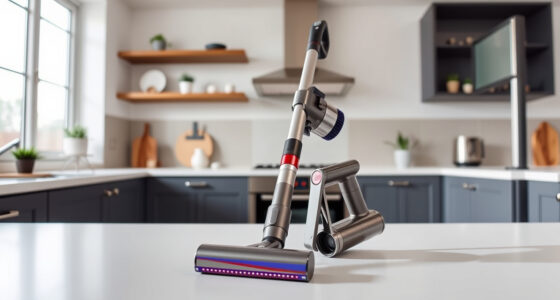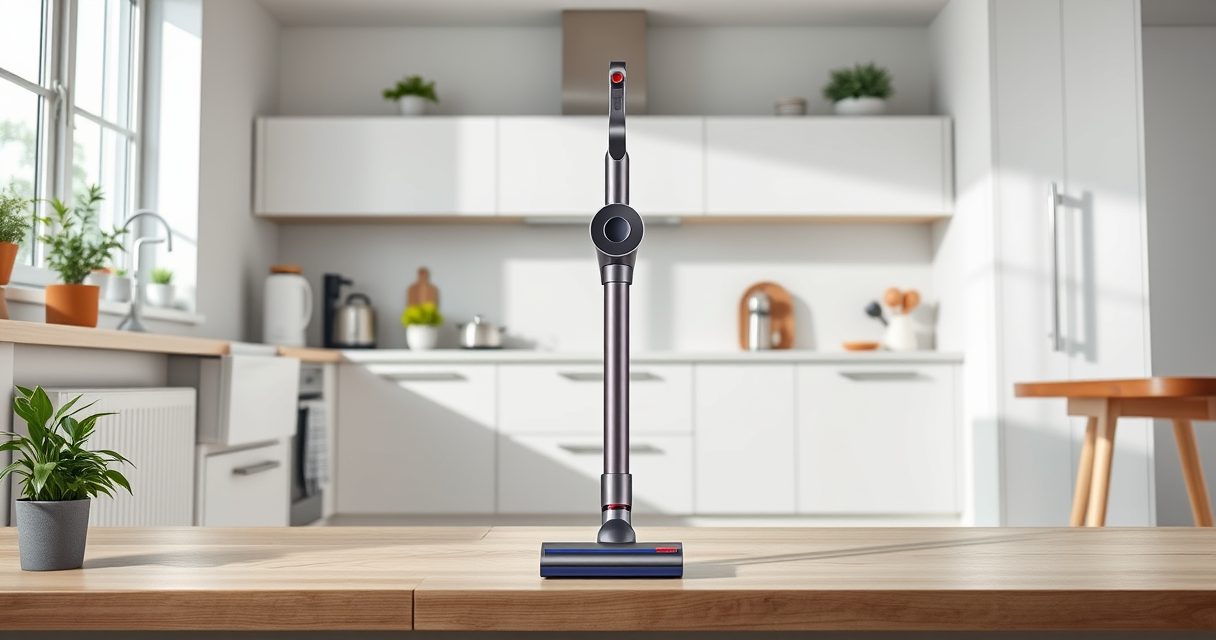
If your Dyson V15 Detect™ Origin cordless vacuum is pulsing on and off during use, it can be frustrating and affect cleaning performance. This guide helps you identify common causes and provides safe, practical fixes to restore your vacuum’s optimal function.

Get home appliances delivered free with Prime
- Fast, free delivery on millions of items
- Prime Video, Amazon Music and more included
- Member-only deals all year
Understanding what causes pulsing can save you time and prevent unnecessary repairs. Follow the steps below carefully, and always prioritize safety when working with electronic appliances.
Key Takeaways
| Clogged filters or debris | Blocked airflow can cause pulsing. |
| Full or dirty filters | Filters need regular cleaning or replacement. |
| Battery or motor issues | Power inconsistencies may be due to battery or motor problems. |
| Obstructions in the vacuum path | Blockages in hose or cleaner head can trigger pulsing. |
| Sensor or electronics malfunction | Faulty sensors or circuit issues can cause irregular operation. |
Check and Clean the Filters
- Remove the pre-filters and any other filters as per your model’s instructions.
- Rinse the filters thoroughly with water, ensuring no dirt remains.
- Allow filters to air dry completely, ideally overnight.
- Reinstall the filters and test the vacuum.
Inspect for Clogs or Blockages
- Detach the cleaner head and check for hair or debris wrapped around the brushes.
- Look inside the wand and hose for obstructions, clearing any blockages carefully.
- Ensure all connections are secure and free of debris before testing again.
Examine the Battery and Power Settings
Make sure the battery is adequately charged. If pulsing persists, try resetting the vacuum by turning it off, removing the battery if possible, then reinserting and powering it on again. Check that you are using the appropriate power mode for your cleaning task.
Update and Reset Electronics
If your vacuum has an LCD screen, check for maintenance alerts or error messages. Reset the vacuum according to the user manual, or perform a power cycle by turning it off, then on after a few seconds. If problems continue, contact Dyson support for further assistance.
Replace Worn Components
Over time, filters and other parts may need replacement. Consider installing new pre-filters, V10 or V15 filters, or crevice tools if the issue persists despite cleaning and clearing blockages.
The Products in This Guide

Dyson V15 Detect™ Origin Cordless Vacuum
- ✔ Weight: 6.8 lbs
- ✔ Run Time: 60 mins
- ✔ Filtration: Pre-filters included

LANMU Crevice Tool Vacuum Attachments Compatible
- ✔ Compatibility: Multiple Dyson models
- ✔ Material: Plastic
- ✔ Length: 16 inches
Dyson V15 Detect™ Origin Cordless Vacuum
The Dyson V15 Detect™ Origin offers excellent suction, intelligent debris detection, and a variety of advanced features. Proper maintenance ensures optimal performance and avoids pulsing issues.
Pros:
- Powerful suction
- Intelligent debris detection
- Long battery life
- Versatile cleaning modes
Cons:
- Filters require regular cleaning
- Can be heavy for some users
- Filter replacements cost extra
Best for: Whole-home deep cleaning, pet hair removal, hard-to-reach spots
Not ideal for: Light or quick cleans, users with very tight storage space
Bottom line: Regular maintenance and proper operation keep your Dyson V15 performing at its best.
LANMU Crevice Tool Vacuum Attachments Compatible
The LANMU Crevice Tool Vacuum Attachments provide a narrow, flexible nozzle that fits into tight spaces, helping you reach and clean areas where dust tends to hide, such as corners, upholstery, and car interiors.
Pros:
- Narrow, flexible design
- Compatible with multiple Dyson models
- Easy to attach and use
- Effective in tight spaces
Cons:
- May not fit all Dyson models
- Additional attachments needed for full cleaning
Best for: Cleaning corners, car interiors, keyboards, and tight spots
Not ideal for: Main cleaning of large areas, heavy-duty scrubbing
Bottom line: A practical accessory to enhance your Dyson’s reach and cleaning precision.
Frequently Asked Questions
Why is my Dyson vacuum pulsing on and off during use?
This can be caused by airflow obstructions, clogged filters, or electronic issues. Follow the troubleshooting steps to identify the cause.
How often should I clean or replace the filters?
Filters should be rinsed and dried thoroughly every 1-3 months, depending on usage. Replace pre-filters or V10 filters when they become worn or damaged.
Can I fix pulsing issues myself, or do I need professional help?
Many issues like cleaning filters or clearing blockages can be fixed at home. If problems persist after troubleshooting, contact Dyson support.
Is it safe to rinse the filters with water?
Yes, but ensure filters are completely dry before reinstalling to prevent damage or mold growth.
Keep Your Dyson Running Smoothly
Regular maintenance and attentive troubleshooting can resolve pulsing issues and extend the life of your Dyson cordless vacuum. Always follow the manufacturer’s instructions and safety guidelines. With proper care, your Dyson V15 Detect™ Origin will continue to deliver powerful, efficient cleaning for your home.
Affiliate disclosure: As an Amazon Associate we earn from qualifying purchases. Prices and availability are accurate as of the time of publishing.
Fall yard work Picks
leaf blowers
As an affiliate, we earn on qualifying purchases.