

To organize your digital life and reduce physical clutter, start by setting up a clear folder structure and naming system for all files. Use cloud storage services like Google Drive or Dropbox for easy access and regular digital backups for data security. Delete duplicate or outdated files to free space, and adopt a paperless approach to minimize physical storage needs. Keep your files streamlined and consistently maintained—if you continue exploring, you’ll discover even more tips to simplify and secure your digital environment.

Get home appliances delivered free with Prime
- Fast, free delivery on millions of items
- Prime Video, Amazon Music and more included
- Member-only deals all year
Key Takeaways
- Create a structured folder system with descriptive names for easy digital file retrieval.
- Regularly delete duplicate, outdated, or unnecessary files to maintain organization.
- Utilize cloud storage services with automatic backup features to secure important data.
- Adopt a paperless approach by digitizing documents and managing them online.
- Incorporate tagging and color-coding to visually categorize files and streamline access.
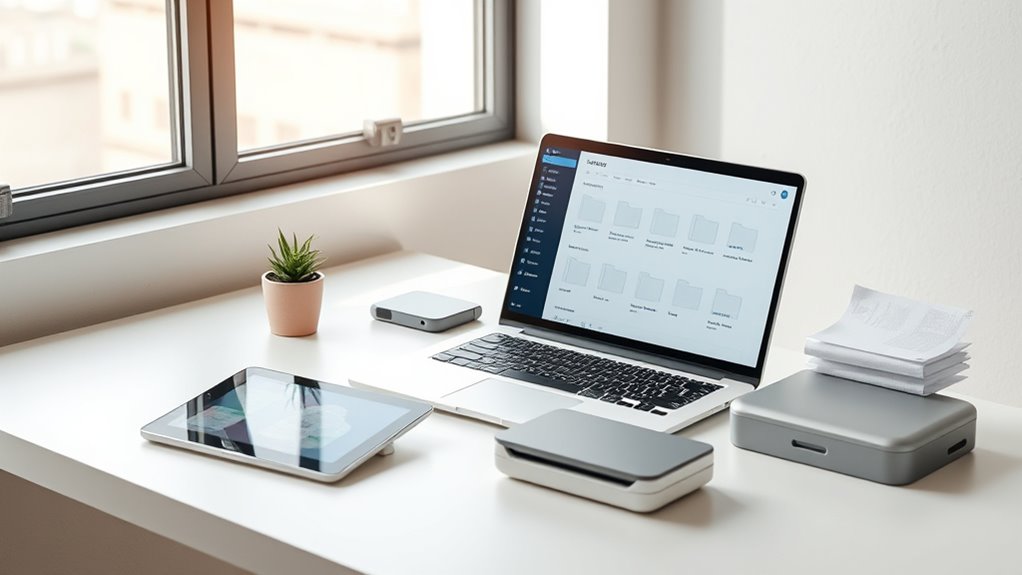
Have you ever felt overwhelmed by the endless files and apps cluttering your digital space? It’s a common experience in today’s tech-driven world, but there’s a simple solution: organizing your digital life. The first step is to leverage cloud storage and digital backups. These tools are essential for reducing clutter and ensuring your important files are safe and easily accessible. Cloud storage services like Google Drive, Dropbox, or OneDrive let you store documents, photos, and even emails online. Instead of keeping countless files on your local device, you can upload everything to the cloud, freeing up space and minimizing digital mess. Plus, cloud storage allows you to access your files from any device with an internet connection, making it convenient and flexible.
Organize your digital life with cloud storage and backups for a clutter-free, accessible, and secure digital space.
Digital backups are equally important. They act as safety nets for your critical data. Whether it’s family photos, work documents, or personal records, backing them up regularly prevents loss due to hardware failures, theft, or accidental deletion. Instead of hoarding multiple copies in different folders or on external drives, set up automatic backups with your preferred cloud service. This way, your files are continuously protected without extra effort on your part. Combining cloud storage with digital backups streamlines your digital organization, making it easier to find what you need and reducing the clutter caused by scattered, unmanaged files.
Organizing your cloud storage is just as essential as setting it up. Create clear folder structures—by year, project, or type—so you can locate files quickly. Delete duplicates or outdated versions to keep your space tidy. Use descriptive file names to make searching easier. Incorporate tagging or color-coding if your platform offers these features to categorize files visually. Regularly review and clean out unnecessary files to prevent buildup. With a well-maintained cloud system, you’ll avoid the frustration of digging through piles of unorganized digital clutter. Additionally, understanding contrast ratio helps you choose projectors that provide better image quality, which is especially important for creating an immersive home cinema experience.
As you implement cloud storage and digital backups, consider consolidating your digital files into fewer platforms. Having everything stored in one or two trusted services minimizes confusion and makes management simpler. Moving to a paperless approach isn’t just about saving space; it’s about creating an efficient, stress-free digital environment. It reduces the need for physical storage, helps protect your data from loss, and makes your daily digital interactions more streamlined. By taking control of your digital files through organized cloud storage and reliable backups, you’ll find it easier to maintain a clutter-free, productive life—both online and offline.
cloud storage service subscription
As an affiliate, we earn on qualifying purchases.
As an affiliate, we earn on qualifying purchases.
Frequently Asked Questions
How Secure Is My Digital Information From Hacking or Data Breaches?
Your digital information’s security depends on your practices. Using strong encryption protocols protects your data from unauthorized access, while effective password management guarantees that your accounts stay secure. Regularly updating passwords and enabling two-factor authentication further reduce the risk of hacking or breaches. Stay vigilant by choosing reputable services with robust security measures, and always be cautious about sharing sensitive information online to keep your digital life safe.
What Are the Best Apps for Managing and Storing Digital Documents Securely?
You should consider apps like Dropbox, Google Drive, or OneDrive for secure cloud storage, which offer robust security features. To further safeguard your documents, use apps that support document encryption, such as Tresorit or Sync.com. These apps ensure your files are encrypted both in transit and at rest. Always enable two-factor authentication for added security and regularly update your apps to stay protected against potential vulnerabilities.
How Do I Handle Digital Clutter That I No Longer Need?
Did you know we generate 2.5 quintillion bytes of data daily? To handle digital clutter you no longer need, start with a digital cleanup: delete outdated files and duplicates. Use cloud storage to securely archive important documents, freeing up space. Regularly review your digital files to prevent buildup and keep your digital environment organized. This proactive approach helps you stay efficient and reduces unnecessary digital stress.
Can Going Paperless Improve My Mental Health and Reduce Stress?
Yes, going paperless can boost your mental health and reduce stress. When you declutter your digital life, you create a calmer environment, making it easier to focus. Incorporate mindfulness practices and take regular digital detoxes to enhance this effect. By reducing physical and digital clutter, you’ll feel more in control, experience less anxiety, and enjoy a clearer mind, promoting overall well-being.
What Legal Considerations Should I Be Aware of When Digitizing Important Documents?
Imagine finding that handwritten will, only to realize you must guarantee legal compliance when digitizing it. You need to verify document authenticity and keep secure, legally accepted copies. Be aware of privacy laws, data protection regulations, and proper storage practices. Always use reliable encryption and backup methods. Consulting a legal professional helps ensure your digital documents meet all legal standards, preventing future disputes or invalidation.
As an affiliate, we earn on qualifying purchases.
Conclusion
By going paperless, you’re not just decluttering your space—you’re clearing a path to clarity and peace. Each digital file you organize symbolizes a fresh start, a blank page waiting to be written. Embrace this shift, and you’ll find that reducing physical clutter allows your mind to breathe and focus. Let your digital life be the lantern guiding you through chaos, illuminating the way to a simpler, more intentional existence.
As an affiliate, we earn on qualifying purchases.
As an affiliate, we earn on qualifying purchases.
Columbus Day / Indigenous Peoples' Day Picks
long weekend sales
As an affiliate, we earn on qualifying purchases.