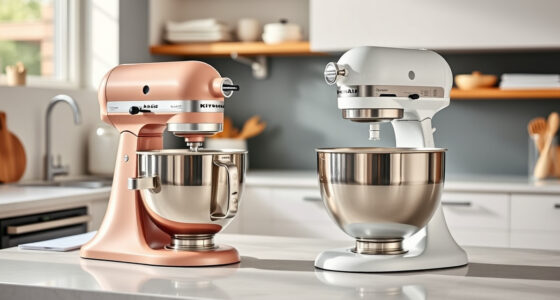

The KitchenAid Artisan Series 5 Quart Tilt Head Stand Mixer is a versatile and durable appliance, loved for its ease of use and powerful motor. However, like any mechanical device, it can encounter issues—one common problem is the mixer won’t tilt back for bowl access. This guide provides practical, step-by-step solutions to diagnose and fix this issue safely, ensuring your mixer stays in top shape for all your baking needs.

Get home appliances delivered free with Prime
- Fast, free delivery on millions of items
- Prime Video, Amazon Music and more included
- Member-only deals all year
Whether the tilt-head is stuck due to a jam, misalignment, or mechanical failure, understanding the causes and following the proper troubleshooting steps can help you resolve the problem quickly without risking damage or injury.
Key Takeaways
| Understanding the tilt mechanism | Know how the tilt-head should operate and what common issues cause it to stick. |
| Preliminary checks | Ensure safety by unplugging the mixer before inspecting or fixing. |
| Step-by-step troubleshooting | Follow precise steps to identify and resolve the tilt-back issue. |
| When to seek professional help | Recognize signs that require expert repair to avoid further damage. |
| Preventive maintenance | Regular cleaning and inspection can prevent future tilt-back problems. |
Understanding the Tilt-Back Mechanism
The tilt-head of the KitchenAid Artisan 5 Quart Stand Mixer is designed for easy access to the bowl and beaters. It operates via a hinge and locking lever system. When functioning correctly, lifting the head releases the lock, allowing it to tilt back smoothly. Common causes for it not tilting include misalignment, debris or food buildup, or mechanical failure of the hinge or locking mechanism.
Knowing how this system works helps in diagnosing the problem accurately. The tilt mechanism relies on a hinge pin, a locking lever, and sometimes a spring. Any obstruction or damage to these components can prevent the head from tilting back properly.
Preliminary Safety Steps
- Unplug the mixer from the power outlet to prevent accidental activation.
- Remove any attachments, such as the pouring shield or accessories, to access the tilt head easily.
- Inspect the area around the hinge for visible debris, food buildup, or obstructions.
Never attempt to force the tilt head open while the mixer is plugged in or powered, as this can cause injury or damage to the mechanism.
Step-by-Step Troubleshooting
- Check for Obstructions: Use a soft cloth or brush to clear debris or sticky residue from the hinge and locking lever area.
- Inspect the Locking Lever: Ensure the lever moves freely and is not bent or damaged. If sticky, clean it gently with a damp cloth.
- Test the Hinge: Manually lift the tilt head gently. If it feels stiff or doesn’t move, the hinge pin may be misaligned or need lubrication.
- Lubricate if Necessary: Apply a small amount of food-grade lubricant to the hinge pin, avoiding internal components or electrical parts.
- Check for Mechanical Damage: Examine the hinge and locking mechanism for cracks, bends, or broken parts. If damaged, replacement may be needed.
- Reassemble and Test: Plug in the mixer, lock the tilt head in place, and then unlock it to see if it tilts back smoothly.
When to Call a Professional
If after following these steps the tilt-back still does not operate smoothly, or if you notice damaged parts, it’s best to contact a professional appliance repair technician. Continuing to force the mechanism may cause further damage or void your warranty. Professional repairs are especially recommended if you suspect internal hinge or motor issues.
Preventive Maintenance Tips
- Regularly clean the hinge area to prevent buildup of food particles or grease.
- Lubricate the hinge pin periodically with a food-safe lubricant to ensure smooth operation.
- Inspect the locking lever and hinge for signs of wear or damage during routine cleaning.
- Avoid forcing the tilt head if it feels stiff—address the issue early to prevent damage.
The Products in This Guide

KitchenAid Artisan Series 5 Quart Tilt Head Stand Mixer
- ✔ Weight: 26 lbs
- ✔ Dimensions: 14 x 8 x 14 inches
- ✔ Power: 325W

KitchenAid Stand Mixer Attachment
- ✔ Weight: 2 lbs
- ✔ Dimensions: 8 x 6 x 4 inches
- ✔ Warranty: 1 year
KitchenAid Artisan Series 5 Quart Tilt Head Stand Mixer
The KitchenAid Artisan Series 5 Quart Tilt Head Stand Mixer is built to last with durable metal construction and 59 touchpoints for thorough mixing. While it generally performs well, the tilt-back feature can sometimes become stuck due to buildup or mechanical misalignment. Regular maintenance and careful troubleshooting can resolve most issues effectively.
Pros:
- Sturdy metal build
- Easy to clean
- Multiple color options
- Powerful motor with 10 speeds
Cons:
- Tilt-head may jam over time
- Hinge can become stiff
- Requires periodic cleaning
Best for: Bakers needing a reliable, versatile stand mixer for small or large batches
Not ideal for: Users expecting a completely maintenance-free appliance or those with limited space for repairs
Bottom line: A durable, versatile mixer with a common tilt-back issue that’s fixable with proper troubleshooting.
KitchenAid Stand Mixer Attachment
The KitchenAid Stand Mixer Attachment Food Grinder offers an excellent addition to your mixer, making fresh grinding simple and efficient. It connects easily to the power hub and includes various grinding plates and sausage stuffer tubes. If your tilt head issue is part of broader maintenance, this attachment can help diversify your mixer’s capabilities.
Pros:
- Easy to attach
- Multiple grinding plates
- Sturdy metal build
- Saves prep time
Cons:
- Additional cost
- Requires cleaning after use
- Attachment not included with mixer
Best for: Home bakers wanting fresh ingredients and versatile use
Not ideal for: Users who don’t process large quantities of meat or produce
Bottom line: A practical attachment that expands your mixer’s functionality for grinding and stuffing.
Frequently Asked Questions
What should I do if my KitchenAid tilt head won’t tilt back?
First, unplug the mixer and inspect for debris or obstructions around the hinge and lock. Clean the area, check the lock and hinge for damage, and lubricate if necessary. If the problem persists, consider contacting a professional repair service.
Can I force the tilt head open if it’s stuck?
No, forcing it can cause damage. Always follow troubleshooting steps or seek professional help if the tilt head remains stuck after cleaning and inspection.
How often should I clean the hinge area?
Regular cleaning after each use is ideal, especially if you notice buildup or stiffness. Periodic lubrication can also help keep the tilt mechanism functioning smoothly.
Is it safe to lubricate the hinge myself?
Yes, but only use food-grade lubricant suitable for kitchen appliances. Avoid using oils or greases not intended for food contact.
When should I replace parts of the tilt mechanism?
If you notice cracks, bends, or broken components during inspection, replacing the damaged parts is necessary to ensure safe operation and prevent further issues.
Getting Your KitchenAid Mixer Back in Action
A stuck tilt-head can be a frustrating issue, but with careful troubleshooting and regular maintenance, it’s often a simple fix. Always prioritize safety by unplugging the mixer before inspecting or cleaning, and don’t hesitate to seek professional repair if needed. Proper care will extend the life of your KitchenAid Artisan Series mixer, keeping it ready for all your baking adventures.
Affiliate disclosure: As an Amazon Associate we earn from qualifying purchases. Prices and availability are accurate as of the time of publishing.