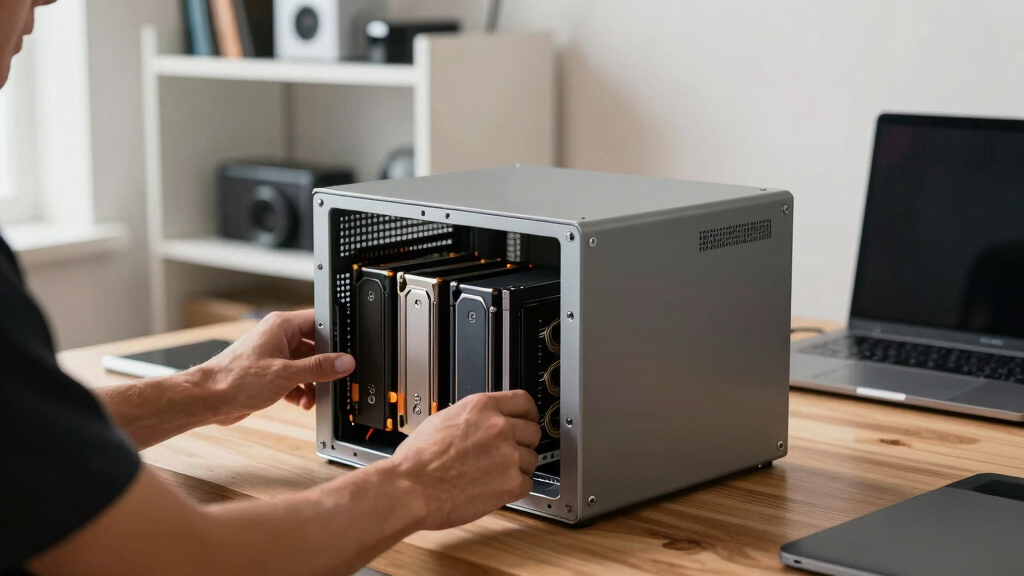

When searching for the best NAS enclosures, the key considerations are performance, expandability, and ease of setup. The UGREEN NAS DXP4800 GT stands out as the best overall choice for its robust hardware and versatile features. For budget-conscious buyers, the Synology DS223j offers reliable performance without breaking the bank. Power users will appreciate the TERRAMASTER D4 SSD NVMe Enclosure for its high-speed data transfer and multiple drive support. Keep in mind that tradeoffs often involve balancing price, complexity, and scalability. Continue reading for a detailed breakdown of each option to find your ideal NAS enclosure.
Complete the kit



Key Takeaways
- Performance capabilities vary significantly, with some enclosures supporting 40Gbps transfers while others focus on ease of use.
- Drive support ranges from dual bays to four-bay systems, impacting scalability and storage capacity.
- Build quality and cooling are critical, especially for heavy workloads or prolonged use.
- Connectivity options like 10GbE and Thunderbolt significantly influence data transfer speeds and compatibility.
- Price points reflect features like AI integration, HDMI output, and advanced processors, making clear value distinctions.


More Details on Our Top Picks
UGREEN 40Gbps M.2 NVMe Enclosure with Aluminum Heat Dissipation, Compatible with Thunderbolt 4/3/USB4/3.2/2.0
This enclosure stands out for delivering blazing transfer speeds up to 3600MB/s, making it ideal for professionals who need rapid access to large files. Its double-sided fin heat dissipation system ensures the SSD stays cool under heavy workloads, a step above many basic enclosures that lack active cooling. Compared to the Terramaster D4, which emphasizes multi-drive capacity, this model focuses solely on single NVMe drives but offers superior speed and portability. The main tradeoff is its dependence on Thunderbolt 4/3 for maximum performance, which might limit compatibility with older or less equipped devices. Additionally, it only supports NVMe SSDs, so users with SATA drives will need a different solution. Its aluminum construction boosts durability, and support for drives up to 8TB makes it versatile for most high-end SSDs.
Pros:- Supports transfer speeds up to 3600MB/s for rapid data movement
- Effective cooling with innovative fin design prevents thermal throttling
- Compatible with multiple SSD sizes and operating systems
Cons:- Requires Thunderbolt 4 cables/devices for full speed potential
- Thermal pads may be necessary for thicker drives, adding setup complexity
- Limited to NVMe SSDs, not compatible with SATA drives
Best for: Content creators and video editors who need ultra-fast external storage for large files
Not ideal for: Casual users or those with older laptops lacking Thunderbolt or USB4 ports
- Max Speed:3600MB/s
- Supported Interfaces:Thunderbolt 3/4, USB4, USB 3.2/3.1/3.0/2.0
- Supported SSD Sizes:2230, 2242, 2260, 2280
- Maximum Capacity:8TB
- Material:Aluminum
- Cooling System:Double-sided fin design
Our verdict“This enclosure is best suited for power users needing maximum speed in a portable form factor, accepting the higher cost and device requirements.”
UGREEN NAS DXP2800 2-Bay Desktop Network Attached Storage, Intel N100 Quad-Core CPU, 8GB DDR5 RAM, 2.5GbE, 2X M.2 NVMe Slots, 4K HDMI, Diskless
This NAS makes a compelling choice for home users and small businesses seeking reliable private cloud storage with straightforward setup and versatile features. Its Intel N100 quad-core processor and 8GB DDR5 RAM ensure smooth performance for multi-user environments, outperforming simpler NAS units like the Synology DS223j in multitasking and media processing. The inclusion of 2 M.2 NVMe slots adds expandability, and the 2.5GbE port provides faster local network speeds than traditional 1GbE models. However, as a diskless unit, it requires users to purchase drives separately, which could add to initial costs. Its advanced features, like 4K HDMI output and AI photo organization, cater well to tech-savvy users but might be overwhelming for beginners. It’s a flexible, secure, private storage solution for those willing to handle setup complexity.
Pros:- High performance with quad-core processor and 8GB DDR5 RAM
- Supports up to 80TB of storage with multiple drive bays
- Faster network speeds with 2.5GbE port
Cons:- Requires purchasing drives separately, increasing initial cost
- Setup complexity may challenge less experienced users
- Limited to two drive bays, which may restrict scalability for some
Best for: Small business owners or tech-savvy home users needing reliable private cloud with media capabilities
Not ideal for: Users seeking an all-in-one solution with included drives or those unfamiliar with network setup
- Processor:Intel N100 Quad-Core
- RAM:8GB DDR5
- Storage Capacity:Up to 80TB
- Network:2.5GbE
- M.2 Slots:2X NVMe
- Video Output:4K HDMI
Our verdict“This NAS is ideal for users needing a robust, expandable private cloud with strong media and networking features, provided they can manage initial setup.”
TERRAMASTER D4 SSD NVMe Enclosure – 40Gbps 4-Bay USB Type-C, Supports 4x M.2 NVMe 2280 SSDs, Compatible with USB 4/3.2/3.1/3.0, Thunderbolt 5/4/3, Includes Mobile App for Data Backup
The TERRAMASTER D4 offers impressive transfer speeds up to 40Gbps, making it well-suited for demanding workflows like large-scale backups or data transfers. Its support for four NVMe SSDs provides substantial capacity, especially compared to single-drive enclosures like the UGREEN NVMe Enclosure. Its compatibility across Windows, Mac, Linux, and Android, along with thunderbolt support, broadens its usability. The inclusion of an app for data backup streamlines workflows for professionals. On the downside, it lacks built-in RAID support, relying on third-party software for array management, which can complicate setup. It also requires an external power supply, adding to desk clutter and setup complexity. Despite this, it’s a compelling choice for those needing fast, multi-drive data management in a portable form.
Pros:- Supports blazing fast data transfer up to 40Gbps
- Supports four NVMe SSDs for high capacity and flexibility
- Broad OS compatibility and Thunderbolt support
Cons:- No integrated RAID support, relies on third-party software
- Requires external power supply, adding setup steps
- Complex setup for users unfamiliar with multi-drive configurations
Best for: Professionals and IT specialists managing large data sets who need flexible, high-speed multi-drive solutions
Not ideal for: Casual users or those seeking simple, plug-and-play external drives without setup complexity
- Data Transfer Rate:40 Gbps
- Hard Disk Interface:PCIE x 4
- Supported Devices:Windows, Mac, Linux, Android
- Hard-Drive Support:4x M.2 NVMe 2280
- Media Speed:40 Gigabits Per Second
- Item Weight:1.3 Pounds
Our verdict“This enclosure fits advanced users needing high-speed, multi-SSD expansion with flexible connectivity, accepting the extra setup effort.”
Synology 2-Bay DiskStation DS223j (Diskless)
The Synology DS223j offers a straightforward, reliable private cloud solution ideal for home users and small offices. Its two-bay design, paired with Synology’s intuitive DSM software, simplifies data sharing, automated backups, and remote access. Compared to larger NAS units, its limited bay count constrains maximum storage, but it excels in ease of use and security. The device’s support for multi-platform access and IP camera integration makes it versatile for personal security and media streaming. A drawback is its need for users to purchase and install drives separately, which might add complexity for beginners. Its two-year warranty and Synology’s reputation for reliable firmware make it a dependable choice for those prioritizing data safety and simplicity.
Pros:- Secure private cloud with multi-platform access
- Automated backup and easy file sharing
- Supports IP camera monitoring and remote viewing
Cons:- Requires additional disks, increasing initial setup cost
- Limited to two bays, restricting maximum storage expansion
- Not suitable for large-scale enterprise environments
Best for: Home users seeking a secure, easy-to-manage private cloud with backup and security features
Not ideal for: Power users needing high scalability or those with large storage demands requiring many bays
- Storage Bays:2
- Diskless:Yes
- Warranty:2 years
- Features:Private cloud, file sharing, automated backup, home security support
Our verdict“This NAS is best for users wanting a simple, secure private cloud with reliable backup and security features, accepting limited scalability.”
UGREEN NAS DXP4800 GT 4-Bay Desktop Network Attached Storage, AMD R2514 CPU, 8GB DDR4 RAM, 2x 10GbE, M.2 NVMe Slots, 4K HDMI, Diskless
The UGREEN DXP4800 GT pushes boundaries with a powerful AMD Ryzen embedded processor and dual 10GbE ports, making it suitable for demanding multitasking environments like media servers, virtual machines, or surveillance. Its expandable storage options, supporting up to 144TB, surpass many competitors such as the UGREEN NAS DXP2800 in scalability. The inclusion of multiple connectivity options, including HDMI output and M.2 NVMe slots, adds versatility for media and data applications. The main compromise is that drives are not included, so the initial investment can be higher. Additionally, the pre-installed RAM is non-ECC, which might concern enterprise users, and setup can be complex for those unfamiliar with advanced NAS configurations. Nonetheless, this model excels in power and expandability for tech-savvy users.
Pros:- Dual 10GbE ports with link aggregation for ultra-fast data transfer
- Expandable storage up to 144TB across multiple drives
- Supports Docker, virtual machines, and surveillance apps
Cons:- Drives are not included, increasing initial cost
- Pre-installed RAM is non-ECC, limiting enterprise-grade reliability
- Setup complexity may challenge less experienced users
Best for: Tech enthusiasts and small businesses needing high-speed, expandable NAS with multimedia capabilities
Not ideal for: Casual users or those seeking plug-and-play solutions with minimal setup
- Processor:AMD Ryzen Embedded R2514
- RAM:8GB DDR4, expandable to 64GB
- Storage Capacity:Up to 144TB
- Network:2x 10GbE
- Expansion Slots:2x M.2 NVMe, 2x U.2 NVMe
- Connectivity:USB 3.0, USB-C, HDMI 4K
Our verdict“This NAS is ideal for power users demanding high-speed, scalable, and versatile storage, accepting the need for advanced setup and higher initial investment.”
UGREEN NAS DH4300 Plus 4-Bay Desktop NAS with 128TB Support, AI Photo Album, 8GB RAM, 2.5GbE, 4K HDMI, Diskless
The UGREEN NAS DH4300 Plus stands out as an accessible, user-friendly option for households needing substantial storage and multimedia features. Compared with the Synology DS223j, it offers higher capacity support and more multimedia outputs, making it ideal for family entertainment centers. However, unlike the UGREEN NAS DXP2800, it lacks Wi-Fi support, which limits its flexibility in a wireless home environment. Its support for up to 128TB and AI photo management makes it a strong choice for those with extensive photo libraries or backups, but the need for separate disks and absence of Wi-Fi might be drawbacks for users seeking a more integrated, wireless solution. The HDMI output and easy setup cater well to media streaming, yet the lack of virtual machine support could be limiting for more advanced users.
Pros:- Supports massive storage capacity up to 128TB for extensive data needs
- User-friendly setup with remote access and cross-device compatibility
- Includes AI photo album management with recognition and duplicate removal
- Supports 4K HDMI output for easy media streaming
Cons:- Storage disks are not included, requiring additional purchase
- Supports only wired Ethernet, no Wi-Fi connectivity
- Limited to Docker containerization, no full virtual machine support
Best for: Families and individuals who prioritize large capacity, multimedia versatility, and simple remote access for personal use.
Not ideal for: Users who need Wi-Fi connectivity or virtual machine capabilities, as this model supports only wired Ethernet and Docker-only virtualization.
- Digital Storage Capacity:120 TB
- Hard Disk Interface:Serial ATA
- Connectivity Technology:Ethernet, HDMI, SATA, USB
- Diskless:Yes
- Hard Drive Size:128 TB
- Form Factor:2.5-inch
- Data Transfer Rate:312 Megabytes Per Second
Our verdict“This NAS is best suited for families or home users seeking high-capacity multimedia storage with easy setup and AI features, but it’s less ideal for those needing wireless access or virtualization flexibility.”
How We Picked
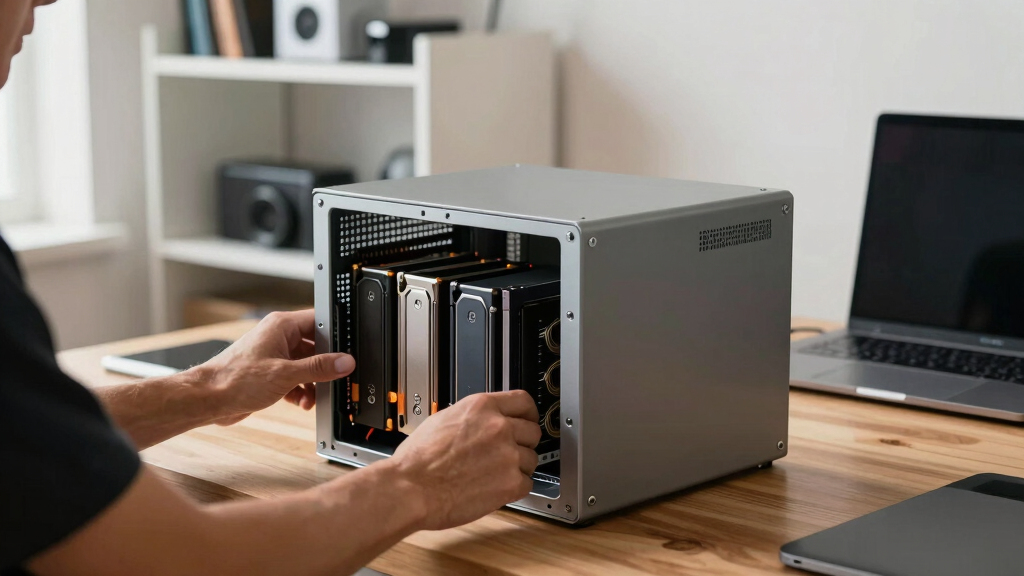
The products in this roundup were evaluated based on performance, expandability, build quality, usability, and value. I prioritized models with robust hardware and flexible configurations that suit different user needs—from beginners to power users. Compatibility with common interfaces like USB, Thunderbolt, and Ethernet was essential, along with features like drive support and cooling solutions. The ranking reflects a balance between cost and capabilities, with the top picks offering the most comprehensive feature sets for their price range.Factors to Consider When Choosing Best NAS Enclosures
Choosing the best NAS enclosure involves more than just comparing specs. It’s important to consider how your storage needs, network environment, and future expansion plans align with the features offered. A well-chosen NAS can simplify data management, enhance security, and improve access speeds, but selecting the wrong one can lead to frustration and limited scalability. Here are key factors to help guide your decision:Performance and Speed
Assess the data transfer rates supported by the enclosure, especially if you handle large files or high-resolution media. Enclosures supporting 40Gbps or 10GbE connections will significantly reduce transfer times but often come at a higher price. For most home users, gigabit Ethernet may suffice, while professionals should consider Thunderbolt or 10GbE options to maximize productivity. Remember, hardware speed must match your network infrastructure to see real benefits.
Drive Support and Expandability
The number of bays directly impacts your storage capacity and flexibility. Dual-bay models are simpler and more affordable but limit expansion. Four-bay enclosures offer more room for growth and RAID configurations, increasing data security. Consider whether you need hot-swappable drives or support for SSDs versus HDDs. Also, check if the enclosure supports M.2 NVMe drives for caching or additional speed boosts.
Build Quality and Cooling
Durable construction and effective cooling are vital for maintaining performance over time. Aluminum enclosures dissipate heat better, reducing thermal throttling of SSDs and HDDs. Excess heat can lead to hardware failures, especially in high-usage scenarios. For continuous operation, models with active cooling fans and well-vented designs are preferable, even if they cost a bit more.
Connectivity and Compatibility
Match the enclosure’s ports with your existing devices to avoid bottlenecks. USB4, Thunderbolt 3/4, and 10GbE interfaces enable faster data transfer, but they also require compatible hardware. Ensure your network setup can support these speeds if you aim for maximum performance. Compatibility with your operating system and backup software is equally important for seamless integration.
Additional Features and Ecosystem
Some enclosures come with features like HDMI output, AI photo management, or mobile apps for backups. These extras can enhance usability but may also increase complexity or cost. Consider whether these features align with your workflow or entertainment needs. Also, look at the manufacturer’s ecosystem—reliable support and software updates matter for long-term usability.
Frequently Asked Questions
Do I need a NAS enclosure with HDMI output?
HDMI output is useful if you plan to connect the NAS directly to a monitor or TV for media playback or surveillance. However, most users won’t need this feature unless they want a multimedia hub or media server directly attached. For typical data storage and backup, HDMI is a luxury rather than a necessity, and choosing a simpler enclosure might save costs and complexity.
Is a 2-bay NAS enough for my home or small office?
For basic storage, backups, and light media serving, a 2-bay NAS can be sufficient and more affordable. It offers RAID options for redundancy, which helps protect your data. However, if you anticipate significant growth or require higher performance, a four-bay system provides more room for expansion and potentially better scalability over time.
How important is drive speed support in a NAS enclosure?
Drive speed support impacts how quickly data can be transferred, especially when working with large files or high-resolution media. If you handle intensive workloads, look for enclosures supporting 10GbE or Thunderbolt connections, which can handle SSD speeds and reduce bottlenecks. For casual use, gigabit Ethernet is often adequate, but investing in faster options can future-proof your setup.
Should I prioritize a diskless NAS or one with pre-installed drives?
Opting for a diskless NAS gives you flexibility to choose your drives and customize your storage setup, often saving money upfront. Pre-installed drives are more convenient and ready to use immediately but limit your options and could be more expensive. Your decision depends on whether you prefer customization or plug-and-play simplicity and your comfort with installing drives yourself.
What should I consider regarding data security and redundancy?
Data security in a NAS is closely tied to RAID configurations and backup options. Look for enclosures supporting multiple RAID levels to protect against drive failure. Additionally, consider features like automatic backups, encryption, and remote access controls. Proper setup ensures your data remains safe even if hardware issues occur or if there’s unauthorized access.
Conclusion
For most users seeking an all-around reliable solution, the UGREEN NAS DXP4800 GT offers a compelling mix of speed, expandability, and features, making it the best overall choice. Budget-conscious buyers should consider the Synology DS223j for its affordability and ease of use. Power users or professionals needing high-speed data transfer and extensive drive support will find the TERRAMASTER D4 SSD NVMe Enclosure and UGREEN NAS DXP2800 appealing. Beginners will benefit from simpler, diskless models, while those with specific needs—like media streaming or AI photo management—should prioritize models with HDMI and advanced features. Matching your technical requirements and future plans with these options will ensure the best fit.