If your Dyson V15 Detect™ Origin Cordless Vacuum isn’t suctioning properly, it can hinder your cleaning efforts and cause frustration. Common causes include clogged filters, blockages, or battery issues. Fortunately, many of these problems can be fixed with simple, safe steps to restore full suction and keep your vacuum performing at its best.
In this guide, we’ll walk you through practical troubleshooting steps, maintenance tips, and recommended accessories to ensure your Dyson stays in top shape for deep, efficient cleaning.
Key Takeaways
| Check for clogs | Blockages in hoses or nozzles reduce suction. |
| Clean filters | Dirty filters impair airflow and performance. |
| Inspect for damage | Cracks or broken parts can cause suction loss. |
| Ensure proper assembly | Incorrect setup may block airflow. |
| Regular maintenance | Replacing filters and cleaning components prolongs suction. |

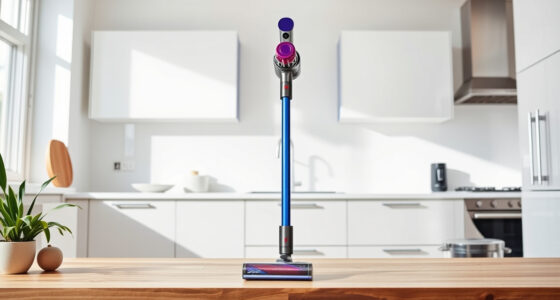
Dyson V15 Detect™ Origin Cordless Vacuum
- Deep cleaning with intelligent detection: Reveals invisible dust for thorough cleaning
- Enhanced power and runtime: 100% more power, 60-minute battery life
- Energy-efficient power trigger: Uses power only when needed
As an affiliate, we earn on qualifying purchases.
Step 1: Power Off and Unplug
Before troubleshooting, ensure the vacuum is turned off and disconnected from charging or power sources. Safety first to prevent accidental activation or injury.

LANMU Crevice Tool Vacuum Attachments Compatible with Dyson V15 V12 V11 V10 V9 V8 V7 Gen5 Outsize Vacuum Cleaner, Narrow Nozzel Replacement Parts for Hard-to-Reach Space
- Wide Compatibility: Compatible with various Dyson models
- Slim and Flexible Design: Narrow nozzle for tight spaces
- Versatile Applications: Ideal for home and car cleaning
As an affiliate, we earn on qualifying purchases.
Step 2: Check for Blockages
- Inspect the wand, hose, and cleaner head for debris or obstructions.
- Remove the cleaner head and clear any visible blockages.
- Use a long, thin object or the crevice tool to dislodge stuck debris.
Step 3: Clean or Replace Filters
- Remove the pre-filters and main filters as instructed in your user manual.
- Wash washable filters (like the 3Pack Pre Filters or V10 filters) with water, then air dry completely before reinstalling.
- If filters are damaged or very dirty, replace them with new ones.
Step 4: Check for Airflow Obstructions
Ensure all components are properly assembled. Confirm that no parts are loose or misaligned, which could restrict airflow.
Step 5: Test and Reset
- Reassemble the vacuum fully.
- Power it on and test suction on a small surface or area.
- If issues persist, consider resetting the vacuum or contacting Dyson support.
The Products in This Guide

Dyson V15 Detect™ Origin Cordless Vacuum
- ✔ Run Time: 60 minutes
- ✔ Battery Type: Lithium-ion
- ✔ Weight: Approximately 6.8 lbs

LANMU Crevice Tool Vacuum Attachments Compatible
- ✔ Length: Approximately 10 inches
- ✔ Material: Plastic
- ✔ Compatibility: Multiple Dyson models
Dyson V15 Detect™ Origin Cordless Vacuum
The Dyson V15 Detect™ Origin delivers powerful, intelligent cleaning with features like laser dust detection and real-time particle display. Regular maintenance ensures it continues to perform at its best.
Pros:
- Powerful suction with 100% more power
- Intelligent debris detection
- Long 60-minute runtime
- Multiple cleaning heads for versatile use
Cons:
- Filters require regular cleaning or replacement
- Can be heavy during extended use
- Price may be high for some users
Best for: Deep cleaning hard floors and carpets, pet hair removal, car interiors
Not ideal for: For those seeking a lightweight, budget-friendly vacuum
Bottom line: The Dyson V15 Detect™ Origin is a top-tier cordless vacuum with advanced features, but regular maintenance is key to preventing suction loss.
LANMU Crevice Tool Vacuum Attachments Compatible
The LANMU Crevice Tool Vacuum Attachments are compatible with Dyson V15 and other models, helping you reach tight spots and hard-to-clean areas effectively. Using this attachment can improve your vacuum’s performance in tricky spaces.
Pros:
- Narrow nozzle for tight corners
- Flexible and easy to maneuver
- Compatible with multiple Dyson models
- Ideal for cars and furniture
Cons:
- Extra attachment to keep track of
- Requires separate purchase
- May not fit older Dyson models
Best for: Cleaning corners, edges, car interiors, and small crevices
Not ideal for: For users who prefer built-in tools only
Bottom line: This crevice tool enhances your Dyson’s reach and cleaning precision for hard-to-access areas.
Frequently Asked Questions
Why does my Dyson vacuum have no suction?
Common causes include clogged filters, blockages in hoses or nozzles, or incomplete assembly. Troubleshooting these areas often restores suction.
How often should I clean or replace the filters?
Filters should be cleaned every 1-3 months, depending on usage. Replace filters if they are damaged or excessively dirty, typically every 6-12 months.
Can I wash the filters?
Yes, washable filters like the pre-filters or V10 filters can be rinsed with water. Ensure they are completely dry before reinstalling to prevent damage.
What should I do if cleaning doesn’t restore suction?
If cleaning filters and removing blockages doesn’t help, contact Dyson support or consider replacing worn parts like filters or hoses.
Keeping Your Dyson V15 in Peak Condition
Regular maintenance, such as cleaning filters and inspecting for blockages, is essential for maintaining optimal suction. By following these troubleshooting steps, you can quickly resolve common issues and enjoy the full power of your Dyson cordless vacuum. Proper care ensures your vacuum continues delivering deep, efficient cleaning for years to come.
Affiliate disclosure: As an Amazon Associate we earn from qualifying purchases. Prices and availability are accurate as of the time of publishing.