TL;DR
This article explains how you can produce a complete publishing kit from just one video using local AI tools. It offers faster, more private, and integrated workflows, cutting out cloud dependencies and streamlining content creation.
Imagine turning one recorded video into a complete set of publishing assets—titles, descriptions, thumbnails, social posts, and even press kits—all on your local machine. It sounds like magic, but it’s becoming a reality. As self-publishing and independent content creation grow, so does the need for faster, smarter workflows. The idea of ‘One Video In, a Whole Publishing Kit Out — Without the Cloud’ is about harnessing AI locally to cut down hours of manual repackaging. It’s a game-changer for creators who want control, privacy, and speed. Ready to see how it works and what it can do for your next project? Let’s dive in.
Key Takeaways
- A local AI tool like ChannelHelm can produce a full publishing kit from one source video, including titles, social posts, clips, and media assets.
- Processing happens entirely on your hardware, giving you control over privacy, speed, and file ownership.
- Automated drafts save hours, but human editing remains essential for branding, tone, and final polish.
- You can still distribute to major platforms—Amazon, Shopify, YouTube, and more—without sacrificing control or privacy.
- This approach suits solo creators, small teams, and anyone wanting to streamline content repurposing without cloud reliance.

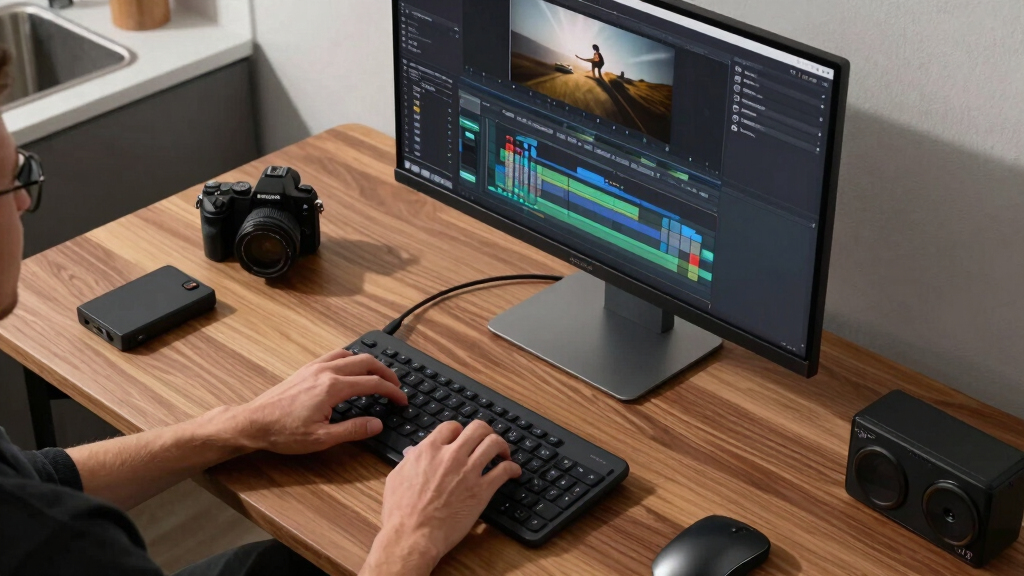
CyberLink PowerDirector 2026 | Video Editing Software for Windows | AI Video Editor, Screen Recorder, Slideshow Maker, Effects & Transitions | YouTube & Content Creation | Box with Download Code
Enhanced Screen Recording – Capture screen & webcam together, export as separate clips, and adjust placement in your…
As an affiliate, we earn on qualifying purchases.
As an affiliate, we earn on qualifying purchases.
How a Local AI Can Turn One Video into a Full Publishing Kit
Local-first AI tools analyze your video on four levels: audio, visuals, fused scene data, and intelligent insights. This multi-layered approach makes sure the assets are accurate, context-aware, and ready to use. For example, instead of just transcribing speech, the AI detects who’s talking, when they speak, and what’s happening visually. It then aligns these streams into a single, timestamped story—like a detailed storyboard—so every caption, thumbnail, or social post is rooted in what actually happens in your video.
This means your titles, descriptions, clips, and social snippets aren’t guesses—they’re based on a deep understanding of the content. The result? You get a structured draft that’s ready for your review, cutting down hours of editing and reworking.
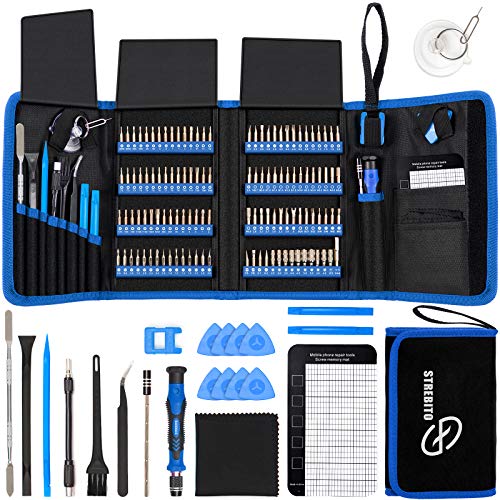
STREBITO Electronics Precision Screwdriver Sets 142-Piece with 120 Bits Magnetic Repair Tool Kit for iPhone, MacBook, Computer, Laptop, PC, Tablet, PS4, Xbox, Nintendo, Game Console
【Wide Application】This precision screwdriver set has 120 bits, complete with every driver bit you’ll need to tackle any…
As an affiliate, we earn on qualifying purchases.
As an affiliate, we earn on qualifying purchases.
The Four Steps to Automate Your Publishing from a Single Video
- Ingest: Drop your video or paste a link. The system recognizes the source and fetches all data locally.
- Understand: Background processes transcribe, analyze visuals, and fuse info into a structured scene log, all on your machine.
- Review: Use a dedicated interface to see drafts—titles, social posts, clips—and edit or regenerate as needed.
- Ship: Approve everything, then publish directly to your platforms or save assets for later use.
For example, you can have a catchy YouTube title and a set of TikTok clips ready while the video is still rendering. Everything updates in real-time, so you’re not waiting around for a final package.

privacy-focused video editing software
As an affiliate, we earn on qualifying purchases.
As an affiliate, we earn on qualifying purchases.
Compare Local-First Publishing Tools with Cloud-Based Alternatives
| Feature | Local-First Tools |
|---|---|
| Privacy & Ownership | Assets stay on your machine; no cloud storage needed. Full control over your files. |
| Speed | Faster processing without upload/download delays, especially with large files. |
| Cost | One-time setup, no recurring cloud fees. Pay once, use forever. |
| Collaboration | Limited unless shared manually. Best for solo creators or small teams. |
| Scalability | Dependent on your hardware. Suitable for small to medium projects. |
In contrast, cloud-based tools often offer seamless collaboration and easier updates but at the cost of ongoing fees and less control over your data. For creators prioritizing privacy and speed, local solutions like [ChannelHelm](https://channelhelm.com/) shine.


Burning Suite – Burn and Copy Software – CD/DVD/Blu-ray – Data, Music, Video – the all-in-one solution for Win 11, 10
Data Loss Prevention – Avoid losing important files by securely backing up your data on CDs, DVDs, or…
As an affiliate, we earn on qualifying purchases.
As an affiliate, we earn on qualifying purchases.
What Can You Actually Create from One Video? Real-World Examples
From a single webinar, a creator can generate assets and content ideas, similar to what you might find on Hartsburg News.
- Multiple YouTube titles and detailed descriptions tailored to different audiences.
- Short clips for TikTok, Reels, and Shorts, each trimmed to highlight key moments.
- A media kit—press-ready images, author bio, and a one-sheet for outreach.
- Social posts, tweets, and threads, all optimized for each platform’s style and length.
For instance, a coaching video on productivity could produce a catchy title like ‘Stop Wasting Time! Proven Hack Inside,’ a series of clips for Instagram Stories, a professional bio for your website, and a press kit ready for outreach—all from one upload.

How Much Editing Do You Still Need? The Reality Check
Automated tools are powerful, but they’re not perfect. Expect to spend time refining titles, sharpening descriptions, and choosing the best clips. The AI offers drafts, not finished products. Learn more about efficient content workflows at Smart Floor Clean.
For example, the system might suggest five title options scored against character limits. You pick your favorite, tweak the wording, and move on. The same goes for social posts and thumbnails—initial drafts save you hours, but human touch is still key to branding and tone.
Think of it as a smart assistant, not a magic wand. The real value lies in how much faster you can produce professional assets, not in replacing your editing eye.

Can You Still Sell and Distribute After Using a Local Publishing Kit?
Absolutely. Using local AI tools to prepare assets doesn’t lock you out of major platforms. You can still upload your videos, ebooks, or audiobooks to Amazon, IngramSpark, Shopify, or Wix. The workflow simply helps you produce ready-to-upload files faster and more consistently. Find out more at Hartsburg News.
For example, you might generate a media kit and social assets locally, then upload the finished files to Amazon KDP and your own website—simultaneously. No need to rely on a single platform or expose your files to the cloud early in the process.
Why More Creators Are Going Local for Publishing Assets
Many creators prefer local-first workflows because they own everything outright. No reliance on cloud services means fewer privacy concerns and less risk of data loss. Plus, processing speed improves when files stay on your hardware. Discover more about home-based content creation at Delvaste.
For instance, a YouTuber with sensitive content or unreleased projects can analyze and prepare assets on their own machine, then decide when and where to upload. It’s about reclaiming control and cutting costs.
Frequently Asked Questions
What does ‘without the cloud’ really mean?
It means your content and assets stay on your local device during processing, without uploading to remote servers. This enhances privacy and control, especially for sensitive or unreleased material.
Can I generate a complete media kit from just one video?
Yes. Using local AI tools, you can create titles, descriptions, thumbnails, social snippets, and even press assets—all from a single video input. It streamlines your entire launch process.
How much editing do I still need after automation?
While automation provides solid drafts, expect to refine titles, captions, and branding details. Think of it as a smart assistant that speeds up your work, not replaces your judgment.
Is this suitable for serious publishers or only small creators?
It’s ideal for indie creators, small teams, and even agencies that want faster, private workflows. Larger publishers might integrate it into their broader systems, but it’s especially valuable for solo operators.
What file formats does it support for export?
You can export videos in common formats like MP4, generate high-resolution images for thumbnails, and receive text assets in formats compatible with web, print, and social media.
Conclusion
Imagine a world where your main video becomes a complete publishing package in minutes, not hours—done locally, with full control. It’s more than a workflow upgrade; it’s a shift toward owning your creative process. The future of self-publishing isn’t just faster; it’s more private, flexible, and empowering.