To set up a mini smart home hub in one room, choose a device that supports multiple protocols like Zigbee or Z-Wave and connects easily to your existing gadgets. Place it in a central spot with a clear line of sight for voice commands. Follow the manufacturer’s instructions to connect your devices, then integrate popular voice assistants like Alexa or Google. Customize routines for daily tasks, and enjoy seamless control. Keep exploring for more tips to optimize your setup.
Key Takeaways
- Choose a hub supporting multiple protocols (Wi-Fi, Zigbee, Z-Wave) for broad device compatibility.
- Place the hub centrally in the room with clear line of sight for optimal voice recognition.
- Follow manufacturer instructions to connect and pair compatible smart devices to the hub.
- Enable and link voice assistant integration (Alexa, Google, Siri) for hands-free control.
- Set up automation routines via the hub’s app to streamline daily tasks like lighting or climate adjustments.
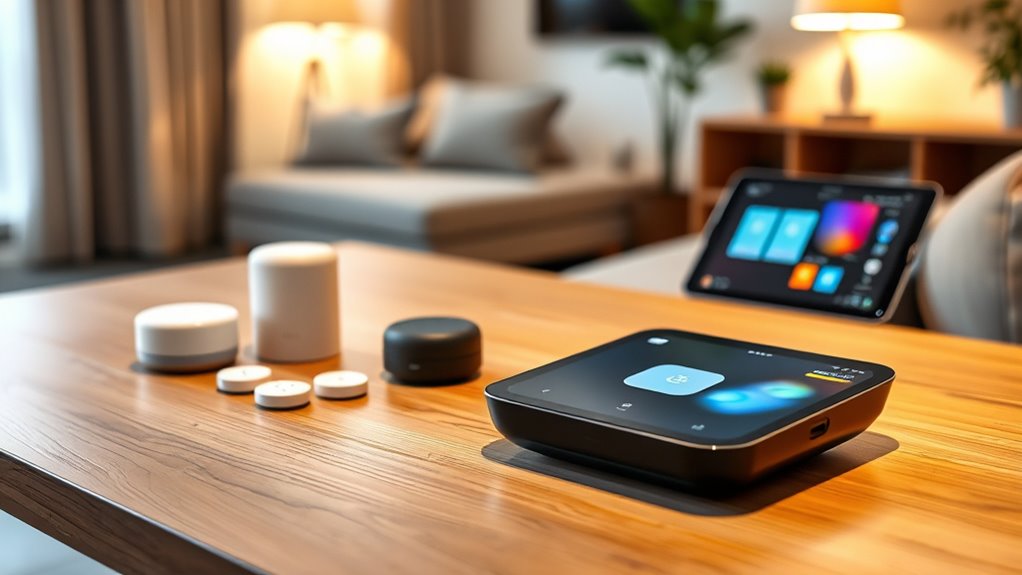
Have you ever wished for a simpler way to control all your smart devices without juggling multiple apps or hubs? A mini smart home hub in one room can make that a reality. It centralizes your device management, giving you seamless access to everything from lights and thermostats to speakers and security cameras. The key to making this setup work smoothly is effective voice control and device integration. With voice commands, you can turn on the lights, adjust the temperature, or play your favorite music without lifting a finger. The hub acts as the brain, connecting all your smart devices, regardless of their brands or protocols, into a unified system. Device compatibility is crucial for ensuring all your gadgets work together smoothly. Setting up a mini smart home hub begins with choosing the right device. Look for one that supports multiple protocols like Wi-Fi, Zigbee, or Z-Wave, ensuring compatibility with your existing devices. Once you’ve selected your hub, place it in a central location within the room, ideally somewhere with a clear line of sight for voice recognition. Connecting your devices to the hub is usually straightforward: follow manufacturer instructions to pair each device, making sure they’re all compatible. Once connected, your hub will serve as the command center, enabling easy control and automation. The next step is configuring voice control. Most hubs come with built-in voice assistants or are compatible with popular ones like Amazon Alexa, Google Assistant, or Apple Siri. Enable the voice assistant on your hub and link it to your preferred services. Spend a few moments creating voice commands for common actions—like “turn on the living room lights” or “set the thermostat to 72 degrees.” This way, you can effortlessly control everything with your voice, making daily routines more convenient and hands-free. Proper device integration ensures that all your smart gadgets respond reliably to these commands, creating a cohesive experience. Additionally, customize automation routines to further simplify your life. For example, you could set a routine that dims the lights and plays relaxing music when you say “good night.” These automations are easy to set up through your hub’s app or voice interface, and they help streamline your daily activities. Regularly update your device firmware and voice assistant settings to maintain smooth operation and security.

Aeotec Smart Home Hub, Works as a SmartThings Hub, Z-Wave, Zigbee, Matter Gateway, Compatible with Alexa, Google Assistant, WiFi
Connect & control your smart home — Easily link thousands of compatible devices from leading brands to create…
As an affiliate, we earn on qualifying purchases.
As an affiliate, we earn on qualifying purchases.
Frequently Asked Questions
Can I Expand My Mini Hub to Control Multiple Rooms Later?
Yes, you can expand your mini hub to control multiple rooms later. Most mini hubs offer scalability options, allowing you to add more devices or connect to other hubs. However, keep in mind expansion limitations, as some mini hubs might have a cap on the number of connected devices or rooms they support. Check your hub’s specifications to guarantee it aligns with your future growth plans before investing.
What Are the Best Power Sources for a Mini Smart Home Hub?
You should consider reliable power options like a USB power adapter or a wall outlet for your mini smart home hub. Battery solutions, such as rechargeable batteries or portable power banks, offer flexibility if you want to place your hub in locations without direct power access. Both options guarantee continuous operation, so choose based on your convenience and setup needs for seamless smart home control.
How Secure Is the Data Transmitted Within a Mini Smart Hub?
Your data’s security isn’t just a concern—it’s a fortress or a crack in the wall. Mini smart hubs use data encryption to protect your info, making it nearly impossible for hackers to access. However, network vulnerabilities can still pose risks if your Wi-Fi isn’t secure. Always update firmware, use strong passwords, and enable encryption to keep your smart hub’s data transmission as safe as possible.
Are There Compatibility Issues With Different Smart Device Brands?
You might encounter some compatibility issues with different smart device brands, but most mini smart hubs are designed for broad device integration. Check the hub’s supported brands and protocols beforehand to guarantee seamless connection. While many hubs support popular standards like Zigbee or Z-Wave, some less common brands may require specific compatibility features. Doing a quick review of brand compatibility helps you avoid frustration and ensures smooth device integration within your smart home setup.
What Is the Typical Setup Time for a Mini Smart Home Hub?
The installation timeline for a mini smart home hub typically takes about 15 to 30 minutes, depending on setup complexity. You’ll find it straightforward—you just connect the hub to power, download the app, and follow guided instructions. Most devices are designed for quick setup, so you won’t need extensive technical skills. Once completed, you’re ready to control your smart devices seamlessly in just half an hour or less.

Amazon Echo Hub (newest model), 8” smart home control panel, Designed for Alexa+, Compatible with thousands of devices
Echo Hub — An easy-to-use Alexa-enabled control panel for your smart home devices—just ask Alexa or tap the…
As an affiliate, we earn on qualifying purchases.
As an affiliate, we earn on qualifying purchases.
Conclusion
Imagine your small room transformed into a command center, each device working in harmony like a symphony. Setting up a mini smart home hub might seem simple, but it creates a world of convenience at your fingertips. With just a few steps, you turn chaos into order, making your space smarter and more comfortable. So, take control, and watch your cozy room become a seamless blend of technology and comfort—your personal haven, all in one smart, connected space.
Aeotec Smart Home Hub, Works as a SmartThings Hub, Z-Wave, Zigbee, Matter Gateway, Compatible with Alexa, Google Assistant, WiFi
Connect & control your smart home — Easily link thousands of compatible devices from leading brands to create…
As an affiliate, we earn on qualifying purchases.
As an affiliate, we earn on qualifying purchases.

GHome Smart Plug, WiFi Smart Plugs Work with Alexa and Google Home, Smart Outlet Timer with APP Remote Control, 2.4GHz Wi-Fi Only, No Hub Required, ETL FCC Listed, White
Stability Upgrade Quick Connection:Supports Bluetooth or WiFi connection.The improved WiFi technology let you quick connection and stay stable,no…
As an affiliate, we earn on qualifying purchases.
As an affiliate, we earn on qualifying purchases.