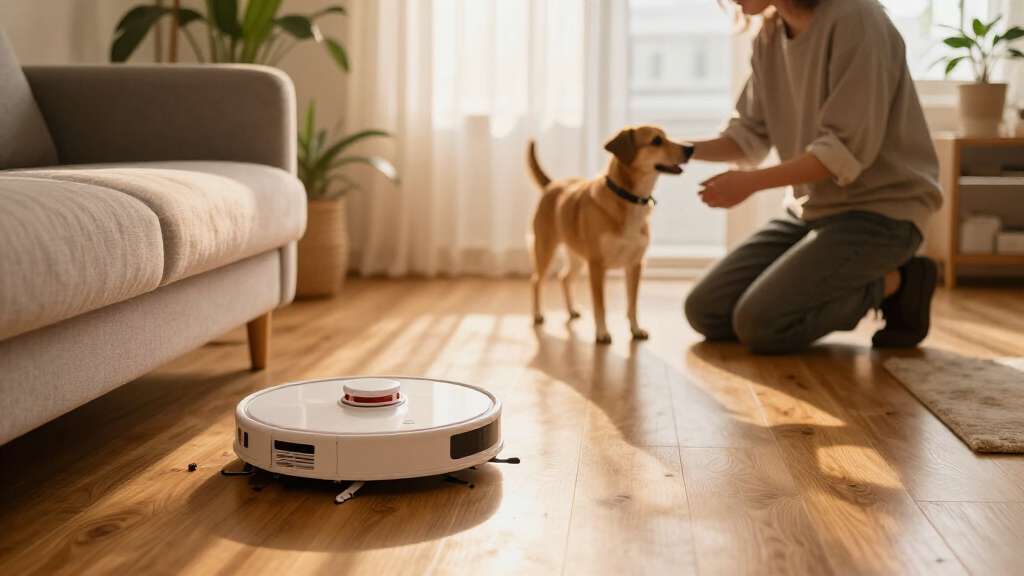

Robot vacuums with auto-empty docks reduce how often you need to empty the onboard bin, but they vary in navigation, mopping, and dock upkeep. I give the Shark AI Ultra AV2511AE the best overall spot for its 60-day self-emptying base, while the Samsung Jet Bot+ stands out for LiDAR navigation and the Tikom L8000 Plus pairs vacuuming with mopping. The main tradeoff is simplicity versus added features: a vacuum-only model has fewer parts to maintain, while combo docks can handle more chores but demand more care. Dock capacity also describes a target interval, not a guarantee; pets, dust, and home size can change how often you empty it. Read on for the full comparison and guidance by household.

Get home appliances delivered free with Prime
- Fast, free delivery on millions of items
- Prime Video, Amazon Music and more included
- Member-only deals all year
Complete the kit


Key Takeaways
- Shark’s 60-day self-empty bases give the AI Ultra and IQ a longer stated interval between bin changes than the Navigator’s 30-day base, though actual timing depends on debris and use.
- Auto-emptying does not mean hands-off maintenance: combo models add mop components and, on the Roomba Max 705 Combo, an AutoWash Dock that brings additional upkeep.
- Navigation is a meaningful separator: the Samsung Jet Bot+ names LiDAR navigation, a specific capability buyers can weigh against models whose listed features emphasize dock capacity or combo cleaning.
- Roomba’s lineup offers distinct levels of scope: the 105 and 2 Essential focus on vacuuming, while the 105 Combo, 115 Combo, 105X Combo, and Max 705 Combo add mopping.
- The best fit depends on the job: buyers prioritizing long intervals between base emptying may favor the Shark AI Ultra or IQ; those wanting vacuum-and-mop functionality can compare Tikom and Roomba combo options.
| Shark AI Ultra Robot Vacuum with 60-Day Self-Emptying Base, Black, AV2511AE |  | Best for Pet Hair | Surface recommendation: Carpet and hard floors | Self-emptying capacity: Up to 60 days of dirt and debris | Runtime: Up to 90 minutes in description; 120 minutes in specifications | VIEW LATEST PRICE | See Our Full Breakdown |
| Shark Navigator Robot Vacuum with 30-Day Self-Empty Base, White, AV2110S |  | Best for Straightforward Mapped Cleaning | Surface recommendation: Carpet and hard floors | Navigation: LiDAR SmartPath | Self-empty base capacity: Up to 30 days | VIEW LATEST PRICE | See Our Full Breakdown |
| iRobot Roomba 115 Combo Robot Vacuum and Mop with AutoEmpty Dock |  | Best for Vacuuming and Mopping Together | Suction power: 15,000 Pa | Coverage per charge: Up to 900 sq ft | Battery life: 173 minutes | VIEW LATEST PRICE | See Our Full Breakdown |
| Shark IQ Robot Vacuum with 60-Day Self-Empty Base, White (RV2302AE) |  | Best for Room-by-Room Control | Model: RV2302AE | Surface recommendation: Carpets and hard floors | Navigation: 360° LiDAR | VIEW LATEST PRICE | See Our Full Breakdown |
| iRobot Roomba 105 Combo Robot Vacuum and Mop with AutoEmpty Dock |  | Best for Long Dock Intervals | Surface recommendation: Carpet and hard floor | Dock capacity: Up to 75 days of debris | Navigation: ClearView LiDAR | VIEW LATEST PRICE | See Our Full Breakdown |
| iRobot Roomba Max 705 Robot Vacuum with AutoEmpty Dock |  | Best for Pet Hair | Recommended surfaces: Carpet and hard floors | Navigation: LiDAR with object recognition and obstacle avoidance | Brushes: Dual rubber brushes and edge-sweeping brush | VIEW LATEST PRICE | See Our Full Breakdown |
| iRobot Roomba 105 Robot Vacuum with AutoEmpty Dock |  | Best for Straightforward Mapped Cleaning | Navigation: ClearView LiDAR | Dock capacity: Up to 75 days of debris | Allergen filtration: Bag traps 99% of allergens as small as 0.7 microns | VIEW LATEST PRICE | See Our Full Breakdown |
| Samsung Jet Bot+ Robot Vacuum with Clean Station, LiDAR Navigation, and Automatic Emptying |  | Best for HEPA Filtration | Model: VR30T85513W/AA | Navigation: LiDAR | Filter: Five-layer HEPA; traps up to 99.99% of dust | VIEW LATEST PRICE | See Our Full Breakdown |
| iRobot Roomba Plus 504 Robot Vacuum with AutoEmpty Dock |  | Best for Obstacle Avoidance | Navigation: LiDAR and PrecisionVision AI | Brushes: Anti-tangle dual rubber brushes | Battery life: 210 minutes | VIEW LATEST PRICE | See Our Full Breakdown |
| Tikom L8000 Plus Robot Vacuum and Mop with Self-Emptying Base |  | Best for Vacuuming and Mopping | Cleaning functions: Vacuuming and mopping | Maximum suction: 6000 Pa | Dustbag capacity: 3 liters | VIEW LATEST PRICE | See Our Full Breakdown |
| iRobot Roomba 105X Combo Robot Vacuum and Mop with AutoEmpty Dock |  | Best for Set-and-Forget Vacuuming and Mopping | Cleaning functions: Vacuuming and mopping | Dock capacity: Up to 75 days of debris | Suction: 70× more power-lifting suction compared with Roomba 600 series robots | VIEW LATEST PRICE | See Our Full Breakdown |
| iRobot Roomba Max 705 Combo Robot Vacuum and Mop with AutoWash Dock |  | Best Premium Automated Mop Care | Product type: Robot vacuum and mop | Dock: AutoWash Dock with automatic emptying, mop washing, and heated drying | Mop: PowerSpin Roller Mop; spins at 200 RPM | VIEW LATEST PRICE | See Our Full Breakdown |
| iRobot Roomba 2 Essential Robot Vacuum with AutoEmpty Dock |  | Best for Straightforward Vacuuming | Surface recommendation: Carpet | Cleaning system: 3-stage | Suction power levels: 4 | VIEW LATEST PRICE | See Our Full Breakdown |
| robot vacuums with auto empty dock | Navigation | Battery life |
|---|---|---|
| Shark AI Ultra Robot Vacuum wi | 360° LiDAR mapping | — |
| Shark Navigator Robot Vacuum w | LiDAR SmartPath | 120 minutes |
| iRobot Roomba 115 Combo Robot | LiDAR | 173 minutes |
| Shark IQ Robot Vacuum with 60- | 360° LiDAR | 110 minutes |
| iRobot Roomba 105 Combo Robot | ClearView LiDAR | — |
| iRobot Roomba Max 705 Robot Va | LiDAR with object recognition and obstacle avoidance | 210 minutes |
| iRobot Roomba 105 Robot Vacuum | ClearView LiDAR | 200 minutes |
| Samsung Jet Bot+ Robot Vacuum | LiDAR | 60 minutes |
| iRobot Roomba Plus 504 Robot V | LiDAR and PrecisionVision AI | 210 minutes |
| Tikom L8000 Plus Robot Vacuum | 360° LiDAR | Up to 150 minutes in gentle suction mode |
| iRobot Roomba 105X Combo Robot | ClearView LiDAR mapping | — |
| iRobot Roomba Max 705 Combo Ro | ClearView Pro LiDAR with 3D mapping | — |
| iRobot Roomba 2 Essential Robo | — | Up to 120 minutes |
More Details on Our Top Picks
Shark AI Ultra Robot Vacuum with 60-Day Self-Emptying Base, Black, AV2511AE
Bagless capacity and pet-hair pickup give the Shark AI Ultra a clear role among these auto-empty options. Its base is rated to hold up to 60 days of debris, and its self-cleaning brushroll is designed for hair on carpets and hard floors. Compared with the Shark Navigator Robot Vacuum, this model offers twice the stated base interval, while both include LiDAR navigation and app-based scheduling. 360° LiDAR mapping and recharge-and-resume support help it cover a home with less manual direction.
The tradeoff is that the supplied runtime data conflicts: the description says up to 90 minutes, while the specifications list 120. The details also mention mopping, but do not clearly establish that this model supports it, so I would choose it as a vacuum rather than for floor washing. Its bagless base avoids replacement bags, but needs emptying and cleaning by hand.
Pros:- Bagless self-emptying base is rated for up to 60 days of debris.
- Self-cleaning brushroll is designed to pick up pet hair on carpet and hard floors.
- 360° LiDAR mapping supports room navigation.
- App and voice controls support scheduled cleaning.
Cons:- Runtime is inconsistent across the supplied details: 90 minutes in the description and 120 minutes in the specifications.
- Mopping is mentioned, but support for it is not clearly established for this listed model.
- A bagless base requires hands-on emptying and cleaning.
Best for: Pet owners who want a bagless auto-empty base, hair-focused brushroll, and mapped cleaning on both carpets and hard floors.
Not ideal for: Buyers who need confirmed mopping or a dependable runtime figure before choosing a robot for a larger home.
- Surface recommendation:Carpet and hard floors
- Self-emptying capacity:Up to 60 days of dirt and debris
- Runtime:Up to 90 minutes in description; 120 minutes in specifications
- Navigation:360° LiDAR mapping
- Dustbin capacity:0.27 gallons
- Filter type:Cartridge
- Controls:App and voice control
- Compatible voice assistants:Amazon Alexa and Google Assistant
Our verdict“Choose the AI Ultra if pet hair and a long-interval bagless base matter more than confirmed mopping or a consistent runtime specification.”
Shark Navigator Robot Vacuum with 30-Day Self-Empty Base, White, AV2110S
The Shark Navigator is the simpler mapped-vacuum pick here: LiDAR SmartPath lays out rooms and cleans in rows, while the app handles schedules, targeted cleaning, and no-go zones. Its bagless base is rated for up to 30 days, half the stated interval of the Shark AI Ultra and Shark IQ Robot Vacuum, so expect more frequent debris handling. In return, the Navigator keeps the proposition focused on vacuuming rather than adding the Roomba 115 Combo’s mop function.
Anti-hair-wrap brushroll design suits homes with pets or long hair, and recharge-and-resume helps it continue after a charging break. The listed 120-minute battery life is a practical limit for larger floor plans, however, and the stated 0.21-quart capacity is small. I’d pick this model for routine, row-by-row cleaning and app control, not for the longest time between base maintenance.
Pros:- LiDAR SmartPath maps rooms and cleans in rows.
- Bagless self-empty base is rated for up to 30 days of debris.
- Self-cleaning brushroll is designed to reduce hair wrap.
- Recharge-and-resume and app scheduling support hands-off routines.
Cons:- The 30-day base interval is shorter than the 60-day Shark AI Ultra and Shark IQ claims.
- Battery life is listed at 120 minutes per charge.
- The listed 0.21-quart capacity is limited.
Best for: Apartment or smaller-home owners who want row-by-row LiDAR cleaning, app scheduling, and a bagless dock without paying for a mop system.
Not ideal for: People with large floor plans or heavy debris loads who want fewer base-emptying intervals or longer cleaning runs.
- Surface recommendation:Carpet and hard floors
- Navigation:LiDAR SmartPath
- Self-empty base capacity:Up to 30 days
- Dust collection:Bagless
- Brushroll:Self-cleaning, anti-hair wrap
- Battery life:120 minutes
- Capacity:0.21 quarts
- Controls:App control
Our verdict“Choose the Navigator for mapped, app-controlled vacuuming in a smaller home if a 30-day bagless base interval is enough.”
iRobot Roomba 115 Combo Robot Vacuum and Mop with AutoEmpty Dock
For buyers who want the auto-empty dock to support a broader floor-care routine, the Roomba 115 Combo pairs vacuuming and mopping in one pass with a bagged dock rated for up to three months of debris storage. Its LiDAR mapping and No Mop Zones address a common mixed-floor concern: sending a wet mop over rugs. Compared with the Roomba 105 Combo, the 115 specifies a 2.5 L dock bag and up to 900 square feet of coverage per charge, giving buyers clearer capacity and coverage figures.
That coverage still points to small or medium homes rather than expansive layouts, and the 2.4 GHz Wi-Fi requirement may complicate setup on some networks. The dock’s bagged design can keep dust contained, but it means ongoing bag replacement, unlike the bagless Shark bases. I’d favor this Roomba when mopping and rug protection matter more than avoiding consumables.
Pros:- Vacuums and mops in one pass.
- AutoEmpty dock bag is rated for up to three months of debris storage.
- LiDAR mapping and No Mop Zones help protect rugs.
- Listed coverage is up to 900 square feet per charge.
Cons:- Coverage per charge is better suited to small and medium homes than large layouts.
- Setup requires a 2.4 GHz Wi-Fi network.
- Filters and brushes need replacement every three to six months, in addition to dock bags.
Best for: Owners of small to medium mixed-floor homes who want combined vacuuming and mopping, rug-protection zones, and a bagged auto-empty dock.
Not ideal for: People with large homes, networks without 2.4 GHz Wi-Fi, or a preference for bagless docks and fewer replacement supplies.
- Suction power:15,000 Pa
- Coverage per charge:Up to 900 sq ft
- Battery life:173 minutes
- Dock bag capacity:2.5 L
- Navigation:LiDAR
- Cleaning modes:Vacuum and mop
- Control methods:App, push button, and voice
- Wi-Fi requirement:2.4 GHz
Our verdict“Choose the Roomba 115 Combo if combined floor care and rug-safe mopping matter more than bagless operation or large-home coverage.”
Shark IQ Robot Vacuum with 60-Day Self-Empty Base, White (RV2302AE)
The Shark IQ pairs a 60-day bagless base with app controls for room selection, schedules, and targeted Matrix Clean passes. That makes it a stronger fit for people who want to direct where the robot cleans than the Shark Navigator, whose supplied details emphasize row-by-row mapping and no-go zones. It also offers 360° LiDAR for mapping and obstacle detection across carpet and hard floors, keeping the focus on vacuuming rather than the combined floor care offered by the Roomba 115 Combo.
Room selection and targeted passes can help tailor cleaning to high-traffic areas, but the listed 110-minute battery life is shorter than the Navigator’s 120 minutes. Its 0.19-liter dust capacity is also modest, even with the base doing the routine debris transfer. I’d shortlist it for app-led room control and a long stated base interval, while accepting that the supplied details give less runtime than some alternatives.
Pros:- Bagless self-empty base is rated for up to 60 days of debris.
- 360° LiDAR maps rooms and detects obstacles.
- App supports room selection, scheduling, and targeted Matrix Clean passes.
- Designed to clean carpets and hard floors and pick up pet hair.
Cons:- Battery life is listed as 110 minutes, less than the Shark Navigator’s 120 minutes.
- Dust capacity is listed as 0.19 liters.
- This is a vacuum-only option, unlike the Roomba 115 Combo.
Best for: App-oriented households that want to select rooms and run focused cleaning passes, with a bagless dock and mapped navigation.
Not ideal for: Buyers who need a longer stated run time, a mop function, or more detailed information about debris capacity and maintenance.
- Model:RV2302AE
- Surface recommendation:Carpets and hard floors
- Navigation:360° LiDAR
- Self-empty base capacity:Up to 60 days of dirt and debris
- Battery life:110 minutes
- Dust capacity:0.19 liters
- Filter:Washable
- Control:App control
Our verdict“Choose the Shark IQ if app-based room selection and a long-interval bagless base matter more than mopping or longer stated runtime.”
iRobot Roomba 105 Combo Robot Vacuum and Mop with AutoEmpty Dock
The Roomba 105 Combo makes the strongest stated dock-interval claim in this group: its AutoEmpty Dock is rated for up to 75 days of debris, compared with up to three months for the Roomba 115 Combo. The 105 also handles more than vacuuming: it can mop, vacuum, or do both, while ClearView LiDAR supports mapped cleaning and keep-out zones. Carpet avoidance while mopping is especially useful in homes with rugs, reducing the need to remove them before a run.
The product’s suction and edge-cleaning figures are comparisons with Roomba 600 series robots, not direct measurements against the other models here. Its 2.4 GHz Wi-Fi requirement and limited cleaning-solution compatibility narrow setup and maintenance choices. Compared with the bagless Shark AI Ultra, this is the better fit for buyers who want a mop and a long stated dock interval, but not for those seeking a bagless system.
Pros:- AutoEmpty Dock is rated for up to 75 days of debris.
- Supports vacuuming, mopping, or both.
- Automatically avoids carpets while mopping.
- ClearView LiDAR supports mapped cleaning and keep-out zones.
Cons:- Requires a 2.4 GHz Wi-Fi network for connected operation.
- Cleaning solution compatibility is limited to approved products.
- The 75-day dock interval is shorter than the Roomba 115 Combo’s stated up-to-three-month interval.
Best for: Mixed-floor households that want vacuuming and mopping options, automatic carpet avoidance, and a long stated interval between dock emptying.
Not ideal for: Buyers who prefer bagless docks, need flexible cleaning-solution choices, or cannot use a 2.4 GHz Wi-Fi network.
- Surface recommendation:Carpet and hard floor
- Dock capacity:Up to 75 days of debris
- Navigation:ClearView LiDAR
- Cleaning modes:Vacuum, mop, or vacuum and mop
- Suction:70X more power-lifting suction compared with Roomba 600 series robots
- Edge cleaning:20% better compared with Roomba 600 series robots
- Mop scrubbing:2X deeper with SmartScrub compared with standard mop mode
- Wi-Fi:2.4 GHz
Our verdict“Choose the Roomba 105 Combo if long dock intervals and carpet-aware mopping are priorities, and a bagged dock and 2.4 GHz Wi-Fi suit your home.”
iRobot Roomba Max 705 Robot Vacuum with AutoEmpty Dock
The Roomba Max 705 is a strong match for homes where pet hair and longer gaps between bin emptying matter more than adding a mop. Its dual anti-tangle rubber brushes are designed to manage hair on carpets and hard floors, while LiDAR mapping, obstacle recognition, and dirt detection help direct cleaning where it is needed. The dock stores debris for up to 75 days, matching the Roomba 105 and Plus 504 on stated hands-free capacity. Compared with the Roomba Plus 504, the Max 705’s standout distinction is its dirt detection and four suction levels, not a longer dock interval. It also offers app, button, and voice control. The tradeoff is that the listed onboard dust capacity is only 0.1 gallons, and the advertised 180x suction comparison applies specifically to Spot Clean mode versus Roomba 600 series robots.
Pros:- Dual rubber brushes are designed to reduce hair tangles while cleaning carpets and hard floors.
- AutoEmpty Dock holds debris for up to 75 days, depending on use.
- LiDAR, obstacle recognition, and dirt detection support mapped, targeted cleaning.
- App, button, and voice controls pair with four suction levels.
Cons:- The listed onboard dust capacity is 0.1 gallons.
- The 180x suction comparison is limited to Spot Clean mode versus Roomba 600 series robots.
- It vacuums only, unlike the Tikom L8000 Plus, which also offers mopping.
Best for: Pet owners with a mix of carpet and hard flooring who want anti-tangle brushes, room controls, and a long-capacity auto-empty dock.
Not ideal for: Buyers seeking a vacuum-and-mop combo or anyone who wants the 180x suction comparison to represent everyday whole-home cleaning.
- Recommended surfaces:Carpet and hard floors
- Navigation:LiDAR with object recognition and obstacle avoidance
- Brushes:Dual rubber brushes and edge-sweeping brush
- Dock:AutoEmpty dock with self-sealing dust bag
- Hands-free cleaning:Up to 75 days
- Battery life:210 minutes
- Cleaning path width:5.8 inches
- Controls:App, button, and voice control
Our verdict“Choose the Roomba Max 705 if pet hair and mapped vacuuming are your priorities, but skip it if you want mopping or rely on the 180x claim for routine cleaning.”
iRobot Roomba 105 Robot Vacuum with AutoEmpty Dock
The Roomba 105 is the simpler mapped-vacuum pick in this group: ClearView LiDAR lays out rooms for neat-row cleaning, and the dock holds debris for up to 75 days. Scheduled, targeted, and spot cleaning make it easier to send the robot to a particular room without stepping up to the Roomba Plus 504’s PrecisionVision AI or the Max 705’s dirt detection. Its three-stage brush system handles both carpet and hard flooring, while a bag that traps 99% of allergens as small as 0.7 microns adds a useful filtration detail. That combination suits buyers who want mapped coverage and basic controls rather than extra navigation features. The compromises are replacement dock bags and a 2.4 GHz Wi-Fi requirement; the provided data also gives no special obstacle-recognition claim beyond LiDAR navigation and anti-fall sensors.
Pros:- ClearView LiDAR maps rooms and supports neat-row cleaning.
- Dock stores up to 75 days of debris, depending on use.
- Offers scheduled, targeted, and spot cleaning through app, button, and voice controls.
- Dock bag traps 99% of allergens as small as 0.7 microns.
Cons:- Requires a 2.4 GHz Wi-Fi network for setup and operation.
- The dock uses replacement bags.
- Its listed navigation features are less explicit about obstacle recognition than those of the Roomba Plus 504.
Best for: Households that want room-by-room mapped vacuuming, scheduled cleaning, and a long-interval self-emptying dock without prioritizing advanced obstacle recognition.
Not ideal for: Buyers whose home network does not support 2.4 GHz Wi-Fi or who want the added obstacle-recognition features listed for the Roomba Max 705 and Plus 504.
- Navigation:ClearView LiDAR
- Dock capacity:Up to 75 days of debris
- Allergen filtration:Bag traps 99% of allergens as small as 0.7 microns
- Battery life:200 minutes
- Cleaning path width:5.8 inches
- Control methods:App, buttons, and voice
- Wi-Fi:2.4 GHz
- Special features:Anti-fall sensors, dirt detection, eco mode, and edge cleaning
Our verdict“Pick the Roomba 105 for mapped, scheduled vacuuming with long dock intervals, and look elsewhere if your network or obstacle-avoidance needs rule it out.”
Samsung Jet Bot+ Robot Vacuum with Clean Station, LiDAR Navigation, and Automatic Emptying
The Samsung Jet Bot+ stands apart from the iRobot options by emphasizing a five-layer HEPA filter that traps up to 99.99% of dust, alongside a washable dustbin. LiDAR mapping and SmartThings app controls let owners select areas to clean, and the Clean Station automatically transfers collected debris out of the robot. Compared with the Roomba 105, the Samsung’s clearest advantage is its stated filtration performance; the Roomba offers a much longer listed battery life and a dock interval of up to 75 days, neither of which is specified for this model. The Jet Bot+ adjusts suction for floor type and dust level, but its listed 60-minute battery life is notably shorter than the 200–210 minutes stated for the Roomba models here. That makes it a more selective fit for homes that value filtration over long runs.
Pros:- Five-layer HEPA filter is stated to trap up to 99.99% of dust.
- LiDAR mapping supports area selection through the SmartThings app.
- Clean Station automatically empties the robot’s dustbin.
- Suction adjusts to floor type and dust level, and the dustbin is washable.
Cons:- Listed battery life is 60 minutes, shorter than the listed run times of the Roomba models in this group.
- Dustbin capacity is 0.3 liters.
- The product data does not specify a debris-storage interval for the Clean Station.
Best for: Buyers who prioritize detailed dust filtration, selectable cleaning areas, and a washable dustbin for carpet and hard-floor upkeep.
Not ideal for: Owners of larger homes who need long listed run times or a specified multiweek auto-empty interval; the Roomba 105 has a longer stated battery life and dock capacity.
- Model:VR30T85513W/AA
- Navigation:LiDAR
- Filter:Five-layer HEPA; traps up to 99.99% of dust
- Dustbin capacity:0.3 liters
- Battery life:60 minutes
- Controls:App, remote, and voice control
- Voice assistant compatibility:Bixby, Google Assistant, and Amazon Alexa
- Special features:Automatic dust collection, self-emptying, and washable dustbin
Our verdict“Choose the Jet Bot+ if filtration and selectable mapped cleaning matter more than long runtimes or a stated extended dock interval.”
iRobot Roomba Plus 504 Robot Vacuum with AutoEmpty Dock
The Roomba Plus 504 is the clearest choice here for homes where cords, socks, and other floor clutter can interrupt cleaning. Its PrecisionVision AI and LiDAR combine obstacle recognition with room mapping, while dual anti-tangle rubber brushes and power-lifting suction are aimed at both carpets and hard floors. The AutoEmpty Dock stores debris for up to 75 days, the same stated interval as the Roomba Max 705 and Roomba 105. Compared with the Max 705, the Plus 504’s defining advantage is its explicit PrecisionVision AI obstacle avoidance; the Max 705 instead lists dirt detection. This is still a vacuum-only model, unlike the Tikom L8000 Plus, which also mops. The 75-day figure depends on use and conditions, and some controls require an app or compatible voice assistant.
Pros:- PrecisionVision AI and LiDAR support obstacle avoidance and room mapping.
- Dual anti-tangle rubber brushes are suited to carpets, hard floors, and hair.
- AutoEmpty Dock holds debris for up to 75 days, depending on use.
- Supports app, button, and voice controls with four power levels.
Cons:- The stated 75-day dock interval varies with usage and conditions.
- Some features depend on the app or a compatible voice assistant.
- It does not mop, unlike the Tikom L8000 Plus.
Best for: Busy households with mixed flooring and everyday floor clutter who want mapped cleaning with explicit cord and sock avoidance.
Not ideal for: Buyers who need a mop function or want the dock’s stated capacity to be treated as a guaranteed interval regardless of household conditions.
- Navigation:LiDAR and PrecisionVision AI
- Brushes:Anti-tangle dual rubber brushes
- Battery life:210 minutes
- Dock:Self-emptying AutoEmpty Dock
- Hands-free cleaning:Up to 75 days
- Filter type:Cartridge
- Power levels:4
- Controls:App, button, and voice control
Our verdict“Choose the Roomba Plus 504 if avoiding common floor obstacles matters more than having a mop or a guaranteed dock-emptying schedule.”
Tikom L8000 Plus Robot Vacuum and Mop with Self-Emptying Base
The Tikom L8000 Plus is the only pick in this five-product group that pairs a self-emptying base with both vacuuming and mopping. Its 3-liter dustbag, 360° LiDAR, and maps for up to five floors make it a flexible option for multi-level homes; app controls add room selection and no-go zones. The Roomba Plus 504 and Max 705 list longer battery lives at 210 minutes, while Tikom specifies up to 150 minutes only in gentle suction mode. Auto-recharge and resume help it continue after charging, though they do not remove the need to manage its mop setup. The key limitation is practical: the mop holder must be removed or carpet zones restricted to avoid wetting carpet. Its hard-floor recommendation makes it less compelling as a carpet-first choice.
Pros:- Combines vacuuming and mopping with a 3-liter self-emptying dustbag.
- 360° LiDAR supports maps for up to five floors, room selection, and no-go zones.
- Automatically recharges and resumes cleaning.
- Offers three suction levels, three water-flow settings, and a stated 60 dB noise level.
Cons:- Mop holder must be removed or carpet zones restricted to prevent wetting carpets.
- The 150-minute runtime is specified for gentle suction mode.
- Product data recommends hard floors, making it less suited to carpet-focused buyers than the Roomba Max 705 or Plus 504.
Best for: Hard-floor households that want vacuuming and mopping in one robot, multi-floor mapping, and a large self-emptying dustbag.
Not ideal for: Carpet-heavy homes seeking a hands-off mop setup, or buyers who expect the full 150-minute runtime at higher suction settings.
- Cleaning functions:Vacuuming and mopping
- Maximum suction:6000 Pa
- Dustbag capacity:3 liters
- Navigation:360° LiDAR
- Multi-floor maps:Up to 5
- Battery life:Up to 150 minutes in gentle suction mode
- Filter:HEPA
- Wi-Fi:2.4 GHz and 5 GHz
- Noise level:60 dB
Our verdict“Choose the Tikom L8000 Plus for hard floors and combined mopping with multi-floor maps, but pick a Roomba instead if carpet cleaning and longer listed runtimes lead your priorities.”
iRobot Roomba 105X Combo Robot Vacuum and Mop with AutoEmpty Dock
The Roomba 105X Combo suits buyers who want an auto-empty dock without giving up mopping. Its 75-day debris storage cuts down on dustbin chores, while ClearView LiDAR maps rooms for row-by-row cleaning and supports keep-out zones. It can vacuum and mop together, and it avoids carpets while mopping—a useful distinction from the Roomba 2 Essential, which focuses on vacuuming and has no mop function. The 105X also offers washable microfiber rather than an automated roller-washing setup like the Roomba Max 705 Combo. That keeps the routine simpler, but leaves pad care to you. I’d skip it if your home only has 5 GHz Wi-Fi or if you need published battery-duration details before choosing; neither setup compatibility nor cleaning time is as flexible or clearly specified as some buyers may want.
Pros:- AutoEmpty dock stores debris for up to 75 days
- Can vacuum and mop in the same run
- LiDAR mapping supports room cleaning and keep-out zones
- Automatically avoids carpets while mopping
Cons:- Requires a 2.4 GHz Wi-Fi network
- Washable mop pad needs manual cleaning
- Battery life and cleaning time are not specified
Best for: Households with mixed hard floors and rugs that want scheduled vacuuming and mopping, room mapping, and fewer trips to empty the bin.
Not ideal for: Buyers with only 5 GHz Wi-Fi, or anyone who wants a dock to wash and dry the mop pad or needs a stated runtime.
- Cleaning functions:Vacuuming and mopping
- Dock capacity:Up to 75 days of debris
- Suction:70× more power-lifting suction compared with Roomba 600 series robots
- Navigation:ClearView LiDAR mapping
- Mop pad:Washable, reusable microfiber
- Connectivity:2.4 GHz Wi-Fi
- Voice assistants:Alexa, Siri, and Google Assistant
Our verdict“Choose the Roomba 105X if you want mapped vacuuming and mopping with a long-capacity emptying dock, and are comfortable caring for the mop pad yourself.”
iRobot Roomba Max 705 Combo Robot Vacuum and Mop with AutoWash Dock
The Roomba Max 705 Combo is the strongest fit here for buyers who want the dock to handle more than dust. Its AutoWash station empties debris, washes the roller mop, and heat-dries it, reducing hands-on mop upkeep compared with the washable-pad Roomba 105X Combo. A 200 RPM PowerSpin roller, dual anti-tangle rubber brushes, and AI obstacle recognition add to its feature-rich approach, while LiDAR mapping supports room-based cleaning. The dock is also specified to hold up to 75 days of debris and up to eight weeks of water for mopping and roller washing. That automation brings more maintenance than a vacuum-only setup: you still need to replace bags and refill water. I’d favor the simpler Roomba 2 Essential if mopping is unnecessary, and would avoid treating the performance claims as independently verified.
Pros:- Dock empties debris, washes the roller mop, and heat-dries it
- PowerSpin roller mop runs at 200 RPM
- ClearView Pro LiDAR and AI obstacle recognition support mapped room cleaning
- Dual anti-tangle rubber brushes and dual edge-sweeping brushes
Cons:- Dock still needs bag replacement and water refills
- More dock functions mean more upkeep than the vacuum-only Roomba 2 Essential
- Product data provides no independent evidence for its performance claims
Best for: Busy households with hard floors and carpets that want a robot mop and a dock that automatically washes and dries its roller.
Not ideal for: Buyers who want a compact, low-maintenance vacuum-only system, or who prefer not to manage water refills and replacement dock bags.
- Product type:Robot vacuum and mop
- Dock:AutoWash Dock with automatic emptying, mop washing, and heated drying
- Mop:PowerSpin Roller Mop; spins at 200 RPM
- Navigation:ClearView Pro LiDAR with 3D mapping
- Obstacle avoidance:PrecisionVision AI
- Suction settings:4 levels
- Brushes:Dual anti-tangle rubber brushes and dual edge-sweeping brushes
- Dock capacity:Up to 75 days of auto-emptying; up to 8 weeks of water for mopping and roller washing
- Voice assistants:Alexa, Siri, and Google Assistant
Our verdict“Pick the Roomba Max 705 Combo if automated mop washing and drying matter more to you than a simpler dock and routine.”
iRobot Roomba 2 Essential Robot Vacuum with AutoEmpty Dock
If your priority is vacuuming rather than adding mop care, the Roomba 2 Essential keeps the job focused: a three-stage cleaning system, four suction levels, and an AutoEmpty bag rated for up to 60 days of debris. It runs for up to 120 minutes and can recharge before resuming, which helps it cover a cleaning session without requiring you to restart it manually. Compared with the mop-capable Roomba 105X Combo, this model skips wet cleaning and has a shorter stated debris-storage period, but avoids managing a mop pad. App scheduling, spot cleaning, and cleaning maps give it useful control without the Max 705 Combo’s more elaborate mop-washing dock. Its tradeoffs are a 2.4 GHz Wi-Fi requirement and ongoing enclosed-bag replacement; it is not the right pick if mopping is part of the brief.
Pros:- AutoEmpty dock holds up to 60 days of dirt and debris
- Up to 120 minutes of battery life with recharge-and-resume
- Four suction levels and a three-stage cleaning system
- App supports scheduling, spot cleaning, and cleaning maps
Cons:- Vacuum-only; it cannot mop like the Roomba 105X Combo
- Requires a 2.4 GHz Wi-Fi network
- Enclosed dock bags need eventual replacement
Best for: Apartment dwellers or smaller households seeking scheduled vacuuming, a self-emptying dock, and automatic recharge-and-resume without mop features.
Not ideal for: Buyers who need wet cleaning, want more than 60 days of stated dock capacity, or cannot connect to a 2.4 GHz Wi-Fi network.
- Surface recommendation:Carpet
- Cleaning system:3-stage
- Suction power levels:4
- Battery life:Up to 120 minutes
- Self-emptying capacity:Up to 60 days of dirt and debris
- Connectivity requirement:2.4 GHz Wi-Fi
- Control:App control
- Filter type:Cartridge
- Battery type:Lithium-ion
Our verdict“Choose the Roomba 2 Essential for uncomplicated, scheduled vacuuming with self-emptying and recharge-and-resume, but not for mopping.”
How We Picked
I ranked these robot vacuums with auto-empty docks by how well their documented features support the central promise: less frequent manual emptying without making everyday use or upkeep unnecessarily complicated. I compared stated base intervals, vacuum-only versus combo functionality, named navigation features, and the kind of dock each model includes. I also looked at whether a product’s feature set gives it a clear role beside the others, rather than treating every auto-empty base as an equal benefit.
The order favors useful capability with manageable upkeep. A longer stated emptying interval helps, but it does not outweigh every other factor; mop systems and wash docks may suit buyers who want more automation, while simpler vacuum-only models can be the more sensible choice for households that do not need wet cleaning. Where product details do not establish performance claims, I avoid assuming them. I rank models according to the buyer tradeoffs their listed features make clear, and I distinguish premium scope, beginner-friendly simplicity, and value-oriented flexibility rather than claiming one robot suits every home.
Factors to Consider When Choosing Robot Vacuums With Auto Empty Docks
Choosing among auto-empty robot vacuums means looking past the dock headline. Think about the debris your home produces, the work you want the robot to take on, and how much ongoing care you are willing to do. These factors help separate a genuinely useful convenience from features that may add more upkeep than you want.
What Does the Dock Empty—and How Often?
A self-empty base transfers debris from the robot’s onboard bin into a larger dock container or bag, so it can reduce routine contact with dust. A stated interval such as 30 or 60 days is a manufacturer estimate, not a fixed maintenance schedule for every household. Pets, frequent cleaning, larger floor areas, and heavy debris can fill the base faster. Check what consumables the dock uses and how you will know when it needs attention. A longer stated interval is useful, but it should not outweigh navigation or cleaning needs. Avoid assuming that an auto-empty dock eliminates all bin checks.
Choose Vacuum-Only or Vacuum-and-Mop on Purpose
Combo robots can address more floor-care tasks, but a mop attachment does not automatically replace a dedicated mop or handle every spill. Consider whether your floors and routine call for wet cleaning before paying for features you may rarely use. A vacuum-only model keeps the job narrower and can mean fewer components to clean and store. Combo ownership may involve rinsing or replacing mop materials, refilling water, and managing cleaning zones. If you have rugs, think about how the robot will handle the switch between hard floors and carpet. Buy the extra function only if you plan to maintain and use it.
Treat Navigation as a Daily Convenience Feature
Navigation influences how a robot covers rooms, returns to its dock, and copes with a changing floor plan. LiDAR is explicitly listed for the Samsung Jet Bot+, giving buyers a named navigation feature to compare rather than a vague promise of smart cleaning. Before choosing, check the manufacturer’s details for mapping, room selection, obstacle handling, and no-go zones. These features matter more in homes with multiple rooms, clutter, or areas that should be skipped. A simpler layout may not justify paying extra for advanced mapping. Do not assume that every robot with an auto-empty dock offers the same route control.
Factor in the Full Maintenance Routine
The dock empties the dust bin, but brushes, filters, sensors, wheels, and mop parts can still need regular attention. A wash dock adds another layer of convenience as well as more parts and a broader care routine. Before buying a combo system, find out what the manufacturer expects you to clean, refill, or replace and how often. Also check the dock’s footprint and where it can sit with clear access for the robot. A large base may be a poor fit for a small apartment even if its capacity sounds appealing. Match the dock’s features to the amount of maintenance you are willing to handle.
Match the Robot to Your Floors and Household
Floor mix, pets, thresholds, and everyday clutter can matter more than headline specifications. Homes with mostly hard flooring may get more value from a combo model, while carpet-heavy households may prefer to prioritize vacuuming features. Pet hair can increase the frequency of bin and brush maintenance, even with a large auto-empty base. Check product details for compatibility with your floor types and any limits around rugs or transitions between rooms. Think about cables, toys, and low furniture that could interrupt a cleaning run. A robot that fits your layout is a better buy than one with extra dock features you do not need.
Pay More for a Specific Benefit, Not a Longer Feature List
Higher-feature models make the most sense when their added capability solves a real problem in your home. A wash dock may appeal if you want more automated mop care, while a named navigation system can matter in a complex layout. If your priority is simply reducing how often you empty the robot, a simpler self-empty model may be enough. Compare what each dock automates with what it still leaves you to do. Keep replacement supplies, cleaning materials, and dock space in your ownership calculation. This prevents paying for automation that shifts chores rather than removing them.
Frequently Asked Questions
Does a 60-day self-empty claim mean I can leave the dock untouched for two months?
Not necessarily. The stated interval is a guide, and the base can fill sooner in a home with pets, frequent cleaning, or heavy debris. Check the dock and robot regularly until you learn how quickly your household fills them. Filters, brushes, and sensors may need care even when the base still has room. Treat the interval as a convenience estimate, not a maintenance-free guarantee.
Should I choose a vacuum-and-mop robot if I already own a mop?
Choose a combo model if routine light floor care from one machine would save you time and you are comfortable maintaining its mop parts. Keep your regular mop if you need more control over spills, corners, or detailed cleaning. A robot mop function is best judged as an addition to your routine, not a full replacement for every wet-cleaning task. Also check how the model handles rugs and mixed flooring. If you will rarely use the mop, a vacuum-only robot may be easier to maintain.
Is an auto-empty dock worthwhile if I live in a small apartment?
It can be, especially if you want less frequent contact with dust or have a pet that sheds. A smaller home may generate less debris, so a long stated emptying interval may matter less than dock size and where it can sit. Measure the available space and check the clearance the robot needs to approach the base. Consider whether the dock’s capacity and added functions justify the floor area it occupies. A compact routine and a convenient dock location can matter more than a high-capacity base.
What should I check before buying a robot vacuum for a home with pets?
Look for product information on brush design, pet-hair handling, filter care, and how easy it is to clear tangled debris. An auto-empty base reduces how often you empty the robot, but pet hair can still collect on brushes or fill the base faster than expected. Check whether the dock uses a bag or another collection system and what replacement supplies it needs. Think about where fur gathers and whether the robot can reach those areas. A stated long emptying interval should not be your only measure of pet suitability.
Is a wash dock worth choosing over a standard auto-empty dock?
A wash dock is more appealing if you plan to use the robot’s mop often and value automated mop care. It also adds components and maintenance beyond a dock that only collects vacuum debris. If you mainly want fewer dust-bin trips, a standard auto-empty base may meet your needs with a simpler routine. Check what the wash dock handles automatically and what still requires your attention, such as refilling or cleaning. Let your actual cleaning habits decide whether the added system earns its place.
Conclusion
For the best overall balance in this lineup, I recommend the Shark AI Ultra AV2511AE, whose listed 60-day self-emptying base makes it a strong choice for buyers focused on fewer bin-emptying chores. For a best value-style fit, consider the Shark Navigator AV2110S if its 30-day base meets your needs and you prefer a simpler vacuum-first setup; I cannot judge value by price here. The best premium choice for buyers seeking added dock automation is the Roomba Max 705 Combo with AutoWash Dock, provided you are willing to care for a more involved system. For beginners, the Roomba 105 with AutoEmpty Dock keeps the job focused on vacuuming rather than adding mop upkeep. If you want a specific feature, choose the Samsung Jet Bot+ for its named LiDAR navigation or compare the Tikom L8000 Plus and Roomba combo models for vacuuming plus mopping. Match the dock to your habits, not just its headline interval.
Cold & flu season Picks
humidifiers
As an affiliate, we earn on qualifying purchases.