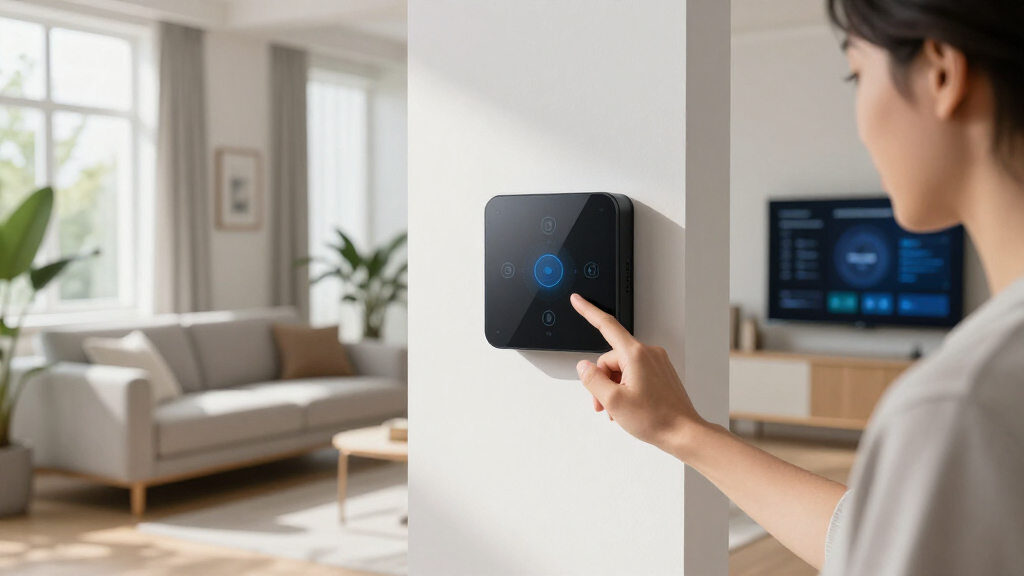

Smart home automation hubs are the command center that ties your lights, locks, sensors, and thermostats into one system, and the right one depends on which protocols you need and how much control you want. The Hubitat Elevation C-8 Pro stands out as the best overall pick because it combines Z-Wave, Zigbee, and Matter support with local processing that keeps automations running even when the internet drops. For budget-conscious buyers, the Tapo H200 delivers reliable hub basics at a fraction of the price, while Home Assistant Green offers unmatched flexibility for tinkerers who want true customization without a monthly fee. The core tradeoff in this category is convenience versus control: app-driven hubs like SwitchBot and Aqara are easy to set up but lean on cloud services, whereas local-first hubs demand more setup effort in exchange for speed and privacy. Read on for the full breakdown of all ten hubs and which one fits your home.

Get home appliances delivered free with Prime
- Fast, free delivery on millions of items
- Prime Video, Amazon Music and more included
- Member-only deals all year
Complete the kit


Key Takeaways
- Local processing was the biggest differentiator: Hubitat Elevation C-8 Pro, Home Assistant Green, and Homey Pro Mini all run automations without cloud dependency, while budget hubs like Tapo H200 and Treatlife depend heavily on their companion apps and servers.
- Protocol support varied more than price suggested — the Aqara M3 packs Zigbee, Thread, Matter, IR, and PoE into a mid-priced hub, whereas some pricier ecosystems still skip Thread entirely.
- Ecosystem lock-in is the hidden cost in this category: SwitchBot Hub 3 and Tapo H200 are affordable entry points but work best (or only) with their own device families, so device count caps matter if you plan to expand.
- The SwitchBot Hub 3’s built-in screen and the Homey Pro Mini’s compact form show a new trend: hubs are becoming interactive room devices rather than boxes hidden in a closet.
- Long-range radio hubs like the YoLink YS1603 and SONOFF Bridge Max fill a niche the general-purpose hubs can’t — large properties, outbuildings, and thick-walled homes where standard Zigbee range falls short.
| Hubitat Elevation C-8 Pro Smart Home Hub |  | Best Overall | Protocols Supported: Matter 1.5, Z-Wave 800 Series (Long Range), Zigbee 3.0, Bluetooth | External Antennas: 2 (Z-Wave and Zigbee) | Processing: Local, no cloud dependency | VIEW LATEST PRICE | See Our Full Breakdown |
| Tapo Smart Hub with Built-in Chime, H200 | 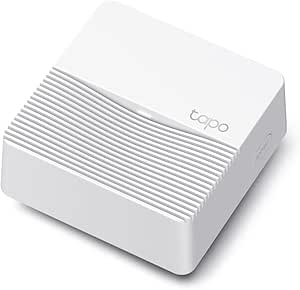 | Best Budget Starter Hub | Wireless Protocol: Ultra-low power proprietary | Max Connected Devices: 64 switches/sensors/buttons + 4 cameras or doorbells | MicroSD Storage: Up to 512 GB (card sold separately) | VIEW LATEST PRICE | See Our Full Breakdown |
| Home Assistant Green Smart Home Hub |  | Best for Tinkerers and Privacy Fans | Processor: Quad-core | RAM: 4 GB | Storage: 32 GB | VIEW LATEST PRICE | See Our Full Breakdown |
| YoLink Smart Home Hub, YS1603 |  | Best for Long-Range Reliability | Connectivity: Proprietary long-range LoRa-based wireless | Ecosystem: YoLink sensors and devices only | Setup: Quick app-based pairing | VIEW LATEST PRICE | See Our Full Breakdown |
| SmartThings Hub 3rd Generation |  | Best Mainstream App Experience | Protocols: Zigbee, Z-Wave, Cloud-to-Cloud | Voice Assistants: Alexa, Google Home | Control: Single SmartThings app | VIEW LATEST PRICE | See Our Full Breakdown |
| Aqara Smart Home Hub M3 with Matter Controller, IR, Zigbee, Thread, Wi-Fi, PoE |  | Best for Multi-Protocol Coverage | Protocols Supported: Zigbee, Thread, Wi-Fi, IR | Connectivity: Wired (PoE, USB-C) and wireless (2.4/5 GHz Wi-Fi) | Compatibility: Apple HomeKit, Alexa, SmartThings, Home Assistant | VIEW LATEST PRICE | See Our Full Breakdown |
| SONOFF Bridge Max Smart Home Hub (Bridge-M) |  | Best Value for Tinkerers | Compatibility: Zigbee, BTHome, eWeLink, Matter platforms | Features: Local web console, Home Assistant support, Zigbee hub and gateway | Security: Built-in 90 dB alarm, mobile notifications | VIEW LATEST PRICE | See Our Full Breakdown |
| Homey Pro Mini | Smart Home Hub for Home Automation with Zigbee, Ethernet, Matter & Thread |  | Best Premium Automation Engine | Protocols Supported: Zigbee, Matter, Thread, Ethernet | Compatibility: Apple Siri, Amazon Alexa, Google Home | Local Control: Yes | VIEW LATEST PRICE | See Our Full Breakdown |
| TREATLIFE ZigBee 3.0 & Bluetooth Gateway, Smart Home Hub, Supports 128 Devices, Works with Smart Life/Tuya App, 2.4GHz WiFi |  | Best Budget Starter Hub | Protocol: Zigbee 3.0 & Bluetooth | Compatibility: Smart Life, Tuya, TREATLIFE apps | Device Support: Up to 128 devices | VIEW LATEST PRICE | See Our Full Breakdown |
| SwitchBot Hub 3 (3rd Gen) Smart Home Hub with 2.4″ IPS Screen & Knob Control, WiFi Thermometer Hygrometer, IR Remote, Alexa/Google/Apple Compatible |  | Best for IR Control and Everyday Usability | Screen: 2.4-inch IPS | Connectivity: Wi-Fi (2.4GHz only), Bluetooth, Matter | Infrared Compatibility: Over 100,000 devices | VIEW LATEST PRICE | See Our Full Breakdown |
| smart home automation hub | Compatibility |
|---|---|
| Hubitat Elevation C-8 Pro Smar | — |
| Tapo Smart Hub with Built-in C | — |
| Home Assistant Green Smart Hom | — |
| YoLink Smart Home Hub | — |
| SmartThings Hub 3rd Generation | — |
| Aqara Smart Home Hub M3 with M | Apple HomeKit, Alexa, SmartThings, Home Assistant |
| SONOFF Bridge Max Smart Home H | Zigbee, BTHome, eWeLink, Matter platforms |
| Homey Pro Mini | Smart Home Hu | Apple Siri, Amazon Alexa, Google Home |
| TREATLIFE ZigBee 3.0 & Bluetoo | Smart Life, Tuya, TREATLIFE apps |
| SwitchBot Hub 3 | Alexa, Google Assistant, Apple Home |
More Details on Our Top Picks
Hubitat Elevation C-8 Pro Smart Home Hub
Hubitat Elevation C-8 Pro earns the top spot because it solves the problem most hubs ignore: what happens when your internet drops. With fully local processing, automations fire instantly regardless of cloud status, and no subscription is ever required — a combination even the capable Home Assistant Green can’t match out of the box without tinkering. The C-8 Pro adds Z-Wave 800 Series with Long Range and external antennas, so compared with the SmartThings Hub 3rd Generation, its signal reaches meaningfully farther through larger homes. The tradeoff is honest: rule-building and device pairing demand more patience than plug-and-play options like the Tapo H200, and it has no built-in camera or chime features. This pick makes the most sense for buyers who want a powerful, self-reliant system and are willing to climb a modest learning curve.
Pros:- Local processing keeps automations fast even during internet outages
- Z-Wave 800 with Long Range plus external antennas covers large homes
- Supports Matter 1.5, Zigbee 3.0, and Bluetooth for broad compatibility
- No subscription required with ongoing free updates
Cons:- Setup and rule-building can be complex for beginners
- Voice control still requires external assistants like Alexa or Google
Best for: Tech-comfortable homeowners in larger houses who want fast, internet-independent automations without monthly fees
Not ideal for: First-time smart home buyers who want everything working in ten minutes — setup and rule creation take real effort
- Protocols Supported:Matter 1.5, Z-Wave 800 Series (Long Range), Zigbee 3.0, Bluetooth
- External Antennas:2 (Z-Wave and Zigbee)
- Processing:Local, no cloud dependency
- Subscription:None required
- Dimensions:3.23 x 2.95 x 0.67 inches
- Weight:0.16 lbs
Our verdict“The C-8 Pro is the pick for serious automators who prioritize speed, privacy, and range over simplicity.”
Tapo Smart Hub with Built-in Chime, H200
The Tapo H200 is the easiest on-ramp in this lineup. Unlike the Hubitat C-8 Pro, which assumes you’ll write your own automations, the H200 pairs with inexpensive Tapo sensors and switches in minutes and doubles as a 90dB smart chime and alarm — something no other hub here does. Supporting up to 64 sensors plus 4 cameras, it scales further than most people expect at this price, and its ultra-low-power wireless protocol dramatically extends sensor battery life compared with Wi-Fi-based alternatives like the SwitchBot Hub 3. The compromises are structural: it only speaks to Tapo devices, needs a 2.4GHz network, and the microSD card for local video storage costs extra. Compared with the YoLink hub’s similarly closed approach, though, the Tapo ecosystem is broader and easier to shop for.
Pros:- Handles up to 64 sensors plus 4 cameras on one hub
- Built-in chime and alarm up to 90dB adds real utility
- Ultra-low-power wireless extends sensor battery life
- Local microSD storage up to 512GB for camera footage
Cons:- Ecosystem-locked to Tapo devices with regional limitations
- Requires 2.4GHz Wi-Fi and a separately purchased microSD card
Best for: Budget-conscious renters and first-time buyers building a sensor-and-camera ecosystem around inexpensive Tapo gear
Not ideal for: Owners of mixed-brand smart devices — this hub only works with Tapo products and locks you into that ecosystem
- Wireless Protocol:Ultra-low power proprietary
- Max Connected Devices:64 switches/sensors/buttons + 4 cameras or doorbells
- MicroSD Storage:Up to 512 GB (card sold separately)
- Chime Volume:Up to 90 dB
- Wi-Fi Requirement:2.4 GHz
- Voice Assistants:Alexa, Google Home
- Compatible Devices:Tapo C420, C400, D230 and other Tapo products
Our verdict“A low-cost, low-effort starter hub that makes sense if you’re happy living entirely within the Tapo ecosystem.”
Home Assistant Green Smart Home Hub
Home Assistant Green occupies a different niche than everything else here: it’s a privacy-first automation platform on official hardware, silent and fanless, sipping just a few watts. Compared with the Hubitat C-8 Pro, Green supports a far wider universe of integrations — thousands of them — but ships without any radios built in; you’ll add USB sticks for Zigbee, Z-Wave, or Thread as needed, which raises the true cost and setup effort. The 32GB of storage feels tight for users who want years of history logs or add-ons. Where the SmartThings Hub 3rd Generation routes much of your logic through Samsung’s cloud, Green keeps everything local and under your control. This option stands out for hobbyists who see a hub as a long-term project rather than an appliance.
Pros:- Pre-installed Home Assistant with thousands of available integrations
- Fanless, silent operation at just a few watts
- Fully local platform keeps data private
- Official hardware backed by Nabu Casa support
Cons:- No built-in Zigbee/Z-Wave radios — USB dongles required
- 32GB internal storage limits long-term logging and add-ons
Best for: DIY-minded users who want maximum integration options, full data privacy, and silent always-on hardware
Not ideal for: Buyers wanting radios and automations working out of the box — protocol support requires separate USB dongles and configuration
- Processor:Quad-core
- RAM:4 GB
- Storage:32 GB
- Power Consumption:A few watts
- Radio Expandability:USB add-ons for Z-Wave, Zigbee, Thread
- Cooling:Fanless, silent
- Initial Setup:Requires Ethernet connection
Our verdict“The Green is the enthusiast’s choice: unmatched flexibility and privacy, but only if you’re willing to build it out yourself.”
YoLink Smart Home Hub, YS1603
YoLink’s YS1603 wins on one dimension where it beats nearly everything in this roundup: range. Its LoRa-based wireless reaches sensors hundreds of feet away and through walls, which is why it’s popular for large properties, outbuildings, and vacation homes where the Tapo H200 or SwitchBot Hub 3 would simply lose contact. Pairing is genuinely quick, and YoLink’s leak, door, and temperature sensors are known for multi-year battery life. The flip side of that specialized radio is a narrow ecosystem — no Zigbee, Z-Wave, or Matter support means your third-party devices won’t join the party, and public specs are thin, making pre-purchase research harder than with the well-documented Hubitat C-8 Pro. This model is better suited to buyers solving a specific long-range monitoring problem than to anyone assembling a whole-home system.
Pros:- Exceptional wireless range compared with standard hub radios
- Very fast, simple device pairing
- Centralized control of YoLink sensors with multi-year battery life
Cons:- Locked to the YoLink device ecosystem only
- Sparse published specifications make comparison shopping difficult
Best for: Property owners monitoring distant garages, basements, sheds, or cabins with leak and door sensors over long ranges
Not ideal for: Whole-home automators with mixed-brand Zigbee, Z-Wave, or Matter devices — the closed radio doesn’t support them
- Connectivity:Proprietary long-range LoRa-based wireless
- Ecosystem:YoLink sensors and devices only
- Setup:Quick app-based pairing
- Role:Central hub for YoLink automation
- Use Case:Long-range sensor monitoring for large properties
Our verdict“If your problem is distance rather than integration, the YS1603 delivers; for general smart home duties, look elsewhere.”
SmartThings Hub 3rd Generation
The SmartThings Hub 3rd Generation remains the most approachable multi-protocol option for average households. It speaks both Zigbee and Z-Wave natively — unlike the ecosystem-locked Tapo H200 — and its polished app with presence detection and routine builders feels friendlier than Hubitat’s rule engine for anyone who just wants lights to react when a door opens. Alexa and Google Home integration is seamless. The tradeoffs are real, though: much of its logic depends on Samsung’s cloud, so automations can lag or stall during outages where the C-8 Pro stays fast, and Samsung has a history of deprecating features that power users relied on. This pick makes the most sense for buyers who value a mature app and broad retail device compatibility over raw speed and offline independence.
Pros:- Native support for both Zigbee and Z-Wave devices
- Polished app with routines and presence-based automation
- Excellent Alexa and Google Home integration
Cons:- Cloud dependency makes automations slower and internet-reliant
- Initial setup and device pairing can frustrate beginners
Best for: Mainstream households who want a friendly app, voice control, and compatibility with widely sold Zigbee and Z-Wave devices
Not ideal for: Privacy-focused or outage-prone households — cloud-dependent automations slow or stop without internet
- Protocols:Zigbee, Z-Wave, Cloud-to-Cloud
- Voice Assistants:Alexa, Google Home
- Control:Single SmartThings app
- Automation Features:Presence detection, device triggers
- Processing:Cloud-dependent for most automations
- Device Support:Wide range of retail smart home products
Our verdict“A solid, app-friendly choice for typical homes, as long as you accept that the cloud sits at the center of everything.”
Aqara Smart Home Hub M3 with Matter Controller, IR, Zigbee, Thread, Wi-Fi, PoE
The Aqara Hub M3 stands out for its rare combination of Zigbee, Thread, Wi-Fi, and IR in a single box, plus Power over Ethernet for rock-solid wired placement anywhere in the house. Compared with the SwitchBot Hub 3, which leans heavily on infrared control, the M3 treats IR as a bonus while building its foundation on modern mesh protocols and Matter bridging. Device capacity of 127 Zigbee plus 127 Thread nodes puts it ahead of the TREATLIFE gateway‘s 128-device ceiling for larger installs. The tradeoffs are real: no power adapter is included, and some features still phone home to the cloud, which will frustrate buyers comparing it to the fully local Home Assistant Green approach.
Pros:- Supports Zigbee, Thread, Wi-Fi, and IR in a single hub
- Matter bridge and Home Assistant compatibility keep it ecosystem-agnostic
- 8GB encrypted local storage plus PoE for reliable wired placement
- Handles up to 254 total devices across Zigbee and Thread
Cons:- Power adapter not included, adding hidden cost
- Some features still depend on cloud connectivity
- IR functionality is limited when exposed through Matter
Best for: Smart home builders who mix Zigbee and Thread devices and want one hub with Matter bridging and flexible PoE placement
Not ideal for: Buyers who want a complete out-of-box experience — you’ll need to supply your own USB-C power adapter if you skip PoE
- Protocols Supported:Zigbee, Thread, Wi-Fi, IR
- Connectivity:Wired (PoE, USB-C) and wireless (2.4/5 GHz Wi-Fi)
- Compatibility:Apple HomeKit, Alexa, SmartThings, Home Assistant
- Device Capacity:127 Zigbee devices, 127 Thread devices
- Storage:8GB encrypted local storage
- Power:PoE, USB-C port (adapter not included)
Our verdict“This pick makes the most sense for growing multi-protocol homes that want Matter-ready hardware with wired reliability — as long as you budget for the power adapter.”
SONOFF Bridge Max Smart Home Hub (Bridge-M)
The SONOFF Bridge Max earns its place by doing what budget hubs rarely attempt: local control via a web console, MQTT and LAN connectivity, and Matter compatibility without a subscription. Where the TREATLIFE gateway funnels everything through the Tuya cloud app, this option lets a technically inclined owner manage devices from a browser with no cloud dependency — a privacy posture closer to Home Assistant Green at a fraction of the cost. The built-in 90 dB alarm and push notifications are an unusual bonus that turns the hub into a budget security anchor. The catch is setup: integration with Home Assistant and MQTT requires real configuration work, and documentation on third-party Zigbee device support is thin compared with established players like Hubitat Elevation.
Pros:- Local web console keeps device management off the cloud
- Works with Alexa, Google Home, Apple Home, and Home Assistant
- Built-in 90 dB alarm adds basic security capability
- MQTT and LAN support enables flexible custom automations
Cons:- Requires technical know-how for full integration
- Limited official documentation on supported third-party Zigbee devices
Best for: DIY hobbyists who want local-first control, MQTT integration, and a built-in alarm without paying premium hub prices
Not ideal for: Plug-and-play buyers — the technical setup and vague third-party device compatibility will cause frustration
- Compatibility:Zigbee, BTHome, eWeLink, Matter platforms
- Features:Local web console, Home Assistant support, Zigbee hub and gateway
- Security:Built-in 90 dB alarm, mobile notifications
- Connectivity:LAN, MQTT
- Platforms:Alexa, Google Home, Apple Home, eWeLink
Our verdict“This model is better suited to tinkerers who value local control and low cost over polished setup — everyone else should look at simpler options.”
Homey Pro Mini | Smart Home Hub for Home Automation with Zigbee, Ethernet, Matter & Thread
The Homey Pro Mini is the enthusiast’s choice, pairing fully local control with the Homey Flow automation builder — one of the most approachable visual scripting tools available. Compared with the Sonoff Bridge Max, which achieves local control through manual configuration, the Homey wraps local reliability in a polished app with no subscription fees, something few premium ecosystems can claim. Ethernet on board also gives it a stability edge over Wi-Fi-only options like the TREATLIFE gateway. The obvious drawback is modular greed: Z-Wave, Bluetooth, and IR require the separately sold Homey Bridge, so a home full of legacy Z-Wave locks will push the total price well past hubs like Hubitat Elevation that include Z-Wave out of the box.
Pros:- Homey Flow offers deep, customizable automation without code
- Fully local control for privacy and offline reliability
- No subscription fees for full feature access
- Ethernet plus local and cloud backups
Cons:- Z-Wave, Bluetooth, and IR require the separately sold Homey Bridge
- Premium price before accounting for add-on modules
Best for: Automation enthusiasts who want powerful visual flow building, local execution, and no monthly fees
Not ideal for: Z-Wave-heavy households — the required add-on bridge makes it poor value compared with hubs that include Z-Wave built in
- Protocols Supported:Zigbee, Matter, Thread, Ethernet
- Compatibility:Apple Siri, Amazon Alexa, Google Home
- Local Control:Yes
- Automation:Homey Flow, customizable routines
- Backups:Local and cloud
- Additional Modules:Homey Bridge (sold separately) for Z-Wave, Bluetooth, Infrared
Our verdict“This option stands out for buyers who treat automation as a hobby and want the most capable flow engine — just factor in the add-on bridge if you need Z-Wave.”
TREATLIFE ZigBee 3.0 & Bluetooth Gateway, Smart Home Hub, Supports 128 Devices, Works with Smart Life/Tuya App, 2.4GHz WiFi
For a first step into smart home automation, the TREATLIFE gateway gets the basics right at a price that undercuts everything else in this lineup. Plug-and-play setup with automatic device discovery means a beginner can pair sensors and switches in minutes — a stark contrast to the configuration-heavy Sonoff Bridge Max. Support for both Zigbee 3.0 and Bluetooth plus a 128-device mesh covers typical apartments and small homes comfortably. The limitations define the category, though: it’s 2.4GHz Wi-Fi only, it locks you into the Tuya/Smart Life app ecosystem rather than open standards, and there’s no Matter support or local control, unlike the Aqara Hub M3. Anyone planning to outgrow the Tuya ecosystem should start higher up this list.
Pros:- Plug-and-play setup with automatic device discovery
- Handles both Zigbee 3.0 and Bluetooth devices up to 128 total
- Works with Alexa and Google Assistant voice control
- Backed by a 2-year warranty
Cons:- 2.4GHz Wi-Fi only; 5GHz networks unsupported
- Locked to the Tuya/Smart Life ecosystem with no Matter or local control
- 128-device ceiling limits expansion in larger homes
Best for: First-time smart home buyers with modest device counts who want cheap, simple Zigbee and Bluetooth connectivity
Not ideal for: Owners of dual-band routers or future-proofing buyers — 2.4GHz-only Wi-Fi and no Matter support age this hub quickly
- Protocol:Zigbee 3.0 & Bluetooth
- Compatibility:Smart Life, Tuya, TREATLIFE apps
- Device Support:Up to 128 devices
- Wi-Fi:2.4GHz only
- Voice Control:Alexa, Google Assistant
- Warranty:2 years
Our verdict“This pick makes the most sense for budget-conscious beginners building a small Tuya-compatible setup — serious automators should spend more for local control.”
SwitchBot Hub 3 (3rd Gen) Smart Home Hub with 2.4″ IPS Screen & Knob Control, WiFi Thermometer Hygrometer, IR Remote, Alexa/Google/Apple Compatible
The SwitchBot Hub 3 takes a different approach than every other hub here: instead of hiding everything in an app, it puts a 2.4-inch IPS screen and a physical control knob on the device itself, showing temperature, humidity, and scene controls at a glance. With a database of over 100,000 IR appliances, it’s the clear choice for taming dumb TVs and air conditioners — territory the Zigbee-focused Aqara Hub M3 only partially covers. The built-in sensors are accurate to ±0.2°C, letting climate automations run without extra hardware. The tradeoff is its narrow radio stack: no Zigbee or Z-Wave, just Wi-Fi, Bluetooth, and Matter, so serious sensor networks belong on the Homey Pro Mini or Hubitat Elevation instead. It’s also 2.4GHz Wi-Fi only, which can mean manual configuration on dual-band routers.
Pros:- Controls over 100,000 IR appliances from a single hub
- Built-in display and physical knob make scenes usable without a phone
- Integrated temperature and humidity sensing accurate to ±0.2°C
- Acts as a Matter bridge for Apple, Alexa, and Google ecosystems
Cons:- No Zigbee or Z-Wave support, limiting sensor expandability
- 2.4GHz Wi-Fi only; dual-band routers may need manual setup
Best for: Households that want to modernize existing IR appliances — TVs, AC units, fans — with glanceable on-device controls and Matter bridging
Not ideal for: Zigbee or Z-Wave sensor-heavy homes — the Hub 3 lacks those radios entirely
- Screen:2.4-inch IPS
- Connectivity:Wi-Fi (2.4GHz only), Bluetooth, Matter
- Infrared Compatibility:Over 100,000 devices
- Sensors:Temperature, Humidity (±0.2°C)
- Control:Knob control, physical buttons, app
- Automation:Scenes, geofencing, triggers
- Compatibility:Alexa, Google Assistant, Apple Home
Our verdict“This option stands out for anyone whose smart home revolves around IR appliances and SwitchBot devices with friendly on-device controls — not for mesh sensor networks.”
How We Picked
I evaluated each hub against the factors that actually shape daily ownership: protocol breadth (Z-Wave, Zigbee, Thread, Matter, and infrared), local versus cloud processing, automation engine power, device capacity, setup difficulty, and long-term ecosystem flexibility. A hub that runs automations locally scored higher than one that needs a working internet connection, because responsiveness and reliability are the whole point of adding a hub in the first place. I also weighed vendor track record — whether the platform has a history of software updates and a sustainable business model — since a hub is a long-term investment, not an impulse purchase.
The ranking reflects fit as much as raw capability. Premium, protocol-rich hubs like the Hubitat C-8 Pro and Homey Pro Mini rose to the top for power users, while affordable, ecosystem-focused hubs like the Tapo H200 and SwitchBot Hub 3 earned spots for beginners who value simplicity over flexibility. Specialist hubs such as the YoLink and SONOFF Bridge Max ranked lower overall but remain strong picks for their specific scenarios — long range and device count — which I flag in each recommendation.
| smart home automation hub | Compatibility |
|---|---|
| Hubitat Elevation C-8 Pro Smar | — |
| Tapo Smart Hub with Built-in C | — |
| Home Assistant Green Smart Hom | — |
| YoLink Smart Home Hub | — |
| SmartThings Hub 3rd Generation | — |
| Aqara Smart Home Hub M3 with M | Apple HomeKit, Alexa, SmartThings, Home Assistant |
| SONOFF Bridge Max Smart Home H | Zigbee, BTHome, eWeLink, Matter platforms |
| Homey Pro Mini | Smart Home Hu | Apple Siri, Amazon Alexa, Google Home |
| TREATLIFE ZigBee 3.0 & Bluetoo | Smart Life, Tuya, TREATLIFE apps |
| SwitchBot Hub 3 | Alexa, Google Assistant, Apple Home |
Factors to Consider When Choosing Smart Home Automation Hubs
Before settling on a hub, step back and map out what your home actually needs. The most common mistake buyers make is choosing a hub first and devices second — the reverse order almost always leads to frustration and repurchases.Match the Radio to the Devices You Already Own
The single most expensive mistake in this category is buying a hub whose radios don’t match your devices. If your bulbs and sensors are Zigbee, a Wi-Fi-only hub like the Tapo H200 will strand them, no matter how well-reviewed it is. Count up what you own before shopping, and check whether each device is Z-Wave, Zigbee, Thread, Wi-Fi, or infrared. Multi-protocol hubs such as the Hubitat C-8 Pro or Aqara M3 cost more upfront but spare you from replacing gear or running two hubs side by side. Also check whether the hub acts as a Matter controller — even if you don’t need Matter today, it’s the closest thing this market has to future-proofing, and hubs without it will age faster.
Decide How Much You Depend on the Cloud
Cloud-dependent hubs are easier to set up but introduce three risks: slower automations, outages when the vendor’s servers fail, and the possibility the company shuts the service down entirely — a pattern that has killed several budget ecosystems over the past few years. Local processing means your motion-triggered lights respond in milliseconds and keep working during an internet outage, which matters most for security-critical automations like locks and alarms. Hubs like the Hubitat, Home Assistant Green, and Homey Pro Mini put processing in the box; app-centric hubs generally do not. Be honest about your tolerance here: casual users running decorative lighting may never notice cloud lag, while anyone automating door locks or leak sensors will.
Device Limits and Network Scale
Every hub has a maximum device count, and beginners routinely underestimate how fast a home fills up — a three-bedroom house with sensors on every door, window, and room can hit 50 devices before you add a single decorative light. The Treatlife gateway caps at 128 devices, which sounds generous until you factor in Zigbee network congestion on large installs. Beyond raw counts, consider how the hub handles scale: some platforms slow down or drop connections as the network grows, and mesh-rebuild behavior differs widely between Zigbee implementations. If you’re planning a whole-home build, buy for double your current device count. If you’re automating one room, a capacity ceiling is a non-issue and shouldn’t drive your budget.
Ecosystem Lock-In and App Quality
Most affordable hubs are loss leaders for their own device ecosystems — SwitchBot, Tapo, and Treatlife all work best with their own hardware, and some functions only work with it. That’s fine if you love the brand’s devices, but it means your hub choice effectively locks in your next three years of purchases. Read recent app store reviews for the companion app before buying, because you’ll interact with that app every single day. A powerful hub with a clunky app is worse in practice than a modest hub with a polished one. Buyers who want to mix brands freely should prioritize open platforms like Home Assistant or Hubitat, accepting a steeper learning curve as the price of freedom.
Placement, Range, and Power Options
Hub placement affects performance more than most buyers expect. Central placement improves Zigbee and Z-Wave mesh coverage across the whole house, while a hub stuffed behind a TV in a corner will leave far rooms unreliable. Power-over-Ethernet options like the Aqara M3 simplify cabling and free the hub from Wi-Fi congestion, a small luxury that pays off in larger homes. For outbuildings, detached garages, or thick-walled older houses, long-range radios like YoLink’s LoRa-based system outperform standard Zigbee hubs dramatically. Finally, check whether the hub includes a battery backup or works with your network setup — a hub that dies with the power takes your automations with it.
When to Pay More — and When Not To
Premium hubs justify their price through three things: multi-protocol radios, a powerful automation engine, and long software support. If any of those map to your needs — heavy automations, mixed-device homes, security applications — the extra spend pays for itself in avoided replacements. But if you’re automating a rental apartment with ten smart bulbs, a $30 hub does the same job as a $200 one, and the difference is better spent on devices. Watch for subscription creep as well: some platforms gate advanced features behind monthly fees that quietly exceed the hardware cost within two years. Compare total three-year cost, not sticker price, and favor vendors with a record of free feature updates.
Frequently Asked Questions
Do I need a hub if my devices already work with Alexa or Google Home?
Only for basic control, and that distinction matters more than most buyers realize. Alexa and Google Home can toggle cloud-connected devices, but their automation engines are shallow — limited triggers, no complex logic, and total dependence on your internet connection. A dedicated hub like the Hubitat C-8 Pro or Homey Pro Mini handles conditional automations, local processing, and Zigbee/Z-Wave devices that Alexa can’t reach directly. If all you want is voice control over a handful of Wi-Fi bulbs, skip the hub. But if you’re building automations like ‘unlock the door only when my phone is home and it’s after 6pm,’ a real hub is the only tool for the job.
Is Matter support enough reason to choose one hub over another?
It’s a strong reason, but not a decisive one on its own. Matter solves interoperability — letting devices from different brands work together without proprietary bridges — but adoption is still maturing, and some device categories (cameras, in particular) remain patchy. A hub like the Aqara M3 or Homey Pro Mini that combines Matter with native Zigbee and Thread gives you both the new standard and mature fallback options, which is the safest position in 2026. A Matter-only hub with no other radios would actually be less flexible than a conventional multi-protocol one today. Treat Matter as future-proofing layered on top of solid radio support, not as a substitute for it.
What happens to my smart home if a hub company shuts down or discontinues the product?
This is the category’s real risk, and it’s happened to several ecosystems already. Cloud-dependent hubs can become paperweights overnight — when the servers go dark, the app stops working and automations die with it. Locally processed hubs degrade more gracefully: Hubitat, Home Assistant Green, and Homey Pro Mini keep running their automations even if the vendor disappears, since the logic lives in the box on your shelf. Open-source platforms like Home Assistant carry the lowest long-term risk because the software doesn’t depend on any single company’s survival. If continuity matters — security devices, elderly relatives’ homes, remote properties — weight this factor heavily and favor local-first hubs.
Can I run two hubs together instead of buying one expensive one?
Yes, and it’s often the pragmatic answer, but you should go in with clear expectations. A common setup pairs a cheap ecosystem hub like the Tapo H200 or SwitchBot Hub 3 with a local automation platform that coordinates them through integrations. The catch is fragmentation: two apps during setup, occasional timing mismatches between systems, and automations that break when one hub updates its API. Home Assistant exists largely to solve this, unifying multiple hubs behind one interface — but that adds its own complexity layer. For households where different family members adopted different ecosystems, the two-hub-plus-coordinator approach works well. For a fresh build starting from zero, one multi-protocol hub is cleaner and usually cheaper over time.
Are the budget hubs under $50 actually reliable, or will I regret saving the money?
It depends entirely on what you attach to them. Budget hubs like the Treatlife gateway and Tapo H200 are reliable for their intended scope: modest device counts, single-room or small-apartment setups, and decorative rather than critical automations. Regret tends to arrive when buyers stretch a budget hub beyond its design — whole-home coverage, 80-plus devices, or security functions that need offline reliability. Cloud dependence is the other recurring complaint, since a vendor outage takes everything down. My rule of thumb: under $50 is fine for lights and plugs, but once locks, alarms, or leak sensors enter the picture, a locally processed hub becomes the responsible purchase rather than an indulgence.
Conclusion
The right smart home automation hub comes down to what you’re building and how much control you want over it. For best overall, the Hubitat Elevation C-8 Pro wins on protocol breadth, local speed, and automation power — it’s the hub that serious setups grow into rather than out of. The Homey Pro Mini takes the best premium slot for buyers who want flagship capability in a compact, design-forward package with Matter and Thread built in. For best value, the Tapo H200 covers hub essentials at a price that leaves budget for actual devices, while the Treatlife gateway is the value pick for Tuya-ecosystem households.
Best for beginners goes to the SwitchBot Hub 3, whose screen, knob, and dead-simple app remove the intimidation factor entirely. Specific needs round out the lineup: the Aqara M3 for buyers who want every modern protocol plus PoE in one box, Home Assistant Green for tinkerers who refuse ecosystem limits, the YoLink YS1603 for large properties needing extreme range, and the SONOFF Bridge Max for high device counts on a budget. Whatever you pick, buy for the home you’ll have in two years, not the one you have today — the hub is the one component that’s genuinely painful to swap later.
Fall Picks
fall essentials
As an affiliate, we earn on qualifying purchases.